Kindle Fire app can do almost anything that your other smart devices can. You can access YouTube, browse the web, and even listen to music. However, if you tried to download the Instagram app from Amazon’s app store, you’d be left disappointed.
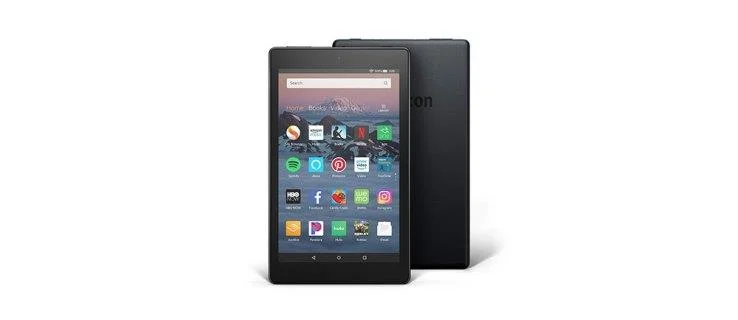
Although there are some apps in the Appstore that are light-weight versions of Instagram of sorts (they lack the majority of the features), you can’t install the real deal.
It’s possible to install Instagram on your Kindle Fire, though. You just need to work around the app store and be ready for certain risks. Let’s see how.
Before We Proceed – Check the Appstore Again
The dispute between Amazon and Google was the main reason apps like Instagram and Snapchat weren’t available on Amazon’s Appstore. However, this dispute was recently settled on good terms, and the two companies opened their doors to each other.
Therefore, you may notice certain changes in the Appstore in the following months. Some users reported that they can see the Instagram app in the store but they still can’t download it. There’s a big chance that you’ll be able to download Instagram directly from Amazon’s store.
In fact, before you proceed to the more complicated method below, you should search your Appstore for the Instagram app and try to download it directly. If the app is still unavailable, then you should continue to the next step.
First Step – Allow Apps from Unknown Sources
Your Kindle Fire runs on the Fire operating system which is essentially a compatible Android fork. This means that any app that you can install and run on an Android tablet or a smartphone, you should also be able to run on your Kindle Fire. But you can’t access a lot of these taps on the Appstore.
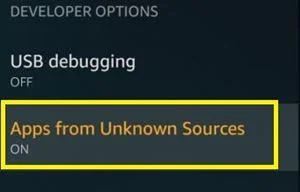
Luckily, that’s not the only place where you can find your apps. To work around this issue, you’ll first need to allow your device to download apps from unknown sources. Follow the steps:
- Swipe down from the top of the screen to open the Quick Access bar.
- Tap the “Settings” button on the right side of the bar.

- Go to the “Developer Options” menu.
- Toggle the “Apps from Unknown Sources” option.

Note: There’s a reason why your device doesn’t recommend downloading apps from outside the Appstore. The Apps listed there are tested and secure, so they can’t harm your device in any way.
When you download APK files from another place, you risk downloading malicious data such as viruses, Trojans, spyware, and other types of malware.
Second Step – Download APK
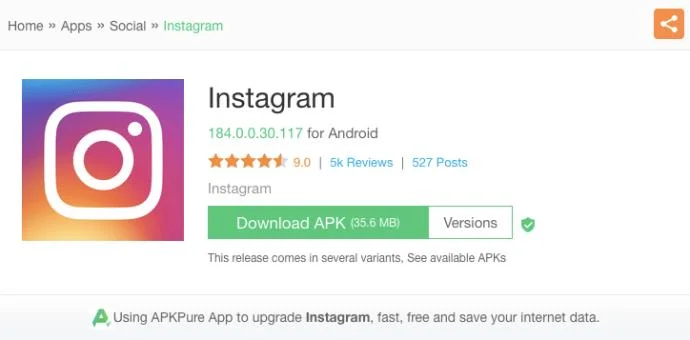
Now that you’re Kindle Fire is open to third-party apps, you should browse the web for Instagram’s APK file. If you search for a little bit, you’ll find plenty of websites where you can supposedly download the APK.
However, it would be best to get one from a reliable website with lots of ratings and positive reviews, as 3rd-party downloads always carry a certain amount of risk.
- Go to any reliable website containing a downloadable Instagram APK file (for instance APKpure).
- Tap the “Download APK” button and wait for the download to finish.

If everything went well, you can now install the app.
Third Step – Install and Enjoy
When you download the APK file, it will go to your local storage, probably to the “Downloads” folder. To install the app, you need to access the APK file and install it manually. Here’s what you should do:
- Go to the Home screen of your Kindle Fire.
- Tap the “Docs” app.
- If you have multiple options (Cloud, Kindle, Local Storage), select “Local Storage.”
- Tap the Download folder.
- Find the “Instagram.APK” file among the downloaded data.
- Tap the file. A new pop-up should appear.
- Select “Install.”
- Wait for the process to finish.
If you managed to install the app, you’ll find the app icon on the Home screen. Just tap the icon and the app should launch. The following process shouldn’t be different than usual. Set up your account, enter your credentials, and access your Instagram feed. Afterward, you can use the app the same way you would on a regular Android or iOS tablet.
Frequently Asked Questions
Can I install Instagram on my Fire HD?
Yes. Some Kindle Fire tablets do let you download the Instagram app directly from the Amazon App Store. All you need to do is open the App Store and use the search bar to type in Instagram.
From there, tap on ‘Install.’ Once the app is successfully installed sign in like you normally would.
Be Careful with Apps from Unknown Sources
When you finish setting up Instagram, you shouldn’t leave the “Allow apps from unknown sources” on. This poses a threat to your device as you could accidentally tap the screen and download malicious software.
Cybercriminals tend to target vulnerable devices with pop-up notifications and links that you can mistakenly trigger. Then, a malicious APK can launch in your system and cause you trouble. Therefore, you should always be on guard.
Have you managed to set up the Instagram app on your Kindle Fire? How do you like it? Share your experience with the TechJunkie community in the comments section below.