
Make Realistic Fake Blood Without a Cleanup Surprise

Mix a glossy prop-only fake blood batch, choose safer products for skin and costumes, and test cleanup before Halloween night.
Remember when social media apps used to do one or two things really well? Those days are gone, and too much diversity has made many apps bloated. Most apps today are just too bloated. Here are a few examples!
1. Instagram Notes
Instagram has been adding new features consistently since the mid-2010s, and even if you don’t like all of them, you can see the logic. For example, even if you rarely use Reels, you can see how they work on the platform (and you can also create Reels on Instagram using Canva ). But you’ve probably never clicked on Instagram Notes.
Instagram Notes is basically the equivalent of going into your DMs and seeing a status update. Including music and video along with text, there are now so many ways to interact with your followers. In addition to Notes, you can use Reels, carousels, single posts, Stories, and Broadcast Channels; all of which are too much for most users.
2. Facebook Reels
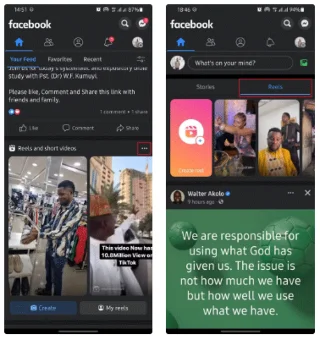
Facebook Reels seems like a waste of time to many people. People are more interested in (some) people’s statuses, interacting with photos, and using Facebook Messenger than they are in the video content on the platform.
Facebook Reels seems like a worse version of Instagram Reels. It’s one of the worst features on Facebook, along with ads, Stories, and bloated group/page posts. Removing some of these features and streamlining the app would make for a more positive user experience and better quality time spent on Facebook.
3. The mission to become the universal application of X
X has added a ton of features over the past few years, and while some are limited to Premium users, the in-app experience still becomes overwhelming for those with free accounts.
Jobs is one such example. The logic here is that X is a place for journalists and tech experts to congregate. However, a social networking site - LinkedIn - already includes this feature (and is known for being a place where experts congregate).
Audio and video calling is another feature that adds to X's bloat, as are Communities (which are separate from Lists). Articles (a feature already available on LinkedIn) and Grok have made the app even more saturated. The app is even less fun to use; it's no wonder X's usage has dwindled.
4. YouTube Shorts
YouTube Shorts are basically just a way to compete with TikTok, but they're not the main reason most of us go to YouTube. We go there for long-form content, and anyone who wants short-form content will go to TikTok. I think YouTube should just remove Shorts.
5. Meta Cross Promotion String
X is having trouble, and that’s where another viable competitor comes in. Threads is a potential contender, but when Meta tried cross-promoting posts in the Instagram and Facebook apps, it didn’t seem to go very well. Plus, you can’t read the recommended Threads posts you see unless you subscribe.
While it is possible to hide Threads posts on Instagram , it is only for a limited time. Instagram has a lot of red tape as discussed earlier; things get even more complicated when considering ads, Explore pages, etc.
New features themselves are not the problem, but it is important that they do not overload the apps. If they do, it will ruin the user experience and may cause many people to spend less time online. Ironically, this is exactly the opposite of what social media companies want. Hopefully social media companies will pay more attention to what they include and not constantly bombard users with unnecessary features!
Mix a glossy prop-only fake blood batch, choose safer products for skin and costumes, and test cleanup before Halloween night.
Create a gentle Halloween look with pastel colors, friendly ghosts, easy no-carve accents, and practical safety tips for your home.
Create a spooky office cubicle with Halloween desk decor ideas that keep your workspace usable, tidy, and mindful of workplace safety.
Plan a recognizable Halloween 2026 look with pop culture costumes inspired by Spider-Man, Supergirl, Toy Story 5, Moana, Mario, and Wednesday.
Sort leftover Halloween candy safely, share or repurpose sealed treats, and choose food use or compost for pumpkins based on their condition.
Compare workplace Halloween costume choices by respect, dress code, mobility, and safety—and learn when a subtle accessory or a policy check is the better option.
Find a couples costume that fits your style, budget, and comfort level, from Addams Family classics to original inside-joke duos.
Need a last-minute high school Halloween costume? Compare 10 easy closet-based ideas by prep time, comfort, school-day practicality, and simple safety checks.
Use a simple 2026 Halloween decorating timeline for indoor décor, outdoor displays, and fresh pumpkins, with practical adjustments for weather and events.
Mix five vivid, approachable Halloween cocktails with measured recipes, simple prep tips, and an alcohol-free option for your party guests.








