Google Earth is one of the most powerful tools for exploring the earth and space right from your desktop. You can easily navigate through any terrain, route, highway, forest, hill and anywhere in the world. It is not only an earth map viewer but also a giant knowledge center to find information about anywhere on earth and its history.
Google Earth for iOS
Google Earth for Android
Google Earth for Mac
In general, Google Earth is a great application and it can surprise you in ways you cannot imagine. To help you make the most of this app, the following article will introduce 5 useful Google Earth tips that you should know.
1. Join a journey
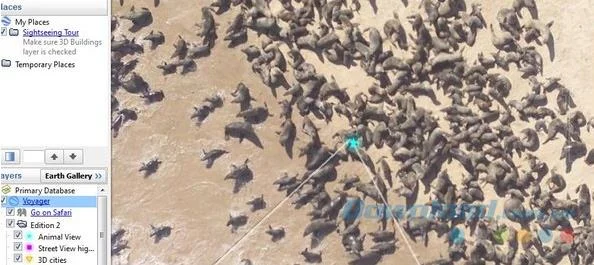
Google Earth really allows you to take on a journey while sitting in front of a computer screen. You can explore the animals in their natural habitat and even use street view or ground view to get as close as possible. Of course, it will still be still images, but you can navigate around and observe them as closely as possible. To do that, in the Layers section in the bottom left corner, click on Voyager.
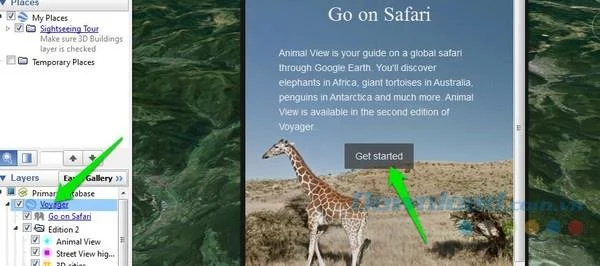
Google Earth will ask you to start a journey. You can let Google take you on a journey using hand-picked locations where Google knows there are different animals or you can "roam" yourself. Google Earth will highlight places with the opportunity to find different animals, and you can zoom in to that location to see if you are lucky and spot a favorite animal.

2. Back to history
Google Earth lets you see what an area looked like in the past with a database of over 10 years across all locations. If you move to a new place, you can check out its history to know what it was like before and gain more knowledge.
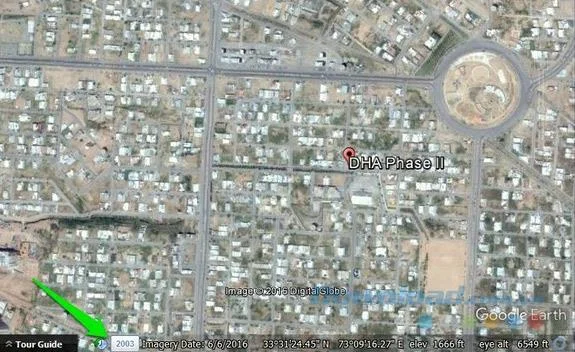
While viewing any location on Google Earth, you will see a small clock at the bottom with many year markers displayed next to it. Just click on it and you will switch to historical mode.

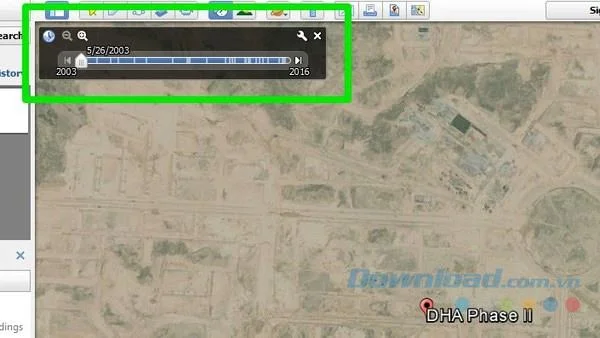
You can move the slider above to move between timelines and see how an area has changed over the years.

3. Get more knowledge about the Moon, Mars, and Sky.
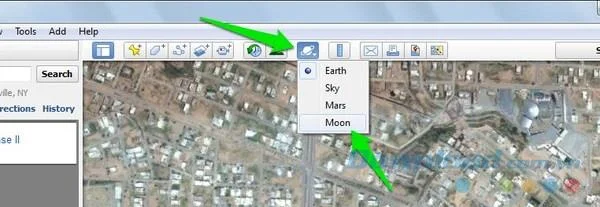
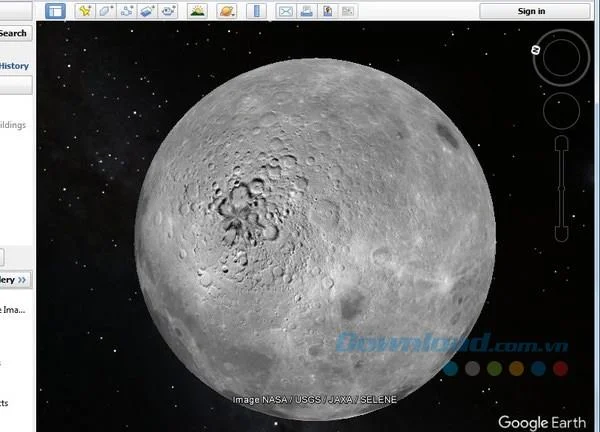
By default, Google will open Earth mode , but you can also switch to Moon, Mars, Sky mode to learn more about them. Click on the planet icon (like Saturn) in the menu bar above and select the mode you want to explore.

The planet will open and you can navigate it the same way you navigate the Earth . Click on the location and the link will display their location, history and information.

4. See a place at different times of the day
You can also see what a location looks like at a specific time of day, like morning, afternoon, or evening.

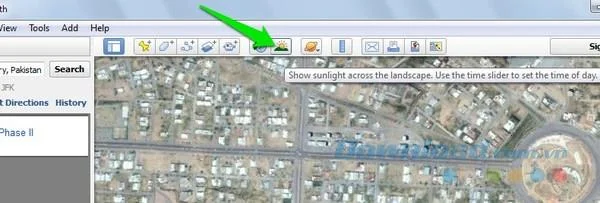
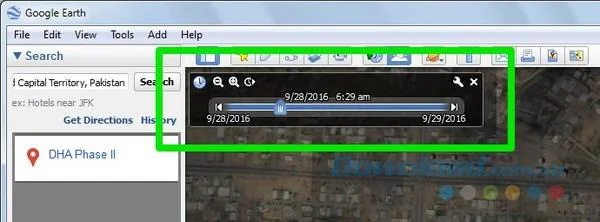
Click on the sun icon on the top menu bar and the light slider will display. You can move the slider to see what a place looks like at different times of the day.

5. Use the great flight simulator
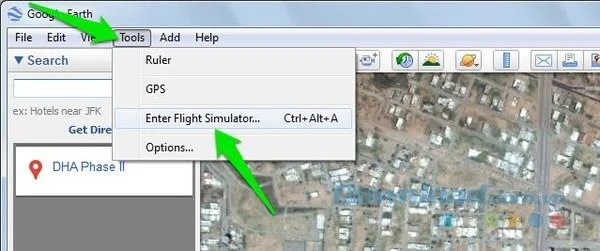
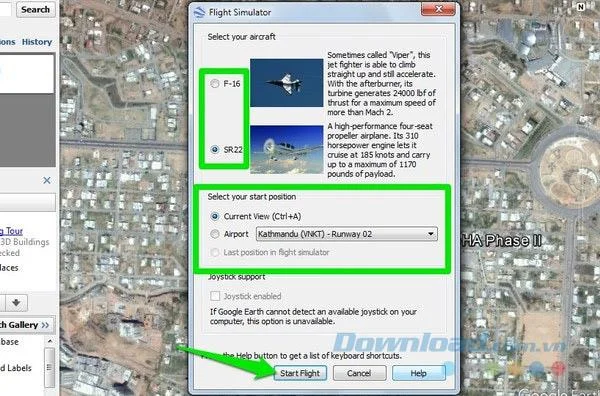
Using Google you can wander around the world by jet. It sounds like a myth but it is true. Google has an integrated flight simulator that allows you to fly with a virtual jet anywhere on earth and travel around. To use Flight Simulator , click Tools in the top menu bar and select Enter Flight Simulator.

On the next page, you can choose the type of jet plane and the place where the flight begins. In addition, you can also start from your current location or any airport.

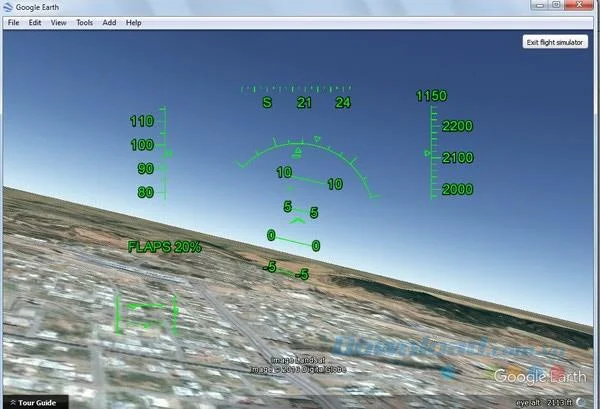
Once the simulator starts, you can use the arrow keys to move. However, this is not as simple as you think. Google already uses controls like real jets, so the controls are very sensitive and you need to change basic flight.

Google Earth is a great tool to explore the beauty of the Earth in many different ways and to learn about places you've never known before. The above Google Earth tips will help you use this application more effectively and help you explore the world from a different perspective.