
Make Realistic Fake Blood Without a Cleanup Surprise

Mix a glossy prop-only fake blood batch, choose safer products for skin and costumes, and test cleanup before Halloween night.
Social media platforms can be fun, useful, and great for connecting with people — but not all of them are created equal. After witnessing the rise (and fall) of some social media startups, you should be more careful about the platforms you use. There are some warning signs that a platform isn’t right for you. Here are some things that might make you want to steer clear of a platform…
1. Vague or incomplete privacy policy
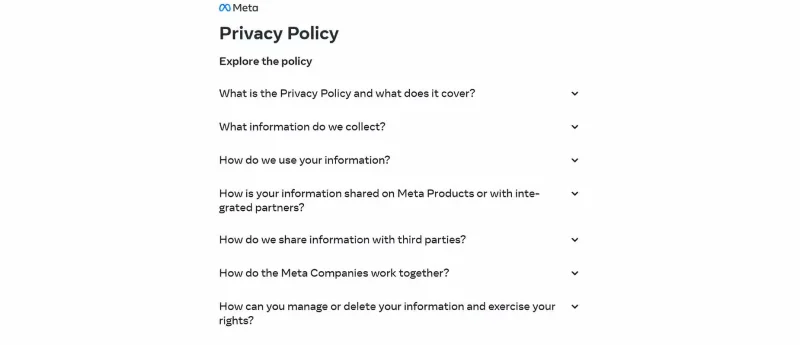
If a social media platform doesn’t have a clear, easy-to-understand privacy policy, that’s the first red flag. A privacy policy should spell out what data the platform collects, how it’s used, and with whom it’s shared. When that information is missing or written in a deliberately confusing way, it signals that the platform may not be upfront about its intentions.
Even worse is when there is no privacy policy at all or the policy is so riddled with legal jargon that it is nearly impossible to understand. That's usually a sign that they don't want users to really understand what's going on with their data.
The demise of the once-promising app Path is a perfect example of why this matters. The app was caught secretly collecting user data without proper consent, and the backlash was swift. If a platform can’t be transparent about how they handle your data, expect the worst.
2. Excessive permission requests
When a social media app asks for more permissions than it needs, that’s another red flag. If an app wants access to your contacts, location, or camera when it doesn’t actually need that information for its core functionality, be immediately wary. If a platform asks for access to your microphone or location for no apparent reason, that’s a problem.
Excessive permission requests often suggest that the platform is trying to collect as much data as possible, regardless of whether that data is relevant to the user experience. This can lead to the data being sold, misused, or even leaked in a breach.
3. Overt political or ideological bias
When a social media platform favors a particular political or ideological stance, stay away from it immediately. Users can express their opinions, but when the platform itself begins to push a particular agenda—whether through content algorithms, selective moderation, or even direct messaging—it creates an environment where diverse perspectives are not welcome.
Prioritize platforms that foster open, balanced discussions where users from all backgrounds can share their thoughts without fear of repression
4. Limited control over personal data
Privacy settings should be easy to find and adjust, but some platforms make this complicated. If a platform restricts your ability to control who sees your data or how much information you share, start to question its intentions.
Think about how Facebook gives users control over their personal information. Even after years of backlash, the settings are still a maze. If you feel like you’re losing control of your data, it’s time to reconsider whether you should be on the platform.
5. Complicated account deletion process
Leaving a platform should be as easy as signing up. When platforms make it complicated to delete your account, that’s an immediate red flag. Some platforms even hide the option deep in the menu or, worse, require you to jump through hoops by emailing support or submitting a form. Why? Because they don’t want to lose you, and that says a lot about the platform’s ethics.
Instagram made this mistake when it first launched Threads. You couldn’t delete your Threads account without deleting your Instagram account, too. Luckily, Instagram quickly realized their mistake and separated the accounts, allowing users to delete their Threads accounts. If a platform truly values its users, it won’t hold your data hostage if you decide to leave.
6. Poor content moderation
Content moderation is important, and when a platform struggles to control harmful or inappropriate content, it’s time to stop using it. Whether it’s failing to control harassment, misinformation, or graphic content, poor moderation creates an unsafe environment.
Without proper moderation, a platform becomes a space for harmful content, and that's a space no one wants to be a part of.
7. Frequent security breaches
Data breaches can happen on any platform, but when they become a regular occurrence, it becomes a problem. If a platform experiences frequent security incidents, it's a sign that it's not prioritizing user safety or isn't actively patching vulnerabilities.
Take Yahoo, for example. The platform’s repeated breaches, which have exposed billions of accounts over the years, highlight many of the ongoing issues with its security practices. This negligence creates an environment where your personal information is constantly at risk, and that’s not a platform that people are willing to trust.
It’s easy to get caught up in the excitement of new platforms and the connections they offer. But over time, learn to be more selective. If a platform exhibits any of these warning signs—whether it’s a lack of transparency, invasive data practices, or poor content management—it’s a clear sign that it’s not the right platform for you.
Mix a glossy prop-only fake blood batch, choose safer products for skin and costumes, and test cleanup before Halloween night.
Create a gentle Halloween look with pastel colors, friendly ghosts, easy no-carve accents, and practical safety tips for your home.
Create a spooky office cubicle with Halloween desk decor ideas that keep your workspace usable, tidy, and mindful of workplace safety.
Plan a recognizable Halloween 2026 look with pop culture costumes inspired by Spider-Man, Supergirl, Toy Story 5, Moana, Mario, and Wednesday.
Sort leftover Halloween candy safely, share or repurpose sealed treats, and choose food use or compost for pumpkins based on their condition.
Compare workplace Halloween costume choices by respect, dress code, mobility, and safety—and learn when a subtle accessory or a policy check is the better option.
Find a couples costume that fits your style, budget, and comfort level, from Addams Family classics to original inside-joke duos.
Need a last-minute high school Halloween costume? Compare 10 easy closet-based ideas by prep time, comfort, school-day practicality, and simple safety checks.
Use a simple 2026 Halloween decorating timeline for indoor décor, outdoor displays, and fresh pumpkins, with practical adjustments for weather and events.
Mix five vivid, approachable Halloween cocktails with measured recipes, simple prep tips, and an alcohol-free option for your party guests.








