Make Realistic Fake Blood Without a Cleanup Surprise

Mix a glossy prop-only fake blood batch, choose safer products for skin and costumes, and test cleanup before Halloween night.
Apple has just released iOS 17.5.1, just 1 week after the company provided iOS 17.5 to all users to fix important bugs and especially to "address a rare issue where multiple photos unexpectedly appeared in the Photos library even after they had been deleted ".
Table of Contents
As BGR reported last week, some iPhone users on Reddit reported seeing permanently deleted photos reappear in their photo libraries for no apparent reason after updating to iOS 17.5. iPads are also experiencing the same issue.
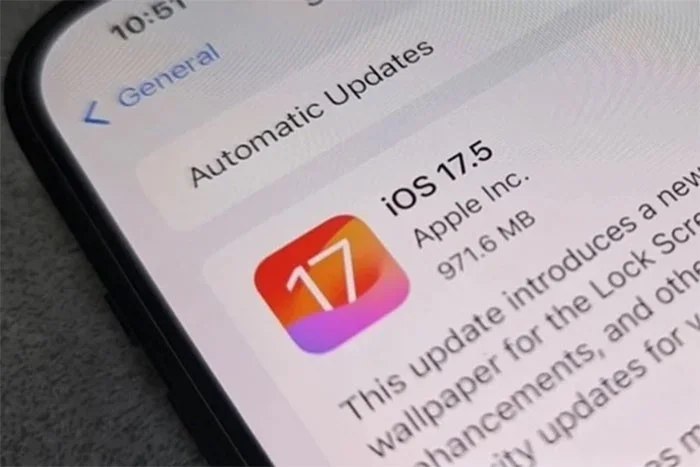
In addition to fixing the major bug mentioned above, iOS 17.5.1 also adds a number of new features including:
To update to iOS 17.5.1, users go to Settings > General > Software Update and follow the instructions.
Apple has just released iOS 17.5, the latest version of its iOS operating system, bringing some big changes to iPhones in the European Union (EU) and some smaller updates for other regions.
Download the app from the Website (EU Only)
iOS 17.5 supports web-based app distribution in the European Union. This new feature allows developers to make their apps available for download directly on their websites, while iPhone users can download iOS apps from supported websites without using the App Store.
Of course, any app downloaded from the web to your iPhone must go through Apple's certification process.
This feature is currently only available on Apple iPhones. iPads will get a similar feature later this year.
Apple News+
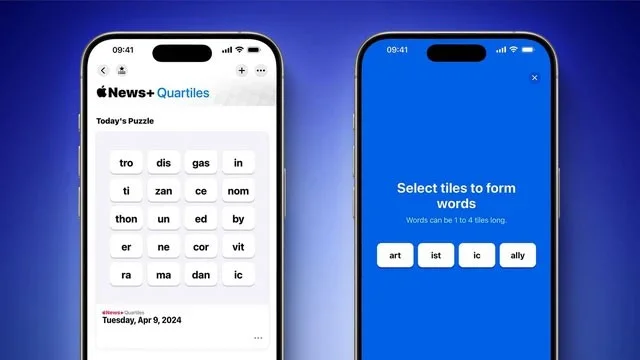
The Apple News+ news reading app on iOS 17.5 has an offline mode, allowing users to access news sources even without a cellular or Wi-Fi connection.
The paid version of Apple News+ adds a new daily word game called Quartiles, in which players combine tiles to form words and earn points.
Tracking Alerts
iOS 17.5 adds a cross-platform solution to alert users to unwanted Bluetooth tracking. When a third-party tracking device is nearby, iOS 17.5 will notify iPhone users, regardless of which operating system the device is paired with.
Users can disable this item and prevent it from sharing its location with the owner.
"Pride" Wallpaper

iOS 17.5, iPadOS 17.5, and watchOS 10.5 all add "Pride" wallpapers.
Repair status
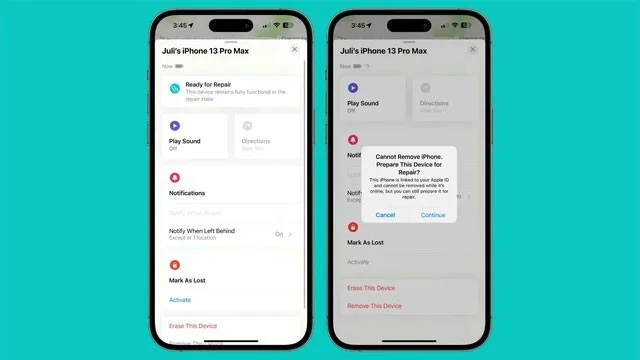
iOS 17.5 adds a repair status option that allows users to send their iPhone in for service without disabling Find My and Activation Lock.
To enable repair status mode, users select the new “Erase this device” option in the Find My app.
Previously, to ensure that the person requesting the repair owned the iPhone, Apple required users to turn off Find My iPhone when sending the device in for repair.
Mix a glossy prop-only fake blood batch, choose safer products for skin and costumes, and test cleanup before Halloween night.
Create a gentle Halloween look with pastel colors, friendly ghosts, easy no-carve accents, and practical safety tips for your home.
Create a spooky office cubicle with Halloween desk decor ideas that keep your workspace usable, tidy, and mindful of workplace safety.
Plan a recognizable Halloween 2026 look with pop culture costumes inspired by Spider-Man, Supergirl, Toy Story 5, Moana, Mario, and Wednesday.
Sort leftover Halloween candy safely, share or repurpose sealed treats, and choose food use or compost for pumpkins based on their condition.
Compare workplace Halloween costume choices by respect, dress code, mobility, and safety—and learn when a subtle accessory or a policy check is the better option.
Find a couples costume that fits your style, budget, and comfort level, from Addams Family classics to original inside-joke duos.
Need a last-minute high school Halloween costume? Compare 10 easy closet-based ideas by prep time, comfort, school-day practicality, and simple safety checks.
Use a simple 2026 Halloween decorating timeline for indoor décor, outdoor displays, and fresh pumpkins, with practical adjustments for weather and events.
Mix five vivid, approachable Halloween cocktails with measured recipes, simple prep tips, and an alcohol-free option for your party guests.








