Make Realistic Fake Blood Without a Cleanup Surprise

Mix a glossy prop-only fake blood batch, choose safer products for skin and costumes, and test cleanup before Halloween night.
Task Batching is a scientifically proven productivity technique that is incredibly easy to use. It’s a visual way to plan your day and get more tasks done in less time. While it’s not a strategy that works for everyone, it can be a great place to start when developing your personal productivity system.
Table of Contents
Task Batching is a time management technique that involves grouping similar tasks and scheduling them into dedicated blocks of time, rather than tackling them at random times throughout the day. This technique is best suited for routine activities that have a well-defined process.
While batch processing has its roots in early manufacturing and computing, it has only recently been applied to time management and productivity. The technique is based on the concept that it is easier to resume a task once it has been started, and that switching tasks or interrupting processing can cause “switching costs,” which can lead to a loss of productivity of up to 40%, according to the American Psychological Association.
Task Batching is similar to Time boxing/blocking, where you divide your work time into fixed time slots scheduled for small segments of activity. However, unlike Time blocking, Task Batching focuses on grouping similar tasks into uninterrupted sessions.
The length of these sessions is still important, but it plays a less important role than Time blocking. Task Batching is more flexible and can be better suited to individuals who work on their own time.
Note : Task Batching and Time blocking techniques can work similarly in practice if you have a streamlined workflow.
Task Batching as a productivity technique helps you complete more tasks with less mental strain. It eliminates the time lost due to frequent switching between work activities. It also helps you enter a state of flow because you focus on a single task for a long period of time.
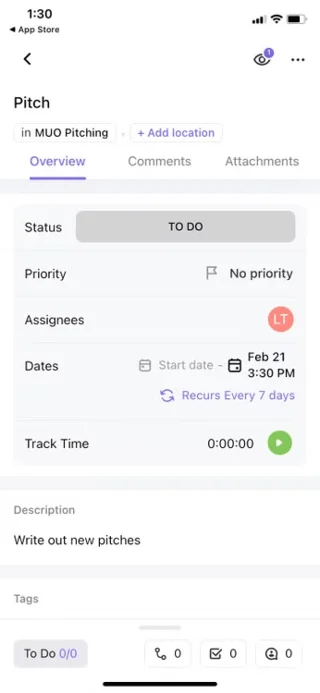
Task Batching is easy to implement. Since it doesn’t require any unique features, apps that allow you to block off time in your day can also help you batch tasks. If you prefer a low-tech approach, a paper diary will also work great.
Gradually incorporating Task Batching into your workflow over a few months is a rewarding experience. It makes you feel less anxious and overwhelmed, and it takes you back to planning every minute of your workday.
There are two main ways to use Task Batching: Traditional, where tasks are grouped into hourly blocks within a single day, and Day-Themed, which involves assigning entire days of the week to specific types of tasks.
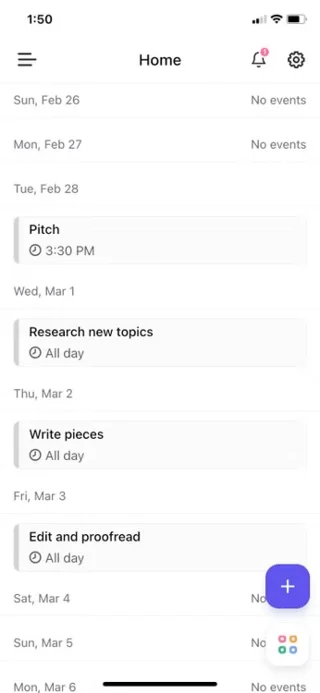
Traditional Task Batching is more suited to the typical individual’s work schedule, where different tasks need to be completed before the end of the day. On the other hand, daily theming is less suited to the traditional work environment and is more suited to self-employed people or senior executives who are more concerned with the big picture than the day-to-day running of a business.
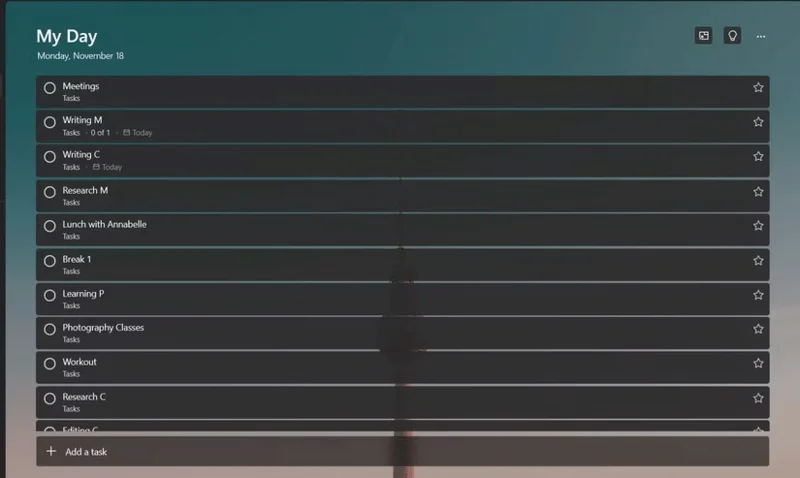
When planning your day, start by listing all the tasks that need to be completed. You can use Microsoft To Do (which is cross-platform and works offline), but there are some other great options for task management.
At this point in your plan, the timing is less important than the actual activity. Once you have your to-do list, you can select tasks that are related to similar processes and group them into blocks. A block is a collection of tasks that need to be done within a time frame.
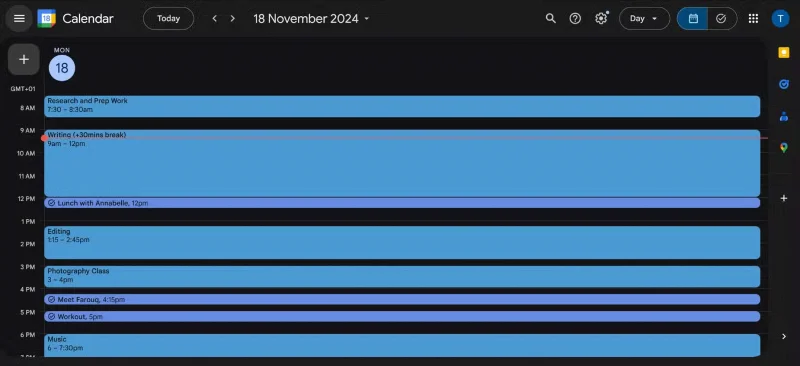
Use Google Calendar to create and label these blocks, scheduling them as events directly on your calendar. You can have up to 5 blocks in a day, along with small tasks that don't fit into any blocks.
A time frame should be determined when planning your day, but it can be as specific or flexible as you like in practice.
There are a few principles to keep in mind when using Task Batching in your work schedule:
Task Batching isn't appropriate for every situation. It works best in environments where focus and attention are a priority, so it's not ideal for situations where urgent issues need to be addressed right away, such as customer service or emergency response.
Additionally, task clustering may not be effective for time-sensitive tasks because it prioritizes process over outcome. For tasks that require quick results, such as writing and researching a paper, clustering may slow you down.
Finally, when working in teams, task grouping can become difficult because it is difficult to coordinate schedules and priorities within a strict system.
Blocking tasks for hours at a time can lead to cognitive fatigue and even burnout. It’s important to take breaks between blocks and recognize your own limits.
While task clustering isn't right for every workflow, it's a great time management technique that can significantly increase productivity and, if used correctly, leave you feeling good about what you've accomplished at the end of the day.
Mix a glossy prop-only fake blood batch, choose safer products for skin and costumes, and test cleanup before Halloween night.
Create a gentle Halloween look with pastel colors, friendly ghosts, easy no-carve accents, and practical safety tips for your home.
Create a spooky office cubicle with Halloween desk decor ideas that keep your workspace usable, tidy, and mindful of workplace safety.
Plan a recognizable Halloween 2026 look with pop culture costumes inspired by Spider-Man, Supergirl, Toy Story 5, Moana, Mario, and Wednesday.
Sort leftover Halloween candy safely, share or repurpose sealed treats, and choose food use or compost for pumpkins based on their condition.
Compare workplace Halloween costume choices by respect, dress code, mobility, and safety—and learn when a subtle accessory or a policy check is the better option.
Find a couples costume that fits your style, budget, and comfort level, from Addams Family classics to original inside-joke duos.
Need a last-minute high school Halloween costume? Compare 10 easy closet-based ideas by prep time, comfort, school-day practicality, and simple safety checks.
Use a simple 2026 Halloween decorating timeline for indoor décor, outdoor displays, and fresh pumpkins, with practical adjustments for weather and events.
Mix five vivid, approachable Halloween cocktails with measured recipes, simple prep tips, and an alcohol-free option for your party guests.








