Make Realistic Fake Blood Without a Cleanup Surprise

Mix a glossy prop-only fake blood batch, choose safer products for skin and costumes, and test cleanup before Halloween night.
Drawing anime /manga hair is not as difficult as many people think. Here is a detailed guide on how to draw female anime hair. However, you can also apply these steps to draw anime hair for male characters.
When you were a child, did you love comics or cartoons? If so, you must have heard of or loved Japanese anime/manga. That is the name for cartoons/comics from the land of the rising sun.
Anime and manga are not only famous domestically but are also very popular in many countries around the world. This is because of their attractive content and impressive drawings. Anime and manga can satisfy the entertainment needs of both men and women. In fact, if you like a famous anime, just type its name into Google search engine and you will get millions of results.
In particular, the unique drawings of anime and manga have inspired millions of people around the world to draw. They want to draw and even design their favorite characters. You can learn basic anime drawing on Quantrimang.com. In this article, let's learn more about the steps to draw anime hair.
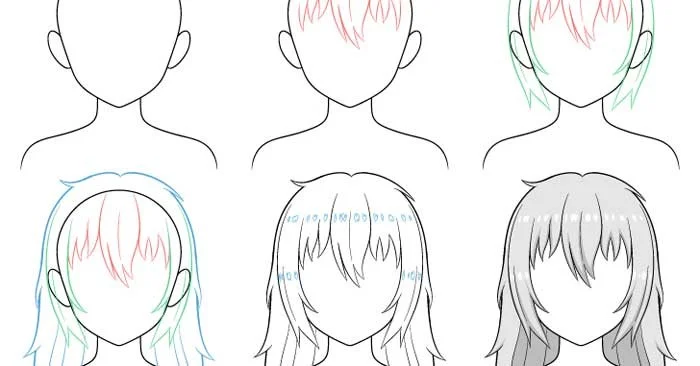
Messy hair is quite common in anime and is often one of the most defining characteristics of a character. This tutorial will take an example of drawing messy hair for a female character.
You should use a pencil and start drawing thin & light lines first so that they are easier to erase later. You can darken them before drawing the shadows.
Step 1: Sketch the head & shoulders
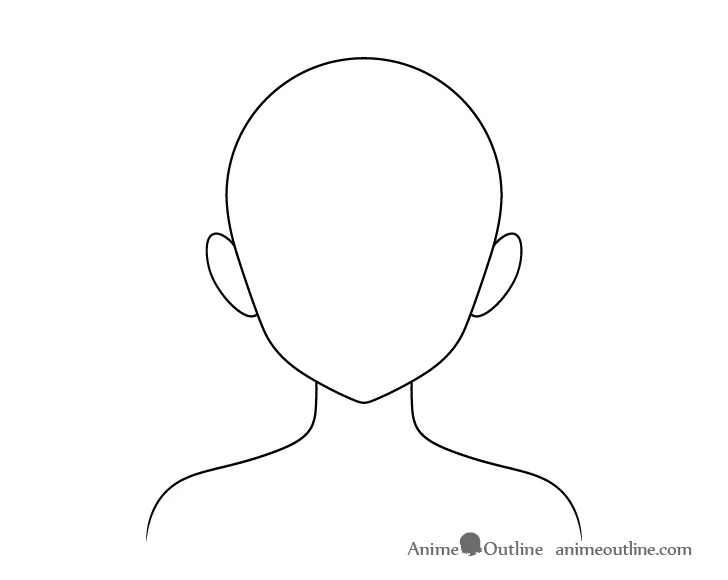
Before drawing the hair, sketch out the head, neck, and shoulders first. You'll want to draw the entire head, even though large parts of it will eventually be covered by the hair. This will make it easier to create the proper volume in the hair and avoid mistakes.
Step 2: Draw hair along the forehead
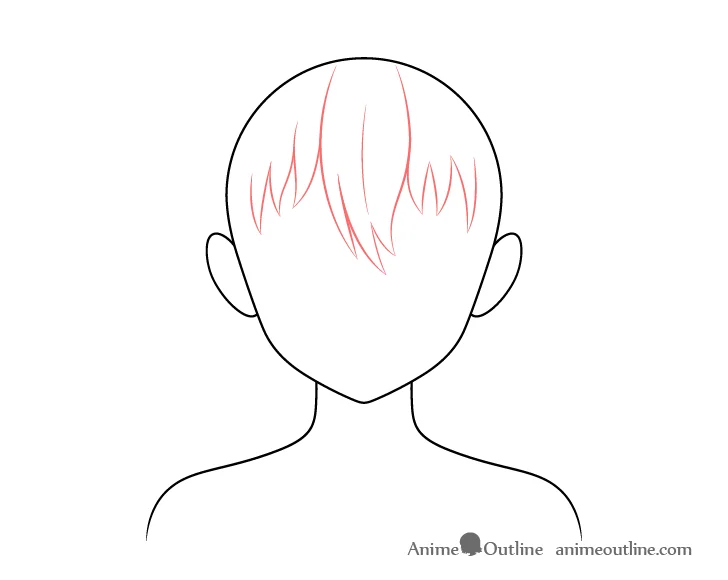
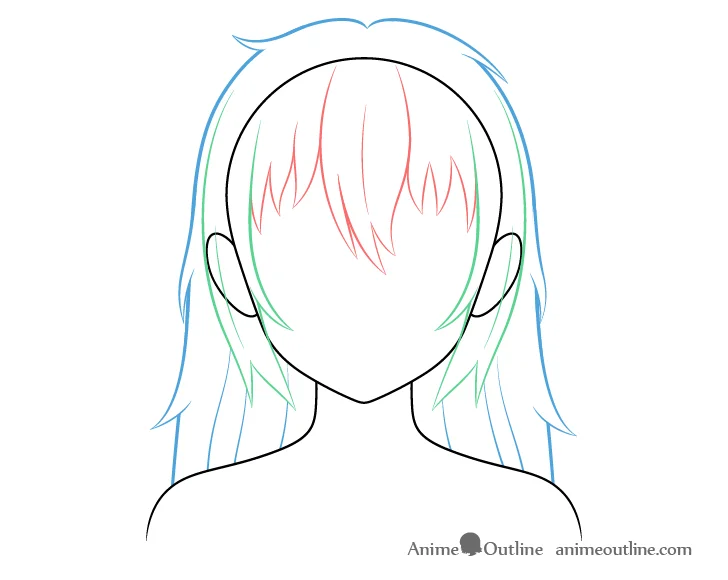
Like all anime hair drawing tutorials, the bangs will be divided into three sections to make the drawing process more manageable. In this example, they are drawn with red, green, and blue strokes, but you can draw them with a regular pencil.
Start drawing the hair on the front a little longer in the middle and shorter on the sides.
Draw hair into large curls, curving in different directions to create a messy look.
Step 3 - Draw hair along the sides of the head
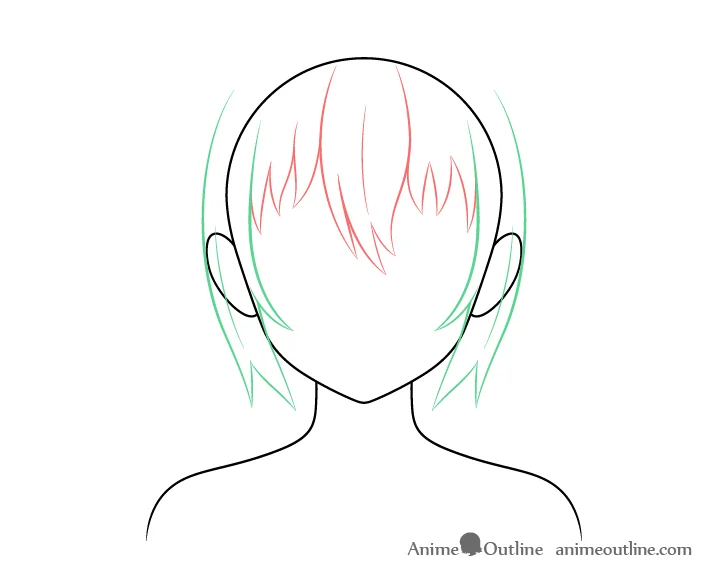
Draw the sides of the hair hugging the shape of the head. Draw a small clump of hair on each side surrounding the ear and parting at the end.
Step 4 - Draw hair on top & back of head
On the top/back of the hair, draw the hair curve down the shape of the head, then widen out around the ears.
Next, draw a little fold in the form of wavy lines running between the shoulders and the lower part of the head. Then add a series of small clumps of hair running along the outside of the hair. This detail is especially important when creating messy hair.
You can then erase the top/bottom sections of hair where curls were added.
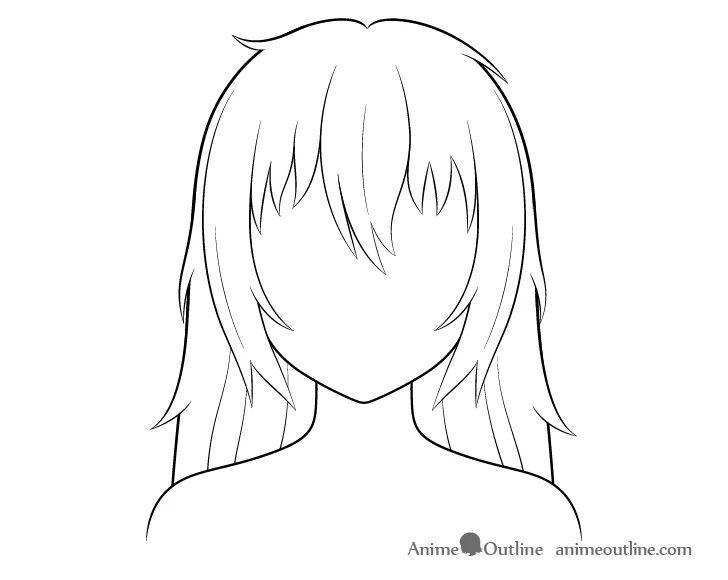
Once finished, you can also erase the parts covered by hair on the head to make the drawing look neater.
Step 5 - Sketch the hair highlights
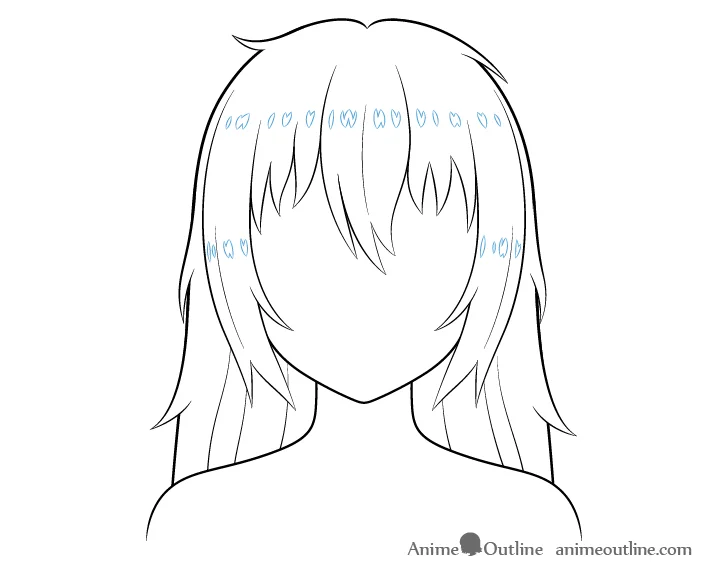
Before shading your drawing, you can sketch in a series of small highlights running along the forehead and sides of the hair. These are to show the light reflecting off the smooth surface of the hair and help make the hair look sleeker.
Alternatively, you can simply create highlights when shading or add them on top of the shading if drawing online (in a new layer).
Step 6 - Add shading to finish the messy anime hair drawing
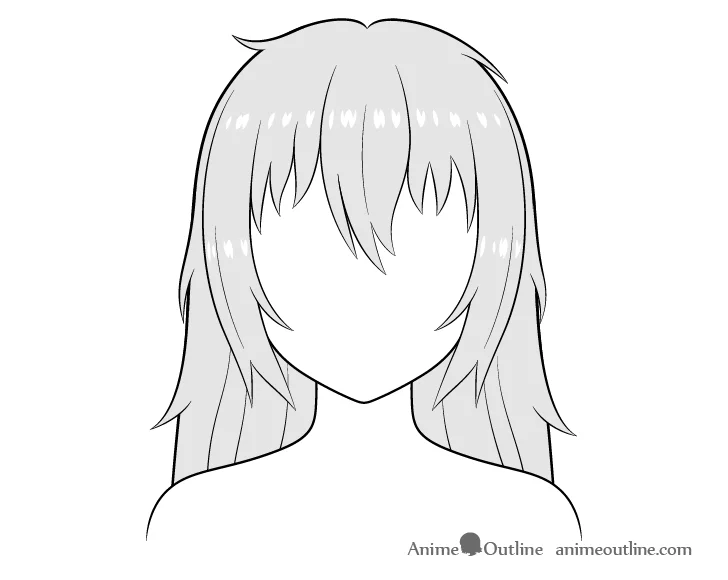
The first step in the shading process is to shade the entire hair area with gray (or your preferred color).
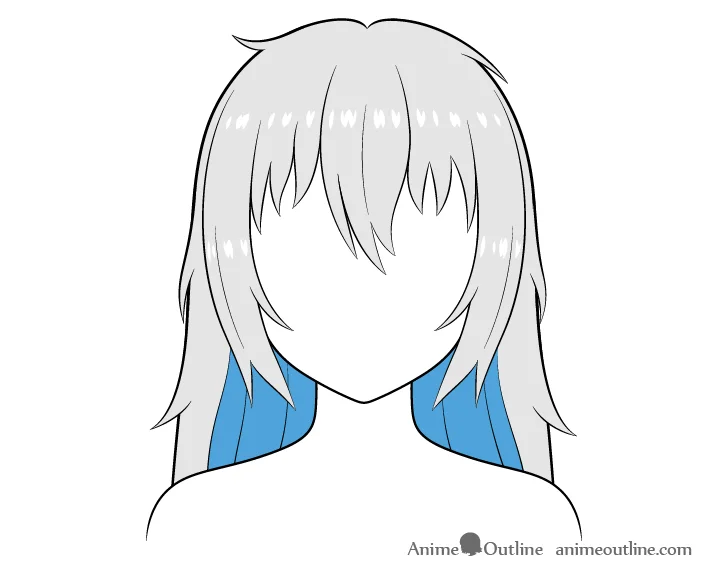
In this example, the shadows will be placed where they would appear in normal lighting conditions such as outdoors during the day or in a well-lit room. Make the shadows darker than normal but not too dark.
The largest shaded area will be the background/inner part of the hair around the neck (blue in the image). You can shade it in first.
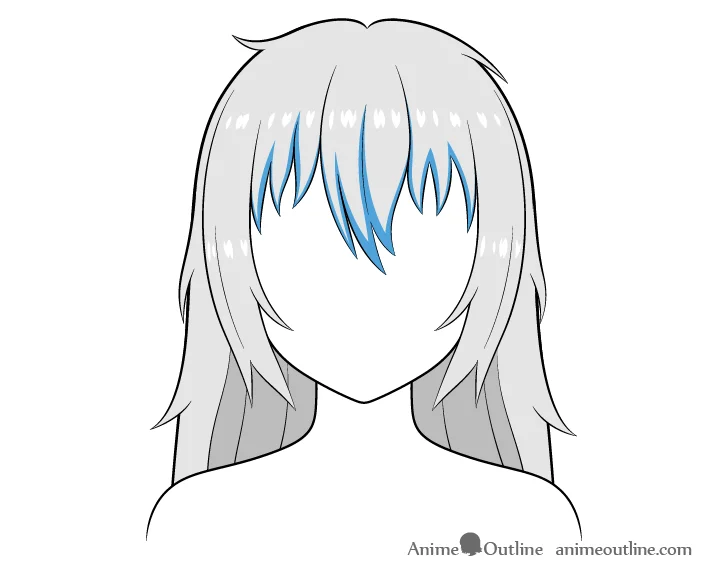
Next add some shadow to the front part running along the bottom and sides of the curl.
Add some shadows to the sides of the hair in the same way as you did on the front part.
Finally, add a little shadow on the lower part of the side curls at the base and top.
That's it! Good luck!
Mix a glossy prop-only fake blood batch, choose safer products for skin and costumes, and test cleanup before Halloween night.
Create a gentle Halloween look with pastel colors, friendly ghosts, easy no-carve accents, and practical safety tips for your home.
Create a spooky office cubicle with Halloween desk decor ideas that keep your workspace usable, tidy, and mindful of workplace safety.
Plan a recognizable Halloween 2026 look with pop culture costumes inspired by Spider-Man, Supergirl, Toy Story 5, Moana, Mario, and Wednesday.
Sort leftover Halloween candy safely, share or repurpose sealed treats, and choose food use or compost for pumpkins based on their condition.
Compare workplace Halloween costume choices by respect, dress code, mobility, and safety—and learn when a subtle accessory or a policy check is the better option.
Find a couples costume that fits your style, budget, and comfort level, from Addams Family classics to original inside-joke duos.
Need a last-minute high school Halloween costume? Compare 10 easy closet-based ideas by prep time, comfort, school-day practicality, and simple safety checks.
Use a simple 2026 Halloween decorating timeline for indoor décor, outdoor displays, and fresh pumpkins, with practical adjustments for weather and events.
Mix five vivid, approachable Halloween cocktails with measured recipes, simple prep tips, and an alcohol-free option for your party guests.








