Make Realistic Fake Blood Without a Cleanup Surprise

Mix a glossy prop-only fake blood batch, choose safer products for skin and costumes, and test cleanup before Halloween night.
Almost all of us have always wanted to watch a movie (or TV show) but felt overwhelmed by the sheer number of options available. Luckily, though, there are some tools to help – and when used correctly, they can help you find new movies to watch.
Table of Contents
With so many great movies and TV shows available, and so many streaming services to enjoy them on, it can often be difficult to figure out exactly what to watch. In fact, most people end up in the dilemma of having so much to choose from that they never narrow it down to just one. And before you know it, the evening you were planning to spend on the couch watching a movie and eating popcorn is over.
The answer is to use one of the many websites that promise to help you narrow down your choices and find something actually worth watching. There are plenty of options, including familiar names like IMDb and Rotten Tomatoes, but many people have started using a site called Flick Metrix to find new movies to watch. While you still have to decide what to watch at the time, at least it means you have a finite number of good movies to choose from.
Flick Metrix is a website designed to help you narrow down your search to find the perfect movie (or TV show) to watch. At its core, it’s a list of movies and TV shows available on all major streaming platforms, and a search function that identifies which movies and TV shows are right for you. The more you narrow your search, the more relevant suggestions you’ll get for what to watch.
In addition to this basic functionality, you can create watchlists, mark movies as watched, watched, and liked, create favorites, get movie recommendations, and see a list of suggestions for what to watch based on the information you provide. All of this combined makes Flick Metrix an extremely useful site for anyone who regularly watches movies and TV shows.
The basic (and most obvious) way to use Flick Metrix is to use the search function. When you open the site, the search function is front and center, so it can’t be missed. You can use this function without an account. However, what you can do with the search results is limited without registering.
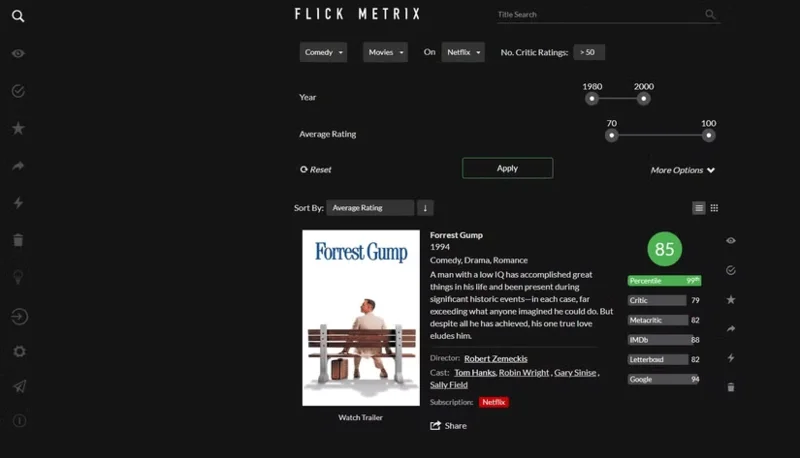
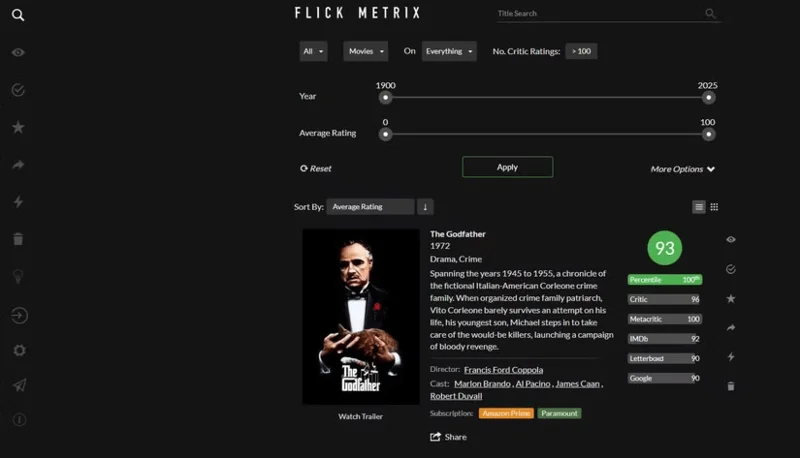
Whether you’re logged in or not, you can search for the title of a movie or TV show you’re thinking about, or play with a variety of filters to find new content. Without applying any filters or changing the default sort, Flick Metrix will show you the highest-rated movies available to stream, including classics like The Godfather, Pulp Fiction, Apocalypse Now, and There Will Be Blood.
The key to using Flick Metrix’s search function is to keep applying filters until you find the right movie for you at that moment. A basic search might turn up a lot of great movies that you could (and should) watch at some point, but it might not be the exact movie you’re looking for right now. Just like there are ways to use Google Search more effectively, Flick Metrix becomes more effective when you apply filters.
Available filters include limiting your search to specific genres and streaming services, plus requiring a minimum number of critic reviews. There are also sliders to change the release date range and average rating. You can then change the sort order by average rating, release date, number of critic reviews, and more.
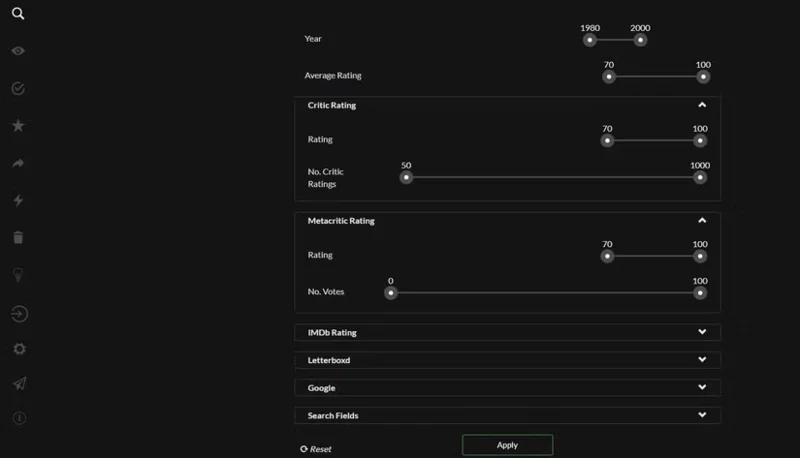
If you click More Options (as seen in the screenshot above), you can narrow your search even further. That lets you exclude certain genres, specify a specific language, and use sliders for ratings from specific sites, including IMDb, Metacritic, and Letterboxd. Last but not least, you can add search fields for title, director, actors, and plot. For example, you can search for all movies starring Leonardo DiCaprio.
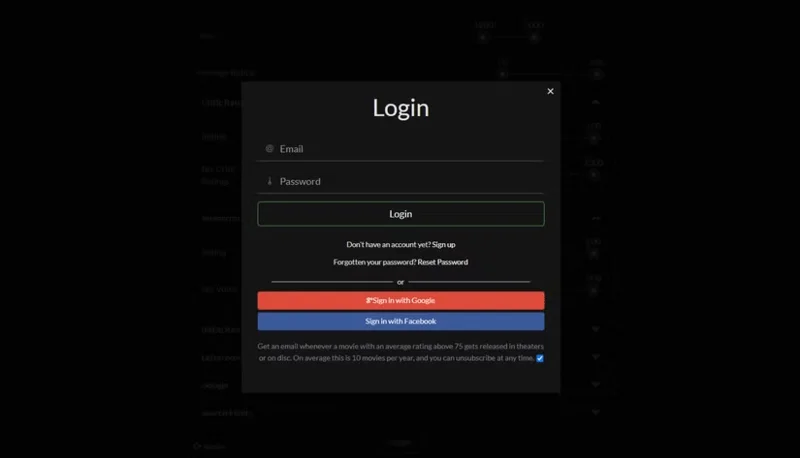
Flick Metrix offers a lot more than just a search function. However, to get the most out of it (and the site in general), you need to create an account and log in. This is easy to do, as you can either use an email/password combination (just make sure to avoid bad passwords) or log in with Google or Facebook .
Once you've created an account and signed in, more options will become available. All of these will help you find movies and TV shows worth watching on streaming services. These options include marking movies you've watched and/or liked, marking movies as favorites, and adding movies and TV shows to your watchlist.
Here are the groups to know:
Overall, users will be able to get a lot out of Flick Metrix. It will help you find content to watch on some of the biggest streaming services and allow you to create watchlists so you can revisit them whenever you need something cool to watch.
To really get the most out of Flick Metrix, though, you need to put in the time. Create an account and register the movies you’ve seen, liked, and want to watch. That way, you’ll have no reason to get stuck searching for content next time. And if that’s not enough, you can always ask ChatGPT to decide which movie you should watch next.
Mix a glossy prop-only fake blood batch, choose safer products for skin and costumes, and test cleanup before Halloween night.
Create a gentle Halloween look with pastel colors, friendly ghosts, easy no-carve accents, and practical safety tips for your home.
Create a spooky office cubicle with Halloween desk decor ideas that keep your workspace usable, tidy, and mindful of workplace safety.
Plan a recognizable Halloween 2026 look with pop culture costumes inspired by Spider-Man, Supergirl, Toy Story 5, Moana, Mario, and Wednesday.
Sort leftover Halloween candy safely, share or repurpose sealed treats, and choose food use or compost for pumpkins based on their condition.
Compare workplace Halloween costume choices by respect, dress code, mobility, and safety—and learn when a subtle accessory or a policy check is the better option.
Find a couples costume that fits your style, budget, and comfort level, from Addams Family classics to original inside-joke duos.
Need a last-minute high school Halloween costume? Compare 10 easy closet-based ideas by prep time, comfort, school-day practicality, and simple safety checks.
Use a simple 2026 Halloween decorating timeline for indoor décor, outdoor displays, and fresh pumpkins, with practical adjustments for weather and events.
Mix five vivid, approachable Halloween cocktails with measured recipes, simple prep tips, and an alcohol-free option for your party guests.








