


Make Realistic Fake Blood Without a Cleanup Surprise

Mix a glossy prop-only fake blood batch, choose safer products for skin and costumes, and test cleanup before Halloween night.
Meta has officially launched the Edits video creation and editing application with much more powerful tools when you do it directly on the Instagram application. After you create a video on Edits, you will have the option to post it to Instagram or Facebook. Below is a guide to using Edits to create and edit Instagram Reels videos.
How to use Edits to create Instagram Reels videos
Step 1:
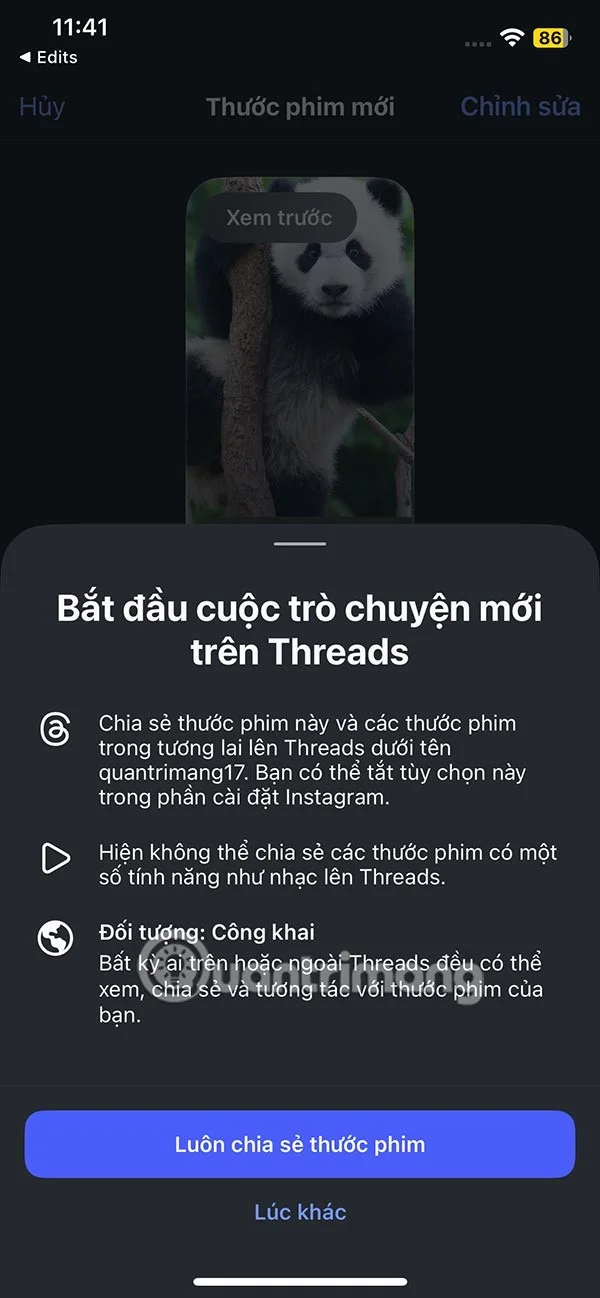
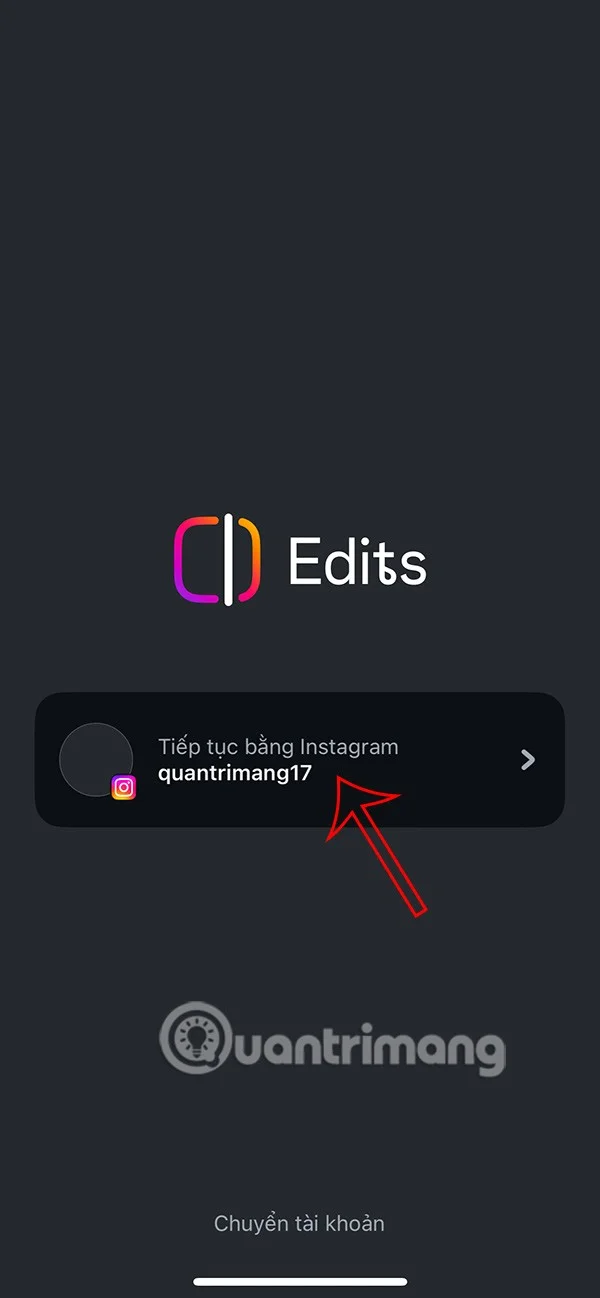
Install the Edits app on your phone as usual. Then tap on your Instagram account to link it or log in to another account if you want.
Step 2:
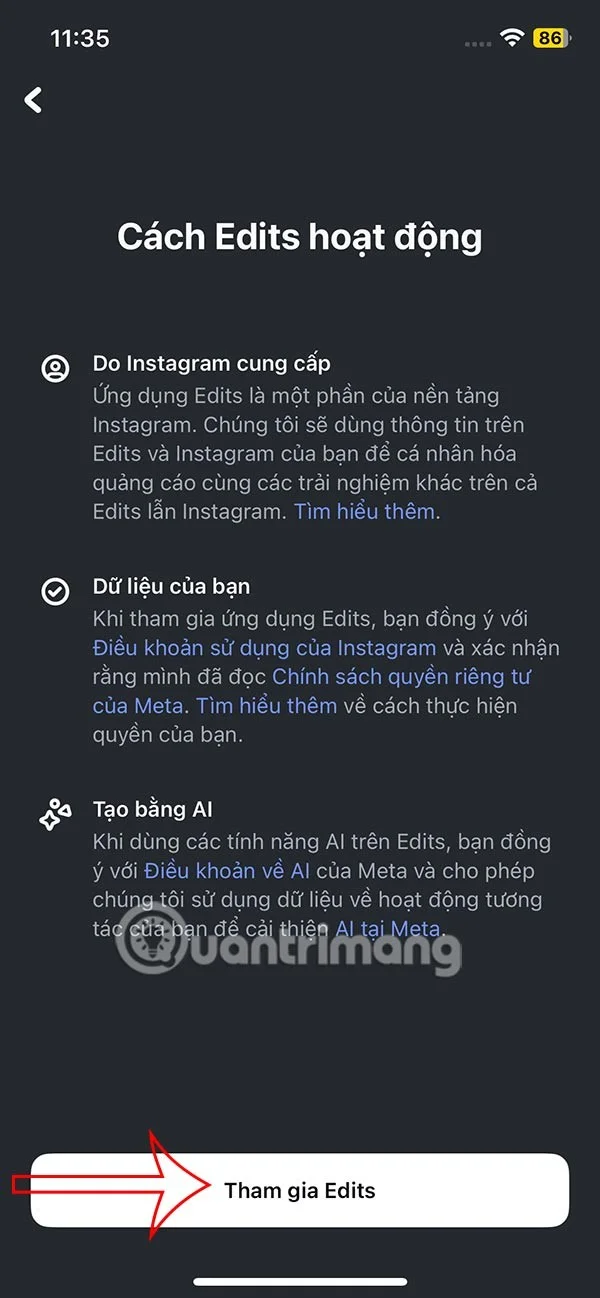
Then you need to agree to the terms of use of the application.
Step 3:
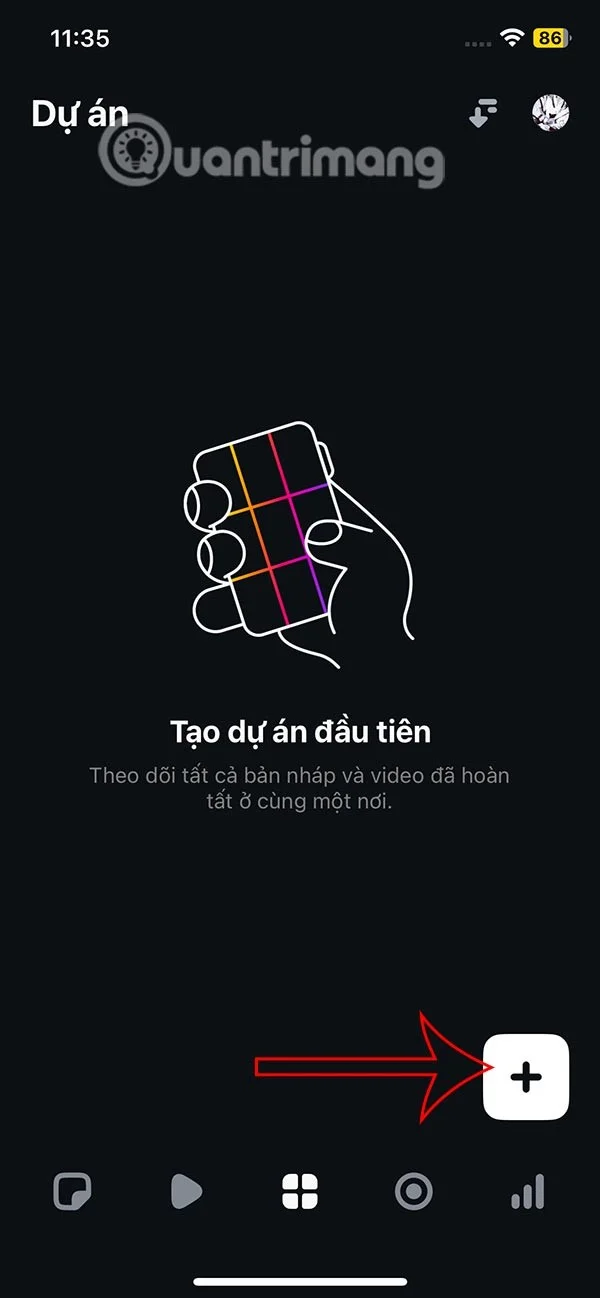
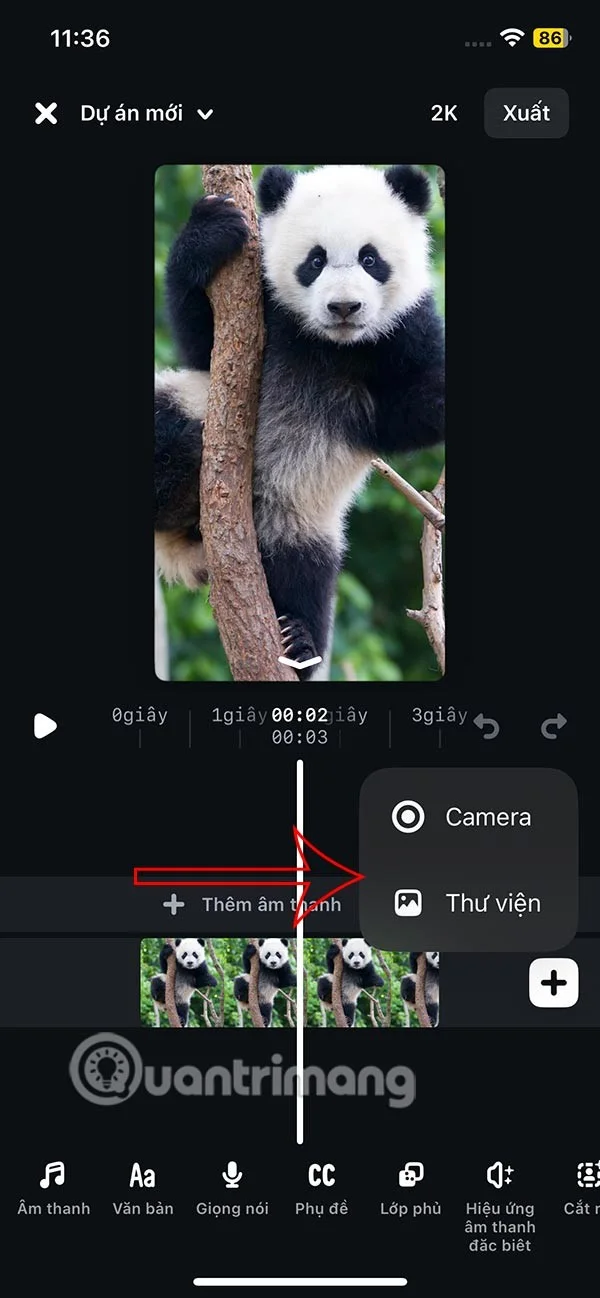
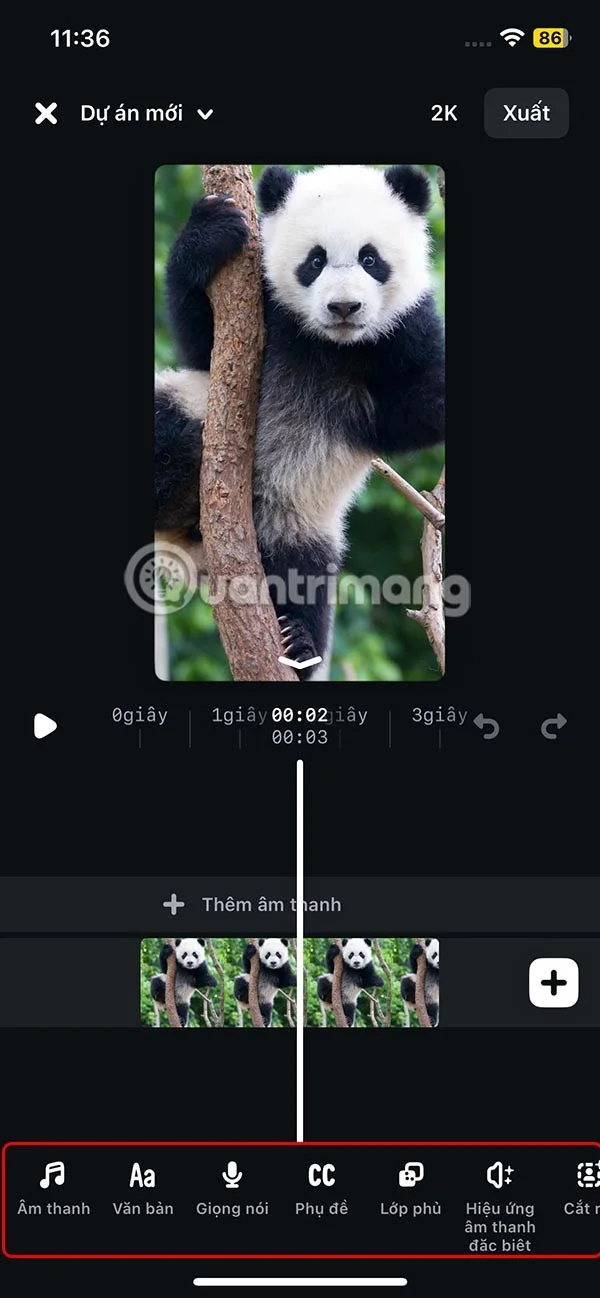
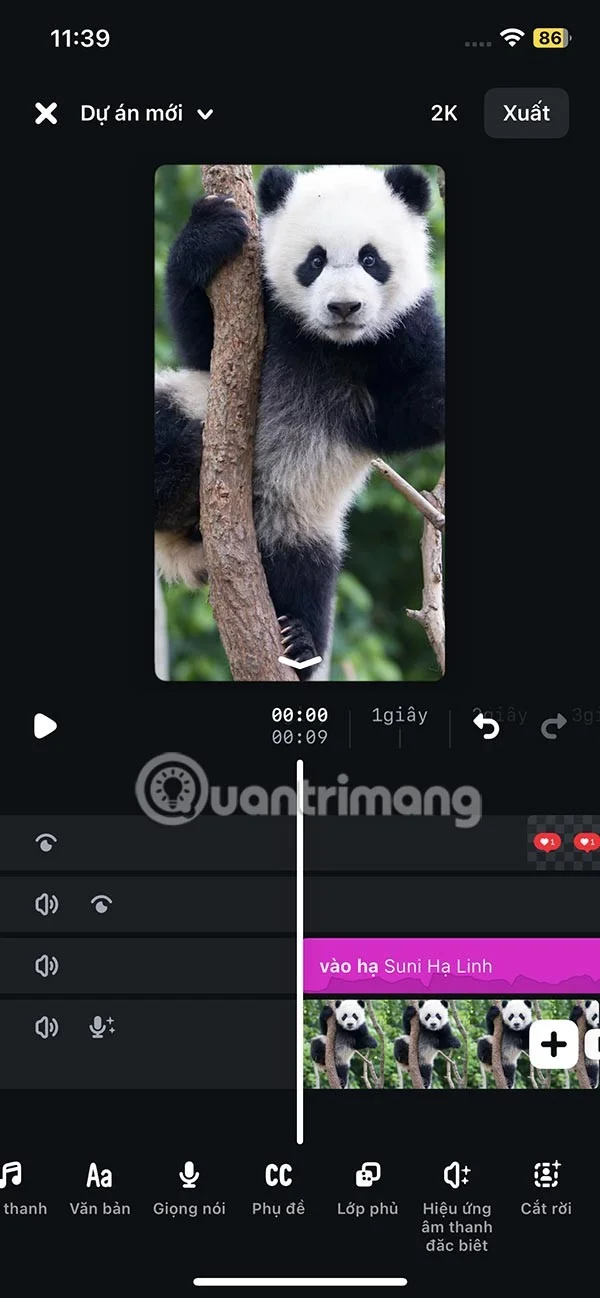
Click the plus icon to create a new project. Select the video or photo you want to edit in Edits. If you want to add more videos or photos later , click the plus icon and choose where to get them.
Step 4:
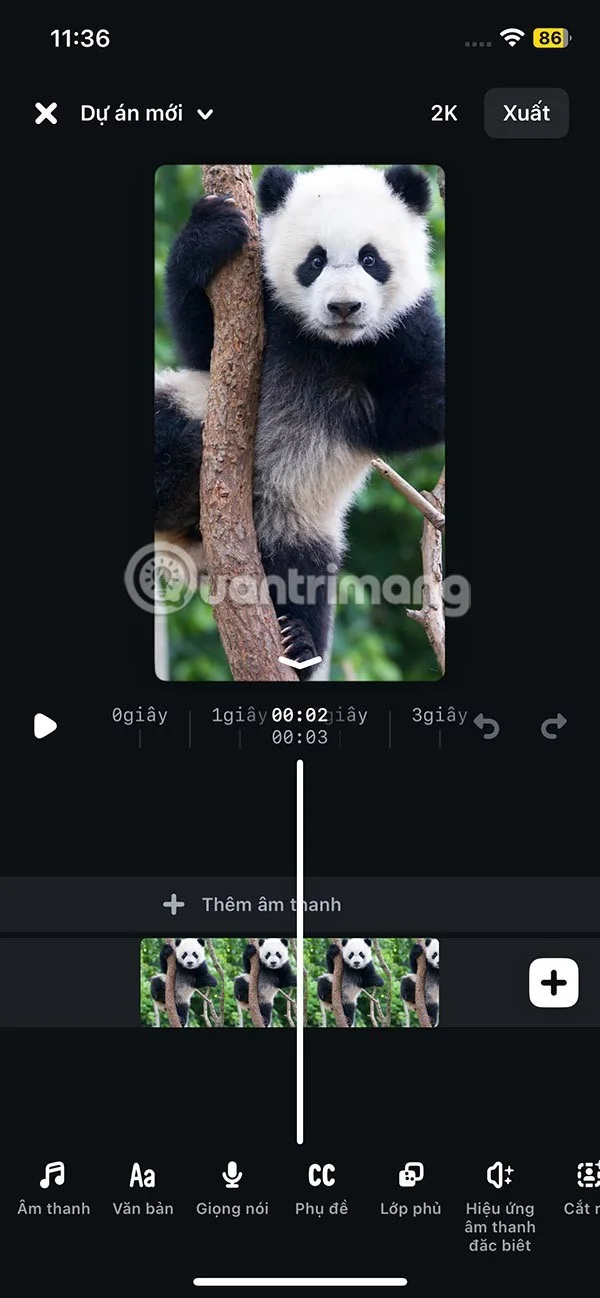
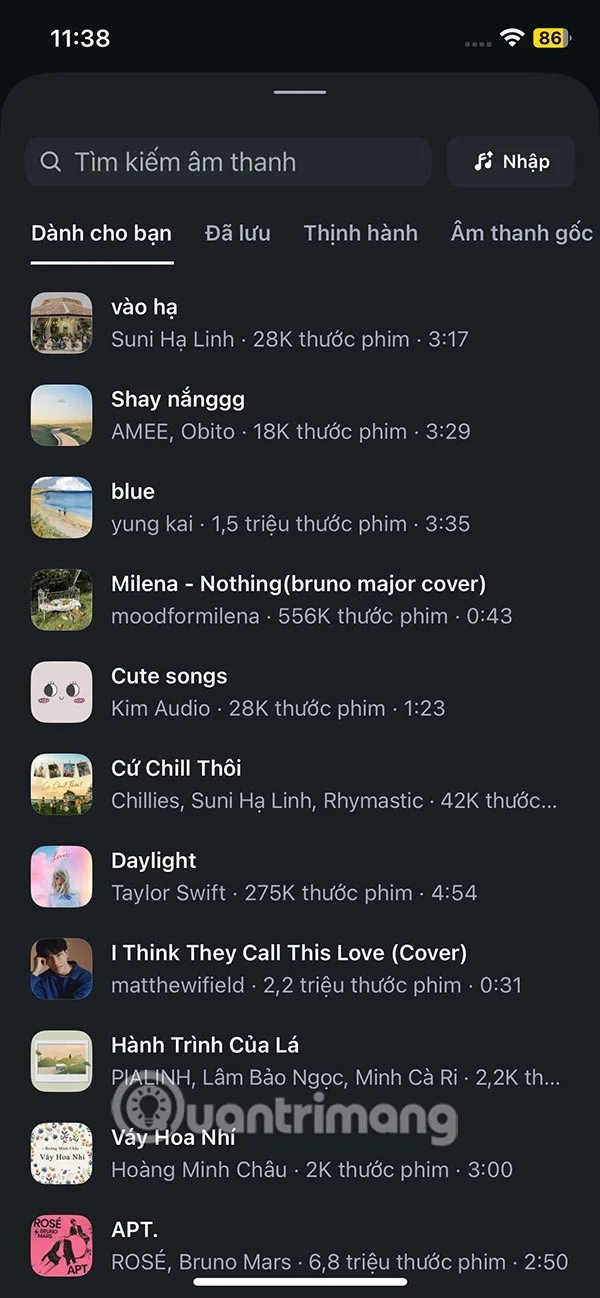
The video and image editing interface on Edits is also relatively simple. For example, you click on Sound to select music for your video. Then also select the music you want to insert .
Step 5:
In addition, Edits also has the option to insert other special sounds into the video to create effects if you want.

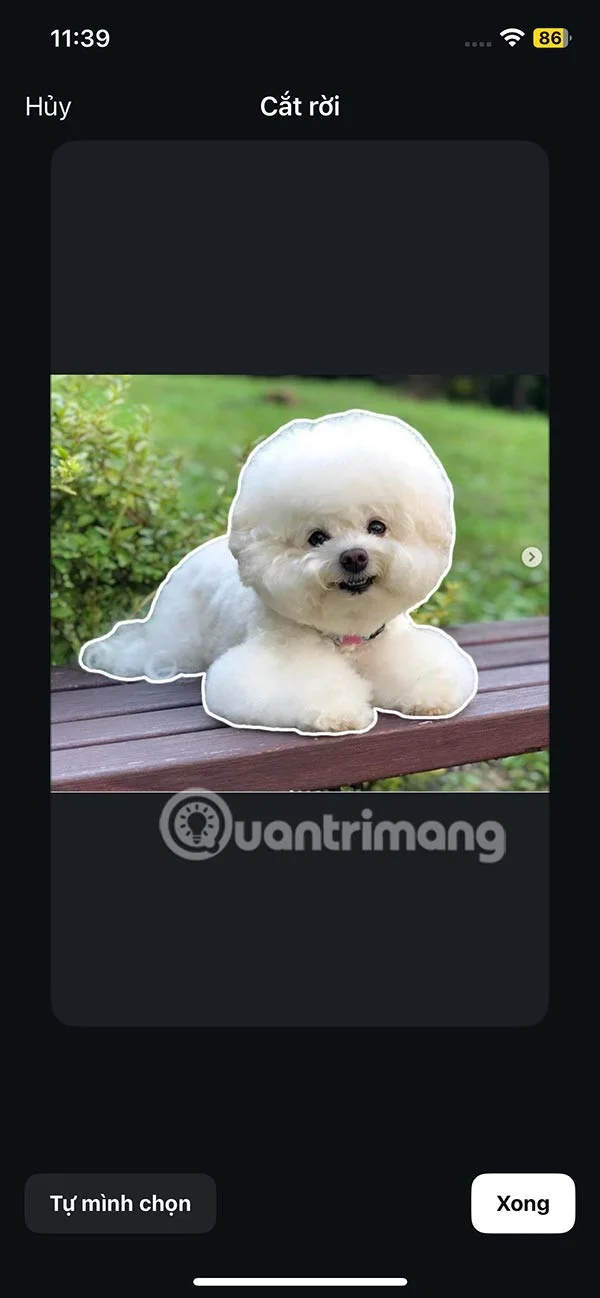
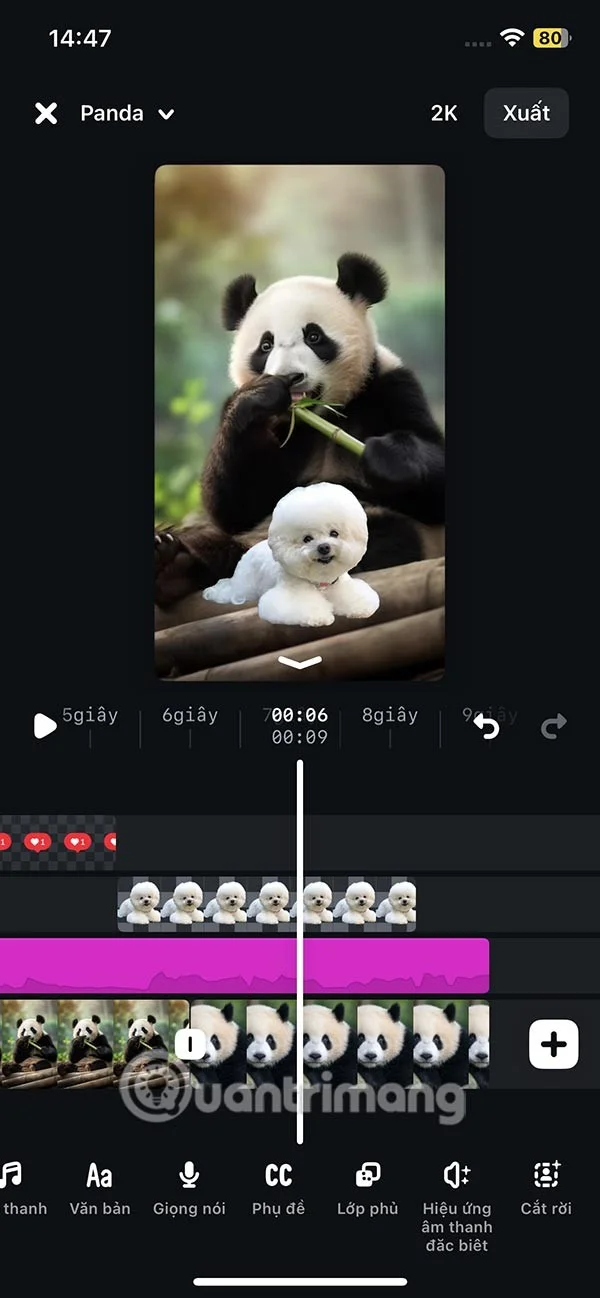
Click Cut to select the image and automatically remove the background inserted into the video . You choose the time to display the image in the video, the position you want, and adjust the size to suit.
Step 6:
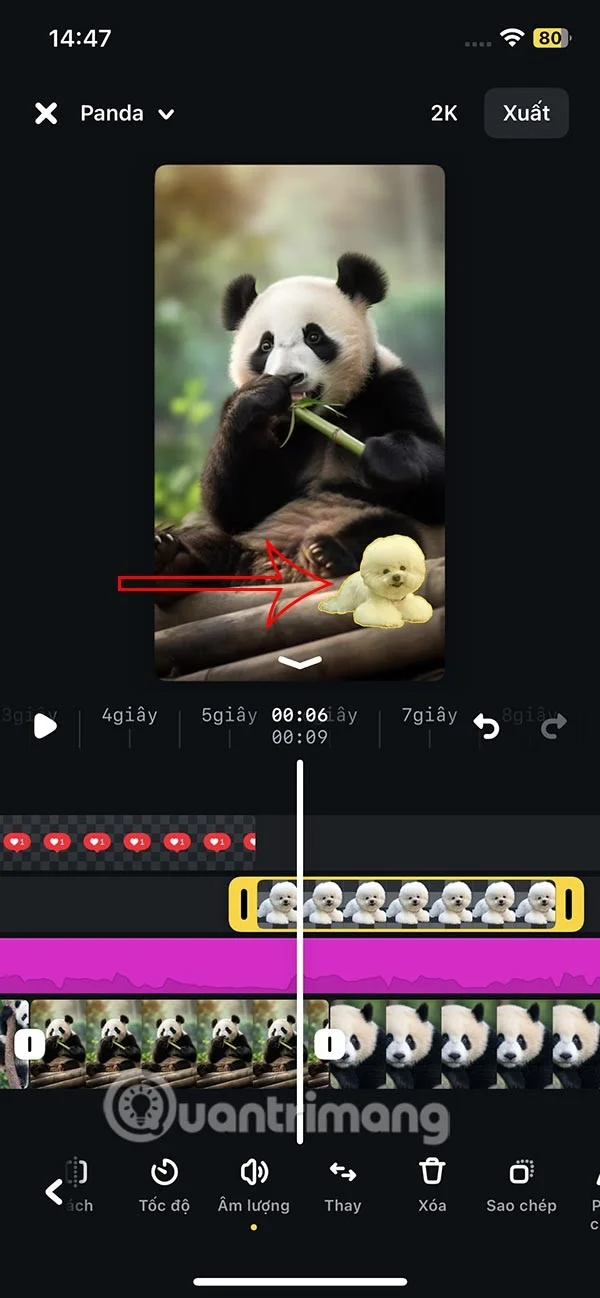
Each detail displayed in the video is in a separate bar for you to change and edit.
Step 7:
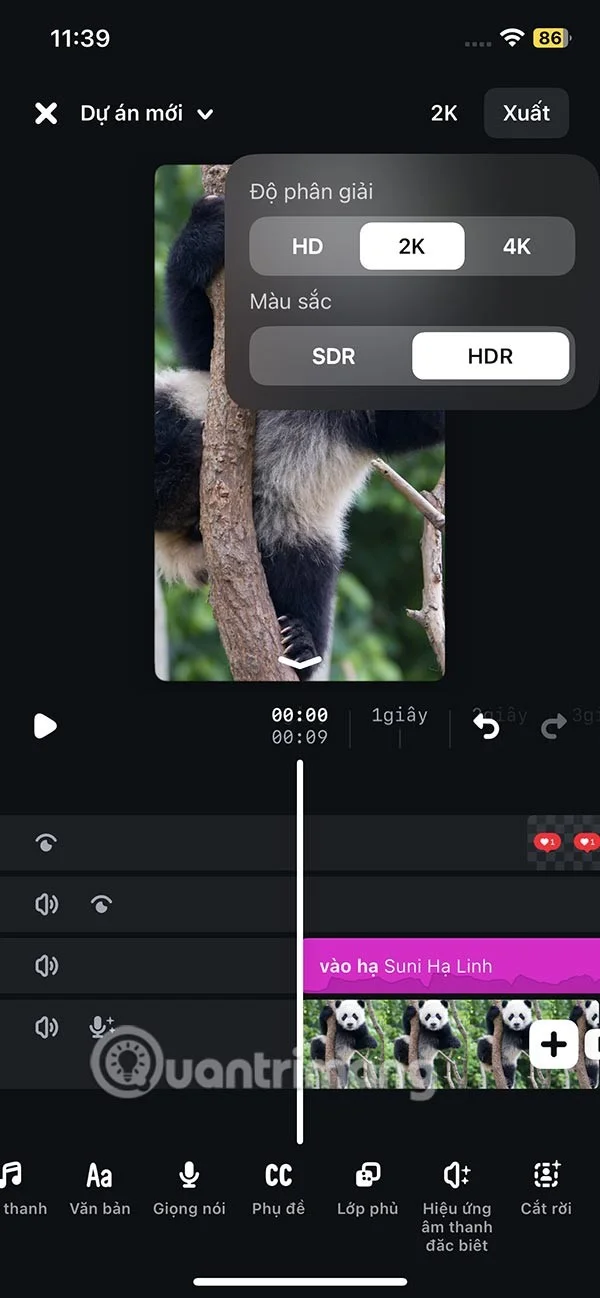
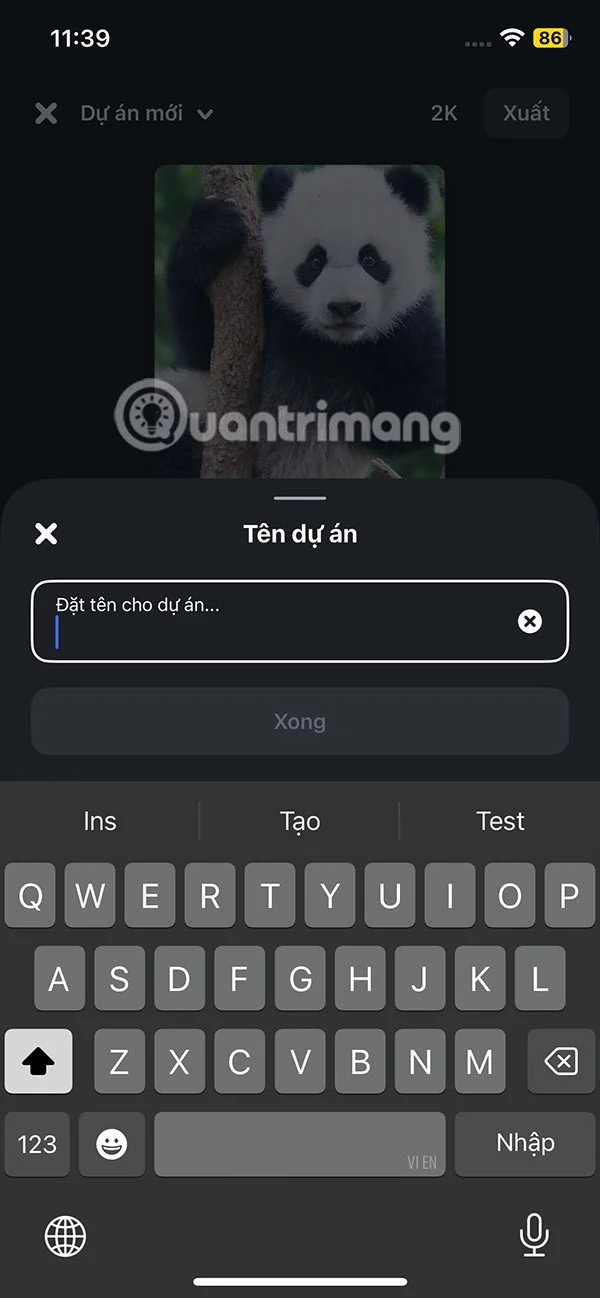
After editing, choose the video quality to export , with a maximum resolution of 4K. Then name this video project. Finally, click Export to create the video. The user allows the application to save the video to the album on the phone.
Step 8:
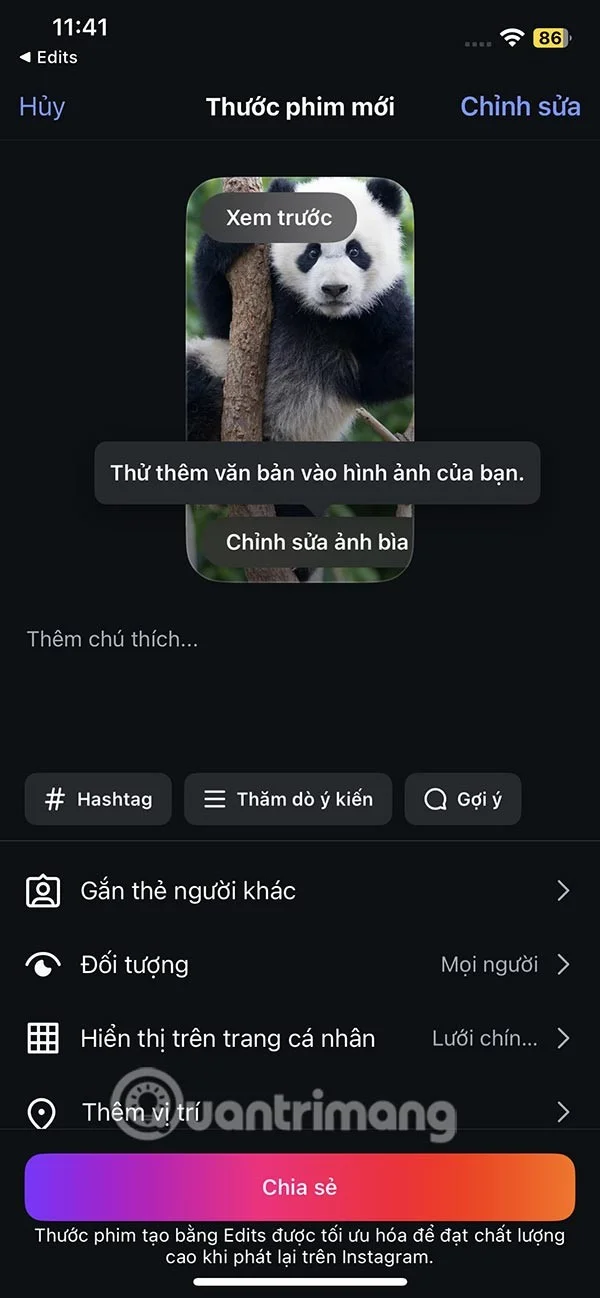
You are then asked if you want to share the video to Instagram or Facebook .
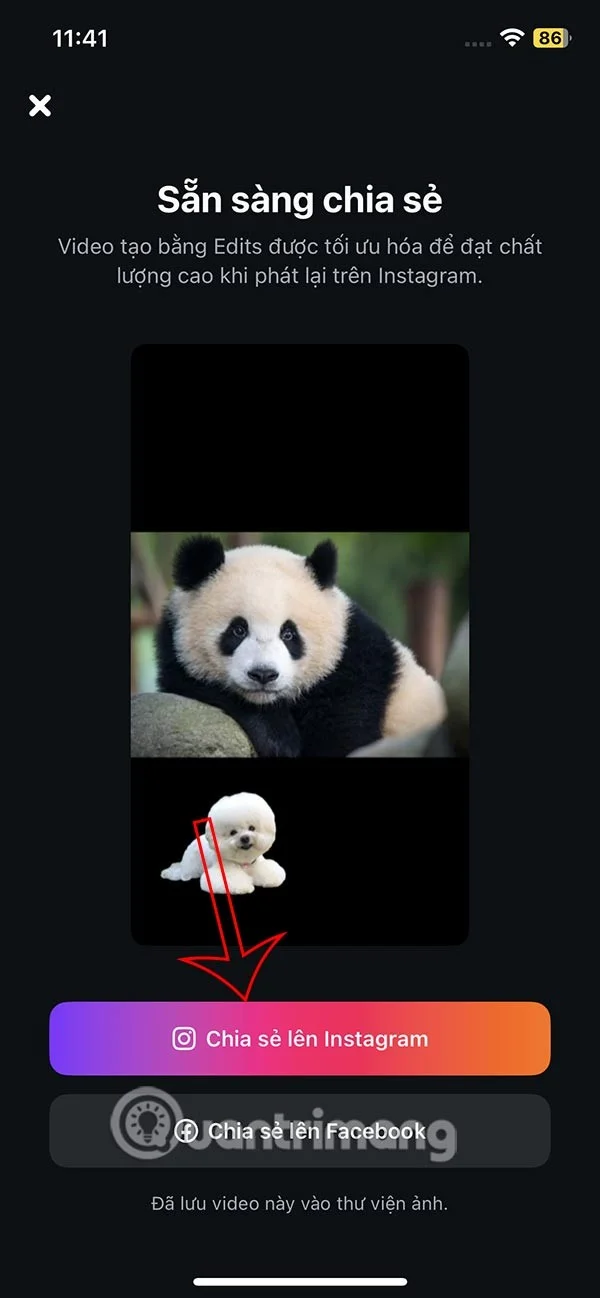
You choose the platform you want to post your video to from the Edits app. There's also an option to always share your video to Reels from Edits if you want.
Mix a glossy prop-only fake blood batch, choose safer products for skin and costumes, and test cleanup before Halloween night.
Create a gentle Halloween look with pastel colors, friendly ghosts, easy no-carve accents, and practical safety tips for your home.
Create a spooky office cubicle with Halloween desk decor ideas that keep your workspace usable, tidy, and mindful of workplace safety.
Plan a recognizable Halloween 2026 look with pop culture costumes inspired by Spider-Man, Supergirl, Toy Story 5, Moana, Mario, and Wednesday.
Sort leftover Halloween candy safely, share or repurpose sealed treats, and choose food use or compost for pumpkins based on their condition.
Compare workplace Halloween costume choices by respect, dress code, mobility, and safety—and learn when a subtle accessory or a policy check is the better option.
Find a couples costume that fits your style, budget, and comfort level, from Addams Family classics to original inside-joke duos.
Need a last-minute high school Halloween costume? Compare 10 easy closet-based ideas by prep time, comfort, school-day practicality, and simple safety checks.
Use a simple 2026 Halloween decorating timeline for indoor décor, outdoor displays, and fresh pumpkins, with practical adjustments for weather and events.
Mix five vivid, approachable Halloween cocktails with measured recipes, simple prep tips, and an alcohol-free option for your party guests.








