Make Realistic Fake Blood Without a Cleanup Surprise

Mix a glossy prop-only fake blood batch, choose safer products for skin and costumes, and test cleanup before Halloween night.
The smartphones you buy for your older family members don't necessarily need to be the most powerful, but you should prioritize making sure they're responsive, updated with the latest features, and affordable. In 2024, these are your best options.
1. Samsung Galaxy A25 5G
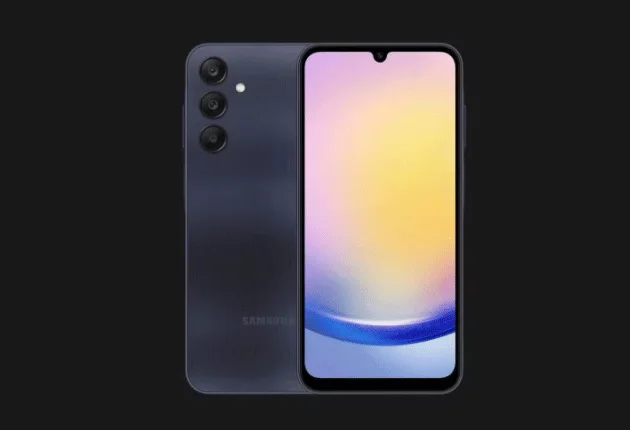
This list wouldn't be complete without Samsung's A-series smartphones. These devices have offered some of the best value hardware in recent years, and the Galaxy A25 5G follows the same trend.
It features a 6.5-inch FHD+ OLED display with a 120Hz refresh rate. Outdoor visibility is no problem, thanks to a peak brightness rating of 1,000 nits. It's powered by an Exynos 1280 chip with 6GB of RAM and 128GB of internal storage - expandable via microSD (up to 1TB). It also has a 5,000mAh battery that supports 25W charging.
Additionally, it has a respectable rear camera setup with a 50MP primary camera, an 8MP ultra-wide camera, and a 2MP macro camera. For selfies, it has a 13MP camera on the front.
The Galaxy A25 5G also stands out because it's one of the few budget phones with long-term software support, with the promise of four OS upgrades and five years of security patches.
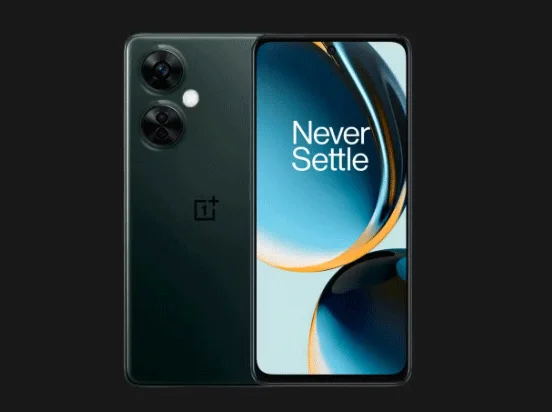
2. OnePlus Nord N30 5G
OnePlus has built its brand around smartphones that have a great price-to-performance ratio, so when it comes to choosing a phone that can perform smoothly and handle most tasks, the OnePlus Nord N30 5G comes to mind.
The OnePlus Nord N30 5G has a large 6.7-inch FHD+ LCD display with a 120Hz refresh rate, so it's easy to read. It's powered by a Qualcomm Snapdragon 695 chip, has 8GB of RAM, and 128GB of internal storage, expandable via microSD (up to 1TB). So whether you're jumping from app to app or need a device that can handle simple word games, this phone has you covered.
The Nord N30 5G is powered by a 5,000mAh battery that should last you all day – with support for 50W fast charging if you’re in a pinch. The main camera is a 108MP camera that can capture great detail in photos. There’s also a 16MP front camera for high-resolution selfies.
However, the OnePlus Nord N30 will only receive security updates until 2025.
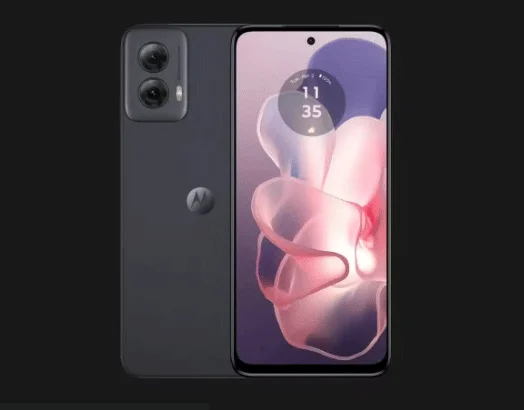
3. Moto G Power 5G
Like the OnePlus Nord N30 5G, the Motorola G Power 5G is another well-balanced device. There are quite a few similarities between it and the OnePlus Nord. Most notably, the Motorola device features the same 6.7-inch FHD+ LCD display with a 120Hz refresh rate and a 5,000mAh battery – although it only supports 30W fast charging.
Inside is a MediaTek Dimensity 7020 processor with 8GB of RAM and 128GB of storage (expandable via microSD). In terms of cameras, you'll find a dual-camera setup at the back with two lenses - a 50MP wide-angle camera and an 8MP ultra-wide-angle camera. On the front, you get a 16MP camera for selfies and video calling.
A good software experience on Motorola phones is usually a great selling point, but this device will only get one OS upgrade — to Android 15 — and three years of security updates until 2026. If you're hoping for a device that stays up to date and secure for a long time, you might want to explore other options.
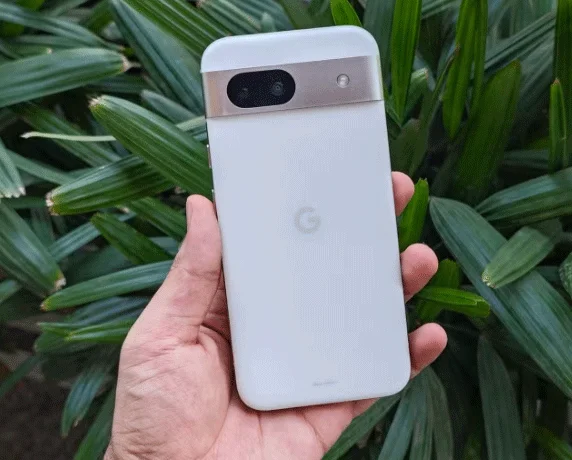
4. Pixel 8a
Google’s Pixel devices have always promised great cameras and timely software updates (seven years of support). Since the Pixel 6, we’ve seen the hardware take the cake. So if you’re willing to spend a little more, the Pixel 8a is one of the best mid-range phones you can buy. It’s also incredibly compact and easy to hold.
The Pixel 8a features a 6.1-inch FHD+ OLED display with a responsive refresh rate (up to 120Hz). It is powered by the Tensor G3 processor, with 8GB of RAM and 128GB of internal storage. This processor was first seen on the Pixel 8 and Pixel 8 Pro flagship phones. The Tensor G3 is stable and performs well in most use cases.
The phone has a 4,500mAh battery that should provide all-day battery life. It also has a dual-camera system on the back – a 64MP wide and a 13MP ultra-wide – that takes photos that put some flagship phones to shame. The front camera is also a respectable 13MP shooter.
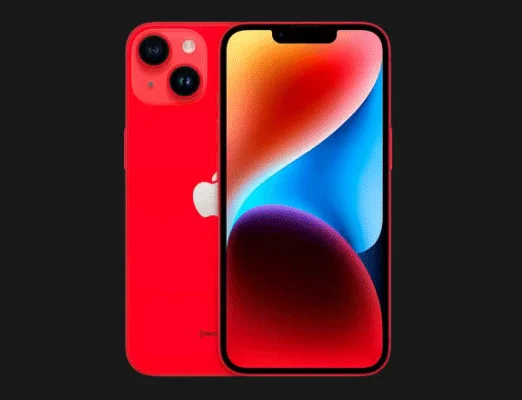
5. iPhone 14
The iPhone 14 is the oldest phone on this list but also the most expensive, but if you need a phone that is tied to the Apple ecosystem and will last long into the future, then this device is definitely worth considering.
It has a 6.1-inch OLED display with a 60Hz refresh rate. A larger 6.7-inch iPhone 14 Plus model is also available if you're after a larger screen. It's powered by the A15 Bionic processor, which is still more than enough for most users. While the 3,279mAh battery might not sound impressive on paper, the iPhone 14 should still last a day of moderate use. The phone can also charge to 50% in 30 minutes using a 20W charger.
The iPhone 14 has a dual-camera setup on the back consisting of a 12MP wide-angle lens and a 12MP ultra-wide-angle lens. On the front, you have a 12MP camera that is part of the TrueDepth camera system that enables Face ID authentication.
Buying a phone for a senior can be tricky, as narrowing down the right combination is often difficult given the number of devices on the market. The above options strike the right balance, making them ideal choices for your elderly family members or relatives in 2024.
Mix a glossy prop-only fake blood batch, choose safer products for skin and costumes, and test cleanup before Halloween night.
Create a gentle Halloween look with pastel colors, friendly ghosts, easy no-carve accents, and practical safety tips for your home.
Create a spooky office cubicle with Halloween desk decor ideas that keep your workspace usable, tidy, and mindful of workplace safety.
Plan a recognizable Halloween 2026 look with pop culture costumes inspired by Spider-Man, Supergirl, Toy Story 5, Moana, Mario, and Wednesday.
Sort leftover Halloween candy safely, share or repurpose sealed treats, and choose food use or compost for pumpkins based on their condition.
Compare workplace Halloween costume choices by respect, dress code, mobility, and safety—and learn when a subtle accessory or a policy check is the better option.
Find a couples costume that fits your style, budget, and comfort level, from Addams Family classics to original inside-joke duos.
Need a last-minute high school Halloween costume? Compare 10 easy closet-based ideas by prep time, comfort, school-day practicality, and simple safety checks.
Use a simple 2026 Halloween decorating timeline for indoor décor, outdoor displays, and fresh pumpkins, with practical adjustments for weather and events.
Mix five vivid, approachable Halloween cocktails with measured recipes, simple prep tips, and an alcohol-free option for your party guests.








