Make Realistic Fake Blood Without a Cleanup Surprise

Mix a glossy prop-only fake blood batch, choose safer products for skin and costumes, and test cleanup before Halloween night.
There are many options as well as different criteria for us to classify what is a good WiFi card .
Wired networks always provide faster and more stable connections than wireless, however, its weakness is in convenience. Especially if the space in the room does not allow, routing and wiring for the Ethernet system will really become a problem.
This is why when building your own computer system , you may want to consider integrating wireless adapters into your system. These adapters will help eliminate the clutter of unwanted wires, and with the right adapter, you will still get fast and stable internet speeds that are on par with even the best Ethernet connections.
Here is a list of WiFi adapters , also known as PCI wireless adapters (PCI stands for Peripheral Component Interconnect, a language in computer science that refers to a standard for transferring data between peripheral devices to a motherboard) in each segment that you can consider investing in. These wireless adapters are capable of connecting to any PCI port in your custom PC and allow you to connect to wireless networks with ease. Let's get to our list right away.

What is the best WiFi card 2025?
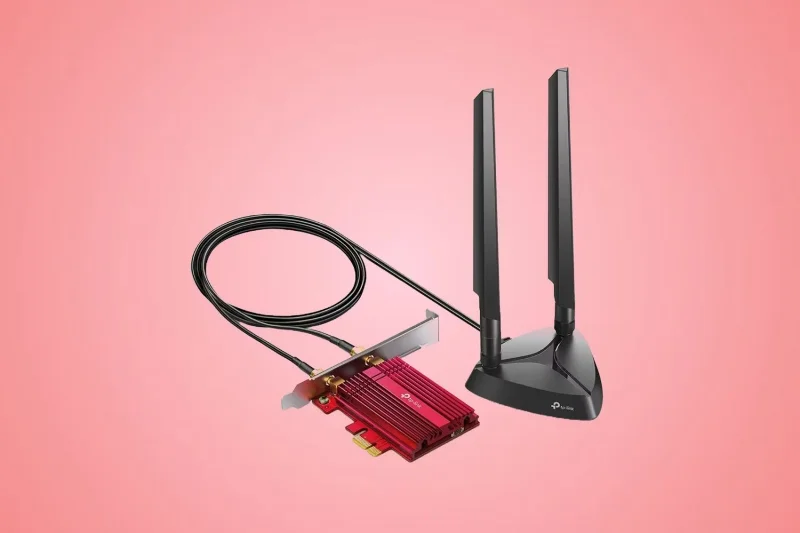
The TP-Link Archer TX3000E may not support the latest WiFi 7 protocol, but it still delivers respectable speeds and improved efficiency over older WiFi cards. With support for theoretical bandwidths of up to 2402Mbps and advanced technologies like OFDMA and MU-MIMO , it's a great choice for bandwidth-intensive tasks like 4K streaming or online gaming.
With WiFi 6 now mainstream, it’s easy to get a good WiFi 6 router that can take full advantage of the card’s capabilities. The Archer TX3000E also adds Bluetooth 5.0 support to your PC, and external omnidirectional antennas ensure great reception even with distant routers. Your PC won’t support the new 6GHz band, but you’ll still get great performance on the 5GHz band for a lot less money.
Advantage
Disadvantages
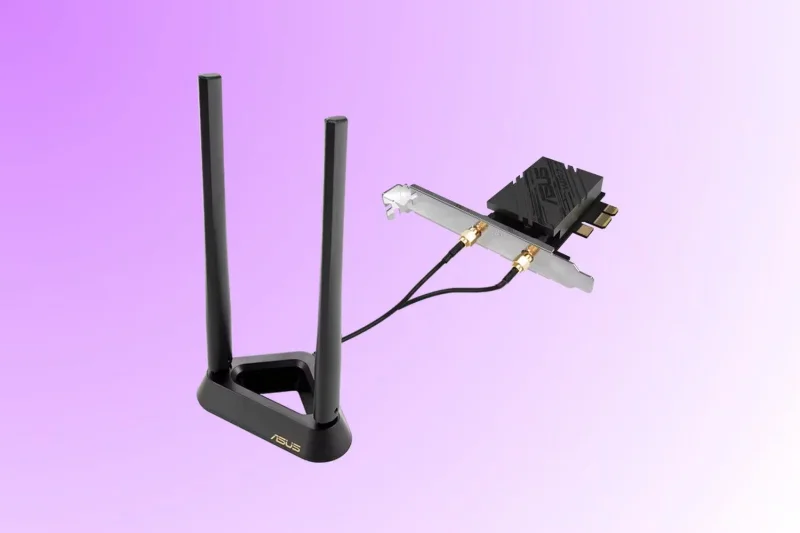
WiFi standards can be a bit confusing, but if you want the latest and greatest upgrade, the ASUS PCE-BE92BT is a great choice. Based on the latest WiFi 7 standard, this card uses the same 6GHz band as WiFi 6E devices, but offers much higher reliability and even faster speeds of up to 5764Mbps thanks to WiFi 7's ultra-high throughput.
The PCE-BE92BT is meticulously designed to deliver consistently high speeds, making it perfect for long gaming sessions. It can keep up with multi-gigabit Internet packets, and the independent receiver makes it easy to find the perfect position for optimal signal reception. In addition to WiFi, this card also upgrades your PC with the latest Bluetooth 5.4, allowing for stronger connections to wireless keyboards, mice, headsets, and other peripherals.
Advantage
Disadvantages
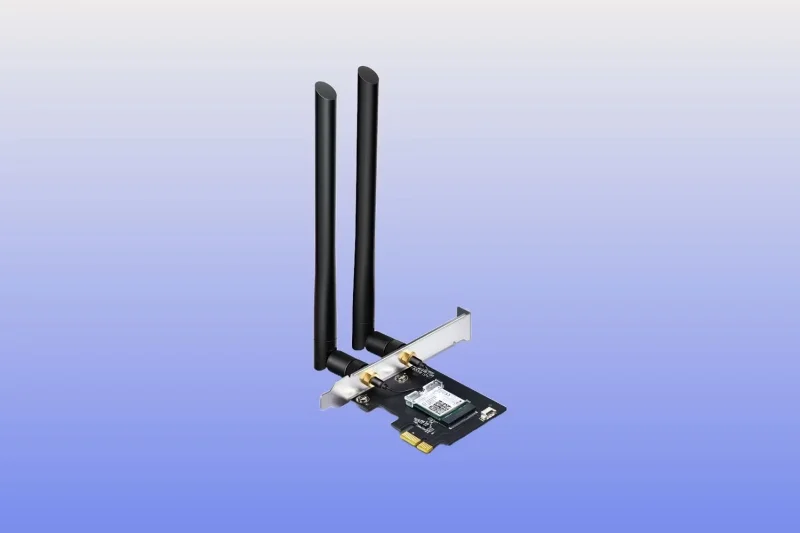
Splurging on the latest or most expensive WiFi card won’t automatically make your PC connection faster. You’ll also need an Internet plan that can take advantage of the higher speeds. For gamers or users with sub-Gigabit Internet plans (300 or 500 Mbps), an affordable WiFi 5 card like the TP-Link Archer T5E offers a good balance of performance and price.
The Archer T5E boasts excellent speeds, reaching up to 867Mbps on the 5GHz band, which is great for online gaming, video streaming, and working from home. It's also compatible with existing routers, making it even more appealing to those on a budget. However, if you have a lot of smart devices in your home or plan to upgrade to a gigabit plan, spending more on a PCIe WiFi 6 card may be a better long-term option.
Advantage
Disadvantages
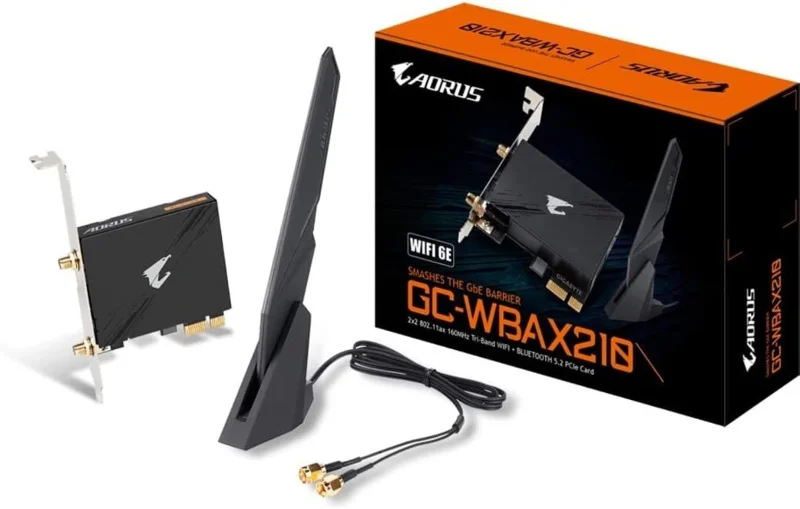
The GIGABYTE GC-WBAX210 is an affordable way to upgrade your PC to the latest WiFi standard. It delivers all the features of WiFi 6E, including blazing speeds of up to 2.4 Gbps, ultra-low latency, and unmatched reliability, at a more affordable price than the competition.
This is the perfect WiFi card for real-time, high-bandwidth tasks like streaming, gaming, and Zoom calls. And thanks to the dedicated 6GHz band, your PC maintains a stable, high-speed connection without interference from other legacy devices connected to the other 5GHz and 2.4GHz bands.
The included antenna has good signal reception and has a magnetic base that allows you to find the ideal position for the best signal. However, it is not ideal for compact PCs as it does not come with a low-profile bracket. However, this is a great option for anyone looking for a high-performance expansion card for WiFi and Bluetooth.
Advantage
Disadvantages
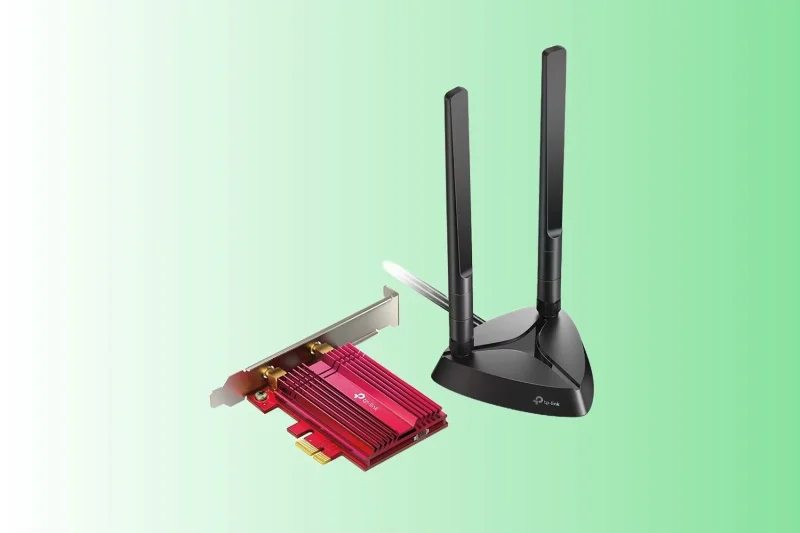
If you're tired of your network slowing to a crawl in the middle of a competitive match, the TP-Link Archer TXE75E is the perfect upgrade for your rig. This WiFi card is the same as the GIGABYTE GC-WBAX210, but its powerful heatsink provides longer lasting performance, ensuring consistently high speeds even during long periods of heavy network usage.
The Archer TXE75E can reach blazing speeds of up to 2402Mbps on both the 5GHz and 6GHz bands when connected to a powerful WiFi 6E router. Connecting to the 6GHz band opens up more bandwidth and keeps latency as low as possible for smooth gaming and streaming. It also features high-gain antennas for better range and signal strength, and adds the latest Bluetooth 5.3 for connecting wireless peripherals.
Advantage
Disadvantages
Above is a list of the best WiFi cards today, however, technology will continue to develop so perhaps our list will have to be updated many more times. Hope you find the right choice for you!
See also:
Mix a glossy prop-only fake blood batch, choose safer products for skin and costumes, and test cleanup before Halloween night.
Create a gentle Halloween look with pastel colors, friendly ghosts, easy no-carve accents, and practical safety tips for your home.
Create a spooky office cubicle with Halloween desk decor ideas that keep your workspace usable, tidy, and mindful of workplace safety.
Plan a recognizable Halloween 2026 look with pop culture costumes inspired by Spider-Man, Supergirl, Toy Story 5, Moana, Mario, and Wednesday.
Sort leftover Halloween candy safely, share or repurpose sealed treats, and choose food use or compost for pumpkins based on their condition.
Compare workplace Halloween costume choices by respect, dress code, mobility, and safety—and learn when a subtle accessory or a policy check is the better option.
Find a couples costume that fits your style, budget, and comfort level, from Addams Family classics to original inside-joke duos.
Need a last-minute high school Halloween costume? Compare 10 easy closet-based ideas by prep time, comfort, school-day practicality, and simple safety checks.
Use a simple 2026 Halloween decorating timeline for indoor décor, outdoor displays, and fresh pumpkins, with practical adjustments for weather and events.
Mix five vivid, approachable Halloween cocktails with measured recipes, simple prep tips, and an alcohol-free option for your party guests.








