What to eat when you have diarrhea?

When you have diarrhea, certain foods you eat can help get your digestive system back on track. Here are the foods you should eat when you have diarrhea .

What to eat when you have diarrhea?

Diet and diarrhea are closely linked. This is true whether your diarrhea is caused by allergies, food poisoning, or a chronic condition like irritable bowel syndrome. When you have diarrhea, certain foods can help get your digestive system back on track. Other foods can prolong or worsen your symptoms.

Eating bland foods can help diarrhea clear up faster and prevent stomach pain and irritation. Avoiding certain foods, such as milk or citrus fruits, may help prevent symptoms from getting worse.

Foods to eat when you have diarrhea

When you have diarrhea, the foods you eat and avoid can be crucial to a faster recovery. This is where the BRAT diet comes in handy.

The BRAT diet includes:

  • Banana
  • White rice (rice)
  • Apple puree
  • Toast made from white bread (toast)

These foods are bland and low in fiber, so they won't add any "heavy weight" to your digestive system. They're also sticky, which helps firm up your stool. You can incorporate these ingredients into your BRAT diet, such as spreading applesauce or banana on toast.

You can eat other foods as part of a bland diet. These foods may include:

  • Cooked cereals, such as oats, Cream of Wheat or Farina
  • Soda crackers
  • Low sugar apple juice
  • Baked or boiled potatoes

Drinking plenty of fluids can help you stay hydrated and replace lost fluids. Options to try include:

  • Water or ice cubes
  • Clear stock, such as chicken or beef broth, with the fat removed
  • Electrolyte-enhanced water or coconut water that contains vitamins or electrolytes (try to avoid those with a lot of sugar)
  • Solutions like Pedialyte
  • Weak, decaffeinated tea

Once you start to recover, you can try adding foods like fried eggs and cooked vegetables.
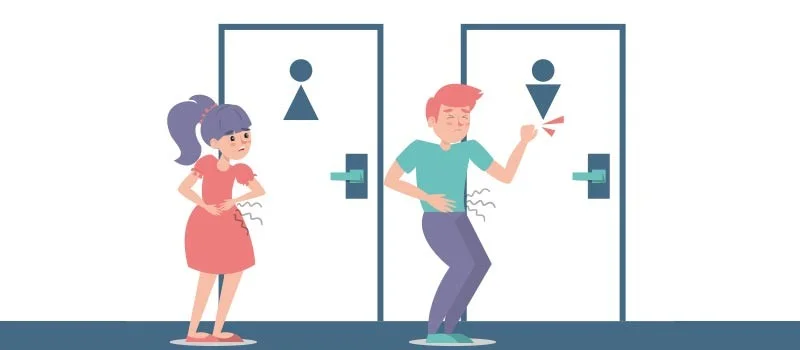
What to eat when you have diarrhea?

Foods to avoid when you have diarrhea

Certain foods can irritate your digestive system and make diarrhea worse or last longer when you have or are recovering from diarrhea.

Foods to avoid when you have diarrhea include:

  • Milk and dairy products (including milk protein drinks)
  • Fried, fatty, greasy foods
  • Spicy food
  • Processed foods, especially those with additives
  • Pork and veal
  • Sardines
  • Raw vegetables
  • Onion
  • Corn
  • All citrus fruits
  • Other fruits, such as pineapple, cherries, stone berries, figs, black currants and grapes
  • Alcohol
  • Coffee, soda, and other caffeinated or carbonated beverages
  • Artificial sweeteners, including sorbitol

What to do when you have diarrhea

Many cases of diarrhea are short-lived and respond well to home treatments such as:

  • Rest
  • Change your diet
  • Increase fluid intake
  • Take over-the-counter medications, such as the antidiarrheal drug berberine

However, you can also have diarrhea due to a bacterial infection that can make your condition worse. If your diarrhea is severe, see your doctor for the best treatment options.

Leave a Comment

Solving Microsoft Teams Error 4oggx

Solving Microsoft Teams Error 4oggx

Struggling with Microsoft Teams Error 4oggx? Discover proven fixes to resolve sign-in failures, crashes, and connectivity issues fast. Get back to productive calls without frustration!

How to Fix Microsoft Teams Remove Account Data Error

How to Fix Microsoft Teams Remove Account Data Error

Encountering the frustrating Microsoft Teams "Remove Account" Data Error? Discover quick, reliable fixes like clearing cache, resetting the app, and more to get back to seamless collaboration without losing data. Updated with the latest solutions.

Troubleshooting Microsoft Teams Layout Error Sidebar

Troubleshooting Microsoft Teams Layout Error Sidebar

Tired of the frustrating Microsoft Teams "Layout Error" Sidebar? Follow our proven, step-by-step troubleshooting guide with the latest fixes to get your Teams sidebar working smoothly again. No tech skills needed!

Troubleshooting Microsoft Teams Offline Error in 2026

Troubleshooting Microsoft Teams Offline Error in 2026

Stuck with Microsoft Teams offline error in 2026? Discover proven troubleshooting steps, common causes, and quick fixes to restore your connection fast. No tech skills required!

How to Fix Microsoft Teams Error M Memory

How to Fix Microsoft Teams Error M Memory

Tired of Microsoft Teams crashing with "Error M" memory issues? Follow our step-by-step guide to fix Error M in Teams, clear cache, update software, and boost performance—no tech skills required!

Step-by-Step: Setting Up Microsoft Teams Town Hall Events

Step-by-Step: Setting Up Microsoft Teams Town Hall Events

Discover the easiest step-by-step guide to setting up Microsoft Teams Town Hall events. Host massive virtual gatherings effortlessly with pro tips for seamless execution. Perfect for leaders and organizers!

How to Fix Microsoft Teams Download Error for PC

How to Fix Microsoft Teams Download Error for PC

Struggling with Microsoft Teams "Download Error" on PC? Discover proven, step-by-step fixes to resolve download failed issues quickly. Get back to seamless collaboration in minutes—no tech skills needed!

Troubleshooting Microsoft Teams Error L License

Troubleshooting Microsoft Teams Error L License

Stuck with Microsoft Teams "Error L" License error? Follow this step-by-step troubleshooting guide to resolve licensing issues quickly, restore access, and boost productivity without IT hassle. Updated with latest fixes.

Troubleshooting Microsoft Teams Video Call Freezing

Troubleshooting Microsoft Teams Video Call Freezing

Tired of Microsoft Teams video call freezing mid-meeting? Follow this proven troubleshooting Microsoft Teams video call freezing guide with quick fixes, advanced tips, and real solutions to restore smooth video instantly.

How to Fix Microsoft Teams Download Failed Due to Unexpected Error

How to Fix Microsoft Teams Download Failed Due to Unexpected Error

Frustrated by Microsoft Teams 'Download Failed Due to Unexpected Error'? Discover proven, step-by-step solutions to fix this common issue quickly and get back to seamless collaboration. Updated with the latest fixes for peak performance.

Why Did My Microsoft Teams Recording Fail? Common Reasons

Why Did My Microsoft Teams Recording Fail? Common Reasons

Frustrated because your Microsoft Teams recording failed? Uncover the top common reasons like permissions issues, storage limits, and network glitches, plus step-by-step fixes to prevent future failures and record flawlessly every time.

Solving Microsoft Teams Error B Connection

Solving Microsoft Teams Error B Connection

Struggling with Microsoft Teams "Error B" connection? Discover step-by-step fixes for smooth connectivity. Clear cache, check networks, and more in this ultimate guide to resolving Error B instantly.

How to Fix Microsoft Teams Application Is In A Bad State Error

How to Fix Microsoft Teams Application Is In A Bad State Error

Tired of the frustrating Microsoft Teams "Application Is In A Bad State" error crashing your meetings? Discover proven, step-by-step fixes to resolve it quickly and restore smooth teamwork. Updated with the latest solutions.

How to Check Microsoft Teams Version History and Build Number

How to Check Microsoft Teams Version History and Build Number

Discover simple steps to check your Microsoft Teams version history and build number on desktop, web, and mobile. Stay updated with the latest features and fixes effortlessly. Perfect for IT pros and everyday users.

How to Fix Microsoft Teams Uninstall Error Stuck

How to Fix Microsoft Teams Uninstall Error Stuck

Tired of Microsoft Teams "Uninstall Error" Stuck? Discover proven, step-by-step fixes to completely remove Teams from your PC. Works on latest Windows versions – no tech skills needed!









