
Make Realistic Fake Blood Without a Cleanup Surprise

Mix a glossy prop-only fake blood batch, choose safer products for skin and costumes, and test cleanup before Halloween night.
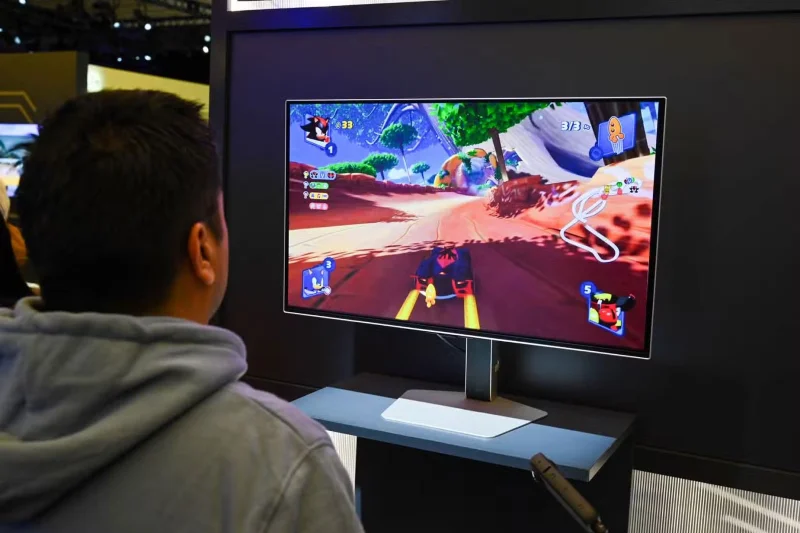
Many people love the sharp picture and minimalist setup, but finding a small 4K monitor these days is like chasing a unicorn. Why did they disappear, and why do so many people still want one?
Table of Contents
Once a vibrant category, small 4K monitors—those in the 21- to 24-inch range—seem to have quietly disappeared from the mainstream market. As high-resolution panels become more affordable, you'd think small 4K monitors would become more widely available. But that's not the case.
Search for a 4K monitor in that size range and you’ll quickly find that there are virtually no options. According to my search, LG’s 22-inch 22MD4KA-B was first released in 2017. The most recent monitor I could find was AG Neovo’s 24-inch EM2451 4K monitor. There are plenty of portable 4K monitors, but they’re not for someone looking for a standard monitor.
When you type in search terms like “24-inch 4K monitor” and “21-inch 4K monitor,” you’ll find plenty of 1080p (FHD) or 1440p (QHD) options instead. You’d be surprised how easy it is to find a 21- to 24-inch FHD monitor that offers a refresh rate of more than 100Hz, compared to a simple 4K panel.

So what happened? It’s not that companies can’t make small 4K panels. If that were the case, we wouldn’t see portable 4K monitors with 24-inch or smaller panels, or laptops with 4K displays like the HP Envy 17.3 and Razer Blade 18. The main reason is simply that there’s not enough demand for standard 4K displays in small form factors.
Most consumers want a good enough monitor. They don’t work in industries that require a high pixel density display to perform at their best, like graphic design or video editing. If there was a big market for such monitors, you can bet companies would be making tons of them.
Furthermore, the world is trending towards bigger items: bigger TVs, smartphones, cars, etc. The same applies to the display space, where we see panels getting bigger every year, simply because that's where the demand is.
However, despite the trend towards larger screens, many people still want a small 4K monitor for the following five reasons.
Right now, many people use a single 27-inch 4K monitor in their work-from-home setup. However, if you need to upgrade your setup with more screen real estate, you'll want to opt for two smaller monitors (ideally 4K monitors ) instead of two large monitors or a single ultrawide monitor.
Thanks to their small footprint, dual monitors are much easier to manage and more flexible in terms of layout and placement. Their compact size also means you can fit more monitors on a standard desk without the need for complicated stands or stands. Dual monitors are easy to set up with HDMI , so you don’t have to worry about that.
Smaller 4K monitors will be more affordable than larger monitors with similar specs. For example, consider the LG UltraGear 4K monitor. It comes in 27- and 32-inch sizes, with the 32-inch option costing nearly $100 more.
The monitor has solid specs for its price – 144Hz refresh rate, 1ms response time, HDMI 2.1, DisplayPort, etc. – but it doesn’t come in a smaller version. If LG offered a 24-inch version with similar specs, it would certainly be the most affordable option in the lineup.
For pixel-peepers, the main advantage of cramming 4K resolution into a smaller screen is that it delivers incredibly sharp images, thanks to the higher pixel density. Higher pixel density makes everything look better.
Text and images look sharp and detailed, icons look sleeker, and everything else looks better. To put that into perspective, a 21-inch 4K display has about 210 pixels per inch (PPI). That’s about the same as Apple’s high-end Studio Display XDR, which has 218 PPI.
If you buy a 27-inch 4K monitor, you won't find that kind of sharpness; forget about a 32-inch 4K monitor. That kind of sharpness is perfect for the needs of people who do detail-oriented work like photo editing, design, and programming.
Most of us don’t have endless space to spare in our homes or apartments. A city dweller typically doesn’t have a huge space for their work setup. Instead, they have to optimize their setup for their limited space. A small monitor is perfect for that.
Sure, you could opt for a 24-inch QHD monitor like the 24-inch BenQ RD240Q or the 24.5-inch INNOCN 25G2S. However, neither of these monitors will meet your needs for a small 4K monitor with a high PPI. Remember, not considering your specific needs is just one of many mistakes to avoid when buying a monitor.
A small 4K monitor is a perfect choice and will also fit into a small desk setup while still leaving enough room for other essentials. It’s also easier to pair with a laptop in a space-saving setup without overwhelming the workspace.
Smaller screens are more ergonomic than larger screens. With large screens, your eyes and neck have to move almost constantly to scan from side to side, especially if you need to view content in the corners of a large screen.
For small screen sizes, it is easier to position the screen so that it is easy and comfortable to view the entire screen without constantly moving your neck and eyes. If your job involves sitting at a desk for long hours, this can help reduce fatigue and improve productivity.
Small 4K monitors may not be in high demand, but their limited availability frustrates those who value sharp images in compact ergonomic setups. They're ideal for tight spaces, multitasking, and pixel-perfect work. Hopefully we'll see more in the future!
Mix a glossy prop-only fake blood batch, choose safer products for skin and costumes, and test cleanup before Halloween night.
Create a gentle Halloween look with pastel colors, friendly ghosts, easy no-carve accents, and practical safety tips for your home.
Create a spooky office cubicle with Halloween desk decor ideas that keep your workspace usable, tidy, and mindful of workplace safety.
Plan a recognizable Halloween 2026 look with pop culture costumes inspired by Spider-Man, Supergirl, Toy Story 5, Moana, Mario, and Wednesday.
Sort leftover Halloween candy safely, share or repurpose sealed treats, and choose food use or compost for pumpkins based on their condition.
Compare workplace Halloween costume choices by respect, dress code, mobility, and safety—and learn when a subtle accessory or a policy check is the better option.
Find a couples costume that fits your style, budget, and comfort level, from Addams Family classics to original inside-joke duos.
Need a last-minute high school Halloween costume? Compare 10 easy closet-based ideas by prep time, comfort, school-day practicality, and simple safety checks.
Use a simple 2026 Halloween decorating timeline for indoor décor, outdoor displays, and fresh pumpkins, with practical adjustments for weather and events.
Mix five vivid, approachable Halloween cocktails with measured recipes, simple prep tips, and an alcohol-free option for your party guests.








