Make Realistic Fake Blood Without a Cleanup Surprise

Mix a glossy prop-only fake blood batch, choose safer products for skin and costumes, and test cleanup before Halloween night.
When the DualSense Edge was first announced, many were skeptical that it was just a marketing gimmick. But after weeks of using it, you'll see that it's a game-changer. It's more than just a controller; it's a performance upgrade.
Here's why the PS5 DualSense Edge controller is worth it.
1. Advanced Control with Back Paddle and Hair Trigger
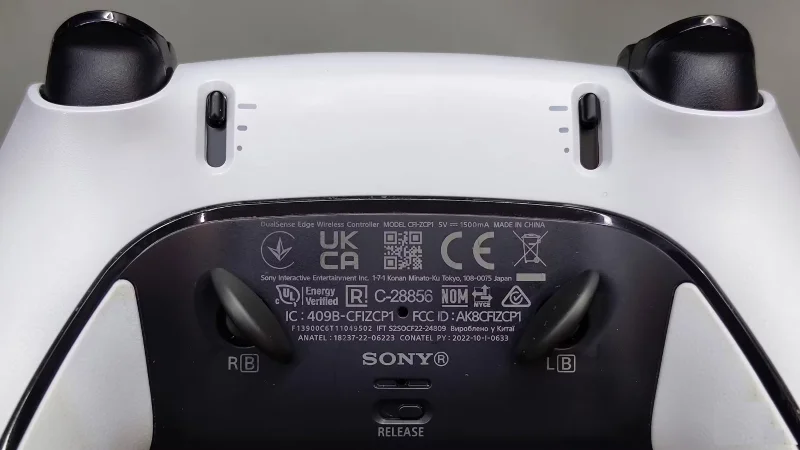
While the standard DualSense controller has plenty of hidden features, it doesn't feel like the ultimate pro gaming weapon. The DualSense Edge, however, delivers on that promise.
The controller comes with two sets of buttons that you can mount on the back. Once mounted, you can assign any button or action to them. I find the paddles extremely useful in competitive shooters where split-second decisions can make all the difference.
For example, you can assign a sprint action to one paddle and a reload action to the other. This means that if you're on foot and feel like an enemy might be on your side, you can quickly run away and reload without taking your thumb off the right stick.
Another standout feature is the hair triggers. Adjusting the hair trigger sensitivity to your liking will greatly improve aiming and responsiveness. The switches to adjust the hair trigger length are right next to them, so you can do it right away without opening the app.
For example, when playing a game like GTA, set the hair trigger length to minimum when walking to be able to shoot quickly. When driving, set the hair trigger length to maximum to have better control over the acceleration of the car.
2. Comprehensive software for customization
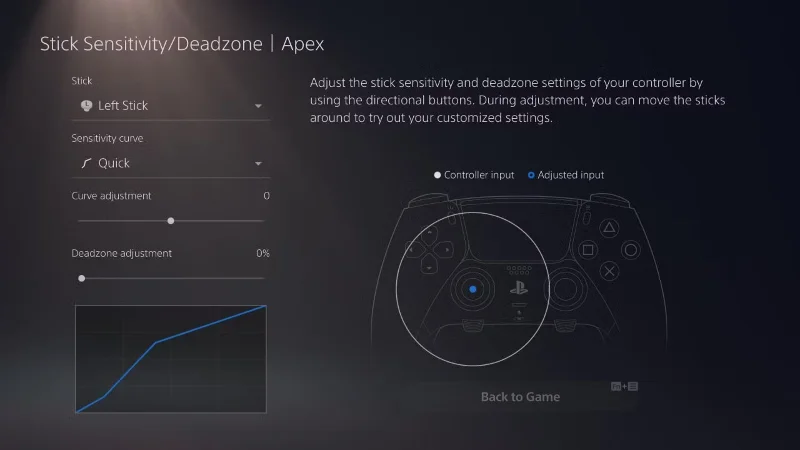
The software that comes with the DualSense Edge is a game-changer when it comes to personalization. It's incredibly user-friendly and offers a level of customization that's unheard of in any other controller. The possibilities are endless, from adjusting dead zones and hair trigger sensitivity to creating custom button mappings.
As expected, you can create multiple profiles and quickly switch between them for different games, ensuring optimal settings for each profile. The software also lets you adjust the sensitivity of the joysticks independently, which is a great feature for games that require precise aiming. It's clear that Sony has put a lot of thought into creating a software experience that really complements the hardware.
Furthermore, the function (Fn) keys add a whole new layer of functionality. Once you set up profiles, you can conveniently switch between them in-game by holding the function keys and pressing the designated buttons. The function keys also allow you to control things like headphone volume, making the overall experience more seamless and enjoyable.
3. Advantages of modular design
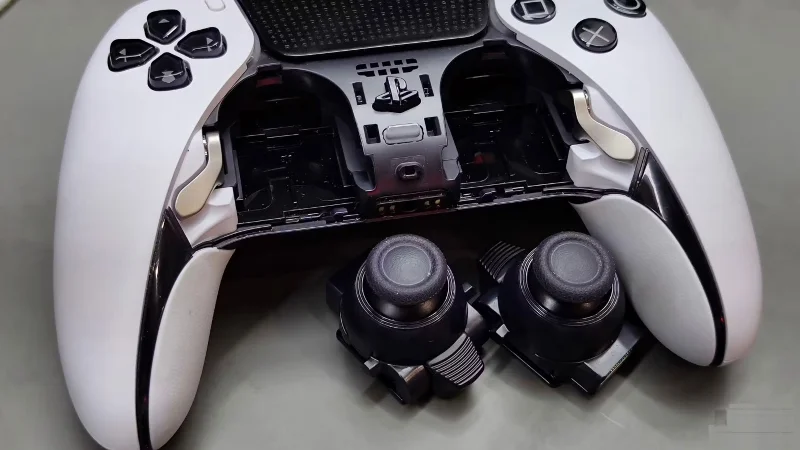
The DualSense Edge's modular design is a stroke of genius. The ability to easily swap out joystick modules is a huge step forward. Joystick drift is a common problem with the standard DualSense controller. It's frustrating to deal with drift, and it seems to be an inevitability with the DualSense. Fixing drift on the standard DualSense isn't easy. With the DualSense Edge, however, you can replace the joystick without touching a screwdriver or sending the entire controller in for repair.
Additionally, after using the DualSense Edge for over a year, the controllers are still in great condition, which is impressive, especially when compared to the standard DualSense experience.
4. Beautiful and convenient charging box
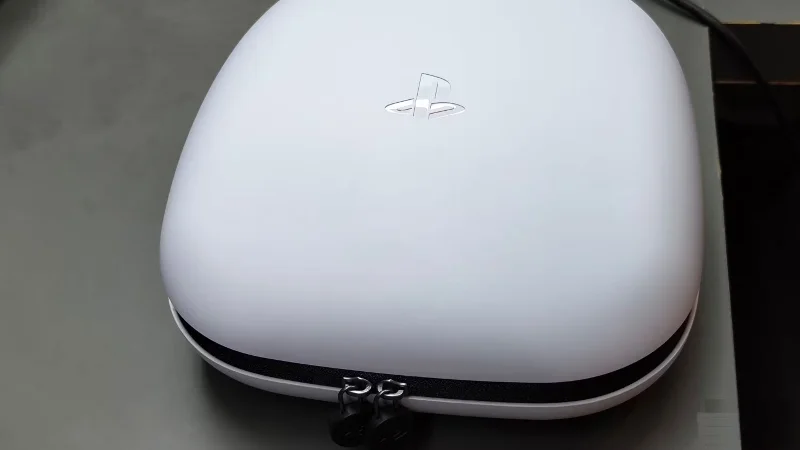
The charging case is more than just a pretty accessory; it's a practical and necessary part of the DualSense Edge. It's beautiful, stylish, and does a great job of protecting the controller from damage. Plus, it conveniently charges the controller too.
The inclusion of a charging lock is a small but thoughtful touch. It prevents the charging cable from accidentally being disconnected, ensuring that the controller is always ready to use. PlayStation has somewhat made up for the shorter battery life by making charging more convenient.
5. Premium feel
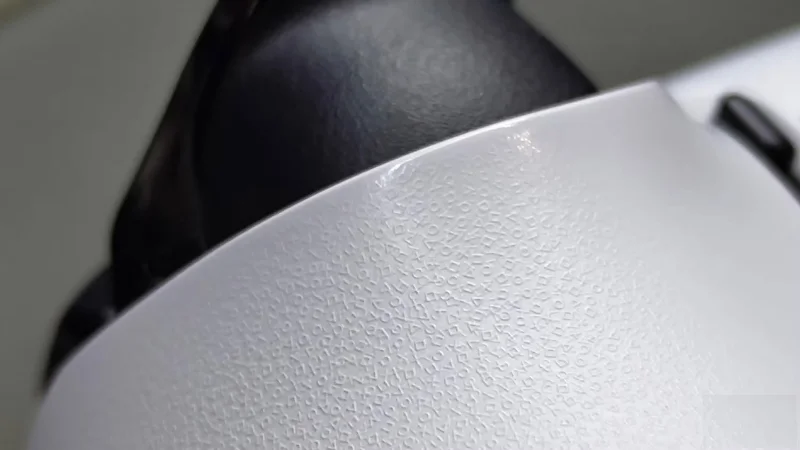
The DualSense Edge's build quality is exceptional, with premium materials and a solid weight that suggests durability. The controller is comfortable and offers great support, even during extended gaming sessions. It feels more solid and refined than the standard DualSense.
The attention to detail is evident in every aspect of the design. The overall aesthetic is sleek and modern, with a subtle elegance that sets it apart from other controllers. It’s clear that Sony wanted to create a product that not only performed exceptionally well, but also looked like a premium accessory.
In short, the DualSense Edge is an investment that serious gamers will not regret. Every aspect of this controller is designed with the player in mind. While it may have a premium price tag, the unparalleled control and comfort make it a worthwhile investment for those looking for the ultimate gaming experience. Once you experience the DualSense Edge, it will be hard to go back to a regular controller.
Mix a glossy prop-only fake blood batch, choose safer products for skin and costumes, and test cleanup before Halloween night.
Create a gentle Halloween look with pastel colors, friendly ghosts, easy no-carve accents, and practical safety tips for your home.
Create a spooky office cubicle with Halloween desk decor ideas that keep your workspace usable, tidy, and mindful of workplace safety.
Plan a recognizable Halloween 2026 look with pop culture costumes inspired by Spider-Man, Supergirl, Toy Story 5, Moana, Mario, and Wednesday.
Sort leftover Halloween candy safely, share or repurpose sealed treats, and choose food use or compost for pumpkins based on their condition.
Compare workplace Halloween costume choices by respect, dress code, mobility, and safety—and learn when a subtle accessory or a policy check is the better option.
Find a couples costume that fits your style, budget, and comfort level, from Addams Family classics to original inside-joke duos.
Need a last-minute high school Halloween costume? Compare 10 easy closet-based ideas by prep time, comfort, school-day practicality, and simple safety checks.
Use a simple 2026 Halloween decorating timeline for indoor décor, outdoor displays, and fresh pumpkins, with practical adjustments for weather and events.
Mix five vivid, approachable Halloween cocktails with measured recipes, simple prep tips, and an alcohol-free option for your party guests.








