Make Realistic Fake Blood Without a Cleanup Surprise

Mix a glossy prop-only fake blood batch, choose safer products for skin and costumes, and test cleanup before Halloween night.
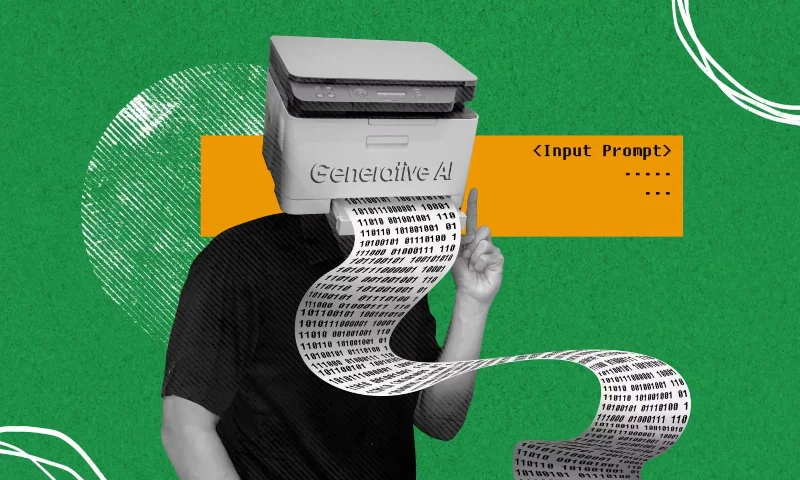
There are dozens of AI art generation tools available, and all of them are capable of generating art from just a simple text prompt. However, that doesn’t mean we should abuse them.
There's no denying that AI art-making tools are fun and even incredibly useful in some contexts. However, there are many good reasons to stop using Artificial Intelligence (AI) in art-making.
Table of Contents
The fundamental problem with AI art generators is that they turn art creation into a machine algorithm. This raises the question of whether AI art can be considered genuine art. The debate on this issue has raged and is still far from settled. But there is no denying that AI art is created by an algorithm interpreting a text prompt.
Even if you accept that AI-generated work is art, you have to accept that art creation being reduced to a process of algorithmic interpretation will not produce the same masterpieces that humans have been doing for centuries.
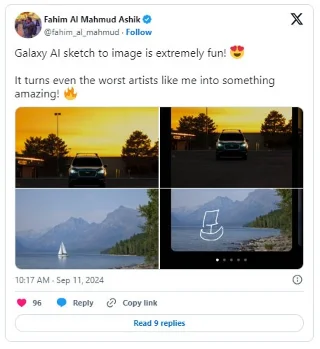
If artificial intelligence can create art without really trying, is there still a need for human artists? Even if AI artwork doesn't reach the same standards as real artists. But that doesn't stop people from using AI instead of humans to create art.
There's been a lot of speculation about how AI will change the job market , but the impact of artificial intelligence on artists and others in the creative industries is starting to become clear. These jobs aren't likely to come back, as AI art-making tools become more common and potentially better.
Over the centuries, countless works of art have been created. Just visit an art gallery in a major city and you will realize how much art humans create. But while it might take humans days, weeks, or even months to create a single work of art, AI art-generating tools are constantly creating them. And many of the images they create are low-quality nonsense.
What are the chances that an AI artwork will survive beyond its creation? It’s unlikely that in a few hundred years, people will flock to study an AI-generated work of art the way they did Leonardo da Vinci’s Mona Lisa or Vincent van Gogh’s Sunflowers.
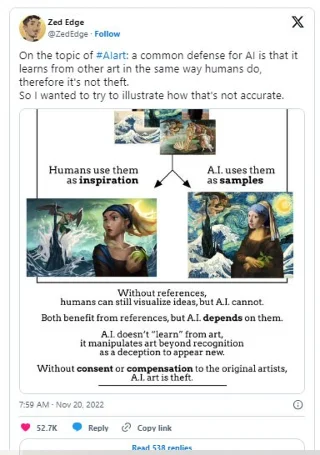
By its very nature, AI art generators steal styles that already exist. There is no imagination or creativity involved; AI art is created by a machine that has absorbed many other genres and styles and then tried to copy them. This is ethically problematic, as real artists have been inventing or contributing to these different styles for years, but the AI has essentially blatantly stolen those techniques without the consent of the creators.
Even leaving aside the ethics, that means AI is just copying what already exists, not creating anything unique or original. At least in terms of genre or style.
In addition to the above, if AI art generators can only steal what already exists, there is a risk that new art movements will no longer appear. New art movements tend to appear when what is happening in the world at that time gradually becomes boring. Whereas artificial intelligence will just continue to create old styles and genres regardless of the broader social context.
From the Renaissance to the Modern Art movement, the art that was popular at a given time reflected the state of the world. In a way, the vast amount of AI art being created today reflects the times we live in, but not in a good way.
There is an inherent danger that the rise of AI art-making tools will impact creativity in a number of fundamental ways. First, it has the potential to inhibit people’s desire and ability to create art for themselves. Because, no matter how great technology may be, it tends to inhibit the skills it replaces.
The most obvious example of this is how computers have suppressed people’s ability to compute in their heads. When the need for that skill disappears, the skill itself disappears. And if the same applies to AI art-making tools, then humanity could lose the ability to actually create meaningful art. No one wants this to happen, but the more we rely on artificial intelligence, the more likely it is.
The world’s greatest works of art, whether paintings, sculptures, or other mediums, exist not simply as tangible objects. Artists imbue them with a deeper meaning. And that’s something that artificial intelligence (currently) can’t replicate. AI art-generating tools are creating images, but they’re not art unless the AI creator has sought to create some deeper meaning himself.
But even if they did, AI art would still just be a copy of what someone typed into a text box. Whereas every brushstroke of a painting or sculpture is imbued with the artist’s emotions. Something that AI will never be able to replicate. So AI-generated art is fundamentally changing the future of art.
The appeal of AI art is understandable. You type a few words into a text box, choose a style or genre, and the machine generates a work of art. It’s a fascinating task, especially for people who aren’t particularly good at drawing or painting. But it also has many negative effects, as outlined above.
Mix a glossy prop-only fake blood batch, choose safer products for skin and costumes, and test cleanup before Halloween night.
Create a gentle Halloween look with pastel colors, friendly ghosts, easy no-carve accents, and practical safety tips for your home.
Create a spooky office cubicle with Halloween desk decor ideas that keep your workspace usable, tidy, and mindful of workplace safety.
Plan a recognizable Halloween 2026 look with pop culture costumes inspired by Spider-Man, Supergirl, Toy Story 5, Moana, Mario, and Wednesday.
Sort leftover Halloween candy safely, share or repurpose sealed treats, and choose food use or compost for pumpkins based on their condition.
Compare workplace Halloween costume choices by respect, dress code, mobility, and safety—and learn when a subtle accessory or a policy check is the better option.
Find a couples costume that fits your style, budget, and comfort level, from Addams Family classics to original inside-joke duos.
Need a last-minute high school Halloween costume? Compare 10 easy closet-based ideas by prep time, comfort, school-day practicality, and simple safety checks.
Use a simple 2026 Halloween decorating timeline for indoor décor, outdoor displays, and fresh pumpkins, with practical adjustments for weather and events.
Mix five vivid, approachable Halloween cocktails with measured recipes, simple prep tips, and an alcohol-free option for your party guests.








