

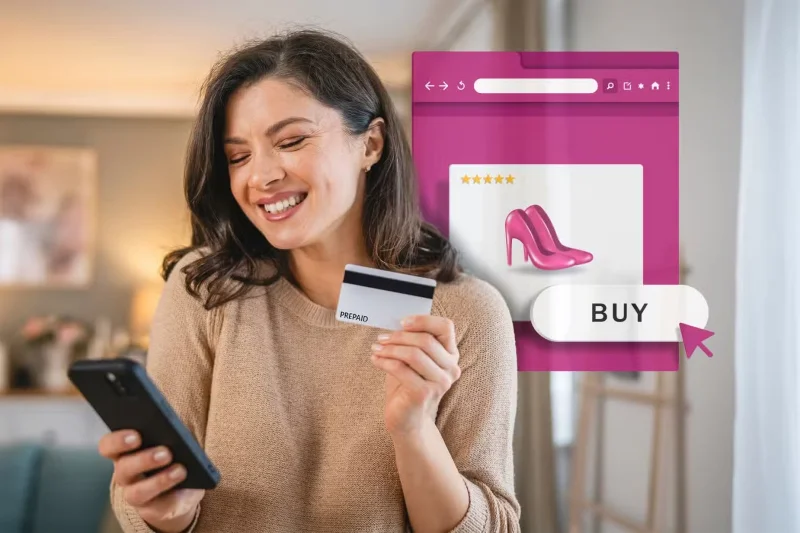

You may have problems if you buy these 7 things when connecting to a VPN!

Using a VPN to buy cheaper items may seem like a good idea, but many companies are getting smarter and realizing how many people are already doing it. That’s why you’ll have trouble buying certain products and services when using a VPN; you may even run the risk of having your account banned.

Table of Contents

1. Airline ticket

If you live in a country with high sales taxes, many people want to see if it’s possible to book a flight while setting their VPN location to somewhere else. At first, everything is fine; they can access the checkout page without any issues.
You may have problems if you buy these 7 things when connecting to a VPN!

However, problems soon arose. When entering their card details and attempting to pay, they kept getting a payment failure message. This happened when using the airline’s browser and app. Everything went back to normal immediately after turning off the VPN.

It is still possible to buy tickets with some airlines, but this will vary depending on which airline you choose, so be prepared to haggle as usual.

2. Sign up for streaming service

Streaming subscription prices vary significantly depending on where you live, and many users have tried to pretend they’re somewhere else. But while you’ll find some VPNs to access content on Netflix and other streaming services, getting a paid plan while connected to a VPN can sometimes be a challenge.

You may have problems if you buy these 7 things when connecting to a VPN!

In the past, many people have had their payments declined because their card was not from a bank in the region where they purchased the subscription. You also need to consider whether it is worth the effort; even if you are successful, your account may still be disabled if the service provider later finds out.

3. Game

If you enjoy playing video games, you may have to pay different prices depending on your location. However, while using a VPN to buy these games may seem like a good idea, you may still run into problems.

You may have problems if you buy these 7 things when connecting to a VPN!

When ordering physical games, you may have to adjust the price when entering your shipping address. Online, you may run into even worse problems. For example, Steam explicitly states that “using a proxy or VPN is a serious violation of the Steam Terms of Service.”

If you violate these policies, your account may be restricted. Since VPNs can slow down Steam download speeds, you should also turn off your VPN while playing.

4. Software services

Like streaming services, software subscription prices sometimes vary by region. Currency conversions can help you get a cheaper price depending on where you live, as well as VAT exemptions for your region.

However, if you connect to a VPN, there is no guarantee that your payment will go through. For example, when trying to purchase a streaming service, the price may be automatically changed or the payment may be declined.

Again, this will depend on the service you are trying to purchase, but while it is sometimes possible, be prepared that you will likely have to pay the full cost.

5. Clothes and books

One benefit of living in Europe is that you can easily buy clothes and books from other countries. For example, you may live in Denmark, but some of your favorite clothing brands are located in Belgium, Germany, and elsewhere on the continent. If you use the German Amazon website, shipping costs are often higher.

You may have problems if you buy these 7 things when connecting to a VPN!

However, you will rarely have success buying clothes via VPN. The main reason is that unless you plan to travel to Germany and pick up the goods, you will have to enter your address, which can sometimes lead to price adjustments. In most cases, the hassle is not worth it.

6. Subscribe to newspapers and magazines

While you can subscribe to eBooks and similar packages for magazines, many people prefer to buy the paper version. Prices vary by region, and you can usually see the price of each magazine based on where you buy it.

Logically, you might want to buy from the cheapest place possible. However, this often doesn't work. First, you may end up paying higher shipping fees even if you successfully purchase through a VPN. Second, like books and clothes, you may run into problems if you use a "foreign" bank card to make a purchase.

Like other physical products, it's usually not worth the extra effort.

7. Purchases on the App Store and Google Play

Whether you're looking for a deal on Google Play or trying to get a new app or subscription from the App Store, you'll want to use a VPN. But this can be difficult for a number of reasons.

You may have problems if you buy these 7 things when connecting to a VPN!

While the payment may be made, the apps may not be available in your country or region. Therefore, you may have difficulty using them after purchasing. Therefore, if you purchase an app using a VPN, you should make sure that you can access it where you live.

You can avoid this by changing the region on your device, but this becomes difficult if you can't access everyday products and services. For example, if you change your location to a different region, you won't be able to access your online banking.

How to Increase Your Chances of Purchasing with a VPN

While you may have trouble purchasing some products and services using a VPN, there are a few things you can try to increase your chances. One method that has worked for some people in the past is switching your browser to Incognito Mode. This often helps when browsing the web while connected to a VPN, as users still get local search results on some devices.

In addition to going incognito, consider paying with a virtual card. Many banks now offer one-time use cards. However, don't try this for recurring purchases. Your next payment may be declined, so only try this for physical products.

You may also want to use an alternative payment method, such as a digital wallet. However, you should make sure that this method does not violate the terms and conditions of the service, especially if you use it frequently.

You can still make purchases using a VPN, but sometimes you may be out of luck. You should avoid trying any method that is clearly against the terms of service; otherwise, consider switching your browser to Incognito Mode and trying other methods.

Leave a Comment

4 VPNs That Dont Require Login or Registration

4 VPNs That Dont Require Login or Registration

Want to get the benefits of a VPN without signing up for an account? Believe it or not, there are options out there.

Some apps will still know your real location even if you use a VPN

Some apps will still know your real location even if you use a VPN

One benefit of using a virtual private network (VPN) is that it masks your real location. But if that's your main goal, you might be surprised to learn that some apps can still see your real location.

Useful virtual private networks on Google Chrome

Useful virtual private networks on Google Chrome

VPN (Virtual Private Network) is simply understood as a virtual private network system, capable of creating a network connection based on a certain service provider.

ExpressVPN Now Supports Windows ARM PCs

ExpressVPN Now Supports Windows ARM PCs

One of the world's most popular VPN services - ExpressVPN - has officially launched an app version for Windows PCs running on ARM-based processors.

Everything You Need to Know About VPN Before You Start Using It

Everything You Need to Know About VPN Before You Start Using It

Switching to VPNs has completely changed the online privacy of many people, but there are a few things you need to know before you start using them.

The Difference Between a Good and a Bad VPN

The Difference Between a Good and a Bad VPN

To really understand whether a VPN is right for you, there’s no better way than to try it out. Install a few clients, connect to the best servers, test your favorite sites, and see how they perform.

Which free VPN is best for iPhone and iPad?

Which free VPN is best for iPhone and iPad?

VPNs have a number of advantages, such as protecting your online identity and allowing you to access content in other countries. You may even experience faster connection speeds.

What is the difference between fake location and VPN?

What is the difference between fake location and VPN?

Mock locations and VPNs are often used interchangeably when discussing online privacy and security, but they are not the same.

5 Features to Check Before Signing Up for a Free VPN

5 Features to Check Before Signing Up for a Free VPN

Not all VPNs are created equal, and that's especially true for free services.

What information can your ISP see when you turn on a VPN?

What information can your ISP see when you turn on a VPN?

When you turn on a VPN, your internet connection is encrypted, making it harder for snoopers—like your ISP (Internet Service Provider)—to monitor what you're doing. But what exactly does your ISP see after you turn on a VPN?

Microsoft Defender VPN will stop rolling out to Microsoft 365 subscribers

Microsoft Defender VPN will stop rolling out to Microsoft 365 subscribers

Back in 2023, Microsoft launched a new feature for Microsoft Defender users called Privacy Protection.

How To Use A VPN With Caesars Sportsbook

How To Use A VPN With Caesars Sportsbook

Discover how to use a VPN with Caesars Sportsbook to access your favorite sports betting platform while traveling outside the U.S.

The Best Chrome Extensions For Changing Your IP Address

The Best Chrome Extensions For Changing Your IP Address

Discover top Chrome extensions that change your IP address and enhance your privacy. Explore options like ExpressVPN and GeoProxy for safer browsing.

Why do you need both a VPN and a firewall?

Why do you need both a VPN and a firewall?

Understanding the difference between a VPN and a firewall, as well as why using them together provides better security, will help keep you safe.

The Best VPNs for Gamers

The Best VPNs for Gamers

A good VPN will improve every aspect of gaming. For example, by using a VPN to mask your location, you can play geo-restricted games.

Troubleshooting Microsoft Teams Bị lỗi (General Errors)

Troubleshooting Microsoft Teams Bị lỗi (General Errors)

Stuck with Microsoft Teams errors? Get step-by-step fixes for crashes, sign-in failures, audio glitches, and more. Proven solutions to resolve general Teams issues fast and frustration-free.

Troubleshooting Microsoft Teams Wiki Not Loading Error

Troubleshooting Microsoft Teams Wiki Not Loading Error

Stuck with Microsoft Teams Wiki not loading error? This ultimate troubleshooting guide delivers quick, step-by-step solutions to fix the issue fast and restore seamless collaboration.

Where to Find the Microsoft Teams Installation Folder on Your PC

Where to Find the Microsoft Teams Installation Folder on Your PC

Struggling to locate the Microsoft Teams Installation Folder on your PC? This step-by-step guide reveals exact paths for new and classic Teams, per-user & per-machine installs. Save time troubleshooting!

Troubleshooting Microsoft Teams Proxy Error Settings Fix

Troubleshooting Microsoft Teams Proxy Error Settings Fix

Struggling with Microsoft Teams Proxy Error? Discover proven Troubleshooting Microsoft Teams "Proxy Error" Settings Fix steps. Clear cache, adjust proxy settings, and get back to seamless calls in minutes with our expert guide.

Solving Microsoft Teams OneDrive Error File Sync

Solving Microsoft Teams OneDrive Error File Sync

Tired of Microsoft Teams OneDrive Error blocking file sync? Follow our step-by-step guide to solve Microsoft Teams "OneDrive Error" File Sync issues quickly. Proven fixes for smooth collaboration in Teams channels. Get your files syncing error-free today!

How to Fix Microsoft Teams Workflows and Power Automate Errors

How to Fix Microsoft Teams Workflows and Power Automate Errors

Tired of Microsoft Teams workflows and Power Automate errors halting your productivity? Get step-by-step solutions to common issues like authentication failures, timeouts, and flow errors. Fix them in minutes and automate effortlessly!

Troubleshooting Microsoft Teams Download Error on Macbook

Troubleshooting Microsoft Teams Download Error on Macbook

Facing Microsoft Teams "Download Error" on MacBook? Discover proven troubleshooting steps to resolve download failures quickly, from cache clears to reinstalls, and get back to smooth teamwork.

Troubleshooting Microsoft Teams Where is Teams Folder Error

Troubleshooting Microsoft Teams Where is Teams Folder Error

Tired of the frustrating Microsoft Teams "Where is Teams" Folder Error? Discover proven, step-by-step troubleshooting fixes to resolve it quickly and restore smooth teamwork. Latest methods included!

How to Fix Microsoft Teams JavaScript Error on Desktop App

How to Fix Microsoft Teams JavaScript Error on Desktop App

Frustrated by Microsoft Teams JavaScript Error on desktop app? Discover proven steps to fix it fast: clear cache, update, reset, and reinstall. Get back to seamless collaboration in minutes!

How to Fix Microsoft Teams Guest Login Error

How to Fix Microsoft Teams Guest Login Error

Struggling with Microsoft Teams "Guest Login" Error? Discover step-by-step fixes, from quick cache clears to admin settings, to resolve guest access issues fast and collaborate seamlessly. Updated with the latest tips!

How to Fix Microsoft Teams For PC Download Error

How to Fix Microsoft Teams For PC Download Error

Tired of the Microsoft Teams "For PC" download error blocking your work? Follow our proven, step-by-step guide to resolve it quickly and get Teams running smoothly on your PC today.

Solving Microsoft Teams Windows 7 Login Error

Solving Microsoft Teams Windows 7 Login Error

Struggling with Microsoft Teams "Windows 7" login error? Discover step-by-step fixes for this frustrating issue on Windows 10/11. Clear cache, edit registry, and more – get back to seamless collaboration today!

How to Fix Microsoft Teams Error Code 0x80070005 (2026 Guide)

How to Fix Microsoft Teams Error Code 0x80070005 (2026 Guide)

Tired of Microsoft Teams Error Code 0x80070005 blocking your meetings? Follow this 2026 guide with step-by-step fixes for access denied issues. Get Teams running smoothly in minutes!

How to Install the Microsoft Teams Add-in for Outlook 2026

How to Install the Microsoft Teams Add-in for Outlook 2026

Master the installation of the Microsoft Teams Add-in for Outlook 2026 effortlessly. Boost your productivity with seamless scheduling and meetings. Follow our proven, up-to-date steps for instant success!

How to Fix Microsoft Teams License Error 2026

How to Fix Microsoft Teams License Error 2026

Struggling with Microsoft Teams "License Error" 2026? Discover proven, step-by-step solutions to resolve it fast. Clear cache, check licenses, and get back to seamless collaboration—no IT help needed!









