Use your Samsung Galaxy phone to take a picture, but when you save it, the picture is completely flipped upside down like you are looking in a mirror. This article below will help you to solve this problem.
1. Benefits when overcoming reverse capture
Helps you get the desired image without being bounced back like a mirror.
2. Detailed instructions
Quick start Guide:
Go to camera app -> Select gear icon (settings icon) -> Turn on " Image as preview "
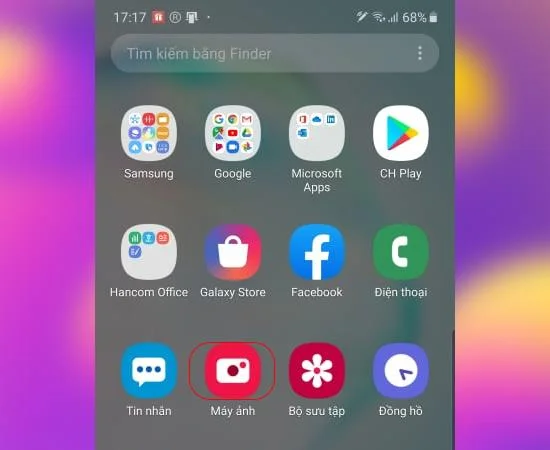
Step 1: Go to the camera 's camera app on the app menu
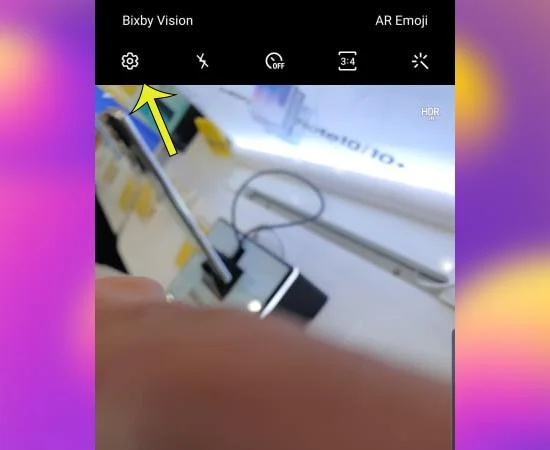
Step 2: You choose the gear icon (camera settings).
![3 steps to fix reverse selfie photo error on Samsung Galaxy]()
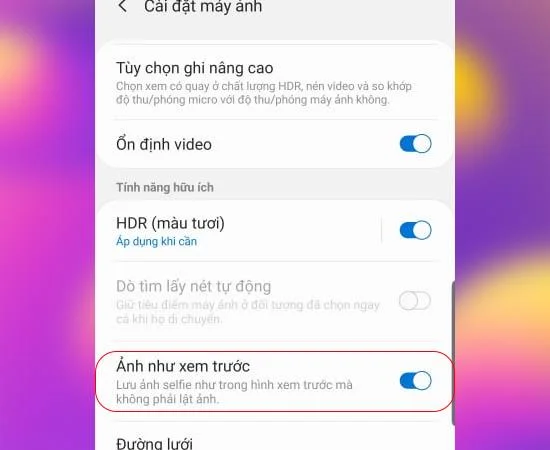
Step 3: You turn on the feature " Image as preview ".
![3 steps to fix reverse selfie photo error on Samsung Galaxy]()
You can now take a picture with the front camera to check your results. When your photo is turned on with preview save, take the photo without flipping on Samsung.
I have completed instructions on how to fix reverse photography on Samsung . Good luck.
See more:
- What is TypeC to TypeC 2-pin charging cable?
- What is 802.11ax WiFi? Learn about 6th generation WiFi
- Find out the Exynos 9825 chip on Samsung phones