Did you know the call recording feature on Samsung Galaxy Note 8 yet? This feature is quite convenient so you can easily record important calls without having to install any software. Let me explore this feature through the article below.
1. Benefits of Call Recorder on Samsung Galaxy Note 8
- You can record audio directly on your phone without having to use other tools.
- Easy to do.
2. Instructions on how to record calls on Samsung Galaxy Note 8
Quick start Guide:
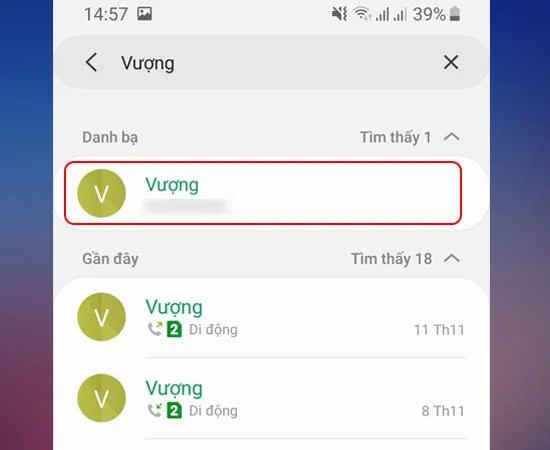
Go to Phone -> Select the phone number to call -> Record -> Stop recording.
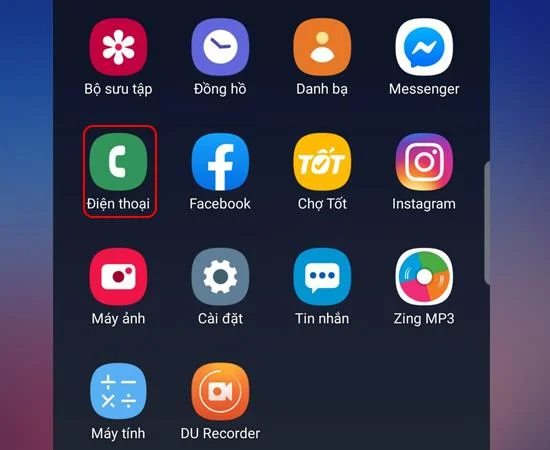
Step 1: First go to your phone to make a call.
Step 2: Then select the phone number to call.
![4 steps of recording calls on Samsung Galaxy Note 8]()
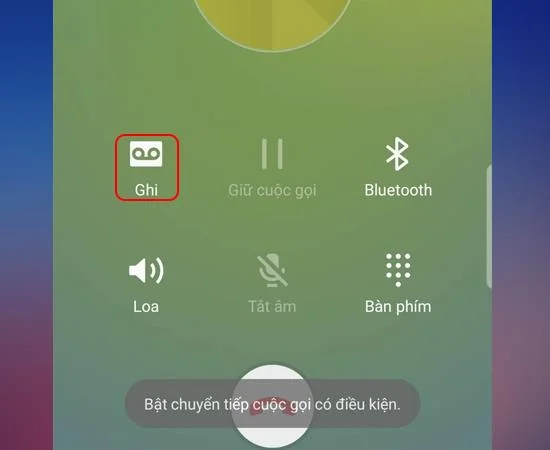
Step 3: Click on Record to record .
>>> See more: Guide to activate the Samsung warranty
![4 steps of recording calls on Samsung Galaxy Note 8]()
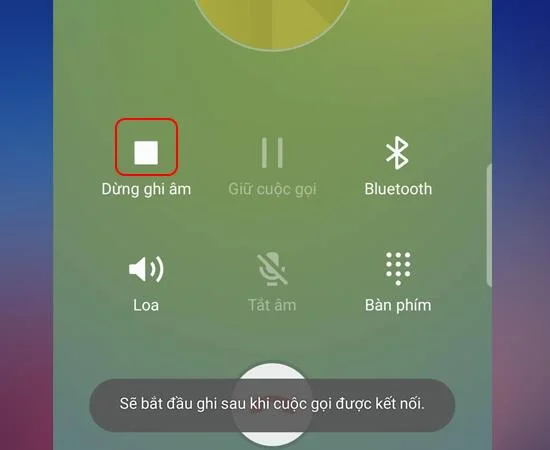
Step 4: If you want to stop recording, select Stop recording.
![4 steps of recording calls on Samsung Galaxy Note 8]()
So, after these simple steps, you can easily make call recording. Hope this article helps you.
Good luck!
Maybe you are interested:
- Test order for Samsung device .
- 5 quick steps to enable virtual home button on Samsung Galaxy J3 Pro .
- Fastest guide to install iOS 13 through OTA 2019 .