You are bored with the default ringtone of Samsung and want to change another ringtone without having to download it from other sources. Then this article I will guide you on how to change ringtones available on Samsung Galaxy S8 devices extremely simple!
1. Benefits of changing ringtones.
Helps you and those around you feel new and more comfortable listening to new ringtones.
2. How to change ringtones on Samsung Galaxy S8?
Quick start Guide
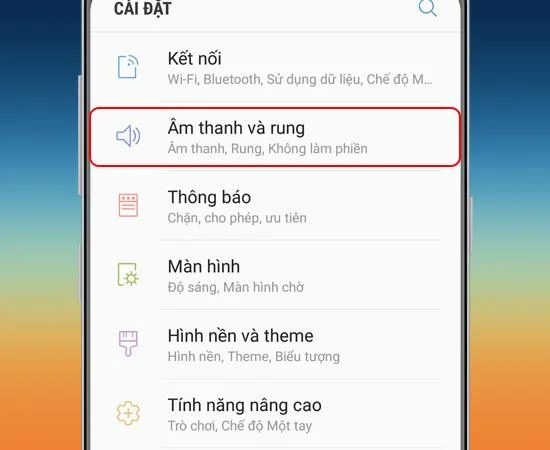
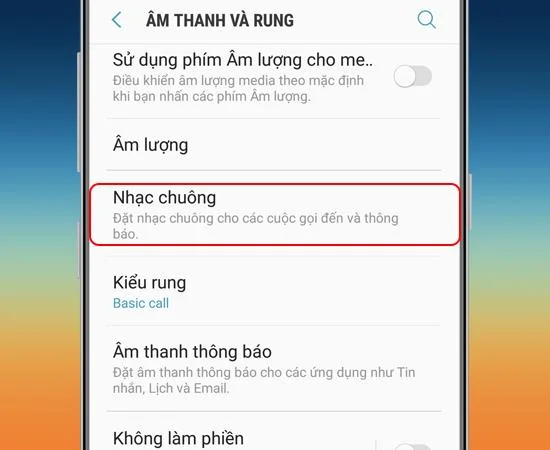
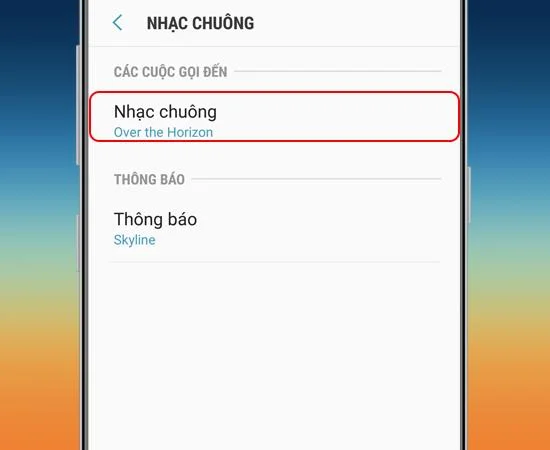
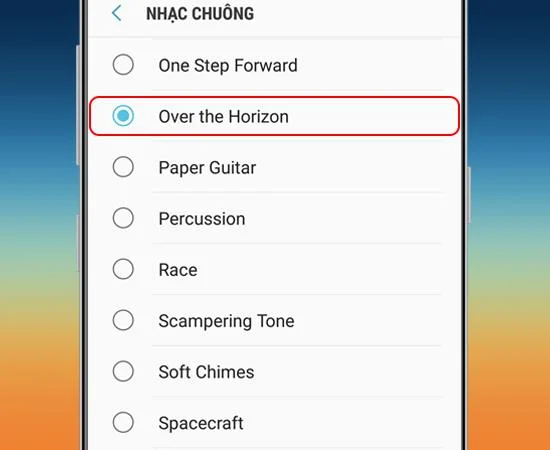
Go to Settings -> Sounds and vibrations -> Ringtones -> Ringtones -> Favorite ringtones option.
Step 1: First go to Settings.
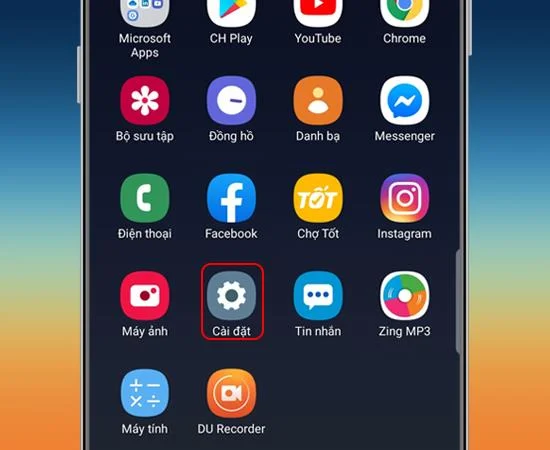
Step 2: Next you go to Sound and vibration.
![5 simple steps to change ringtones on Samsung Galaxy S8]()
Step 3: Then you choose Ringtone.
>>> See more: 5 steps to enable virtual home button on Samsung Galaxy J3 Pro extremely fast
![5 simple steps to change ringtones on Samsung Galaxy S8]()
Step 4: Here you choose Ringtone again.
![5 simple steps to change ringtones on Samsung Galaxy S8]()
Step 5: Finally, here will appear a series of ringtones available on the device, you can choose your preference.
![5 simple steps to change ringtones on Samsung Galaxy S8]()
Your complete setup is complete, hopefully this article has been helpful to you.
Good luck!
Maybe you are interested:
- Test order for Samsung device
- Samsung warranty activation guide
- What is Deep Fusion on the iPhone 11 Pro line? What is outstanding about this feature?