Call Timer application will help you control the time when making calls, this will save you some unwanted costs. Today I will guide you to install Call Timer on Samsung Galaxy A7, A5, E7, E5 phones .
1. Benefits of Call Timer.
- Control the duration of the call.
- Avoid arising unwanted costs.
2. Detailed instructions to install Call Timer.
Quick Guide:
Go to Play Store -> Download and open the Call Timer application -> Activate Call Timer -> Set the number of call minutes , seconds .
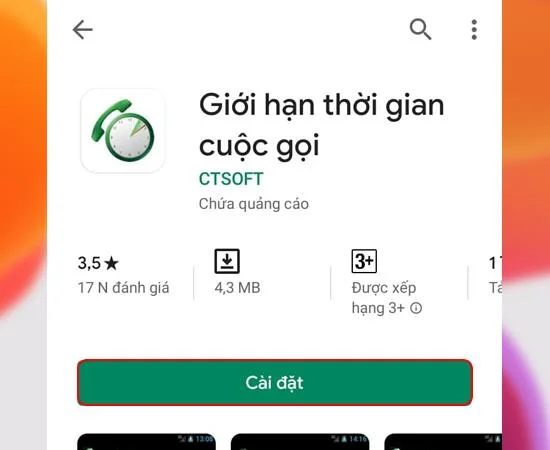
Step 1: First, go to Play Store on the main screen.
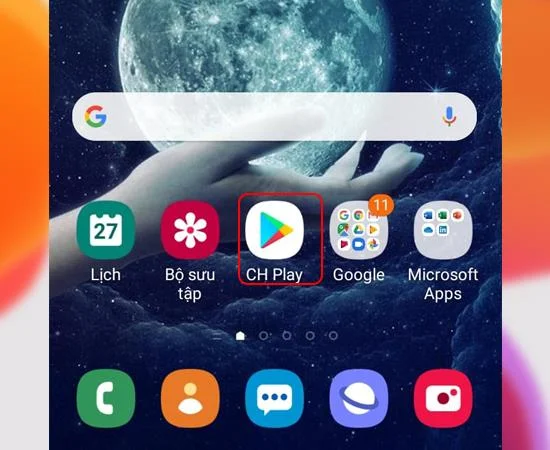
Step 2: Then download and open the Call Timer application to your device.

>>> See more: Error not receiving fingerprints on Samsung Galaxy J7 Prime
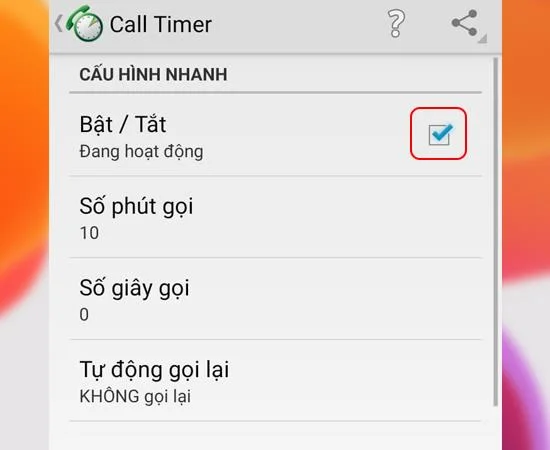
Step 3: Next, turn on Call Timer .

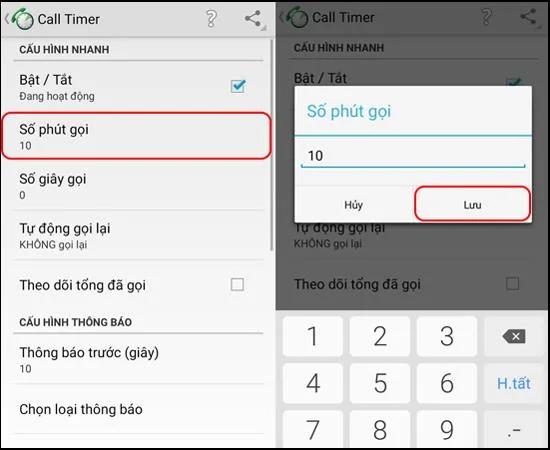
Step 4: Next, please set the number of call minutes .

>>> See more: How to install SIM card and Samsung S7 Edge memory card fastest
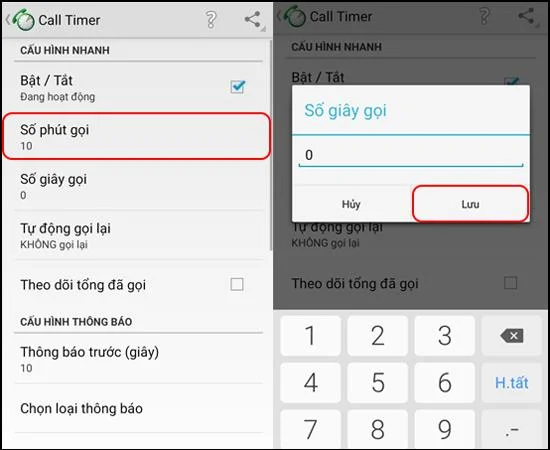
Step 5: Finally, you set the Number of seconds to call .

So after 5 simple steps, you have successfully downloaded and installed Call Timer app on Samsung phones. Hope you use this application effectively. Good luck!