
Kawaii Halloween Decor Without Gore or Jump Scares

Create a gentle Halloween look with pastel colors, friendly ghosts, easy no-carve accents, and practical safety tips for your home.
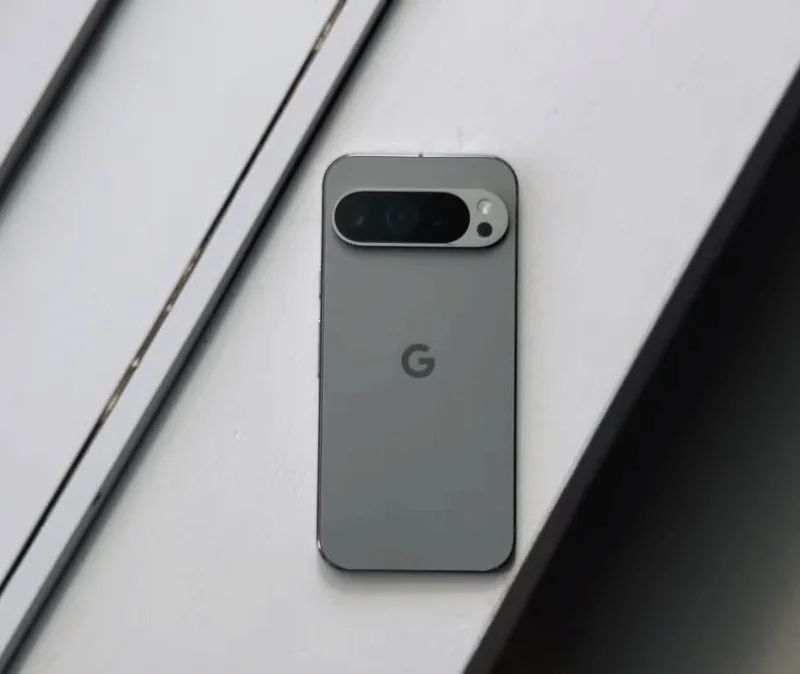
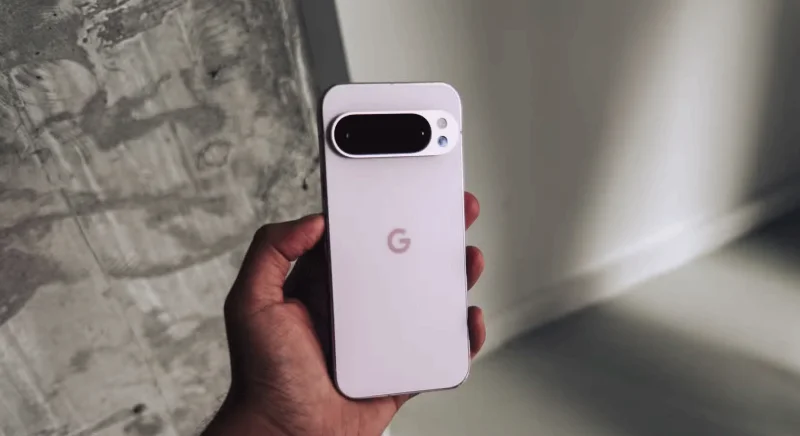
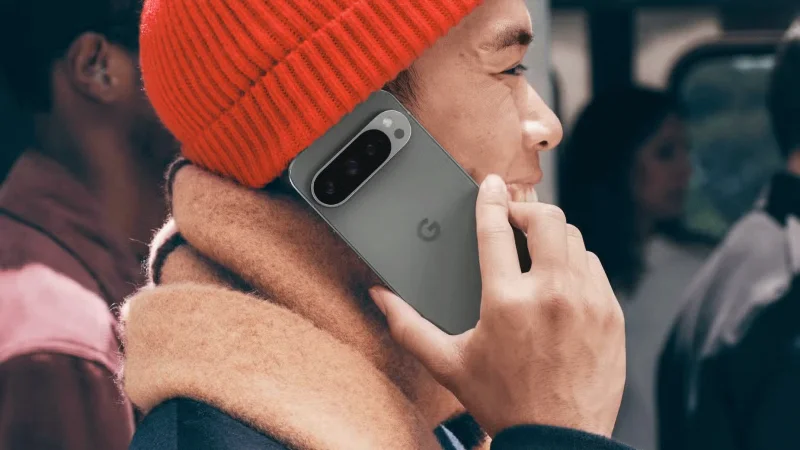
Google 's flagship Pixel phone for 2024, the Pixel 9 Pro, comes with significant upgrades over its predecessor. This time around, Google is focusing on improving the basics to deliver a better user experience. Here's a rundown of the most anticipated Pixel 9 Pro features.
Table of Contents

There are hardly any compact flagship Android phones on the market. While Samsung’s Galaxy S24 has top-of-the-line specs, the camera system is a significant downgrade from its Ultra sibling. The OnePlus 12 has impressive specs, but with a 6.82-inch screen, it’s not small by any means. The same has been true of Google’s Pixel line so far, with the Pro model boasting a better camera system and a huge screen.
The Pixel 9 Pro changes that. You might think of it as a direct successor to the Pixel 8 Pro from 2023, and while that’s true, there’s a big change. Instead of a massive 6.7-inch display, the Pixel 9 Pro has a 6.3-inch FHD+ 120Hz OLED display. However, it has the same internals and cameras as its XL sibling: a Tensor G4 chip, 16GB of RAM, a 50MP main camera, a 48MP 5x telephoto camera, and so on.
This makes it one of the very few compact flagship Android phones with an impressive camera setup. If you don't like the large size of most flagship smartphones but don't want to compromise on specs or camera performance, the Pixel 9 Pro is worth considering.
Taking a leaf out of the competition, Google has added 8K video recording to the Pixel 9 Pro and its XL sibling — a first for the Pixel line. The phone can shoot 8K footage at up to 30FPS from its rear camera.
There’s one caveat, though: This feature is powered by Video Boost, so your Pixel will upload the video to Google Photos for processing. You’ll have to wait a few hours to see the final results, although a low-resolution preview will be available immediately after you shoot the video.
Given how good Video Boost is on the Pixel 8 Pro, Google's approach should result in 8K video on the Pixel 9 Pro that's superior in detail and overall quality compared to 8K footage captured from other phones.
The best Android phones all have great rear cameras, and the Pixel 9 Pro is no exception. But unlike its competitors, Google is also focusing on the selfie camera with its 2024 flagship Pixel.
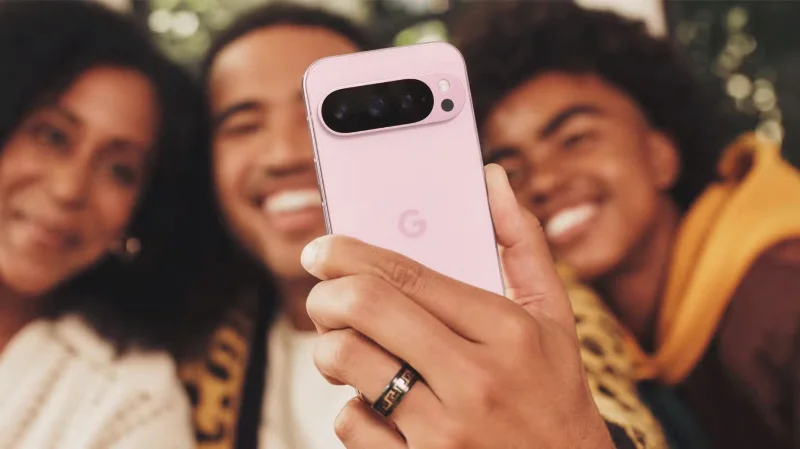
Instead of using a 12MP sensor like most of its competitors, Google has equipped the Pixel 9 Pro (and 9 Pro XL) with a 42MP selfie camera. Even better, the larger sensor adds a 103-degree field of view and autofocus support.
These improvements allow the Pixel 9 Pro to take better-detailed selfies and group photos than its competitors. The phone can take advantage of Pixel Binning to capture more detail, which is especially noticeable in low-light situations.
Like its predecessor, the Pixel 9 Pro can shoot 4K video at 60FPS from the front camera for better clarity. Add in Google's excellent image processing, and the Pixel 9 Pro will be one of the first choices if you take a lot of photos.
A new Pixel phone wouldn't be complete without some new AI-powered features from Google. The Pixel 9 includes a number of improvements focused on Gemini and Circle to Search. On top of that, it also has a handy new AI-powered camera feature: Add Me.
Released as a preview on the Pixel 9 and Pixel 9 Pro, the feature lets you add yourself to a photo. Take a group photo, then ask someone in the group to take another photo and swap your place with them. Add Me will merge the two photos to look like a single group photo.
Another new AI-powered feature on the Pixel 9 is Reimagine, which lets you edit your photos seamlessly using text. All you have to do is tap on the part of the photo you want to edit, type in what you want to see, and wait for the magic to happen. For example, Google says you can use Reimagine to make grass greener, add fall leaves to photos, and more.
Remember Microsoft's controversial Recall feature , which was eventually removed due to privacy concerns? Google is launching a similar feature on the Pixel 9, called Pixel Screenshots.
Your phone will automatically analyze the content of the screenshot to remember information like events, locations, numbers, and more. Even better, Google says you can search conversationally to recall any content from the screenshot.
The best thing about Pixel Screenshots is that all processing happens on the device, so there are no privacy risks associated with Google or third parties tracking your screenshots.
Google is offering a year of Google One AI Premium for free. It comes with the following perks:
In addition to the extra storage, you get access to Gemini Advanced, the most powerful version of Google's AI chatbot. Plus, you can use Gemini inside Gmail, Drive, and Docs to compose emails, summarize long emails and PDFs, and more.
The Google One AI Premium plan costs $20/month. With the Pixel 9 Pro (and XL), you get access to this tier for free for a year. That’s a $240 savings. To some extent, this justifies the phone’s $999 price tag. The only downside is that this offer is only for new subscribers, so if you’re already paying for Google One AI Premium, you won’t be eligible for the free subscription.
The Pixel 9 Pro is quite expensive, starting at $999 before taxes. But it’s unique in many ways, with flagship specs and a high-end camera system in a compact body. Plus, it’s hard to beat Google’s AI features and a stock Android experience.
Create a gentle Halloween look with pastel colors, friendly ghosts, easy no-carve accents, and practical safety tips for your home.
Create a spooky office cubicle with Halloween desk decor ideas that keep your workspace usable, tidy, and mindful of workplace safety.
Plan a recognizable Halloween 2026 look with pop culture costumes inspired by Spider-Man, Supergirl, Toy Story 5, Moana, Mario, and Wednesday.
Sort leftover Halloween candy safely, share or repurpose sealed treats, and choose food use or compost for pumpkins based on their condition.
Compare workplace Halloween costume choices by respect, dress code, mobility, and safety—and learn when a subtle accessory or a policy check is the better option.
Find a couples costume that fits your style, budget, and comfort level, from Addams Family classics to original inside-joke duos.
Need a last-minute high school Halloween costume? Compare 10 easy closet-based ideas by prep time, comfort, school-day practicality, and simple safety checks.
Use a simple 2026 Halloween decorating timeline for indoor décor, outdoor displays, and fresh pumpkins, with practical adjustments for weather and events.
Mix five vivid, approachable Halloween cocktails with measured recipes, simple prep tips, and an alcohol-free option for your party guests.
Find 15 office-friendly Halloween costume ideas for 2026, with practical checks for dress codes, respectful themes, comfort, and workplace safety.








