Microsoft first started pushing the idea of an AI-powered Windows in 2024 under the name “The New Era of Work” – but what is Windows 11 AI? It’s a complex mix of innovations, and includes AI-powered PCs, built-in Copilot, and Windows AI Studio. Here’s some of what we can expect.
Why AI is the future of Windows 11?
Looking at the upcoming AI-powered PCs, it’s clear why the future of Windows 11 is AI. Simply put, AI offers incredible productivity gains. Just as word processors make writing more efficient, Microsoft wants to use AI to do better work.
The push for new AI-powered devices with powerful NPUs is evidence that some big changes are coming to Windows 11 in the near future. While the AI-powered device craze seems unlikely to happen anytime soon, it could soon become as common as 2-in-1 touchscreen laptops or increasingly sleek chassis designs.
How will Windows 11 use AI?
It's possible that the way Windows 11 uses AI will change as the technology evolves. Right now, Microsoft is introducing AI-powered PCs, built-in Windows Copilot, AI software, and even adaptive accessories.
AI-powered PC
Microsoft Copilot key on Tecno Megabook T16 Pro
AI-enabled PCs could have a big impact on how Windows 11 uses AI if they become widespread. They have powerful processors with dedicated Neural Processing Units (NPUs) that can reduce the stress that AI applications can put on the GPU and CPU. Some tweaks are small but important — like the Copilot key on newer devices.
There are plenty of other laptops with NPUs (like the ASUS Zenbook Duo), but the Surface Laptop 6 and Surface Pro 10's marketing is one of the most visible moves toward AI-focused hardware. When these devices hit the market, many familiar Windows 11 apps will incorporate AI features.
Microsoft Paint has recently incorporated AI features like Paint Cocreator and AI background removal, while AI in the Snipping Tool allows for quick copying or redacting of text from screenshots. Even Clipchamp is incorporating AI, offering instant editing suggestions.
Adaptive, 3D printable accessories
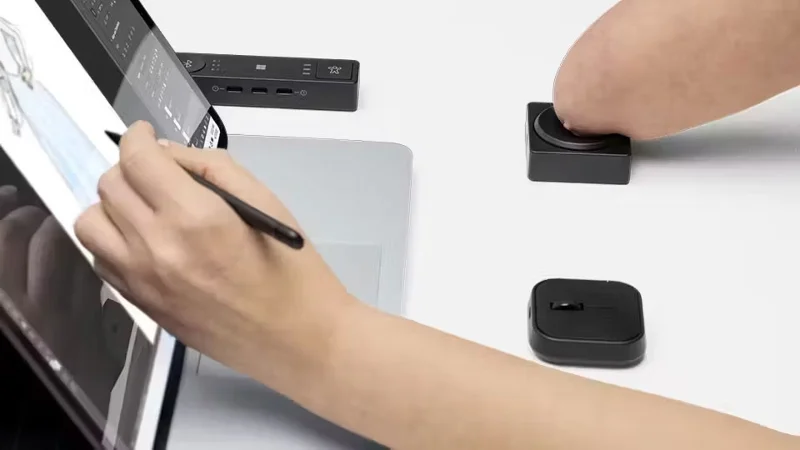
As AI-powered customization becomes easier than ever, adaptive, 3D-printable accessories will become more common. These accessories will work with the Microsoft Adaptive Hub (and its successors) and adapt to the user.
These accessories are game-changers for people with disabilities who need custom solutions. But they're also useful for anyone who wants to take their PC setup to the next level. You can now buy pre-made designs from Microsoft through vendors like Shapeways .
Copilot integration for Microsoft 365
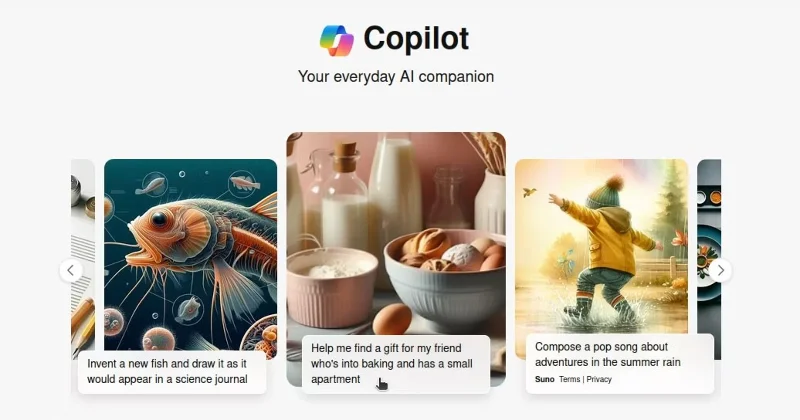
Prompts from Microsoft Copilot
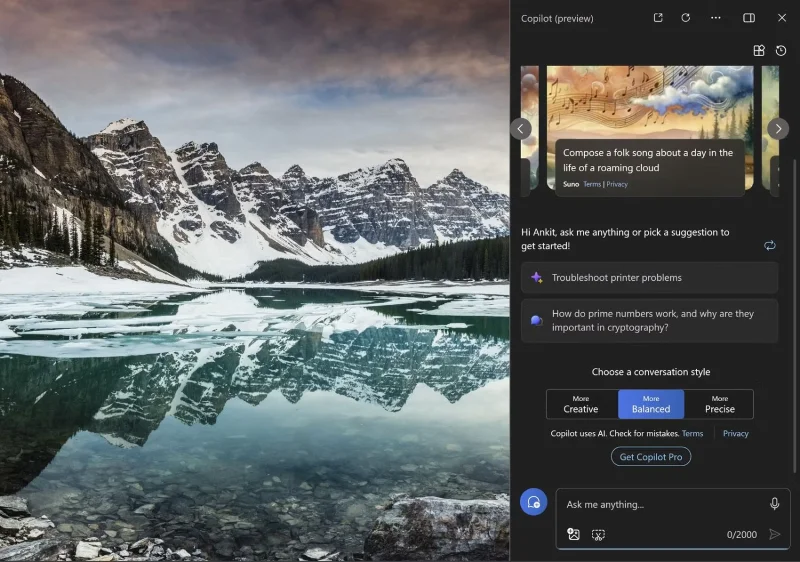
Windows Copilot aims to enhance productivity and creativity through convenience – and users will soon see the AI tool integrated into Microsoft 365 products. For now, Windows Copilot can be quickly accessed at any time by clicking it on the application toolbar.
But the great integrations are where Copilot really stands out. Users can summarize long email threads or draft emails with Copilot in Outlook, or quickly take meeting notes with Copilot for Teams. We'll likely see more Copilot integrations in the future as the product expands.
Windows AI Studio
Developers will also be able to take advantage of Windows AI thanks to advanced technology built into Windows AI Studio, which simplifies the process of deploying Small Language Models (SLMs) for use in their own applications.
Essentially, Windows AI Studio will provide a catalog of synthesis tools from Azure AI Studio and other sources, making it easier to find and fine-tune the right SLM. With all the heavy lifting done, users will have more time to focus on the core of their project.
Do current and older PCs support Windows AI?
Copilot on Windows 11
Windows 10 still has a large market share and its market share has increased recently in May 2024, many people will wonder if Windows 10 supports AI. It seems that older PCs will support Windows AI - Copilot built into Windows 10 is available on some devices and Microsoft is planning a phased rollout for Copilot in future Windows 10.
Older devices will also certainly have access to non-OS AI integration. You may have seen Copilot integrated into many of your Microsoft Office apps, and you can also access AI tools via the web. Given that Windows 10 still has a huge market share, it’s likely that most new AI features for Microsoft software will also be supported.
Is Windows 11 with AI worth using?
It’s too early to tell what Windows 11 with AI will look like. But the new features and apps that have been released make this combination appealing. As computers become more adaptive to users and tasks like 3D modeling and new accessibility attachments become easier, computers will become more useful than ever. Microsoft is very bullish on its AI integration features, and it will no doubt continue to put more effort into developing this area.