Kawaii Halloween Decor Without Gore or Jump Scares

Create a gentle Halloween look with pastel colors, friendly ghosts, easy no-carve accents, and practical safety tips for your home.
Apple could soon be facing legal action over noise, interference, and a host of other issues related to sound quality in its first-generation AirPods Pro, which were released in 2019 and sold until September 2022.
Shortly after the first AirPods Pro were released, early adopters took to social media groups and online tech forums to complain about annoying static noise, rattling, and even popping while listening to music. This was exacerbated when users walked or ran with the headphones on, sometimes causing a loss of bass and increased ambient noise.
That's the issue laid out in a 51-page complaint titled LaBella et al v. Apple. The plaintiffs say the legal campaign is aimed not just at Apple's decision to continue selling the earbuds despite knowing about the problems, but also at how the company falsely advertised the "superior sound quality" and "ultra-clear, crystal-clear sound" that AirPods Pro can deliver.
Apple’s marketing allegedly “misled” a significant number of potential customers, many of whom were unaware that such crackling and background noise were unusual. The plaintiffs’ argument is that many people would have avoided buying the headphones if they had known about the problem, or would have considered the headphones defective at a more reasonable price.
" The AirPods Pro Gen 1 are not worth the high price consumers have paid, as they have audio defects and do not live up to Apple's advertising promises of perfect sound quality and noise cancellation ," the lawsuit alleges.
The plaintiffs are seeking monetary damages and relief. They also want Apple to replace all defective devices free of charge. If the court determines the case is valid and Apple is found guilty, all AirPods Pro owners in the United States could potentially receive compensation in the form of Apple gift cards that can be redeemed for future purchases from the company.
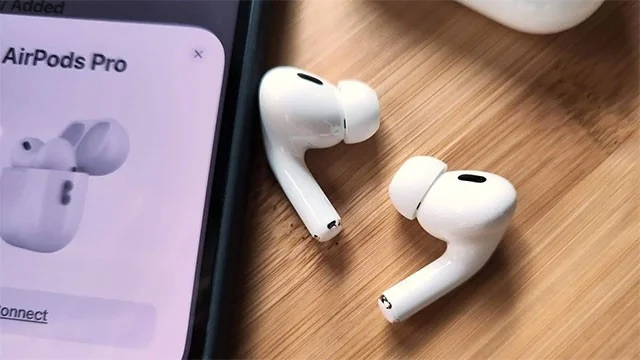
Apple, on the other hand, was well aware of the issue. Initially, the company attempted to fix it with emergency software updates. But the strange sounds continued to appear on the AirPods Pro. So it quickly became clear that the problem was hardware-based. Finally, the company relented and announced a support program called AirPods Pro Service Program for Sound Issues in October 2020.
Apple later admitted that a “small percentage” of AirPods Pro units manufactured before October 2020 may have audio issues. However, the plaintiffs claim that all AirPods Pro units are affected regardless of their production date. They also allege that the company failed to notify AirPods Pro owners of the existence of the service program. As a result, many AirPods Pro owners are left without support.
Regardless, Apple acknowledged that the issues ranged from “crackling or increased noise in noisy environments, while exercising, or when talking on the phone” to active noise cancellation “not working as expected, such as losing bass or increasing background noise — like street or airplane noise.” A year later, Apple quietly extended the service program by another year, and updated the details to say that the program “covers AirPods Pro for 3 years after the first retail sale of the device.”
Anyone experiencing these issues can take their AirPods Pro to Apple for a free repair or replacement. But it turns out that many people are experiencing the same issue with replacements, suggesting that there’s a fundamental problem with all devices rather than just a subset of headphones produced during a specific time frame. The issue won’t be fully fixed until the AirPods Pro 2, which is due in 2022.
Apple has issued a series of service programs over the past few years to address hardware issues. The company recently announced a program for a hardware issue affecting “a very small percentage” of iPhone 14 Plus devices, where the rear camera fails to display a preview in the Camera app.
Create a gentle Halloween look with pastel colors, friendly ghosts, easy no-carve accents, and practical safety tips for your home.
Create a spooky office cubicle with Halloween desk decor ideas that keep your workspace usable, tidy, and mindful of workplace safety.
Plan a recognizable Halloween 2026 look with pop culture costumes inspired by Spider-Man, Supergirl, Toy Story 5, Moana, Mario, and Wednesday.
Sort leftover Halloween candy safely, share or repurpose sealed treats, and choose food use or compost for pumpkins based on their condition.
Compare workplace Halloween costume choices by respect, dress code, mobility, and safety—and learn when a subtle accessory or a policy check is the better option.
Find a couples costume that fits your style, budget, and comfort level, from Addams Family classics to original inside-joke duos.
Need a last-minute high school Halloween costume? Compare 10 easy closet-based ideas by prep time, comfort, school-day practicality, and simple safety checks.
Use a simple 2026 Halloween decorating timeline for indoor décor, outdoor displays, and fresh pumpkins, with practical adjustments for weather and events.
Mix five vivid, approachable Halloween cocktails with measured recipes, simple prep tips, and an alcohol-free option for your party guests.
Find 15 office-friendly Halloween costume ideas for 2026, with practical checks for dress codes, respectful themes, comfort, and workplace safety.








