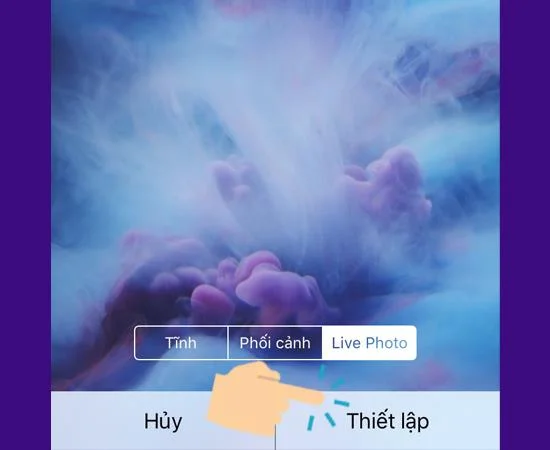
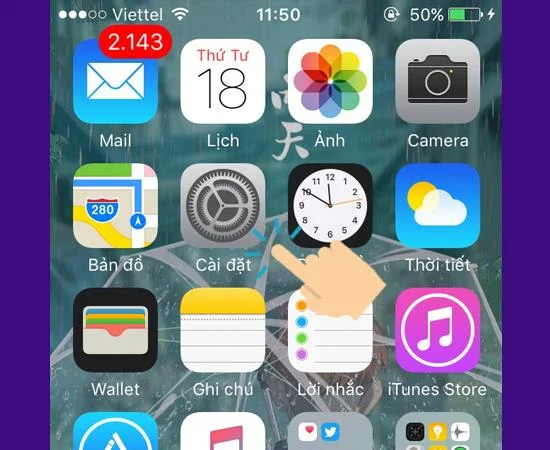
From the iPhone 6S or later, Apple has updated the 3D Touch feature . This feature helps users to preview content or quickly open applications. This article will help you use 3D Touch touch and set up Fish Live Photo wallpaper.
1. Benefits of 3D Touch
Helps users to preview content or open applications quickly
2. How to install 3D Touch and set Fish Live Photo Wallpaper
Quick Guide:
- How to install 3D Touch:
Settings - > General -> Ease of Access -> 3D Touch -> Turn on 3D Touch -> Select the appropriate 3D Touch Sensitivity
- How to set Fish Live Photo Wallpaper:
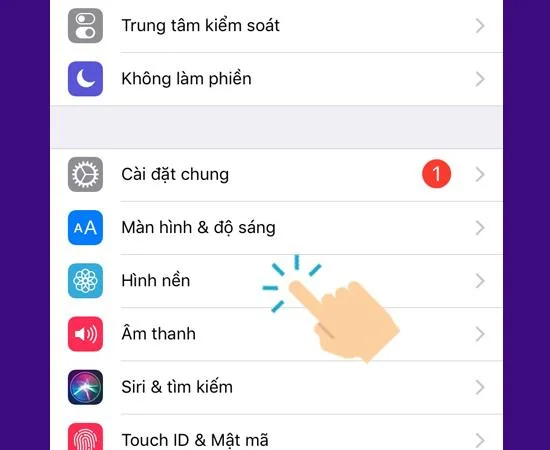
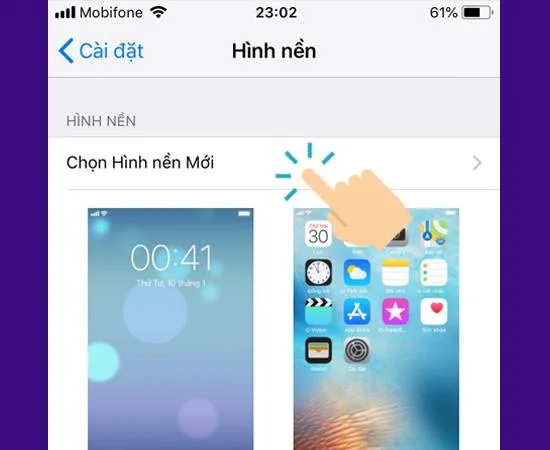
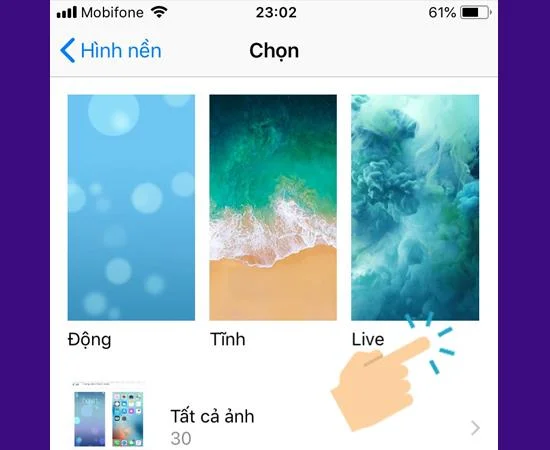
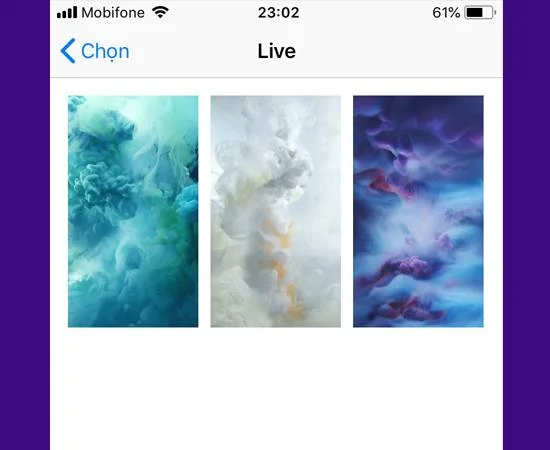
Settings - > Wallpaper -> Select new wallpaper - > Live > Choose any wallpaper -> Set - > Lock screen
How to install 3D Touch:
Step 1: Go to Settings
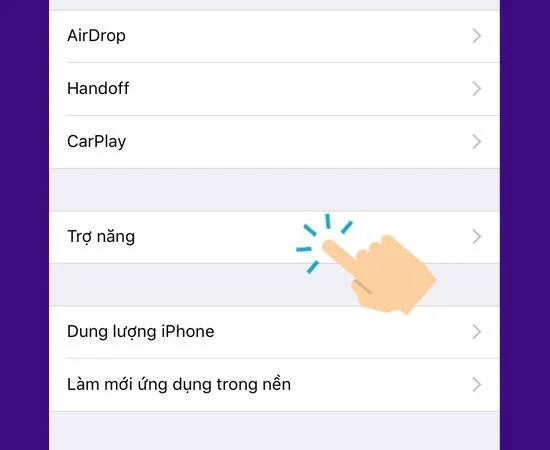
Step 2: In the General settings
![6 easy steps to enable 3D Touch and Fish Live Photo on iPhone]()
Step 3: Select Ease of Access
![6 easy steps to enable 3D Touch and Fish Live Photo on iPhone]()
>>> See more: 5 Professional photo editing applications for iPhone
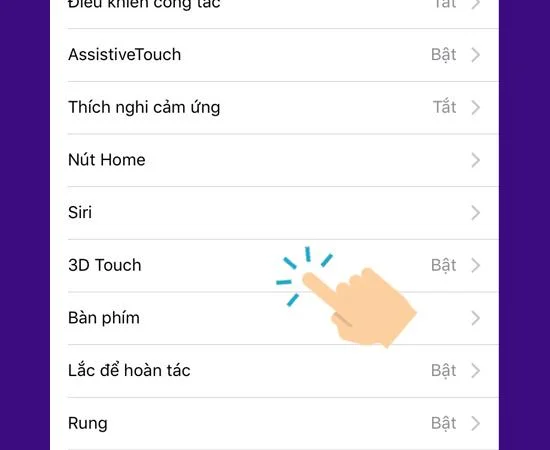
Step 4: In 3D Touch
![6 easy steps to enable 3D Touch and Fish Live Photo on iPhone]()
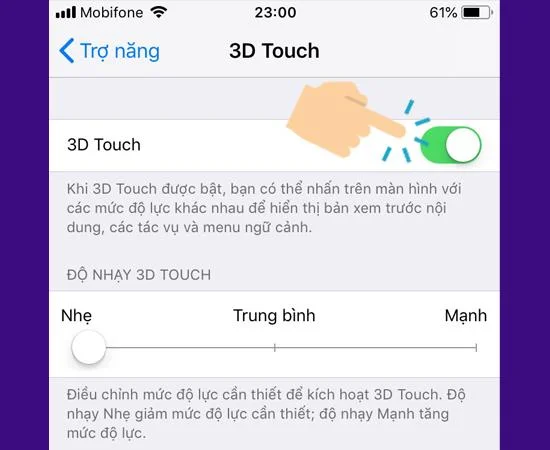
Step 5: Turn on 3D Touch
![6 easy steps to enable 3D Touch and Fish Live Photo on iPhone]()
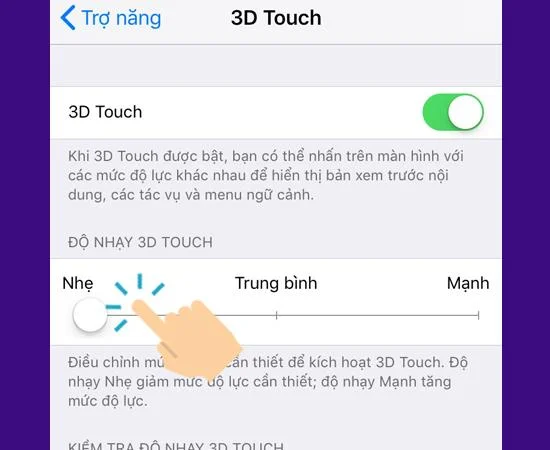
Step 6: Select the appropriate 3D Touch Sensitivity
![6 easy steps to enable 3D Touch and Fish Live Photo on iPhone]()
>>> See more: What is Night Mode? The difference between keeping Night Mode and Night Sight on the iPhone 11, 11 Pro
How to set the Fish Live Photo Wallpaper:
Step 1: Go Wallpaper in the Settings
![6 easy steps to enable 3D Touch and Fish Live Photo on iPhone]()
Step 2: On the Select new wallpaper
![6 easy steps to enable 3D Touch and Fish Live Photo on iPhone]()
Step 3: Click on Live
![6 easy steps to enable 3D Touch and Fish Live Photo on iPhone]()
>>> See more: What is Deep Fusion on the iPhone 11 Pro line? What is outstanding about this feature?
Step 4: Choose any Live Wallpaper
![6 easy steps to enable 3D Touch and Fish Live Photo on iPhone]()
Step 5: Select Live Photo and Settings
![6 easy steps to enable 3D Touch and Fish Live Photo on iPhone]()
Step 6: Finally choose on the Lock screen
![6 easy steps to enable 3D Touch and Fish Live Photo on iPhone]()
To view the Fish Live Photo screen, long press (force) the screen will move.
You can also check out the video below:
Good luck!
See more:
- The screen on the iPhone XDR Super Retina Pro and 11 Pro Max 11 is what?
- Learn about Apple A13 Bionic chip on iPhone 11 Faster than A12 Bionic
- Apple Arcade is what? Advantages and disadvantages Apple Arcade and Google Play Pass