Home
» Wiki
»
Dont Use Pirated Software: Find Affordable Alternatives!
Dont Use Pirated Software: Find Affordable Alternatives!
Genuine software can be expensive, but pirating is risky and unnecessary. The good news is that you don't have to choose between breaking the bank or breaking the law. Here are tips and tricks you can use to find affordable, legal alternatives!
When it comes to affordable software, open source tools are a gold mine. These are programs developed by a community of passionate developers who make their work freely available to everyone. The best part is that many open source tools are just as powerful as their paid counterparts.
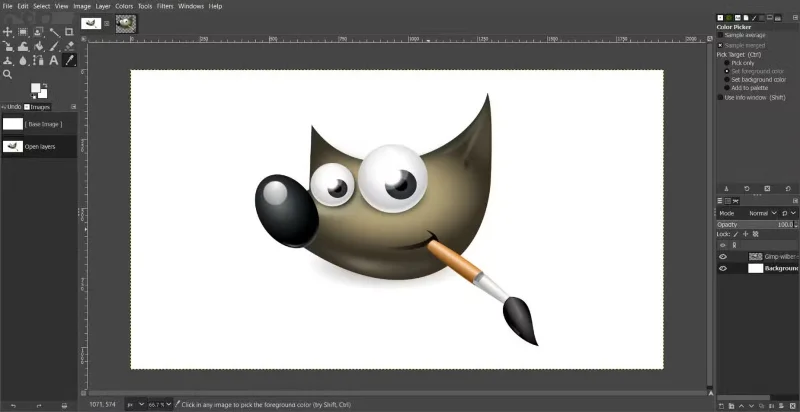
GIMP Graphics Editor
Take GIMP (GNU Image Manipulation Program) for example. It’s a free alternative to Adobe Photoshop with powerful photo editing features. While it may take a little more getting used to, it’s capable of handling everything from basic editing to advanced graphic design.
For office applications, LibreOffice is a great alternative to Microsoft Office. It includes a word processor, spreadsheet tool, presentation software, and more – all compatible with Microsoft file formats. And if you’re into video editing, DaVinci Resolve (though not fully open source) offers a free version with many professional features.
A quick online search for “best open source alternatives to [software name]” will yield software options you can try.
Note : Open source tools often rely on community support rather than dedicated customer service. This means you may need to rely on forums, tutorials, or documentation if you run into problems, but for the price (free!), it’s hard to beat.
2. Freemium Option
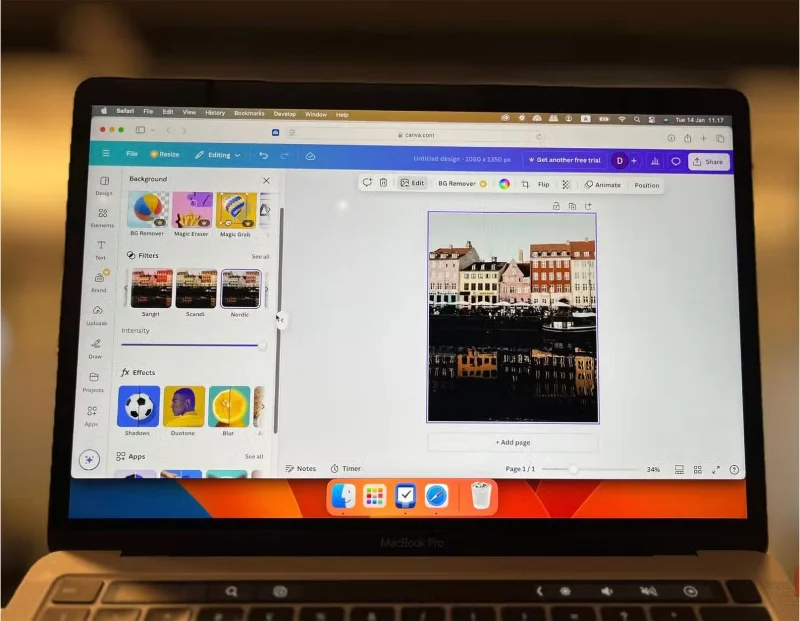
Edit Canva on your computer screen
If open source tools don’t seem right for you, freemium options can be the perfect middle ground. Freemium software offers a free version with basic features, while premium features are locked behind a paywall. This model allows you to try before you buy, and for many users, the free plan is often all they need.
A great example is Canva . Its free version is incredibly powerful, but if you need advanced features like brand kits or premium templates, you can upgrade and get the benefits of Canva Pro for a reasonable fee.
The key with freemium tools is to evaluate whether the free version meets your needs before committing to a paid plan. Often, you’ll find that the free plan is more than enough to get you started.
3. Student discounts and offers
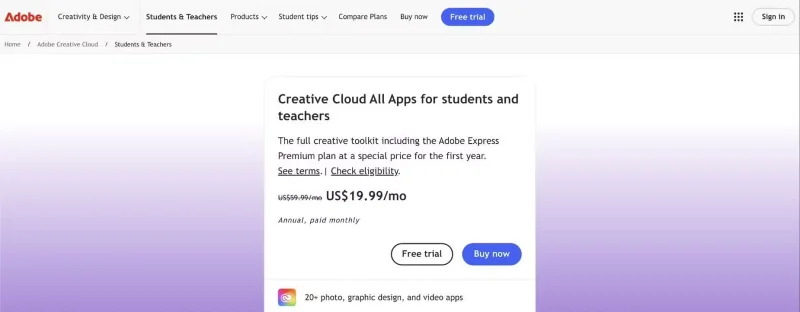
If you decide to go with premium software but don’t want to pay full price, student deals and discounts can help. Many companies offer significant discounts to students, educators, and even nonprofits. All it takes is a little research and sometimes proof of eligibility.
Adobe Creative Cloud is a popular example. Typically, a subscription to Adobe’s suite of tools can cost more than $50 a month, but students and teachers can get the entire collection for just $19.99 a month, including Photoshop, Premiere Pro, Illustrator, and more. Similarly, Autodesk, the company behind tools like AutoCAD and Maya, offers free access to its software to students and educators.
If you’re not a student, don’t worry — there are still ways to save. Sites like Stack Social and Humble Bundle regularly offer discounted software bundles, often including premium tools at a fraction of the retail price.
Tip : Keep an eye out for seasonal sales. Black Friday, Cyber Monday, and back-to-school are prime times to shop for discounted software. Companies often run promotions during these times, making it easier to get tools like Microsoft Office or Final Cut Pro.
4. Registration service
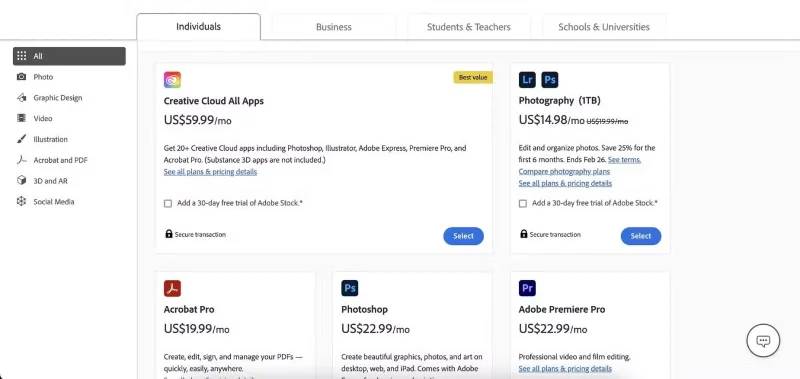
Adobe Application Subscription
Subscription services have changed the way we access software. Instead of paying hundreds (or thousands) of dollars up front for a single program, you can now pay a monthly or annual fee to access a suite of tools. This model makes premium software more affordable and ensures you always have the latest updates and features.
The most popular example is Adobe Creative Cloud. For a monthly fee, you get more than 20 apps, including Photoshop, Premiere Pro, Illustrator, and After Effects. While the full suite can be expensive, Adobe also offers individual app subscriptions starting at $20.99/month, which is a great option if you only need one or two tools.
Another example is Microsoft 365 (formerly Office 365). For about $70 a year, you get access to Word, Excel, PowerPoint, and other productivity tools, along with 1TB of OneDrive cloud storage. There’s even a family plan that lets you share your subscription with up to six people, making it a cost-effective option for families.
5. Older software version
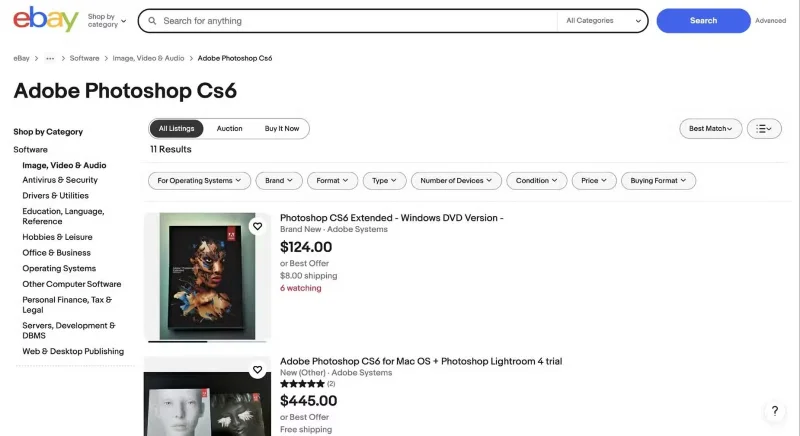
Adobe CS6 is for sale on eBay
Older versions of software can be useful if you’re on a tight budget and don’t need the latest features. Many developers sell or even give away previous versions of their programs for a fraction of the price of the latest version. These versions often have all the core features you need, even if they lack some cutting-edge updates.
For example, Microsoft Office 2019 is still widely available as a one-time payment rather than a subscription. While it doesn't include cloud-based features like Microsoft 365, it does have all the core tools for word processing, spreadsheets, and presentations.
Likewise, Adobe CS6 (the last version before Adobe switched to a subscription model) is still a viable option for creators, although you'll need to look through third-party vendors since Adobe no longer supports it.
When considering older versions, it is important to check system compatibility. Some older software may not run on the latest operating systems, so make sure your computer meets the requirements. Also, be careful where you buy these versions – stick to reputable sellers to avoid pirated or counterfeit software.
Finding affordable software doesn’t mean resorting to pirated software or settling for low-quality tools. There are plenty of legal, budget-friendly options. The key is to evaluate your needs and explore the options available. Remember, the best tool is the one that works for you — not the one that costs the most. So before you consider pirated software, take some time to explore these alternatives. You may discover a better, more ethical way to get the job done.