Kawaii Halloween Decor Without Gore or Jump Scares

Create a gentle Halloween look with pastel colors, friendly ghosts, easy no-carve accents, and practical safety tips for your home.
At its annual September event, Apple introduced a number of updates to its Apple Watch, AirPods, and iPhone lineup. With new features, designs, and performance improvements, there’s a lot to take in, so let’s take a closer look at each of Apple’s new products.
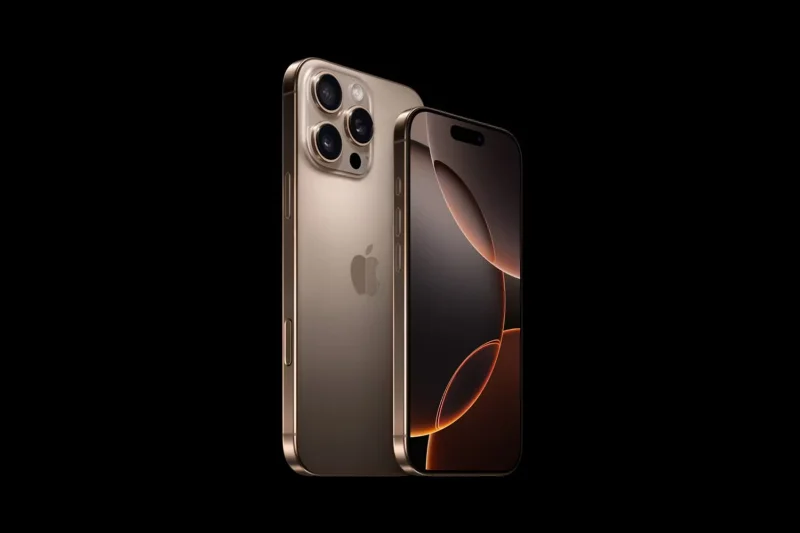
1. iPhone 16 and iPhone 16 Plus
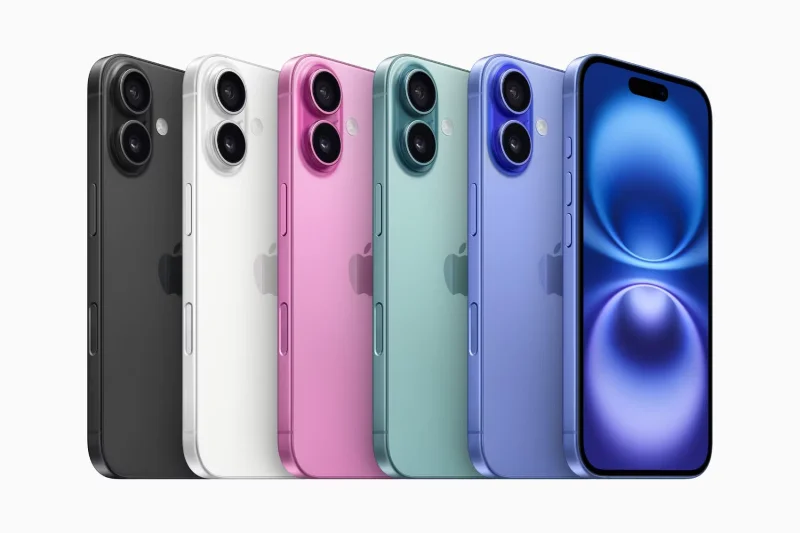
Starting with the iPhone 16, the most notable change is the camera arrangement, which has returned to a vertical layout, allowing for spatial photography and video capture for Apple Vision Pro.
The iPhone 16 also includes the current Action button, but it also has a new Camera Control button just below the side button, which gives you access to the full suite of camera features. Like a DSLR, you can tap lightly to focus on your subject. You can also zoom in and out or choose various settings, like adjusting the aperture, by sliding your finger across the button.
Apple claims the new A18 chip offers significantly faster CPU and GPU performance. But the highlight of the A18 is its ability to control all of Apple's intelligence features, making it a worthy upgrade over the iPhone 15. Apple has replaced it with a larger battery, and combined with the more efficient chip, the iPhone 16 will last longer on a single charge.
While the iPhone 16 still only has two cameras, it actually gives you the option to choose between four lenses. The main 48MP camera also allows for 2x telephoto shots by cropping the image without much loss of quality. Meanwhile, the ultra-wide camera, which now also has autofocus, can take both close-up shots and standard 0.5x wide-angle shots.
The iPhone 16 and iPhone 16 Plus come in Ultramarine, Teal, Pink, White, and Black. Both models come with 128GB of storage, with the base model starting at $799 and the Plus starting at $899, the same price as last year.
2. iPhone 16 Pro and iPhone 16 Pro Max
The iPhone 16 Pro and 16 Pro Max now have slimmer bezels and larger displays — 6.3 inches for the Pro model and 6.9 inches for the Pro Max. Like the iPhone 16, both models have a new Camera Control button. They're also powered by the new A18 Pro chip, which offers higher memory bandwidth for improved Apple Intelligence performance.
The iPhone 16 Pro Max is the best choice if battery life is a top priority, as it offers the best battery life of any iPhone, with up to 33 hours of video playback, according to Apple.
Unlike last year, both models now feature the same 5x telephoto lens, and can now also take close-up shots at full 48MP resolution. Video is the real highlight of these models; both can shoot 4K video at up to 120FPS and can adjust playback speed later, adding a lot of flexibility. Additionally, the entire iPhone 16 lineup benefits from an improved Ceramic Shield layer, which makes the display more drop-resistant.
The iPhone 16 Pro and iPhone 16 Pro Max come in Natural Titanium, White Titanium, Black Titanium, and a new Desert Titanium color. Prices start at $999 for the 128GB iPhone 16 Pro and $1,199 for the 256GB iPhone 16 Pro Max.
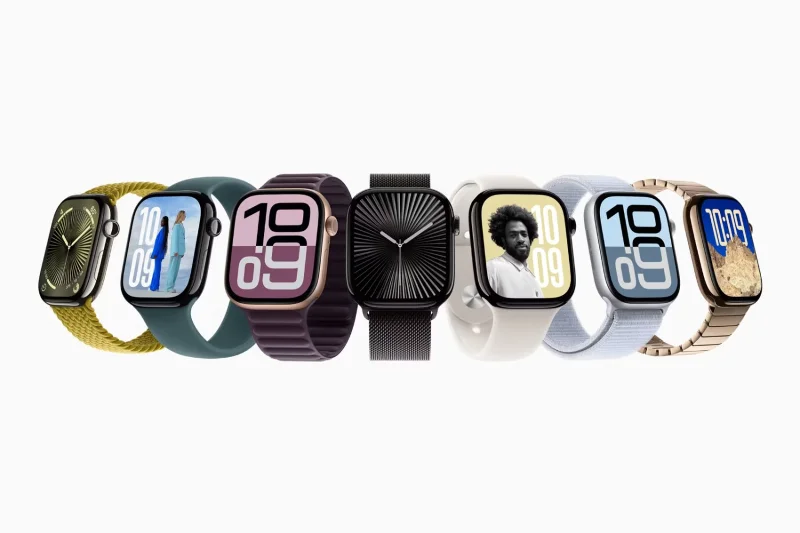
3. Apple Watch Series 10
The most anticipated announcement of the event was undoubtedly the Apple Watch Series 10, which received some major upgrades. The Apple Watch is now thinner and lighter, with a larger display that allows you to view more content at once. Despite the reduced speaker size, the audio performance remains the same, and best of all, you can play media like music and podcasts directly from the watch speaker.
Like the Apple Watch Ultra, the Series 10 includes sensors to measure underwater depth and water temperature. It can also automatically detect sleep apnea and provide a detailed report that you can share with your doctor for further evaluation. The new Apple Watch can now even charge from 0 to 80 percent in just 30 minutes.
The Apple Watch Series 10 comes in Apple's iconic Silver, Rose Gold, and Jet Black finishes, starting at $399. You can also opt for a more premium titanium finish, starting at $699.
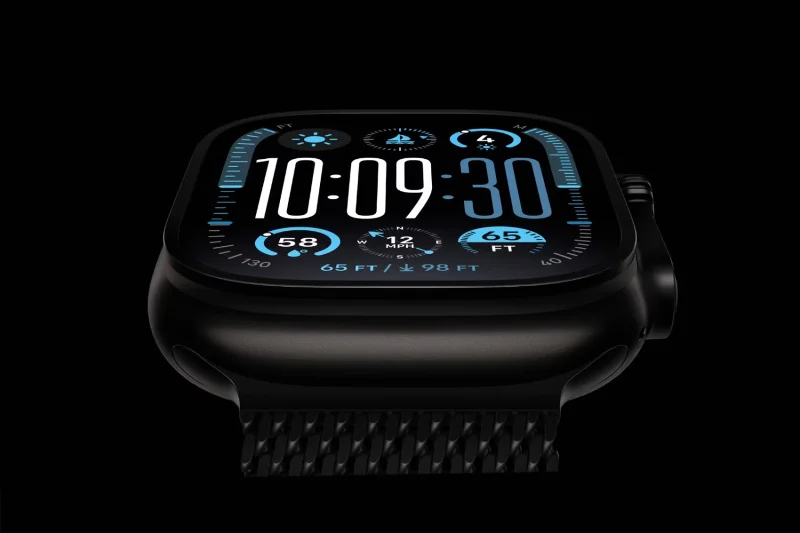
4. Apple Watch Ultra 2 has new colors
While there's no new Apple Watch Ultra 3 this year, the Apple Watch Ultra 2 is getting some notable upgrades. It now comes in a striking new Titanium Black color, which many feel has been a much-needed color since the original Apple Watch Ultra.
Along with this new color option, the Apple Watch Ultra 2 now supports sleep apnea detection and audio playback through the speaker, similar to the Apple Watch Series 10.
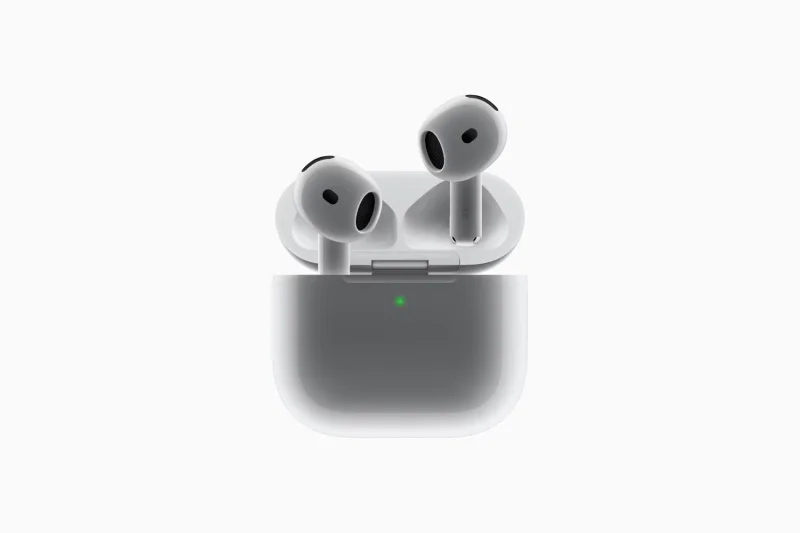
5. All-new AirPods 4
The budget AirPods have been completely redesigned and are better value than ever. They now have a shorter stem with media controls and a USB-C charging case, which makes them more convenient, especially if you have an iPhone 15 or later, as you can use a single cable to charge all your devices. The case also has a built-in speaker to help you locate your speaker using Find My.
The biggest upgrade, however, is the option for the premium model to include active noise cancellation, which is particularly appealing if you prefer the firmer tips over the silicone tips on the AirPods Pro. The standard AirPods 4 cost $129, while the version with active noise cancellation costs $179.
6. AirPods Max with USB-C
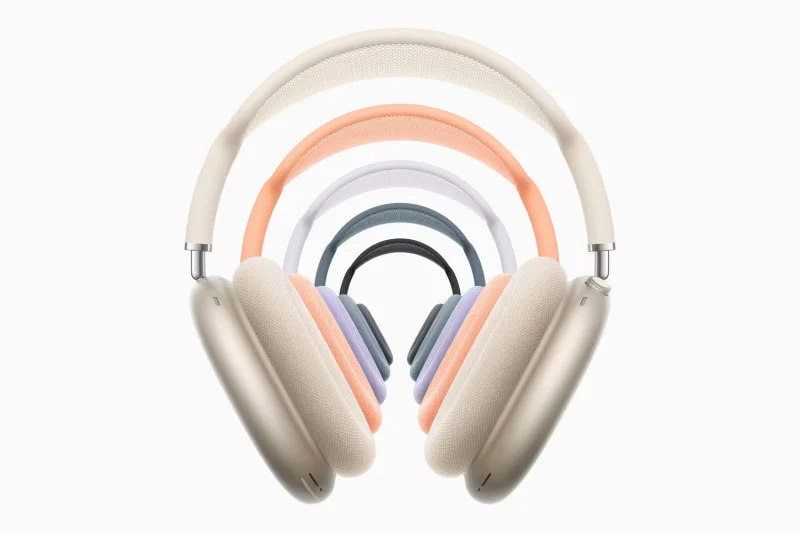
While Apple didn’t introduce a second-generation AirPods Max, the first-generation model did get some minor updates. It now has a USB-C port, matches the AirPods 4, and comes in five new colors: Midnight, Starlight, Blue, Purple, and Orange, while retaining the same $549 price tag.
7. Health features for AirPods Pro 2
Accessibility has always been a core part of the Apple ecosystem, and the new hearing health features Apple announced for the AirPods Pro 2 are impressive. To help prevent hearing loss, AirPods Pro will soon be able to automatically detect and reduce loud and harsh sounds without changing the sound you’re listening to.
For those with existing mild or moderate hearing loss, the new Hearing Test feature can create a personalized hearing profile, turning AirPods Pro into a clinical-grade hearing aid. So if you or someone you know has some form of hearing loss, this feature is definitely worth checking out when Apple releases it via a software update in the fall of 2024.
All of these new devices will go on sale starting September 20. While pre-orders for the Apple Watch Series 10, AirPods 4, and AirPods Max are already live on the Apple Store Online, users will have to wait until September 13 to order the new iPhones.
Create a gentle Halloween look with pastel colors, friendly ghosts, easy no-carve accents, and practical safety tips for your home.
Create a spooky office cubicle with Halloween desk decor ideas that keep your workspace usable, tidy, and mindful of workplace safety.
Plan a recognizable Halloween 2026 look with pop culture costumes inspired by Spider-Man, Supergirl, Toy Story 5, Moana, Mario, and Wednesday.
Sort leftover Halloween candy safely, share or repurpose sealed treats, and choose food use or compost for pumpkins based on their condition.
Compare workplace Halloween costume choices by respect, dress code, mobility, and safety—and learn when a subtle accessory or a policy check is the better option.
Find a couples costume that fits your style, budget, and comfort level, from Addams Family classics to original inside-joke duos.
Need a last-minute high school Halloween costume? Compare 10 easy closet-based ideas by prep time, comfort, school-day practicality, and simple safety checks.
Use a simple 2026 Halloween decorating timeline for indoor décor, outdoor displays, and fresh pumpkins, with practical adjustments for weather and events.
Mix five vivid, approachable Halloween cocktails with measured recipes, simple prep tips, and an alcohol-free option for your party guests.
Find 15 office-friendly Halloween costume ideas for 2026, with practical checks for dress codes, respectful themes, comfort, and workplace safety.








