Samsung Galaxy J7 Prime has been equipped with a very useful notification reminder feature, when it has notified the call or message you missed, it will remind you again. Then let me learn how to enable this feature through this article.
1. The benefit of installing notification reminder feature.
- Helps users not to miss important messages and calls.
- Receive the necessary information fully.
2. Detailed instructions on how to install the notification reminder feature.
Quick start Guide:
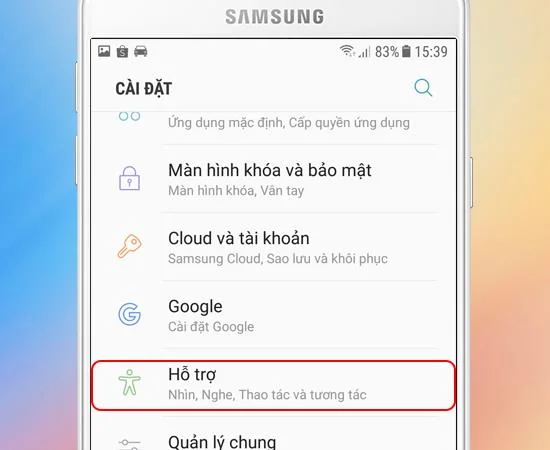
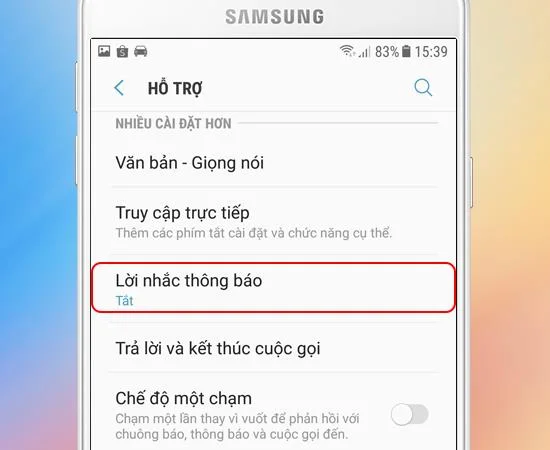
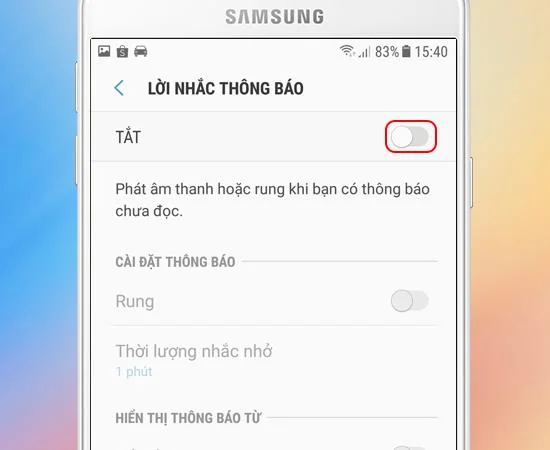
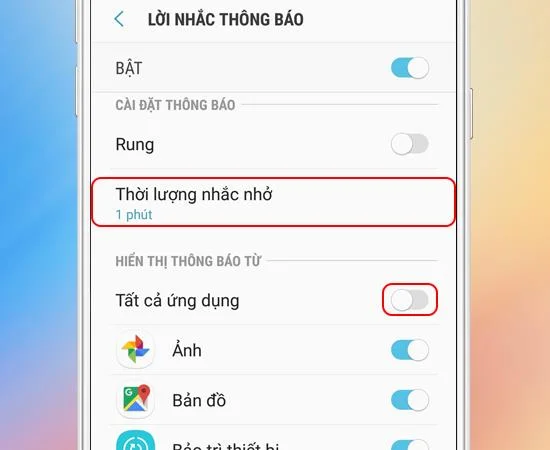
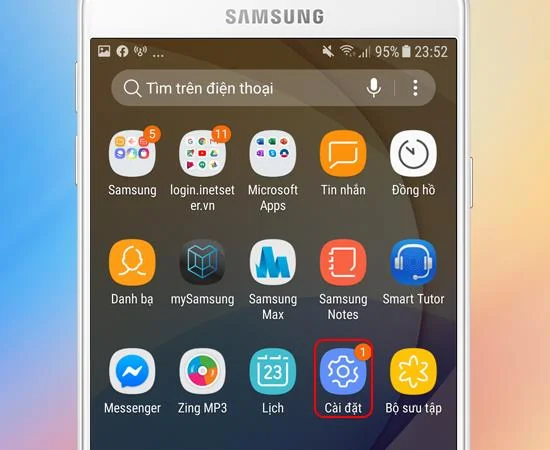
Go to Settings - > Support -> Notification Reminder -> Turn on notification reminder -> Customize notification reminder time and app need notification reminder.
Step 1: First go to Settings
Step 2: Next, you choose Support.
![Fastest 5 steps to enable notification reminder on Samsung J7 Prime]()
>>> See also: Regulates which apps are allowed to notify on Sony Xperia XA
Step 3: Then choose Notification Reminder.
![Fastest 5 steps to enable notification reminder on Samsung J7 Prime]()
Step 4: Here you turn it on.
![Fastest 5 steps to enable notification reminder on Samsung J7 Prime]()
>>> See more: How to create a video using the feature available on the Sony Xperia XZ
Step 5: You can adjust the notification reminder time by selecting Reminder duration. In addition, you also choose which applications you need to be reminded of.
![Fastest 5 steps to enable notification reminder on Samsung J7 Prime]()
So after 5 simple steps you can successfully turn on the notification reminder feature on Samsung Galaxy J7 Prime , from now on you will be greatly supported by it when any messages or calls are missed.
Maybe you are interested:
- How to enable notification when connecting calls on Samsung J7 Prime
- Turn the phone and turn off the ringtone on Samsung J7 Prime
- How to enable call waiting on Samsung J7 Prime