Kawaii Halloween Decor Without Gore or Jump Scares

Create a gentle Halloween look with pastel colors, friendly ghosts, easy no-carve accents, and practical safety tips for your home.
Even if you're not a regular user of OpenAI's DALL-E 3, you may have noticed a big change. This isn't about an updated model or a flashy new feature, but rather DALL-E 3 switching to serving WebP files instead of PNG or JPEG when you download your work.
So if you're disappointed that DALL-E 3 no longer offers those file types, rest assured, converting WebP to PNG or JPEG is incredibly simple.
Why does DALL-E 3 no longer offer PNG or JPEG options?
While WebP files are certainly useful in certain situations, they are not as widely used as PNG or JPEG. Most people have a specific use in mind when downloading files from DALL-E, and PNG or JPEG fits the bill.
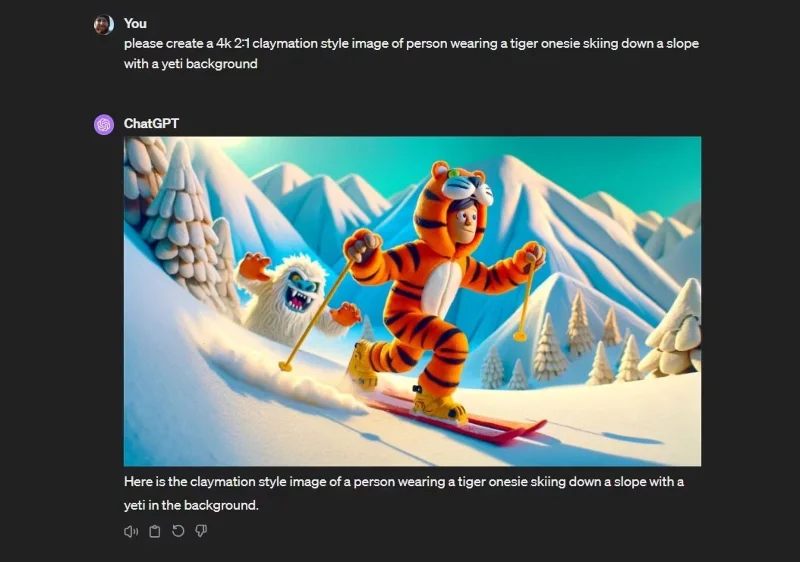
But if you’re wondering why OpenAI is suddenly dropping these image formats in favor of WebP, there’s no secret force pushing us toward a new image format. The explanation is much simpler: Something’s broken, and it hasn’t been fixed, according to a moderator on the OpenAI Discord, according to a recent Reddit thread.
Of course, that doesn't help you if you want to download DALL-E 3 as a PNG or JPEG. Hopefully this DALL-E 3 backend issue will be resolved soon, but until then, you'll need a WebP to PNG or JPEG converter.
How to convert DALL-E 3 WebP file to PNG or JPEG
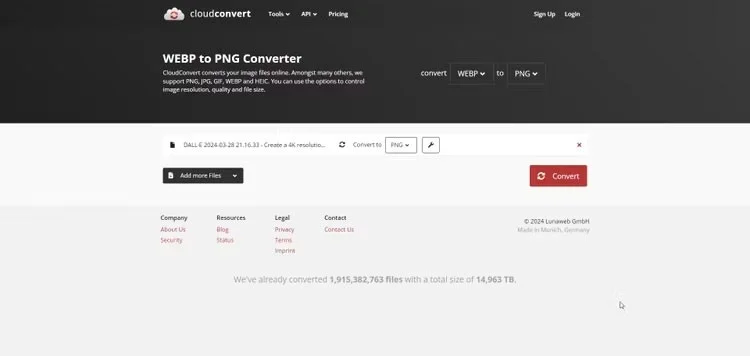
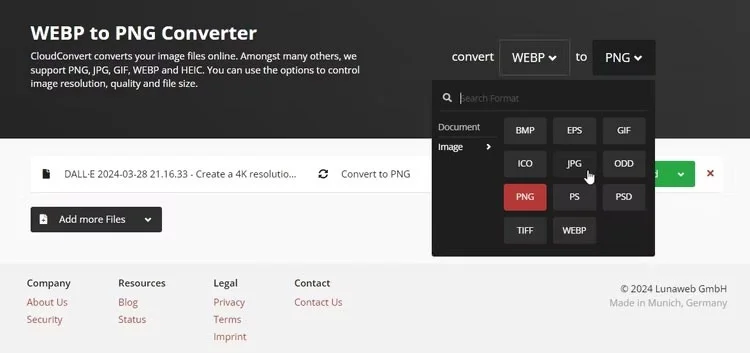
One of the easiest ways to convert your WebP DALL-E 3 file to PNG or JPEG is to use the free online file converter Cloud Convert. It's fast, free, and supports both file types (and many others).
Let's say you already have a WebP file:
Once the conversion is finished, you can download the newly created PNG or JPEG file by clicking Download .
Now, if you're converting more sensitive files, you may want to opt for an alternative file conversion option. Quantrimang.com has previously looked at how to convert WebP to PNG, JPEG , and other image formats using desktop tools, Android and iOS apps, and other cloud conversion tools.
Hopefully it won't be long before OpenAI fixes its issues (or explains that WebP will be the platform's new preferred image format).
Create a gentle Halloween look with pastel colors, friendly ghosts, easy no-carve accents, and practical safety tips for your home.
Create a spooky office cubicle with Halloween desk decor ideas that keep your workspace usable, tidy, and mindful of workplace safety.
Plan a recognizable Halloween 2026 look with pop culture costumes inspired by Spider-Man, Supergirl, Toy Story 5, Moana, Mario, and Wednesday.
Sort leftover Halloween candy safely, share or repurpose sealed treats, and choose food use or compost for pumpkins based on their condition.
Compare workplace Halloween costume choices by respect, dress code, mobility, and safety—and learn when a subtle accessory or a policy check is the better option.
Find a couples costume that fits your style, budget, and comfort level, from Addams Family classics to original inside-joke duos.
Need a last-minute high school Halloween costume? Compare 10 easy closet-based ideas by prep time, comfort, school-day practicality, and simple safety checks.
Use a simple 2026 Halloween decorating timeline for indoor décor, outdoor displays, and fresh pumpkins, with practical adjustments for weather and events.
Mix five vivid, approachable Halloween cocktails with measured recipes, simple prep tips, and an alcohol-free option for your party guests.
Find 15 office-friendly Halloween costume ideas for 2026, with practical checks for dress codes, respectful themes, comfort, and workplace safety.








