How to factory reset and reset information on Skyworth TV models

After a long time of using your TV, it will appear frozen, jerky or some minor errors appear. In this case, the fastest way to fix the above conditions is to factory reset the TV, returning your TV to the factory condition. So how to factory reset Skyworth TV ? Please refer to the following article of WebTech360 offline!
How to factory reset and reset information on Skyworth TV models              

How to factory reset on Skyworth TV models

What are the benefits of a factory reset and a factory reset?

- You can quickly delete many applications that you do not need to use.

- Delete junk content in the application installation process.

- Make the TV work again smoothly.

- Can help your TV work effectively before and automatically fix some errors during use.

- Optionally reset parameters, language as well as country for TV.

How to factory reset and reset information on Skyworth TV models

Bringing the TV to factory settings after a long period of use brings many unexpected benefits

How to perform a factory reset

This article WebTech360 will guide you through the TV model of Hong Kong brand - Skyworth

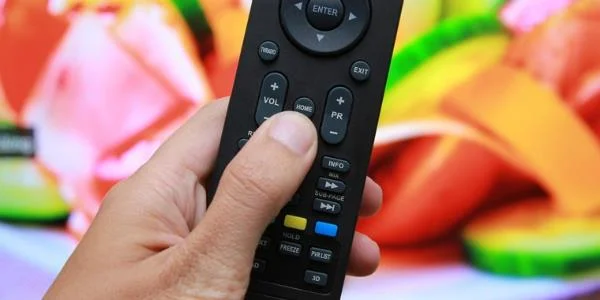
Step 1: Press the Home button on the remote.

How to factory reset and reset information on Skyworth TV models

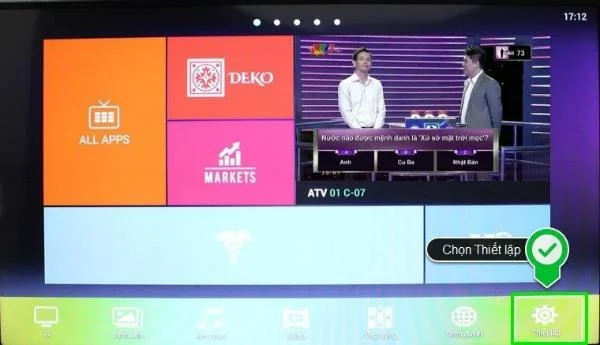
Step 2: In the home page interface, click to select Settings .

How to factory reset and reset information on Skyworth TV models

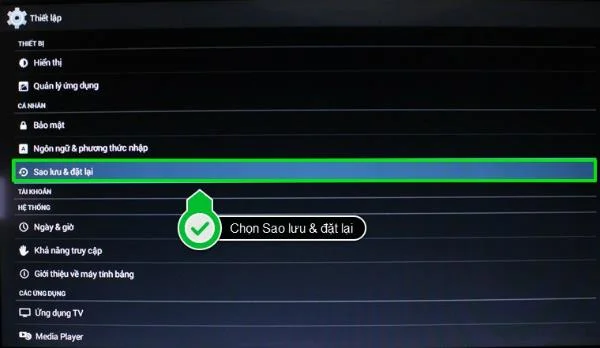
Step 3: In the Setup section, click Personal, select Backup & reset .

How to factory reset and reset information on Skyworth TV models

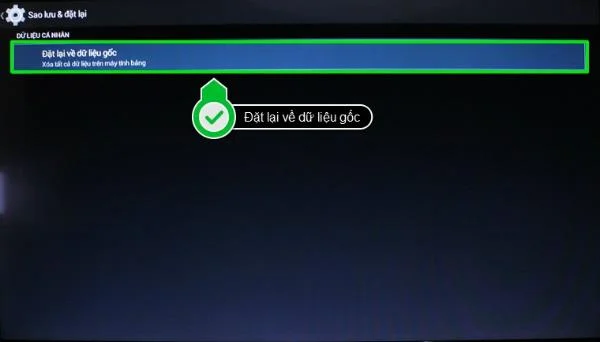
Step 4: Click on Reset to original data .

How to factory reset and reset information on Skyworth TV models

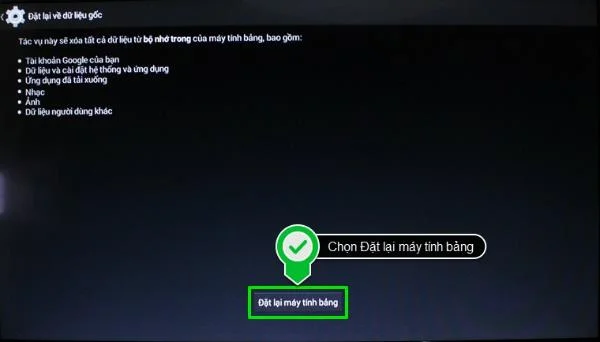
Step 5: Select Reset tablet .

How to factory reset and reset information on Skyworth TV models

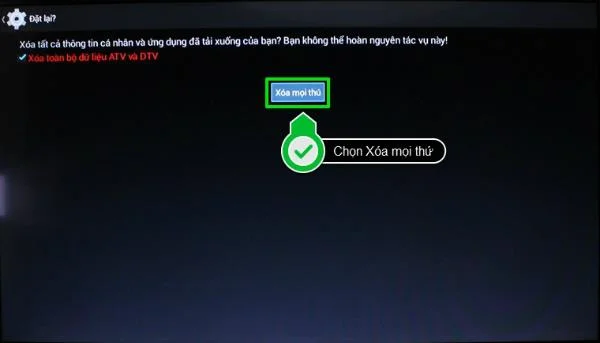
Step 6: In the Reset section, if you want to delete everything on the TV including the channels you have tuned, click on the box at the top of the line Delete all ATV and DTV data , then click on Delete all. stuff .

How to factory reset and reset information on Skyworth TV models

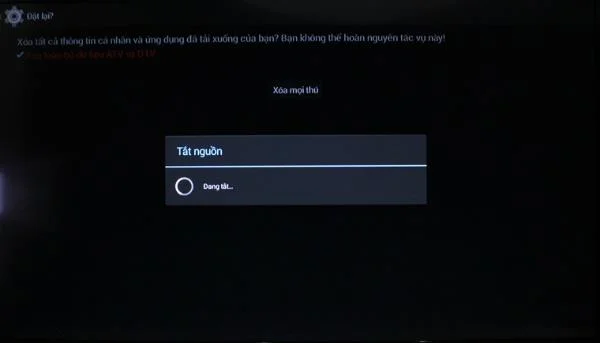
After clicking Delete Everything, you wait about 5 minutes for the TV to process the request and reset the information for the device.

How to factory reset and reset information on Skyworth TV models

Guide to reset information for TV

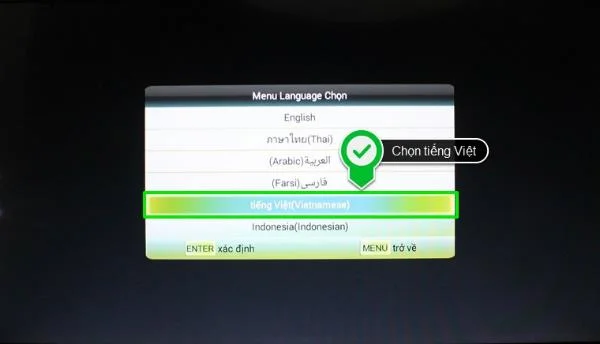
Step 1: After restarting the TV after the factory reset process, the TV screen will display the first request to select the language to use, in this article, WebTech360 will select Vietnamese (Vietnamese) for the device. TV.

How to factory reset and reset information on Skyworth TV models

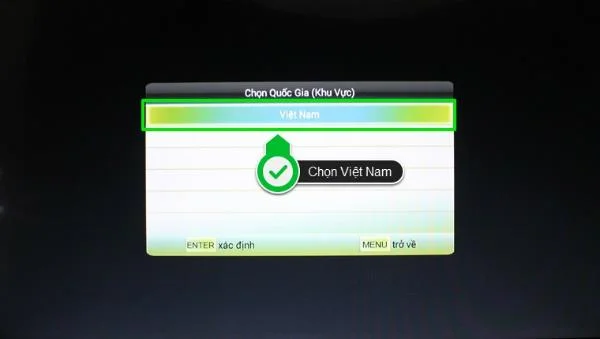
Step 2: Select the Country (Region) to use, click Vietnam.

How to factory reset and reset information on Skyworth TV models

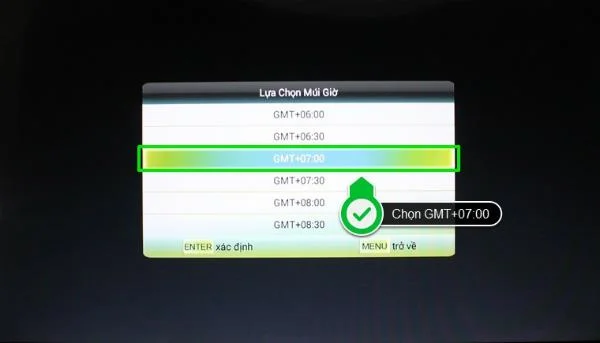
Step 3: Select the corresponding time zone for Vietnam is GMT + 07: 00.

How to factory reset and reset information on Skyworth TV models

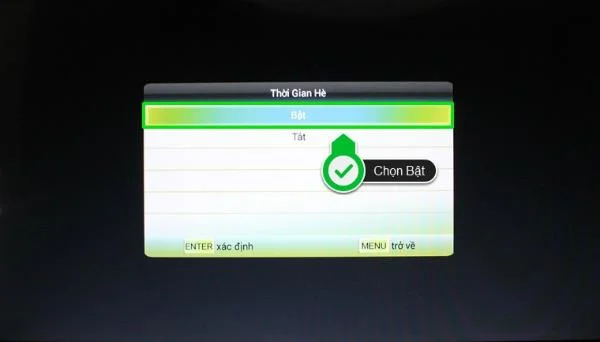
Step 4: Select Turn on Summer Time mode.

How to factory reset and reset information on Skyworth TV models

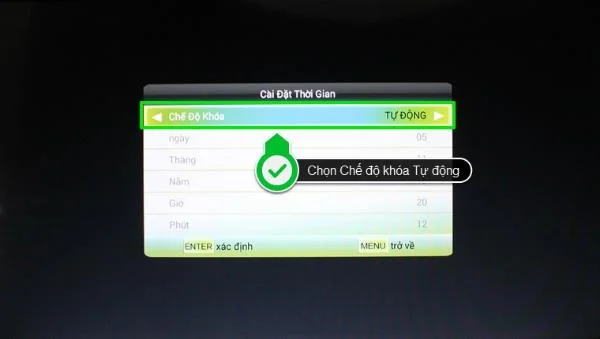
Step 5: In the time setting step, you should select the lock mode to Auto so that the TV can automatically update to the correct time.

How to factory reset and reset information on Skyworth TV models

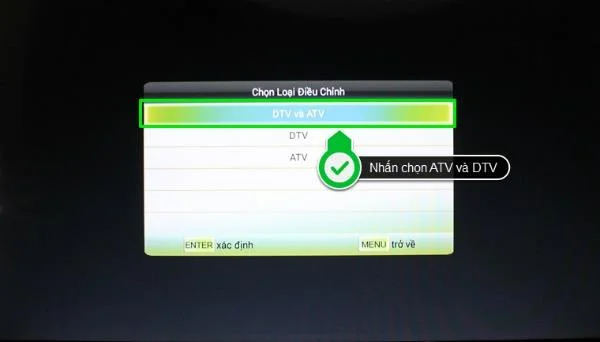
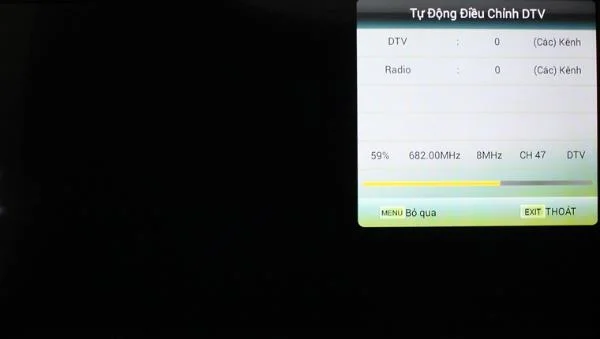
Step 6: At the tuning step, we will Select the tuning type DTV and ATV. Press select so that the TV can proceed to search for channels automatically.

How to factory reset and reset information on Skyworth TV models

How to factory reset and reset information on Skyworth TV models
 

The tuning process may take 4-5 minutes and the number of channels detected will depend entirely on the TV position you select and the quality of the antenna being used. Then you can enjoy your favorite shows on TV.

How to factory reset and reset information on Skyworth TV models

Some things you need to keep in mind:

- Power off is not allowed while the TV is restoring its factory settings for any reason. Turning off the power can cause a number of errors that will damage the TV.

- After the factory reset is complete, you should start a factory reset immediately.

See also: Product details and prices for current TVs on the market.

With the simple steps above, you can factory reset and reset all information for Skyworth TV at home. Good luck!
Leave a Comment

Best washing machine brand between Hitachi, Candy, Midea, Beko, Whirlpool

Best washing machine brand between Hitachi, Candy, Midea, Beko, Whirlpool

Discover the best washing machine brands such as Hitachi, Candy, Midea, Beko, and Whirlpool with our detailed reviews. WebTech360 helps you choose the best washing machine that suits your needs.

Is Darling TV good? Which TV model is most worth buying?

Is Darling TV good? Which TV model is most worth buying?

Available in the Vietnamese market since 2001, Darling TV is gradually becoming familiar to users. Discover if Darling TV is good and durable, alongside the top 3 models worth buying.

Should buy a refrigerator Hitachi or Samsung?

Should buy a refrigerator Hitachi or Samsung?

Deciding whether to buy a Hitachi or Samsung refrigerator is challenging, as both brands are synonymous with quality and luxury.

Why is the newly bought refrigerator hot on both sides?

Why is the newly bought refrigerator hot on both sides?

When running a newly purchased refrigerator, you notice the sides heating up, raising concerns about a potential fault. This article from WebTech360 provides insights into this phenomenon.

Is buying a Panasonic refrigerator good?

Is buying a Panasonic refrigerator good?

Discover why buying a Panasonic refrigerator could be the right choice for you. Learn about its advantages, technologies, and energy efficiency.

Should a room with an area of ​​less than 25m2 should buy a 55-inch and a 65-inch TV?

Should a room with an area of ​​less than 25m2 should buy a 55-inch and a 65-inch TV?

Considering a 55 inch or 65 inch TV for a space under 25m²? Explore expert recommendations in this informative article to make the best choice for your room!

Common mistakes when using infrared cookers

Common mistakes when using infrared cookers

Infrared stove is favored by many consumers and is a substitute for traditional gas stoves. However, not everyone uses the infrared stove properly. Here are the common mistakes that you should avoid to use infrared cookers safely and effectively.

Tips for preserving banh chung - banh tet safe, not musty during Tet

Tips for preserving banh chung - banh tet safe, not musty during Tet

Discover effective methods for preserving banh chung and banh tet through proper storage to prevent mold and rancidity. Learn from WebTech360 on how to enjoy these traditional Vietnamese dishes safely!

Should you choose to buy a direct or indirect drive washing machine?

Should you choose to buy a direct or indirect drive washing machine?

Explore the differences between direct drive and indirect drive washing machines, their features, advantages, and disadvantages to make an informed decision for your home. WebTech360 provides insights to help choose the right washing machine for your family needs.

What is soft freezing technology?

What is soft freezing technology?

Discover the advantages of soft freezing technology found in modern refrigerators, enhancing food preservation and convenience. Learn how this technology ensures your family