How to Fix Microsoft Teams Copilot Error AI Not Responding

Frustrated because your Microsoft Teams Copilot suddenly goes silent? You're not alone—many users face the dreaded "Copilot Error" AI Not Responding issue, halting meetings, chats, and workflows. 😩 But don't worry! This guide delivers tested fixes to revive your AI assistant in minutes. We'll cover everything from simple restarts to pro-level tweaks, ensuring you reclaim productivity without tech headaches.

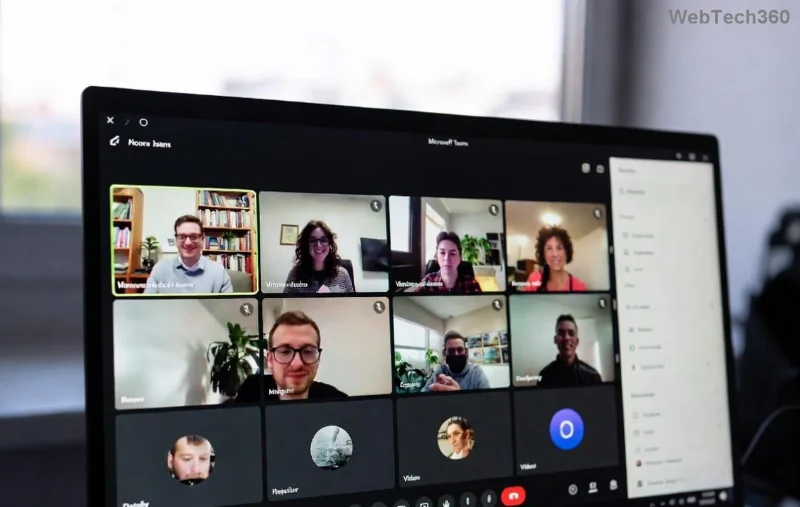
Microsoft Teams Copilot Error screenshot showing AI not responding

Why Does Microsoft Teams "Copilot Error" AI Not Responding Happen?

Before diving into fixes, understand the culprits:

🔍 Common Cause Impact Quick Check
Network glitches or unstable internet AI can't connect to servers Run speed test
Outdated Teams app Missing latest Copilot patches Check for updates
Cache buildup Corrupted data blocks AI Clear Teams cache
Copilot license issues AI features disabled Verify admin settings
Proxy/VPN conflicts Blocks Microsoft services Disable temporarily

Spot your issue? Great—let's fix it step-by-step. Follow these in order for the fastest results. ✅

🔧 Step-by-Step: How to Fix Microsoft Teams "Copilot Error" AI Not Responding

1️⃣ Quick Restart: The 60-Second Wonder Fix

Start here—90% of cases resolve instantly!

  1. Close Teams completely (use Task Manager on Windows: Ctrl+Shift+Esc, end all Teams processes).
  2. Reopen Teams and test Copilot in a chat or meeting.
  3. Bonus: Sign out and sign back in for a full refresh.

Why it works: Clears temporary glitches. If Copilot responds, you're done! 🎉

2️⃣ Clear Teams Cache: Wipe Out the Junk

Corrupted cache is a top Copilot Error villain. Here's how:

  • Windows: %appdata%\Microsoft\Teams → Delete contents of folders like Cache, GPUCache, IndexedDB.
  • Mac: ~/Library/Application Support/Microsoft/Teams → Same deletion.
  • Web version: Clear browser cache (Ctrl+Shift+Del in Edge/Chrome).

Restart Teams post-clear. Copilot should perk up! 🚀

Clearing Microsoft Teams cache to fix Copilot Error

3️⃣ Update Teams to the Latest Version

Ensure you're on the newest build—Copilot thrives on fresh updates.

  1. Open Teams → Profile icon → Check for updates.
  2. Or download from official Microsoft site.
  3. Restart after updating.

Pro tip: Enable auto-updates in Settings → General.

4️⃣ Verify Copilot License and Permissions

No license? No AI magic. 🔑

  • Admins: Check Microsoft 365 admin center → Users → Licenses → Assign Copilot for Microsoft 365.
  • Users: Go to Teams Settings → AI → Ensure Copilot is enabled.
  • Test in a new chat: @Copilot "Hello!"

5️⃣ Network Tweaks: Conquer Connectivity Woes

AI needs a solid pipe to Microsoft's cloud.

  1. Test internet: Minimum 1.5 Mbps upload/download.
  2. Disable VPN/Proxy: Settings → Network → Turn off.
  3. Switch networks (Wi-Fi to mobile hotspot).
  4. Flush DNS: Windows cmd → ipconfig /flushdns.
Network troubleshooting for Microsoft Teams Copilot not responding

6️⃣ Advanced Fixes: When Basics Fail

Still stuck? Escalate:

  • Reinstall Teams: Uninstall via Settings → Apps, then reinstall fresh.
  • Reset Teams: Run %appdata%\Microsoft\Teams → Delete databases folder.
  • Check Firewall: Allow Teams.exe through Windows Defender Firewall.
  • Browser Fallback: Use teams.microsoft.com if desktop fails.

For enterprise users, consult your IT admin—group policies might block Copilot.

Bonus Tips to Prevent Future Copilot Error in Teams

  • ⭐ Use Teams in edge-only mode for stability.
  • ⭐ Schedule regular cache clears weekly.
  • ⭐ Monitor Microsoft's service health dashboard for outages.
  • ⭐ Join Teams Insider for early Copilot updates.

Still Not Working? Next Steps

If Microsoft Teams "Copilot Error" AI Not Responding persists, gather diagnostics:

  1. Screenshot the error.
  2. Note your Teams version (Help → About Teams).
  3. Submit feedback via Teams → Help → Give feedback.
  4. Contact Microsoft Support: Official Help.

Congratulations—you've conquered the Copilot Error! Your AI sidekick is back, boosting chats, summaries, and ideas. Share this guide if it helped a colleague. 👏 What's your go-to fix? Drop a comment below!

Leave a Comment

How to Fix Microsoft Teams Copilot Error AI Not Responding

How to Fix Microsoft Teams Copilot Error AI Not Responding

Struggling with Microsoft Teams Copilot Error where AI stops responding? Discover step-by-step fixes for Microsoft Teams "Copilot Error" AI Not Responding, from quick restarts to advanced troubleshooting. Get back to productivity fast!

Solving Microsoft Teams Password Error: Incorrect Credentials

Solving Microsoft Teams Password Error: Incorrect Credentials

Stuck with Microsoft Teams password error "Incorrect Credentials"? Discover quick, proven fixes to get back online fast. Step-by-step guide with latest solutions for seamless login. Solve it now!

How to Fix Microsoft Teams Y Error Configuration

How to Fix Microsoft Teams Y Error Configuration

Struggling with Microsoft Teams "Y Error" configuration issues? Discover proven, up-to-date fixes to resolve the error quickly and restore seamless teamwork. Step-by-step guide inside!

Troubleshooting Microsoft Teams Error Screenshot Not Saving

Troubleshooting Microsoft Teams Error Screenshot Not Saving

Struggling with Microsoft Teams "Error Screenshot" not saving? Discover quick, effective troubleshooting steps to resolve this frustrating issue and restore smooth functionality in your daily workflows.

How to Download Microsoft Teams Chat History and Transcripts

How to Download Microsoft Teams Chat History and Transcripts

Master how to download Microsoft Teams chat history and transcripts effortlessly. Step-by-step guide with proven methods for chats, meetings, and admin exports—no tech skills needed!

Solving Microsoft Teams Ringtone Not Working Error

Solving Microsoft Teams Ringtone Not Working Error

Tired of silent Microsoft Teams ringtone not working? Follow our expert, step-by-step guide with quick fixes and advanced troubleshooting to get notifications ringing again. No tech skills needed!

Troubleshooting Microsoft Teams Login Error on Chromebook

Troubleshooting Microsoft Teams Login Error on Chromebook

Stuck with Microsoft Teams login error on Chromebook? Our ultimate troubleshooting guide delivers quick, reliable fixes for cache issues, updates, and more. Resolve it in minutes and stay connected!

Solving Microsoft Teams Desktop Error Startup Crash

Solving Microsoft Teams Desktop Error Startup Crash

Tired of Microsoft Teams Desktop Error crashing on startup? Follow our proven, step-by-step fixes to resolve Teams startup crash instantly. Works on latest versions!

Why Cant I See Breakout Rooms in My Teams Meeting?

Why Cant I See Breakout Rooms in My Teams Meeting?

Frustrated because Breakout Rooms are missing in your Teams meeting? Uncover the top reasons why you can't see Breakout Rooms in Teams and follow our step-by-step fixes to get them working smoothly in minutes. Perfect for organizers and participants alike!

Solving Microsoft Teams Cho Mac Error (Mac OS)

Solving Microsoft Teams Cho Mac Error (Mac OS)

Tired of the frustrating Microsoft Teams "Cho Mac" error crashing your Mac OS workflow? Follow our proven, step-by-step fixes to solve Microsoft Teams "Cho Mac" Error (Mac OS) quickly and restore seamless team collaboration. Updated with latest patches.

Troubleshooting Microsoft Teams Guest Access Error

Troubleshooting Microsoft Teams Guest Access Error

Stuck with Microsoft Teams "Guest" access error? Follow our expert, step-by-step troubleshooting guide to resolve guest invite failures, permission issues, and more. Get guests collaborating in Teams today!

Step-by-Step: How to Make Breakout Rooms Before a Meeting Starts

Step-by-Step: How to Make Breakout Rooms Before a Meeting Starts

Unlock seamless collaboration with this ultimate step-by-step guide on how to make breakout rooms before a meeting starts in Zoom. Pre-assign participants effortlessly for maximum engagement. Perfect for educators, teams, and leaders.

How to Fix Microsoft Teams Down Server Status 2026

How to Fix Microsoft Teams Down Server Status 2026

Is Microsoft Teams down in 2026? Discover proven steps to fix "Down" server status, troubleshoot outages, and get back to seamless collaboration fast. Quick fixes inside!

Troubleshooting Microsoft Teams Error H Updates

Troubleshooting Microsoft Teams Error H Updates

Struggling with Microsoft Teams "Error H" during updates? Discover step-by-step troubleshooting for Microsoft Teams "Error H" updates, common causes, and quick fixes to restore seamless collaboration. Updated with the latest solutions.

Solving Microsoft Teams Unexpected Error on Mobile Login

Solving Microsoft Teams Unexpected Error on Mobile Login

Tired of the frustrating Microsoft Teams "Unexpected Error" blocking your mobile login? Follow our expert, step-by-step guide with the latest fixes for Android and iOS to regain seamless access fast—no tech skills needed!









