Home
» Games
»
How to hide ads when playing games on your phone
How to hide ads when playing games on your phone
Turn off ads while playing games, something that many mobile gamers want when they have just finished a round or a level and immediately ads interrupt and create an unpleasant feeling. We can help you get rid of that unpleasant feeling with a few tips below.
Before turning off ads, we also have to note that many games will update new gameplay content or features. Therefore, sometimes you should leave the ads in that game active, so that the new game content is refreshed so you can continue playing.
How to block ads when playing mobile games
First, to block ads when playing games, you need to clearly distinguish the games that can block ads. With games that have continuous download content , you will not be able to use the network to play the game because if you turn off the WiFi or mobile network , it means you will not be able to download game content in the next levels/game screens.
As for online games , you will need an internet connection to play, and even that internet connection must be stable. Games with only one game mode will sometimes have ads when the player completes that level.
Turn off Wifi
Just turn off the Wifi network and you can reduce ads while playing the game, however, currently there are also many offline games that require players to turn on WiFi or mobile network to continue playing the game even though the game does not have the next level or similar.
Ads will be added between levels, and when a certain level is completed, the game will play an ad. However, the game can also play ads if you turn off WiFi in the middle of the game.
Turn off 4-5G
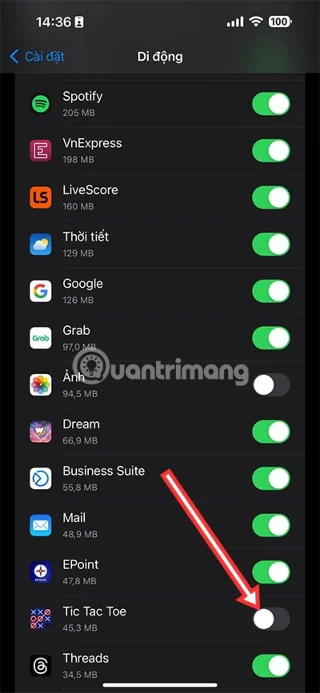
Of course, when you turn off Wifi, the game will automatically use your mobile network. If you are also using other applications using mobile network, you can only turn off the mobile network usage permission of that game. Just go to Settings > scroll down the list of applications and turn off mobile data of the game you want to not show ads.
Now even simple games like Tik-Tac-Toe will have video ads that the game developers put in the app. If you turn off the network, whether it is WiFi or mobile network, you will not be able to continue playing. Because these games need ads to add "liveliness" to the game.
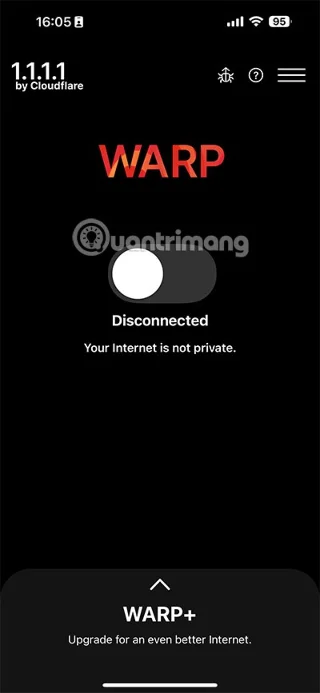
Use VPN
Usually, using VPN when playing games will only be available in online games because sometimes the server you want to play will be blocked in your area. So using VPN to access the game server will be selected at this time.
As for offline games, the nature of advertising in offline games only requires internet to download ads, so using VPN to block ads when playing offline games at this time will not be effective.
However, using VPN to access online game servers will have certain advantages and disadvantages that we have summarized below.
Advantage:
Helping you connect with friends in other regions, VPN can help you connect to game servers in other regions and allow you to engage with players all over the world.
In addition, VPN will encrypt your network traffic, thereby helping to protect personal information and data on the device from trackers. Especially when you play online games, you have to enter a lot of personal information.
Disadvantages:
VPNs allow you to access restricted areas, but may slow down your internet speed. Additionally, some games may block VPNs or ban your account if you use a VPN to access the game.
It can be said that at the present time, it will be difficult for players to turn off in-game ads because even with games that do not have a certain level, game developers require you to turn on WiFi or mobile network to continue playing the game. And with many games, this is also their main source of revenue, so you can watch ads to support the games they make, each game ad you only watch for 5-10 seconds, then turn it off.