Hiding an app keeps it from showing up on the home screen (all apps screen ). The junk applications, or your own applications, you need to hide the application, you can operate in the following way to hide apps on Samsung phones .
How to hide apps on Samsung as follows:
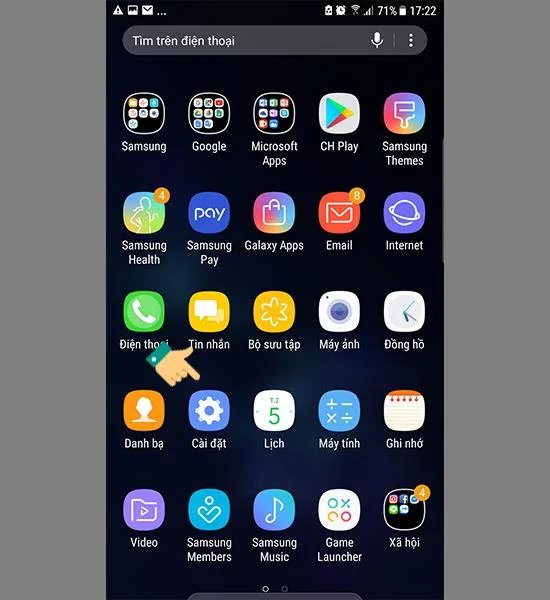
Step 1: Go to "Settings".
![How to hide apps on Samsung Galaxy]()
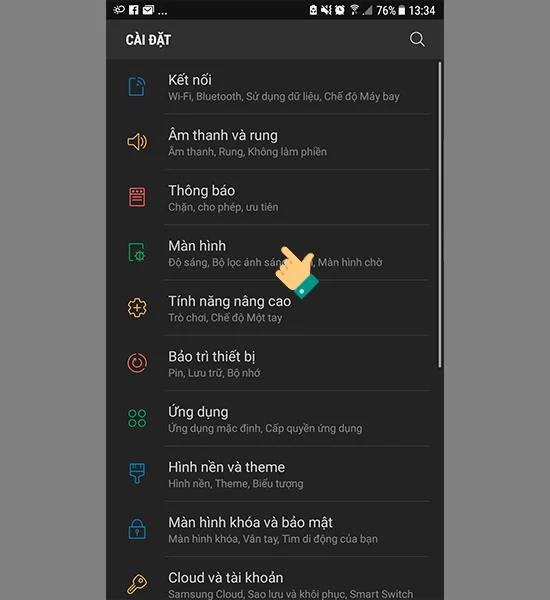
Step 2: Select the item "Monitor".
![How to hide apps on Samsung Galaxy]()
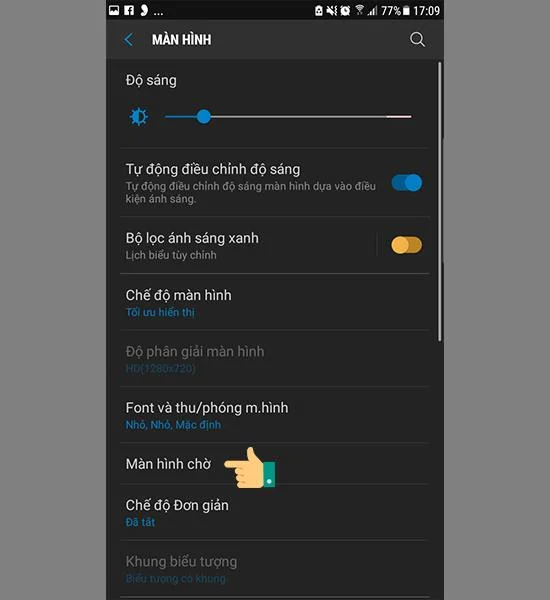
Step 3: Select "Home screen".
![How to hide apps on Samsung Galaxy]()
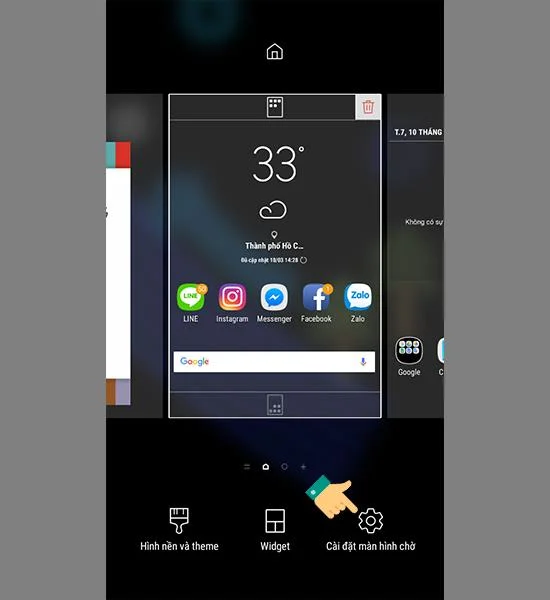
Also, you can quickly access the home screen settings by long-pressing an empty spot on the home screen and selecting "Home screen settings".
![How to hide apps on Samsung Galaxy]()
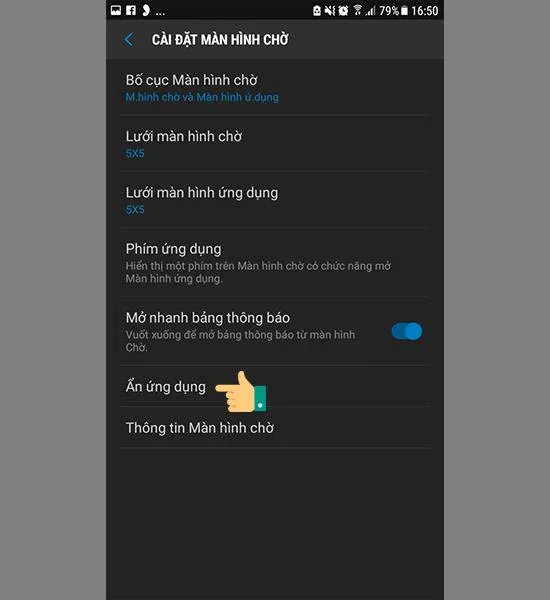
Step 4: Go to "Hide application".
![How to hide apps on Samsung Galaxy]()
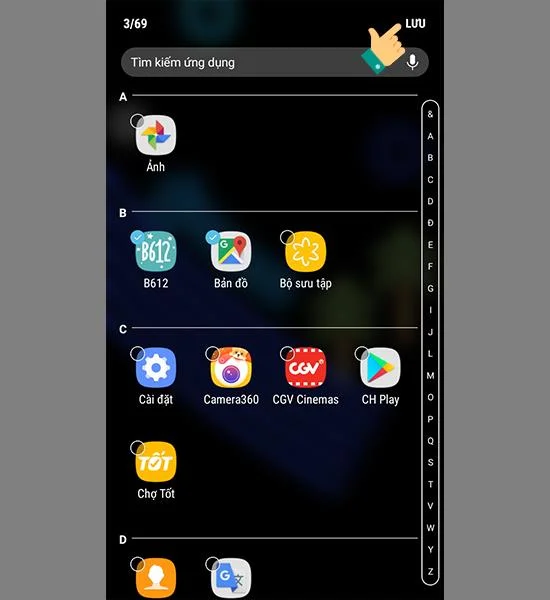
Step 5: Select the app you want to hide and choose "Save".
![How to hide apps on Samsung Galaxy]()
After performing instructions to hide apps on Samsung you will not see the application appear on the home screen of the device. Good luck!