Kawaii Halloween Decor Without Gore or Jump Scares

Create a gentle Halloween look with pastel colors, friendly ghosts, easy no-carve accents, and practical safety tips for your home.
To insert, write the arrow symbol ↑↓←↕↔→↘↗↙↖ in Word, you have many different ways to do it. You can use Symbol in Word to find the arrow symbol, or you can even write text on the arrow to make it easier to create diagrams in Word, representing the content presented in Word. Below are 7 ways to insert arrows in Word in many different styles.
Table of Contents
Word already has a symbol table for users to insert arrow symbols ↑↓←↕↔→↘↗↙↖ in Word.
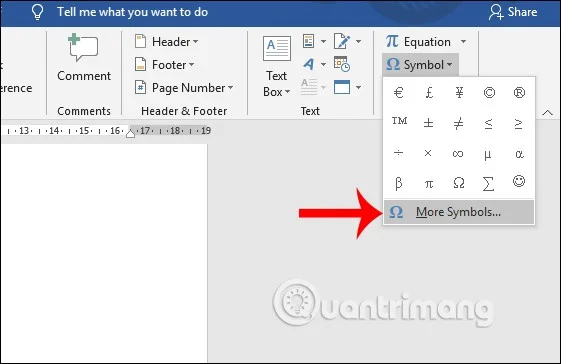
At the interface in Word, users click on Insert and then select Symbols . Click on More Symbols... to expand the list of symbols in Word.
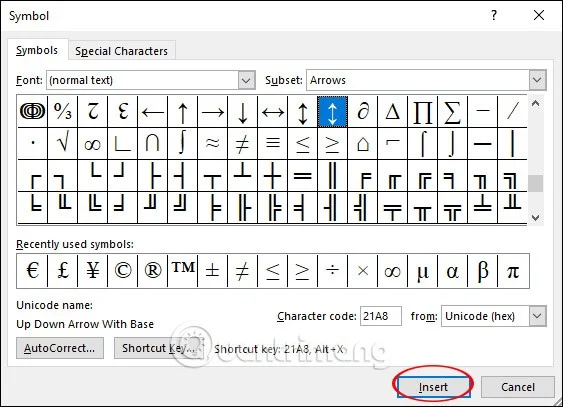
Display the icon selection table. First, the user selects Font as Normal Text , Subset selects Latin-1 Supplement . Under the Character Code section , enter 21A8 . Now the arrow icons will appear for us to choose. To use any arrow, click on that arrow and then click Insert to insert into Word.
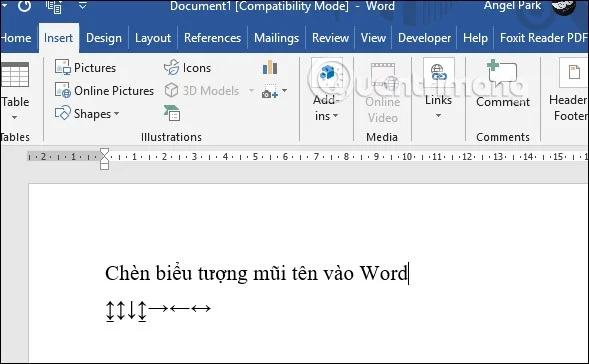
The arrow results are displayed in Word as shown below.
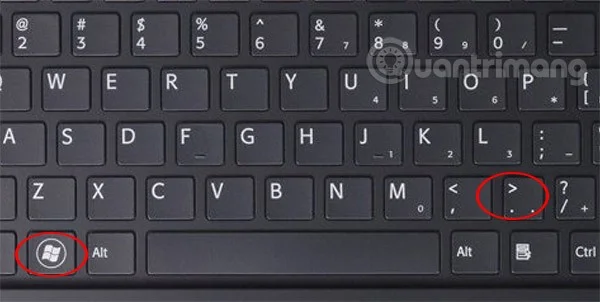
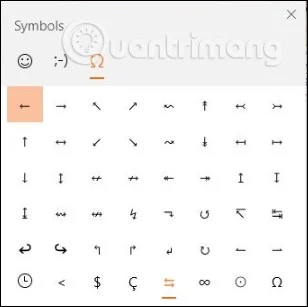
In Windows 10, there is a table of emoji icons and other icons for us to use. Users press the shortcut key combination Windows + . to use.
The emoji and symbol table will now appear, click on the heart icon , then search for the arrow icon in the list. The arrow icons when displayed in Word will have a blue frame. You choose the type of arrow you want to use. Not only Word, but we can also use this shortcut key combination to type arrows on any content input interface on the computer.
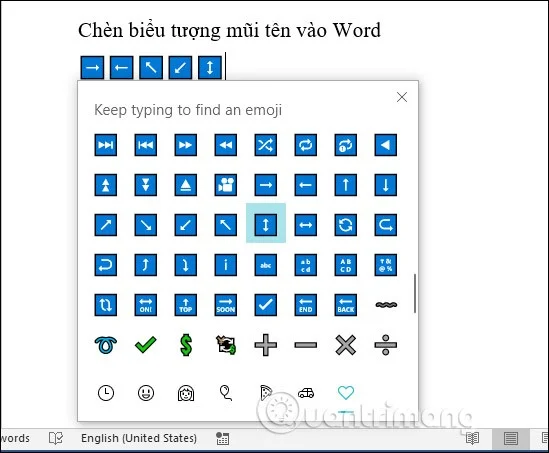
If the computer has been upgraded to version 1903, the Windows icon interface as shown below will not have a green frame surrounding the icon like previous versions.
To use the Alt shortcut key to write arrows, the user must first press the Num Lock icon on the keyboard to activate the numeric keypad.
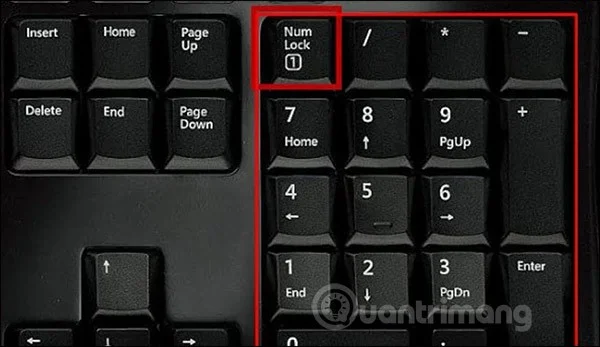
Then we look down at the table below and type the shortcut key combination we want to use to produce the arrow symbol.
| Keystrokes | Icon |
| ALT + 24 | ↑ |
| ALT + 25 | ↓ |
| ALT + 26 | → |
| ALT + 27 | ← |
| ALT + 29 | ↔ |
| ALT + 18 | ↕ |
| ALT + 23 | ↨ |
| ALT + 30 | ▲ |
| ALT + 31 | ▼ |
| ALT + 16 | ► |
| ALT + 17 | ◄ |
Step 1:
To create an interface in Word, click on Insert and select Shapes . Next, the icons are displayed below. Click on the straight arrow to draw in Word.

Step 2:
Next, draw an arrow in Word, then right-click and select Format Shape to reformat the arrow.
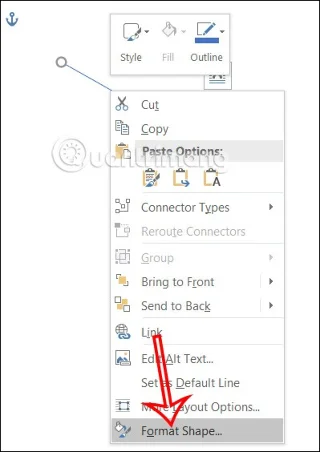
Step 3:
Displayed on the right side of the Word interface to customize the arrow. To change the arrow color , click on Color and select the color for the arrow in Word.
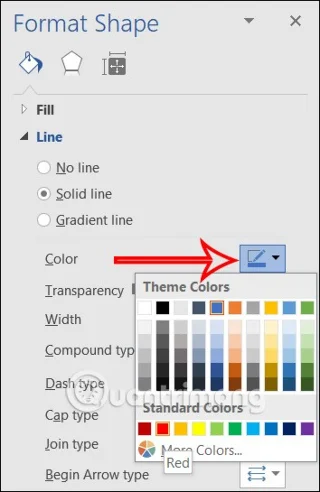
Step 4:
To continue to change the size of the arrow, go to Width and enter the thickness size for the arrow you want.
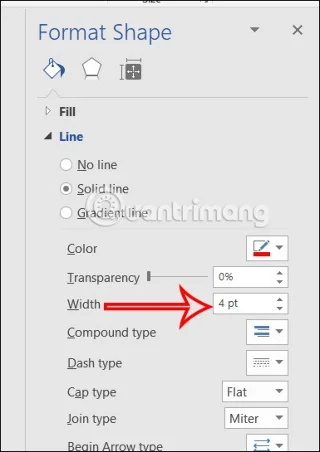
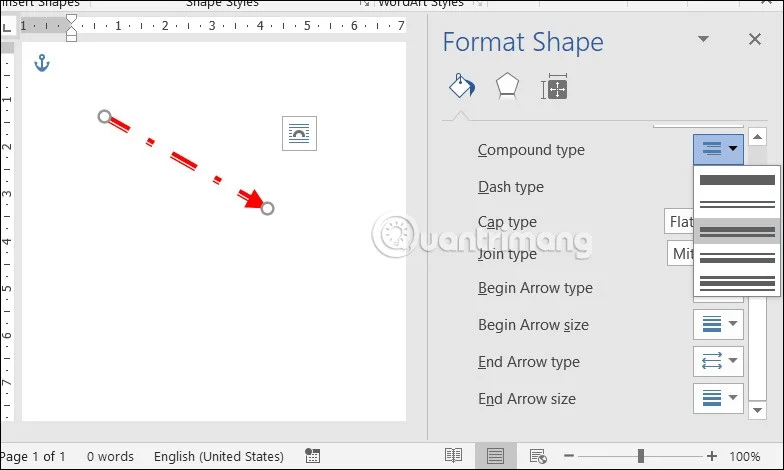
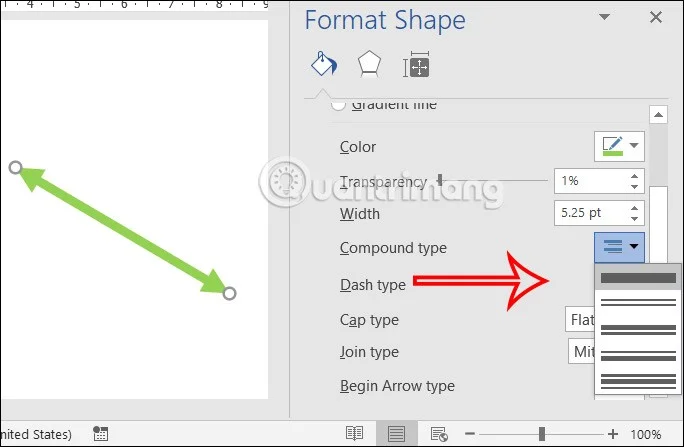
You can also change the display style for the arrow in the items below such as Compound type or Dash type. Now the arrow in Word has changed the display style according to the content you adjusted.
Step 1:
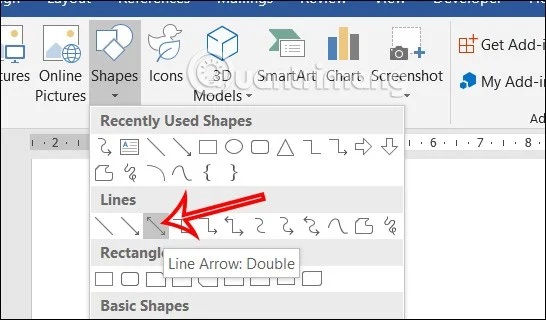
We also click on the Shapes item and select the 2-way arrow icon. Then you also draw in Word.
Step 2:
Next, we right-click on the arrow and select Format Shapes .
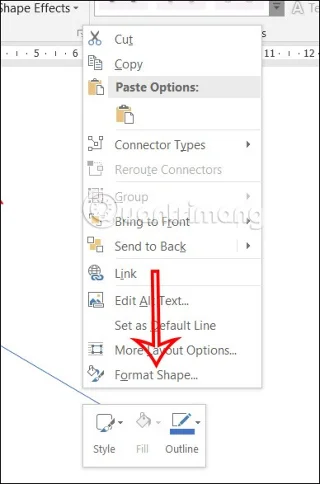
Step 3:
On the right side of the screen you also have options for us to change the format for the 2-way arrow in Word.
In addition to straight arrows in Word, you can draw 1-way or 2-way curved arrows for Word document content.
In Shapes, find the 1-way or 2-way curved arrow icon you want to use.
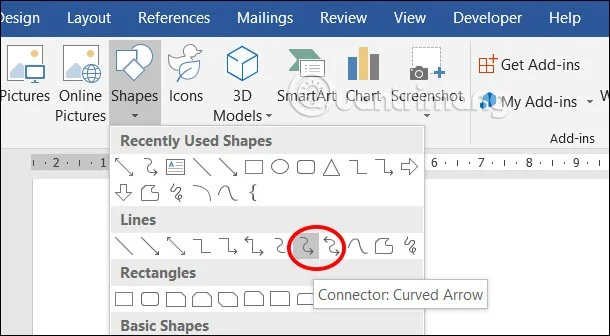
Then we adjust the display format of the curved arrow in Word.
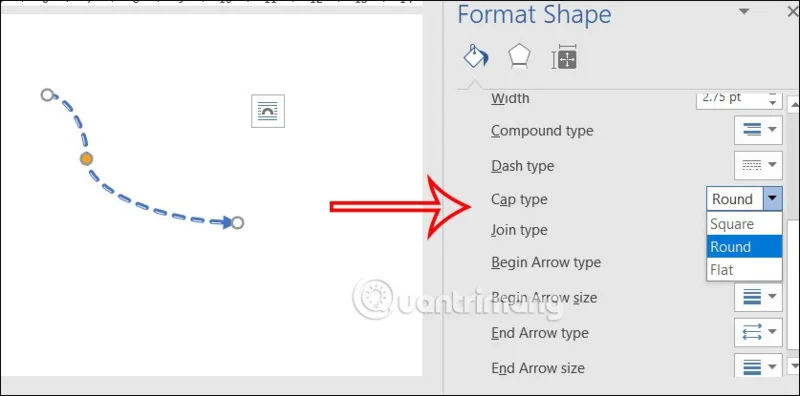
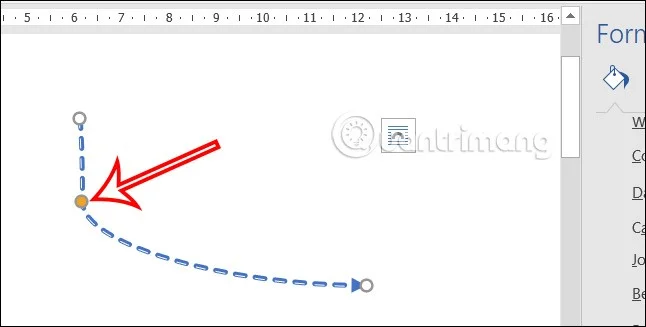
With curved arrows in Word, you can adjust the curve style for the arrow by clicking on the yellow circle and adjusting as shown.
Step 1:
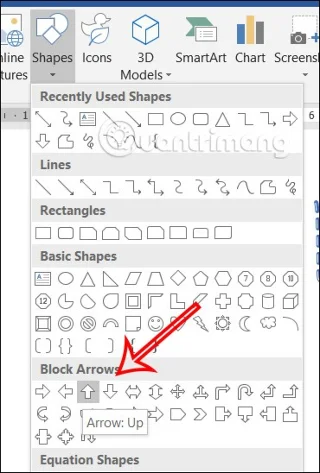
First, click on Shapes and select the large arrow style as shown, or any arrow style you like, then adjust the thickness of the arrow to make it easier to write.
Step 2:
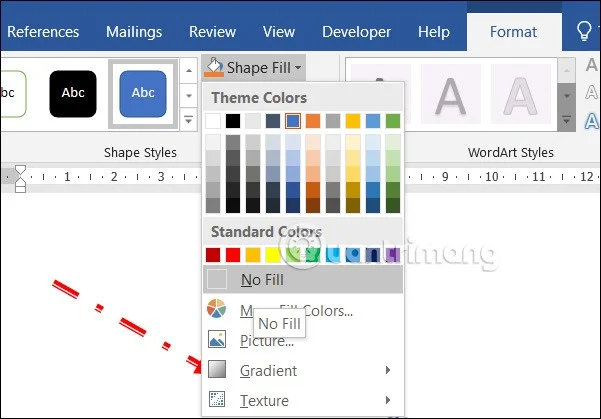
Next, click on Format and then click on the items to adjust the display style for the arrow.
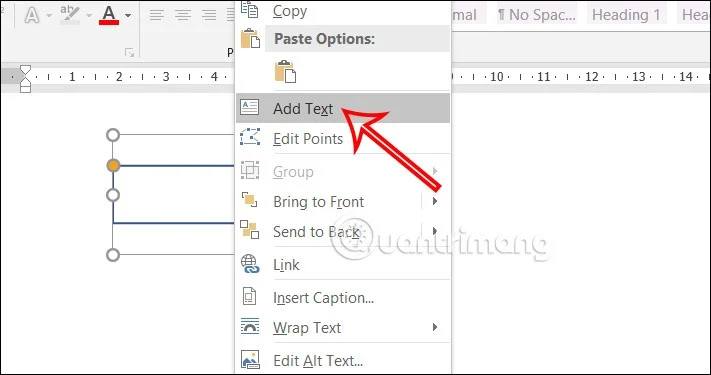
Then right-click on the arrow icon and select Add Text to write text into the arrow in Word.
Step 3:
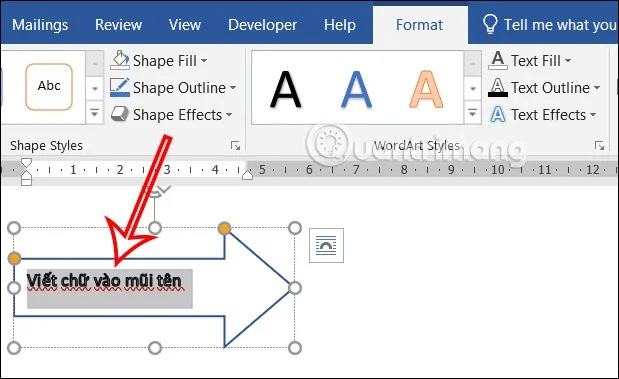
As a result, we have the word in the Word arrow as shown below.
Create a gentle Halloween look with pastel colors, friendly ghosts, easy no-carve accents, and practical safety tips for your home.
Create a spooky office cubicle with Halloween desk decor ideas that keep your workspace usable, tidy, and mindful of workplace safety.
Plan a recognizable Halloween 2026 look with pop culture costumes inspired by Spider-Man, Supergirl, Toy Story 5, Moana, Mario, and Wednesday.
Sort leftover Halloween candy safely, share or repurpose sealed treats, and choose food use or compost for pumpkins based on their condition.
Compare workplace Halloween costume choices by respect, dress code, mobility, and safety—and learn when a subtle accessory or a policy check is the better option.
Find a couples costume that fits your style, budget, and comfort level, from Addams Family classics to original inside-joke duos.
Need a last-minute high school Halloween costume? Compare 10 easy closet-based ideas by prep time, comfort, school-day practicality, and simple safety checks.
Use a simple 2026 Halloween decorating timeline for indoor décor, outdoor displays, and fresh pumpkins, with practical adjustments for weather and events.
Mix five vivid, approachable Halloween cocktails with measured recipes, simple prep tips, and an alcohol-free option for your party guests.
Find 15 office-friendly Halloween costume ideas for 2026, with practical checks for dress codes, respectful themes, comfort, and workplace safety.








