Kawaii Halloween Decor Without Gore or Jump Scares

Create a gentle Halloween look with pastel colors, friendly ghosts, easy no-carve accents, and practical safety tips for your home.
This article will guide you how to make your own Hologram projector at home in just 5-10 minutes. It's easy and inexpensive! You can turn your smartphone into a 3D holographic video viewer with this simple DIY projector. Unfortunately, this illusion is not a real 3D hologram, it still uses 2D images/animations/videos to create the effect, while a real hologram recreates a 3D object or thing and with the latest technology, it requires the use of a diode laser beam, glasses and precise glasses placement, which is very space-consuming and time-consuming.
Step 1: Gather all the parts and tools to create this device
You only need a few things to make this device:
1. CD case or Acrylic glass (transparent)
2. Graph paper
3. Pen, pencil, scale
4. Scissors and glass cutter
5. Tape and super glue
Step 2: Now, let's start making the projector!
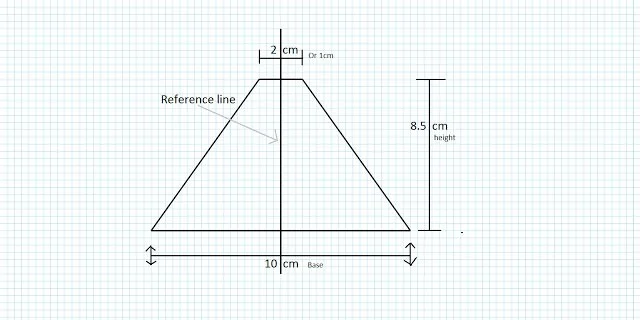
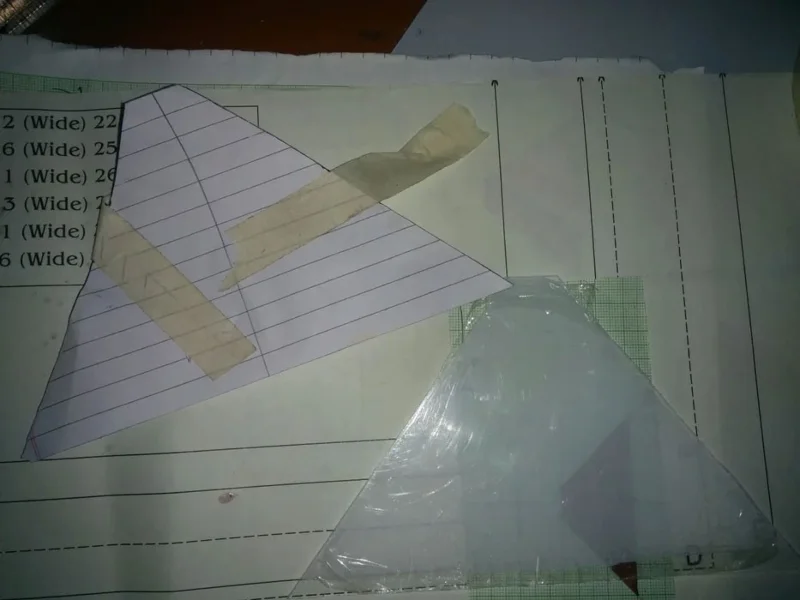
The first thing you have to do is draw a diagram on a graph paper of the pyramid faces as shown in the picture. Here, the example will be a medium sized pyramid, you can reduce or increase the size according to your requirements. Now, if you want a larger size, choose the size: Base = 18 cm, Height = 10.5 cm and Top (1 cm or 2 cm) as it is. And if you want a small size, leave: Base = 6 cm, Height = 3.5 cm and Top = 1 cm
Step 3: Cut the glass
Now, cut the glass or CD cover with a knife to the chosen size on the graph paper,
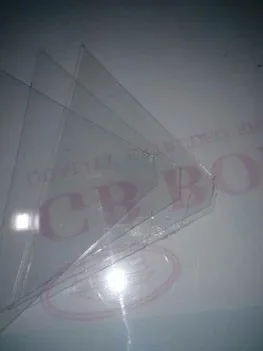
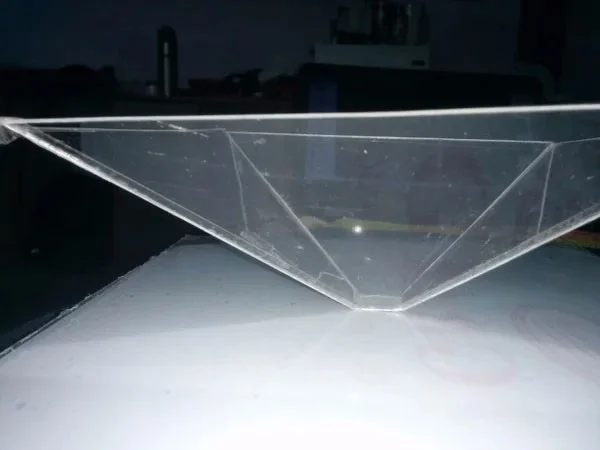
Cut 4 acrylic glass shapes as shown in the picture.
Step 4: Connect the glass pieces together
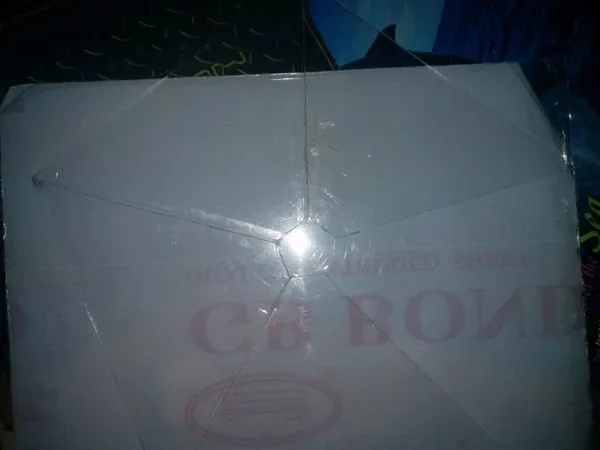
Now, stick the glass pieces together with super glue, and you're done!
Now, you'll need some video and a smartphone. So let's move on to the next step to create that illusion.
Step 5: Search for videos on YouTube
Now, take your smartphone, go to YouTube and search for hologram videos. You can find a lot of 4-sided hologram videos. Place your hologram projector in the middle of your smartphone, play the video and make sure to turn off the room lights for a closer look.
Explain how the effect works
Now here is some information on how the DIY Hologram projector works: The video using this device will play the same video from 4 directions and when they are reflected in the cells of the device, it looks like a floating 3D hologram.
Create a gentle Halloween look with pastel colors, friendly ghosts, easy no-carve accents, and practical safety tips for your home.
Create a spooky office cubicle with Halloween desk decor ideas that keep your workspace usable, tidy, and mindful of workplace safety.
Plan a recognizable Halloween 2026 look with pop culture costumes inspired by Spider-Man, Supergirl, Toy Story 5, Moana, Mario, and Wednesday.
Sort leftover Halloween candy safely, share or repurpose sealed treats, and choose food use or compost for pumpkins based on their condition.
Compare workplace Halloween costume choices by respect, dress code, mobility, and safety—and learn when a subtle accessory or a policy check is the better option.
Find a couples costume that fits your style, budget, and comfort level, from Addams Family classics to original inside-joke duos.
Need a last-minute high school Halloween costume? Compare 10 easy closet-based ideas by prep time, comfort, school-day practicality, and simple safety checks.
Use a simple 2026 Halloween decorating timeline for indoor décor, outdoor displays, and fresh pumpkins, with practical adjustments for weather and events.
Mix five vivid, approachable Halloween cocktails with measured recipes, simple prep tips, and an alcohol-free option for your party guests.
Find 15 office-friendly Halloween costume ideas for 2026, with practical checks for dress codes, respectful themes, comfort, and workplace safety.








