Although the sound systems on today's television lines have made certain improvements, it is still difficult to meet the increasing demand of consumers. Therefore, the output of sound from TV to peripheral devices such as speakers , sound system is really necessary. This article WebTech360 will guide you on how to output sound on TCL TV.
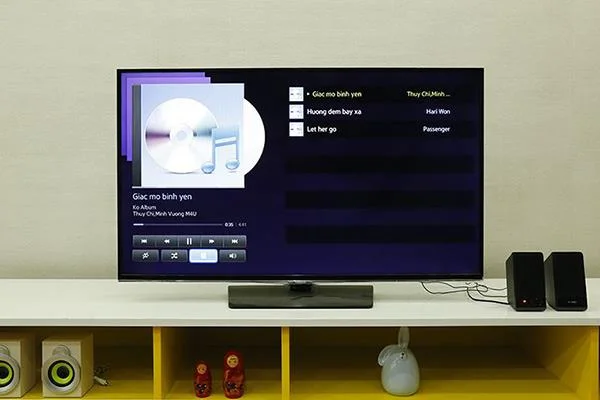
How to output sound on TCL TV?
1. Advantages of exporting sound from TV to speakers
Sound quality is significantly improved, especially for low quality sound sources.
Bigger sound, firmer bass.
- Bringing more interesting and engaging user experiences.
2. Basic implementation steps
The television line that WebTech360 Supermarket instructs is the Smart TV of TCL.
Method 1: Use HDMI port
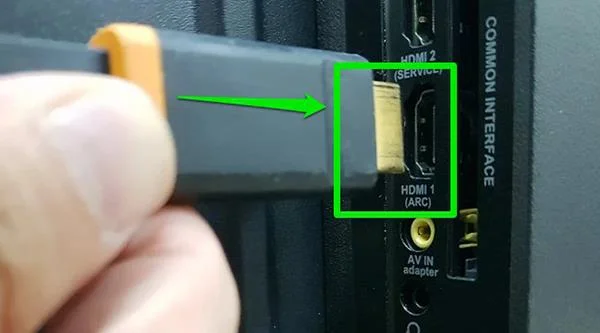
Step 1: Use one end of the HDMI cable to plug into the "HDMI (ARC)" port on your Smart TV.

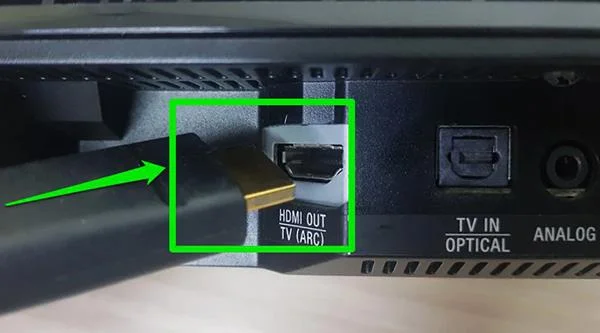
Step 2: The other end is plugged into the speaker device or sound bar.

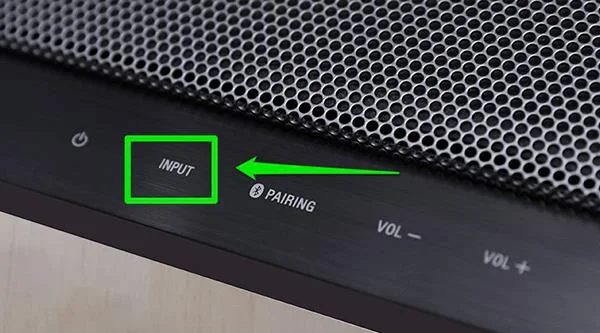
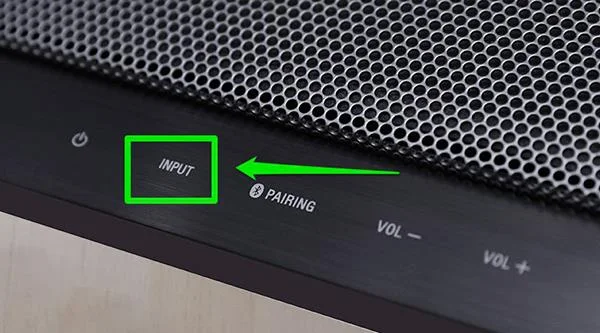
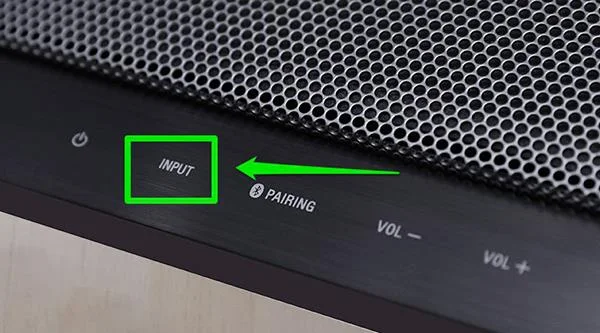
Step 3: On the speaker device, press the Input button to proceed to select the source.

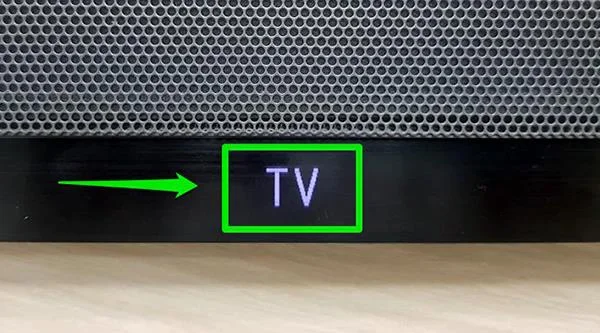
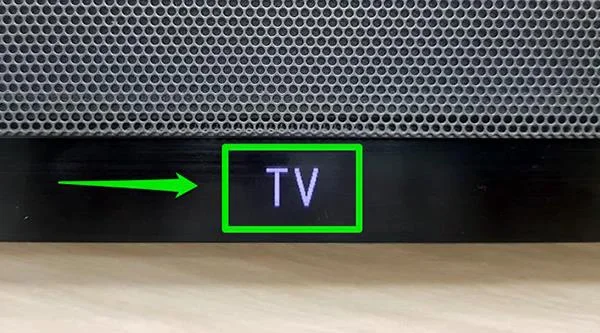
Step 4: The source you will choose is TV, after selecting it, the speaker will automatically receive and install, you do not need to do any more operations.

Option 2: Connect via Optical port
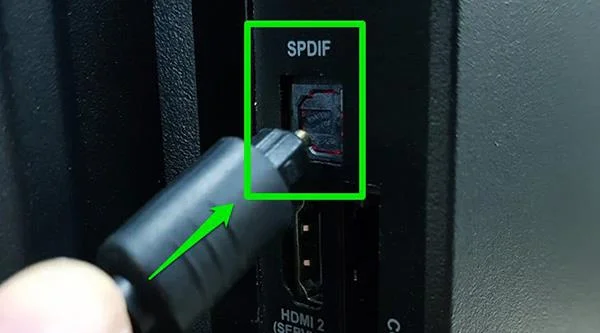
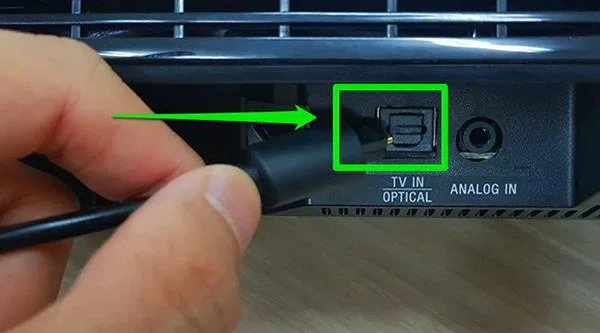
Step 1: Similar to the HDMI port, you also plug one end of the Optical cord into the connection port on the TV, the other end is attached to the speaker system.


Step 2: After connecting the cable, you also proceed to press the Input button on the TV to select the source of the speaker.

Step 3: Select the source of the audio source is TV.

Method 3: Use the 3.5mm jack
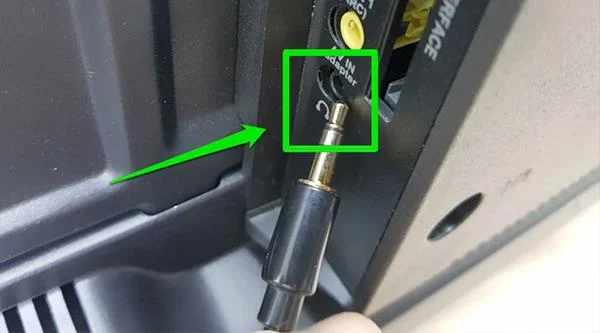
Step 1: You plug one end of the 3.5mm jack into the TV (the location with the headphone image).

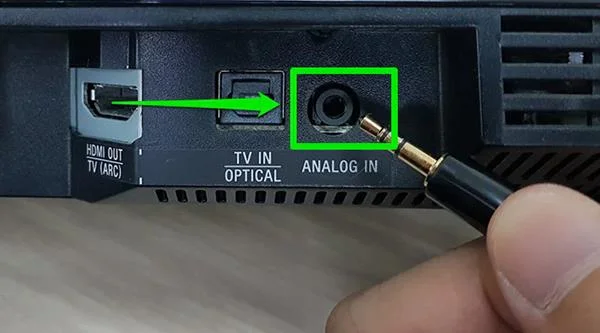
Step 2: The other end is attached to the ANALOG IN port on the speaker.

Step 3: After connecting the wire, you continue to press the Input button to select the source.

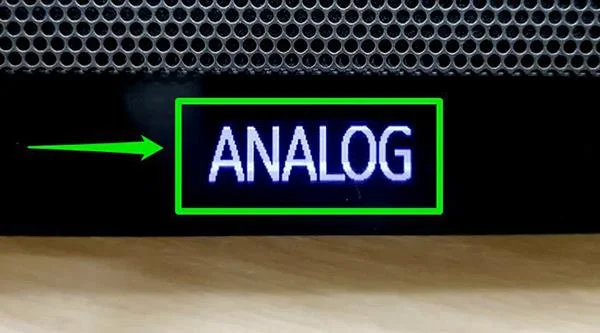
Step 4: Select the source of ANALOG is complete.

Method 4: Connect via Bluetooth
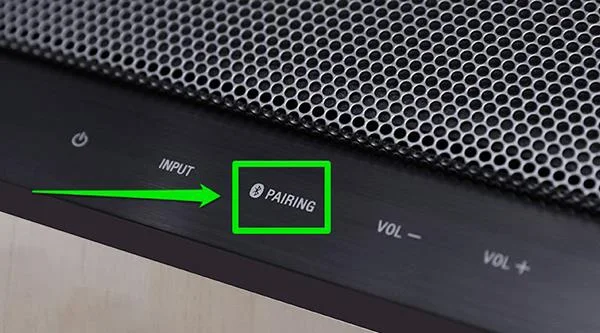
Step 1: Turn on the speaker system and press the Pairing button (with the Bluetooth logo) so that the speaker is ready to connect.

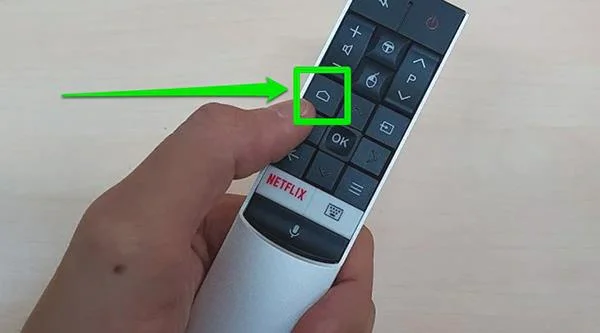
Step 2: Press the HOME button on the TV remote to enter the main user interface.

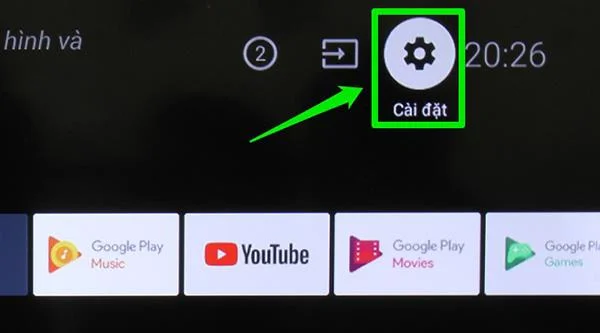
Step 3: Select Settings (right corner of the screen).

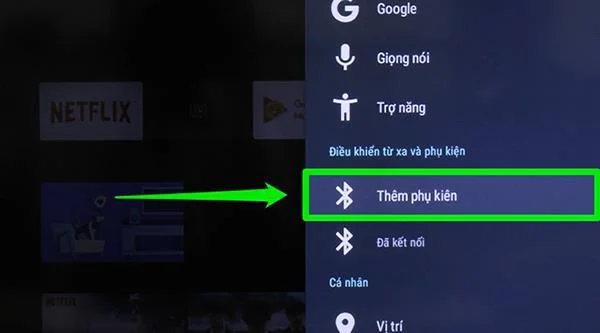
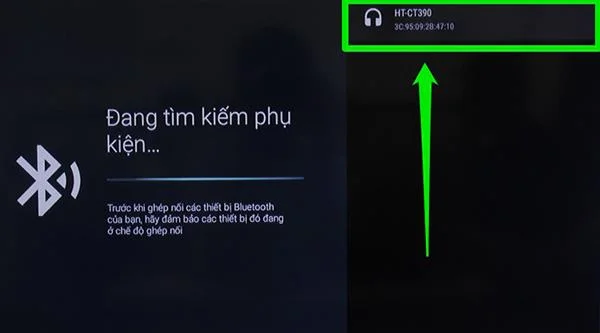
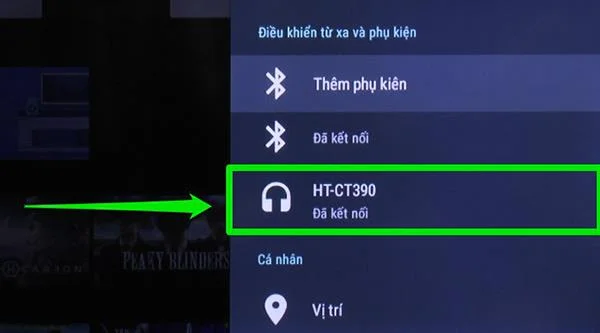
Step 4: Click on Add accessories.

Step 5: The TV will start scanning for connected devices. You just need to choose the correct model name of the speaker you need to use and let the TV automatically connect to complete.


>>> Refer to the selling prices of some new generation TV models today.
Above are 4 ways that you can output audio on TCL TV to external devices such as speakers, sound system, ... Wish you success!