How to Use a Vegetable Steamer Basket

Master how to use a vegetable steamer basket for perfectly cooked, nutrient-rich vegetables in minutes. Follow this clear step-by-step guide to start steaming today.
Want to experience retro Super Mario games on Android ? Here's how to enjoy old Super Mario games via emulators .
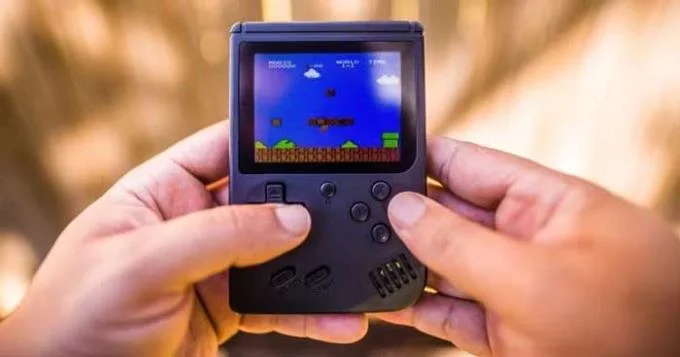
Currently, every game from the main Super Mario series released on the NES to the Wii can be played on Android, including:
You can also play games from spinoff series like Mario Kart, Mario Party, and even Mario games on Nintendo's handheld system.
Neither Wii U nor Nintendo Switch can be emulated on Android. Therefore, you cannot play Super Mario Maker and Super Mario Odyssey games on smartphones.
To play the classic Mario game on Android, you need:
Depending on the console you want to emulate, you need a device with a powerful CPU. The newer the console, the harder it is to run the game at full speed. While it is possible to emulate the NES on low-end hardware, to emulate GameCube games you may need a phone with more powerful hardware. In general, smartphones need at least Qualcomm Snapdragon 845 for lag-free FPS when playing.
In addition, some games like Mario Sunshine have complicated control panels so playing on the touch screen will be uncomfortable.
The emulator you use will depend on the base platform of the game you want to play. The Google Play Store has a lot of options available to you. Here are some classic Mario gaming emulators for Android.
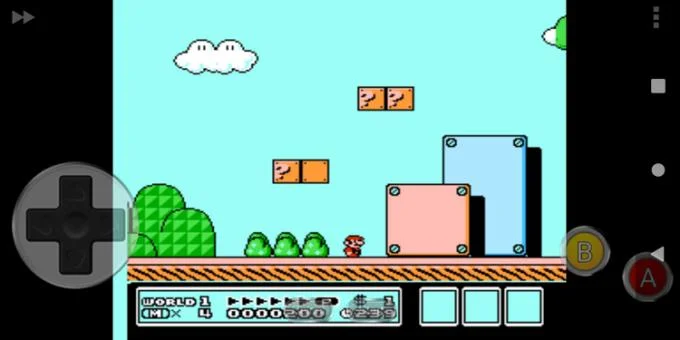
Starting with the NES, the best available option on the Play Store is NES.emu. It costs just a few dollars but has no ads and is rated as a great NES game emulator.
NES.emu has a simple interface. It supports custom state save, auto save game on exit. This application also allows you to continue playing the game where you left off before or not remember to save before exiting the game. In addition, NES.emu also supports cheat codes if you want to add a bit of fun to the game and supports up to 7x fast forward.
You can resize and customize the on-screen controls as you like. This emulator also allows you to connect a gamepad that works on Android for a more immersive experience.
Download NES.emu ($3.99).
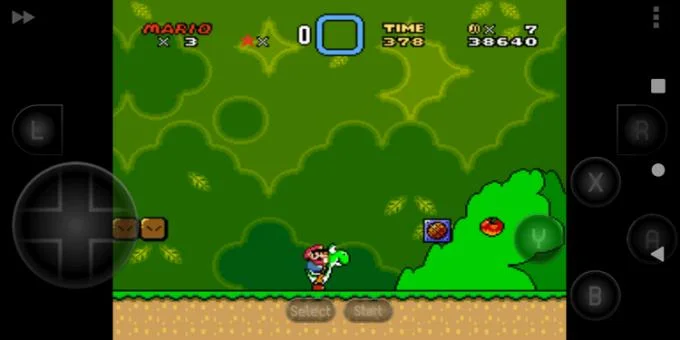
For NSES games, the SNES9x EX+ is the best choice. Similar to the NES.emu, you can also save states, cheats, fast forward, resize and move the on-screen controls, and use an external gamepad.
Download SNES9x EX+ (Free)
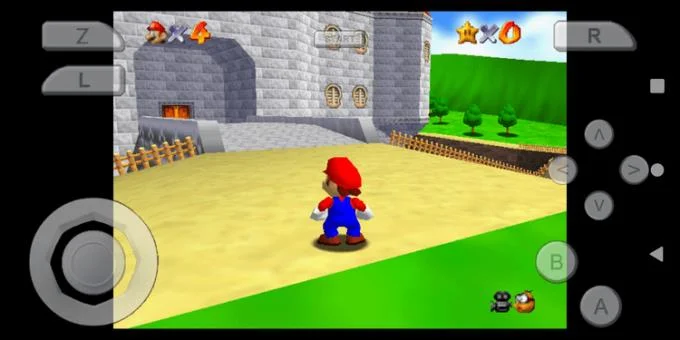
The only option worth trying on the Play Store for games on the N64 is the M64Plus FZ. This emulator allows you to add texture packs to the game to enhance the graphics quality. But if you find it too difficult for the phone's CPU, you just need to increase the resolution to improve the image quality. You can also choose to prioritize the accuracy or speed of that emulator depending on the device configuration.
The M64Plus comes with support for 8BitDo controls, as does the native N64 if you have the right USB tuner.
Download M64Plus FZ (Free)
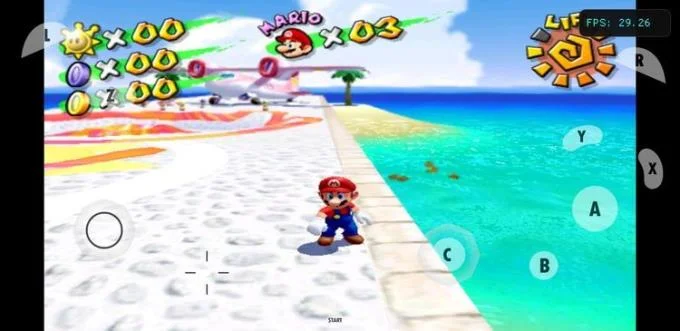
The GameCube and Wii seem to be two distinct consoles, but due to their similar architecture, Dolphin can emulate both. Like many other emulators, Dolphin allows you to use save states, cheats, tweak graphics, run games at native resolution or up to 4K, add noise reduction, and set the screen to 16. :9.
Playing Super Mario games on Dolphin can be quite CPU intensive. Therefore, you should play at native resolution: leave Shader Compilation mode on Synchronous, enable Shader Pre-Compilation. Starting the game can take a few minutes if you enable Shader Pre-Compilation, but in return your FPS will increase significantly.
Dolphin also supports Netplay but unlike the PC version, you can only play multiplayer games locally.
You can use any Android-supported game controller to play with Dolphin. The application allows connecting up to 5 controllers to play with many people at the same time. With the right Adapter, Dolphin will let you use the original GameCube controller, even the Wii Remote.
Download Dolphin (free)
Above is how to play the classic Super Mario game on Android phones . Hope the article is useful to you.
Master how to use a vegetable steamer basket for perfectly cooked, nutrient-rich vegetables in minutes. Follow this clear step-by-step guide to start steaming today.
How Long to Steam Broccoli in Microwave Steamer? Get the precise timing and step-by-step instructions for tender-crisp results that lock in nutrients and flavor.
Find and download the best free games for PC Steam with this complete guide. Learn how to browse, install, and play top free-to-play titles quickly.
How to Use Conair Steamer correctly to remove wrinkles fast from clothes and fabrics. Follow these clear steps for safe, effective results every time.
Shark Steamer Not Steaming? Follow these targeted troubleshooting steps to identify and fix the issue so your Shark steam cleaner works properly again.
Learn how to steam fresh broccoli perfectly in just five minutes. This simple stovetop method keeps nutrients intact and delivers tender-crisp results every time.
How to Steam Vegetables Without a Steamer using everyday kitchen tools like a pot, colander or microwave. Get crisp, nutrient-rich results with these proven methods.
Find cool multiplayer games on Steam with this guide covering discovery, installation, and play. Jump into co-op and competitive titles with friends today.
How to steam carrots in microwave delivers tender, nutrient-rich results in under 10 minutes. Follow these precise steps for perfectly cooked carrots without a steamer basket.
How to Steam Without a Steamer using everyday kitchen tools for perfectly cooked vegetables and dumplings. Discover fast methods that deliver restaurant-quality results at home.