How to Use a Vegetable Steamer Basket

Master how to use a vegetable steamer basket for perfectly cooked, nutrient-rich vegetables in minutes. Follow this clear step-by-step guide to start steaming today.
GTA San Andreas can take players hours, even days, to explore all the content. The article will show you how to skip the boring missions in GTA San Andreas action adventure game when needed.
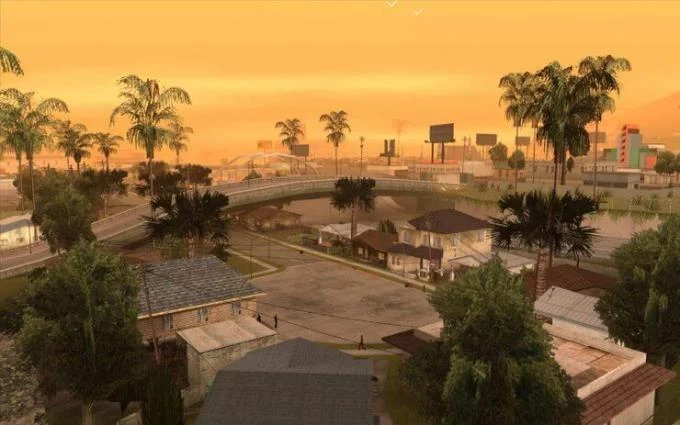
GTA San Andreas is one of the world famous street robbery game series - Grand Theft Auto. Released in 2004, GTA San Andreas created a "craze" when its plot told about the life of a robber named Carl Johnson in San Andreas., a fictional state in the US. Under the alias CJ, the player will wander around the 3 cities of San Andreas - including Los Santos, Las Venturas and San Fierro to complete all assigned missions (with help instructions).
You can customize the main character of GTA San Andreas as you like, including clothes, shoes, hairstyles, tattoos, body features... along with normal abilities like walking, swimming, sprinting. or diving underwater.

You can rob and drive almost any vehicle in the San Andreas map, while also customizing several models and fine-tuning its performance. Besides the diverse car and motorbike options, players also have the opportunity to encounter military equipment, trucks, even helicopters or planes in GTA San Andreas. That's why the game still attracts GTA fans even though many people consider it no longer fresh with outdated graphics.
You have 100 different missions to complete in Grand Theft Auto: San Andreas. You don't have to experience it all in turn from time to time. Some side quests and daily quests might be appealing to the free-player.

For die-hard fans, immersing themselves in the world of GTA San Andreas is an irresistible pleasure because they are always ready to sit in front of the PC screen for hours to forget the time.
However, if it's just a casual player, not everyone has enough time to complete all GTA San Andreas missions and keep up with normal missions. At this point, think about skipping unnecessary tasks.
In fact, Rockstar Games does not provide a way to skip missions for GTA San Andreas players. But don't worry, you always have the trick to do this.
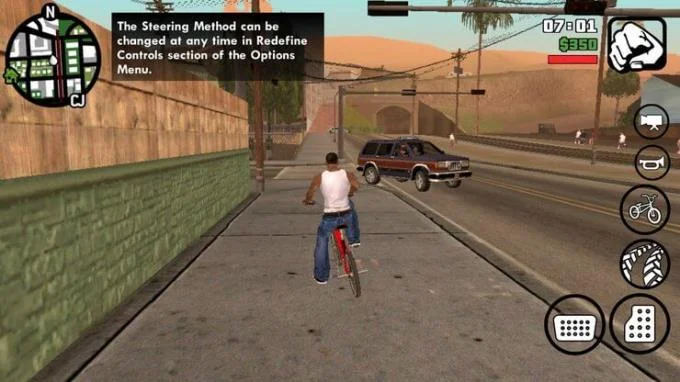
The best solution is to use the Savegame game save file that you can easily find on the Internet.
File Savegame contains completed quests and a bunch of features unlocked by others. Here's how to skip missions in GTA San Andreas :
Step 1: Find the GTA San Andreas Savegame file via Google or go to www.gtasavegames.com to download the game file that has saved 100% of the game content.
Step 2: A compressed file will be downloaded, make sure the computer has WinRar or 7-Zip installed to extract it afterwards.
Step 3: Right-click the extracted file, then select Copy .
Step 4: Navigate to GTA San Andreas' saved game folder , for example:
C:\Documents and Settings\USERNAME\My Documents\GTA San Andreas User Files\
C:\Users\USERNAME\Documents\GTA San Andreas User Files\
Step 5: Paste the copied file here and run GTA San Andreas .

Also, how to skip missions in GTA San Andreas Android version? You can repeat the above steps on your phone with the mobile savefile.
Above is how to skip the mission when playing GTA San Andreas game . Hope the article is useful to you.
Master how to use a vegetable steamer basket for perfectly cooked, nutrient-rich vegetables in minutes. Follow this clear step-by-step guide to start steaming today.
How Long to Steam Broccoli in Microwave Steamer? Get the precise timing and step-by-step instructions for tender-crisp results that lock in nutrients and flavor.
Find and download the best free games for PC Steam with this complete guide. Learn how to browse, install, and play top free-to-play titles quickly.
How to Use Conair Steamer correctly to remove wrinkles fast from clothes and fabrics. Follow these clear steps for safe, effective results every time.
Shark Steamer Not Steaming? Follow these targeted troubleshooting steps to identify and fix the issue so your Shark steam cleaner works properly again.
Learn how to steam fresh broccoli perfectly in just five minutes. This simple stovetop method keeps nutrients intact and delivers tender-crisp results every time.
How to Steam Vegetables Without a Steamer using everyday kitchen tools like a pot, colander or microwave. Get crisp, nutrient-rich results with these proven methods.
Find cool multiplayer games on Steam with this guide covering discovery, installation, and play. Jump into co-op and competitive titles with friends today.
How to steam carrots in microwave delivers tender, nutrient-rich results in under 10 minutes. Follow these precise steps for perfectly cooked carrots without a steamer basket.
How to Steam Without a Steamer using everyday kitchen tools for perfectly cooked vegetables and dumplings. Discover fast methods that deliver restaurant-quality results at home.