Controlling photography by voice on the Samsung Galaxy Grand Prime is an interesting feature, you will not need to use the key on the device and still take pictures.
There is a way on the Samsung Galaxy Grand Prime that can help you take photos without having to touch the screen of the device that is to control the camera by voice.
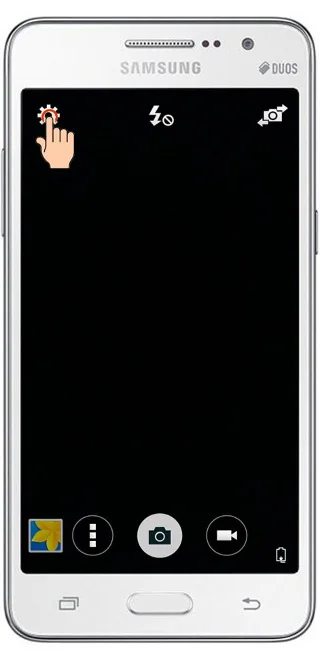
Step 1 : Open the photo and select Settings
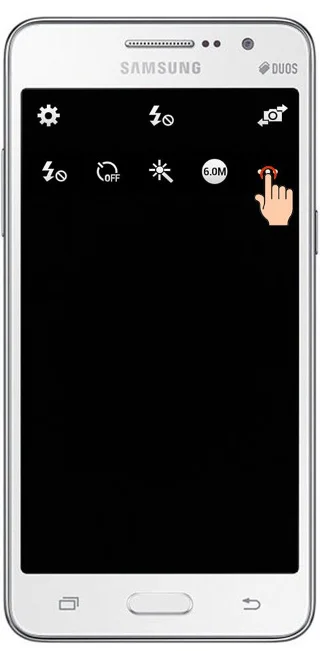
Step 2 : Click on the three dots to open all camera settings
![How to take photos by voice on Samsung Galaxy Grand Prime]()
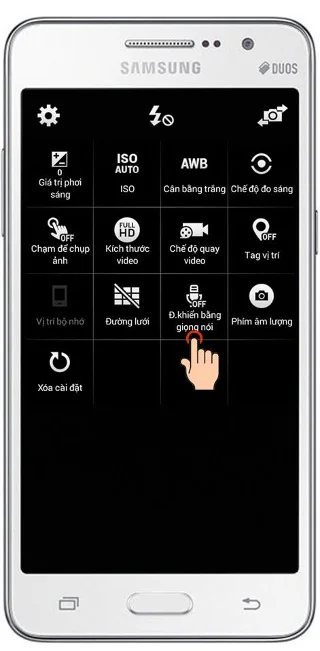
Step 3 : Click “Voice control” to turn on this feature
![How to take photos by voice on Samsung Galaxy Grand Prime]()
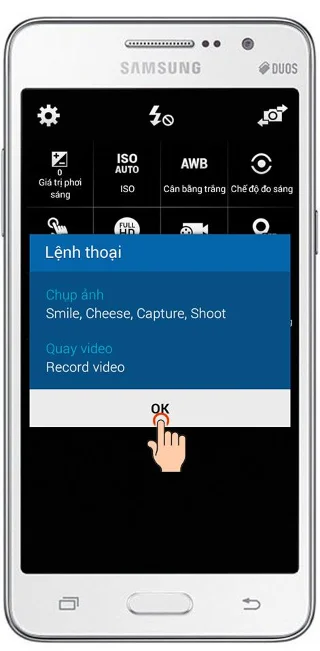
Step 4 : A dialog box will appear, continue to click “OK”
![How to take photos by voice on Samsung Galaxy Grand Prime]()