How to test Samsung Galaxy Note 8 screen

When buying a phone you can check your phone screen has dead spots, bright spots to see if there are errors or not?

How to check Samsung Galaxy Note 8 screen according to the following instructions:

Step 1: Download the Antutu application, open up and select "Sreen test".
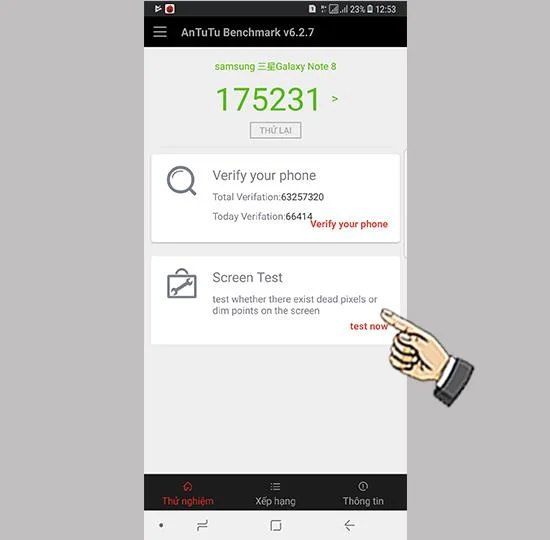
How to test Samsung Galaxy Note 8 screen

Select "Sreen test".

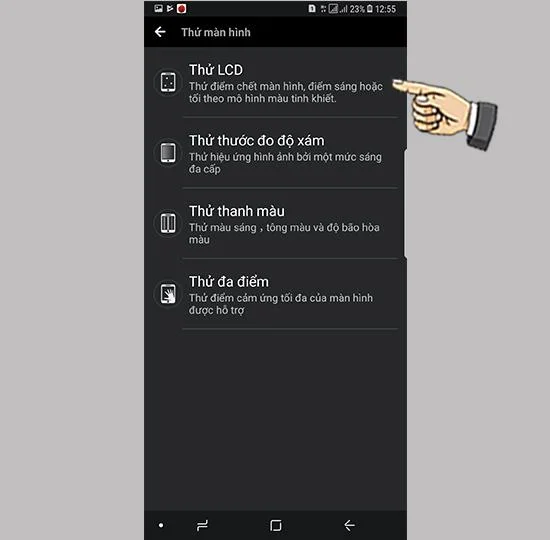
Step 2: Select "Test LCD".

How to test Samsung Galaxy Note 8 screen

Select "Test LCD".

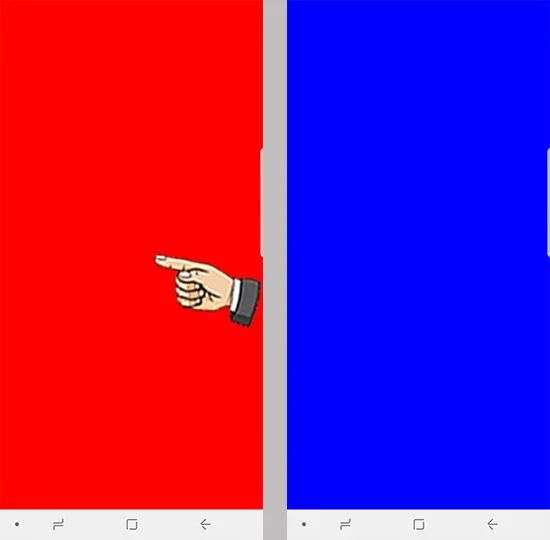
Step 3: Tap the screen repeatedly to switch to many different colors to check if there are any abnormal points.

How to test Samsung Galaxy Note 8 screen

Touch the screen repeatedly.

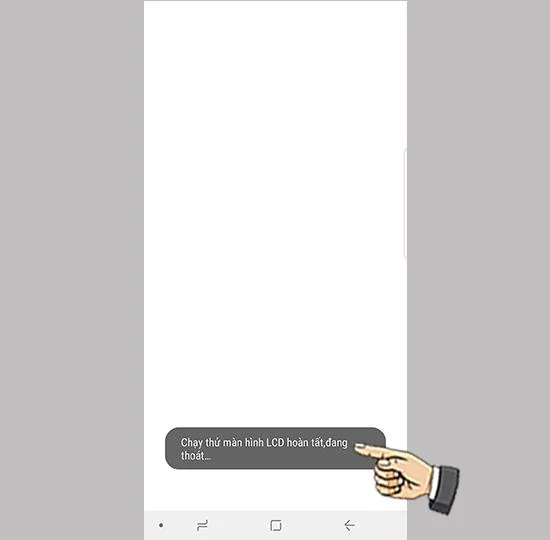
Step 4: Complete.

How to test Samsung Galaxy Note 8 screen

Completed.

Your complete setup is complete, I wish you success.
Leave a Comment

iPhone LL / A code is from which country? Made where? Use it well?

iPhone LL / A code is from which country? Made where? Use it well?

Understanding the iPhone LL / A code is essential. Discover what country it comes from, where the iPhone is made, and how to utilize this code effectively!

How to turn off, exit child mode when forgetting password on Samsung devices

How to turn off, exit child mode when forgetting password on Samsung devices

Learn how to exit Kids Home mode on Samsung devices, even when you

What to do when your lover blocks Zalo? How does Zalo feel blocked?

What to do when your lover blocks Zalo? How does Zalo feel blocked?

Discover effective strategies to deal with being blocked on Zalo by a lover. Explore insights into the emotional impacts of being blocked in a relationship.

Review movie Saigon In The Rain: Watch all the movies, memorize the song

Review movie Saigon In The Rain: Watch all the movies, memorize the song

Discover the talent behind the movie Saigon In The Rain and analyze its emotional depth. Are young dreams portrayed accurately?

iPhone TA / A code from which country? Made where? Use it well?

iPhone TA / A code from which country? Made where? Use it well?

Discover the origin of your iPhone with TA / A code. Understand its quality and warranty policies.

16 common errors on Zalo, causes and quick fixes

16 common errors on Zalo, causes and quick fixes

Discover solutions for 16 common errors on Zalo! This guide covers causes and quick fixes to ensure a smooth experience on the app.

How to turn off vibration, message alert Zalo on iPhone and Android phones

How to turn off vibration, message alert Zalo on iPhone and Android phones

Are you busy and don’t want to be disturbed by Zalo message alerts? Follow these simple steps to turn off vibration and message alerts for Zalo on both iPhone and Android devices.

What is Zalo Media Box? How to delete, block messages from Zalo Official Account

What is Zalo Media Box? How to delete, block messages from Zalo Official Account

Zalo Media Box provides useful information to Zalo users. Learn what Zalo Media Box is and how to delete or block messages from Zalo Official Account for a better experience!

iPhone KH / A code of which country? Made where? Use it well?

iPhone KH / A code of which country? Made where? Use it well?

Discover everything about the iPhone KH / A code, its origin, and whether it is a reliable choice for users. This article offers insights into the iPhone and its market codes.

Learn about Acer CineCrystal LED Backlight technology

Learn about Acer CineCrystal LED Backlight technology

Acer CineCrystal LED Backlight technology enhances display quality on Acer laptops. Learn about its features, advantages, and disadvantages to make informed decisions.