With 3G you can use the data network anytime, anywhere, very convenient when there is no Wi-Fi network. Then this article I will guide you on how to enable 3G connection on Samsung Galaxy S7 Edge .
1. Benefits of enabling 3G connection on Samsung Galaxy S7 Edge
- Helps you access the internet when there is a power outage and cannot use Wi-Fi.
- Cheap and convenient price.
2. Instructions on how to enable 3G connection on Samsung Galaxy S7 Edge
Quick start Guide:
- WAY 1: Drag the toolbar from above -> Turn on mobile data.
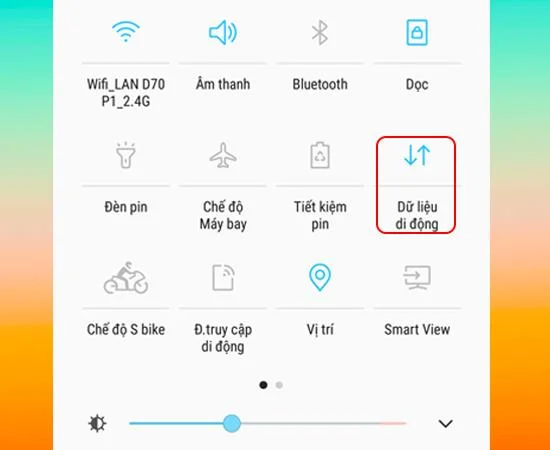
- METHOD 2: Settings> Connectivity> Data usage> Turn on Cellular Data.
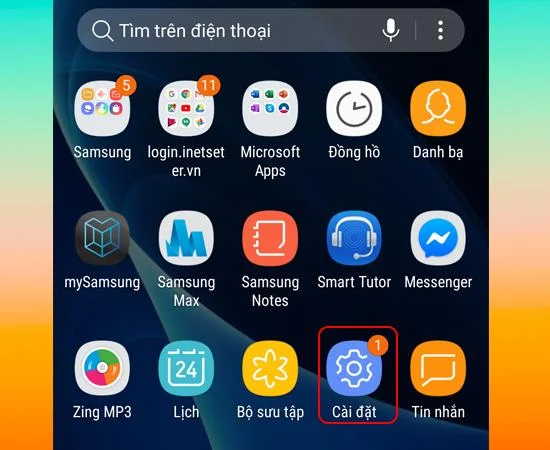
- Step 1: Select Install
First, at the home screen of your phone, select Settings.

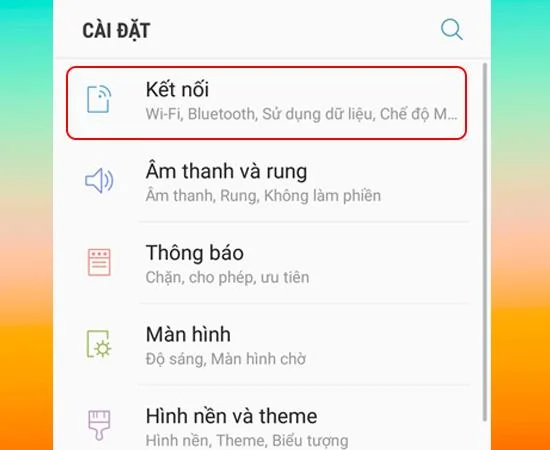
- Step 2: Select Connect
Next you choose Connect as shown below.

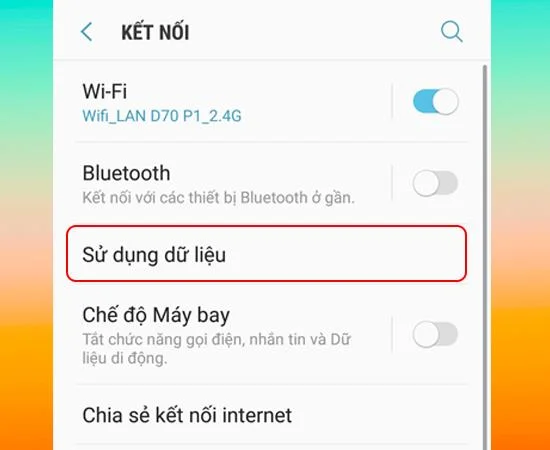
- Step 3: Select Data usage
Then choose Use Data to continue.

- Step 4: Turn on Mobile Data
Finally here you Enable Cellular Data.

So with a few simple steps you can enable 3G connection on Samsung Galaxy S7 Edge. Hope this article helps you.