WiFi sharing is a very useful feature found on Samsung Galaxy S7 Edge phones, allowing you to connect to WiFi without having to re-enter the password. And today's article I will guide you how to install this feature.
1. Benefits of sharing WiFi
- Connect quickly to WiFi network without needing to login password.
- Can surf the web when there is no 3G network or do not know the WiFi password.
2. Instructions to turn on WiFi sharing
Quick Guide:
Go to Settings -> Tethering -> Mobile hotspot -> Select more and then select WiFi Sharing -> Turn on WiFi Sharing.
With Samsung Galaxy S7 Edge you can allow connecting to a Wi-Fi network, then share this network to other connected devices as follows:
- Step 1: First go to Settings on the main screen.
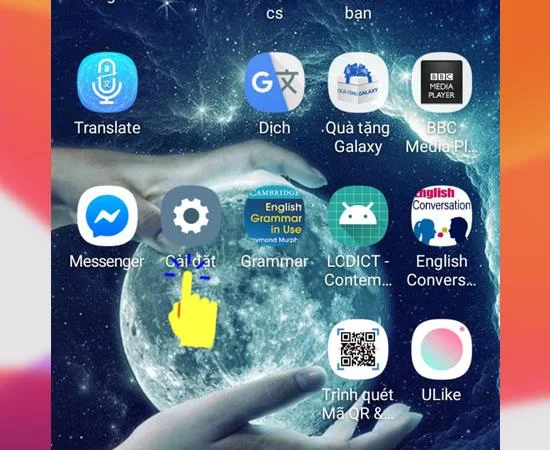
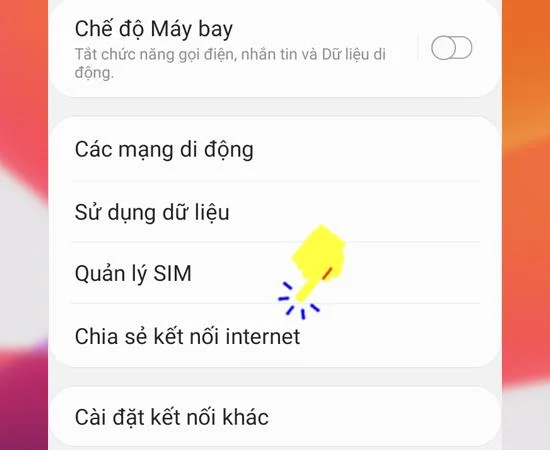
- Step 2: Next, choose Share internet connection .
![Share WiFi without using 3G on Samsung Galaxy S7 Edge]()
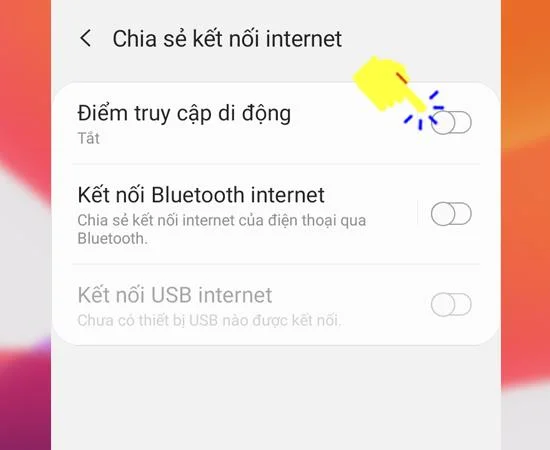
- Step 3: Next, choose Mobile Hotspot .
![Share WiFi without using 3G on Samsung Galaxy S7 Edge]()
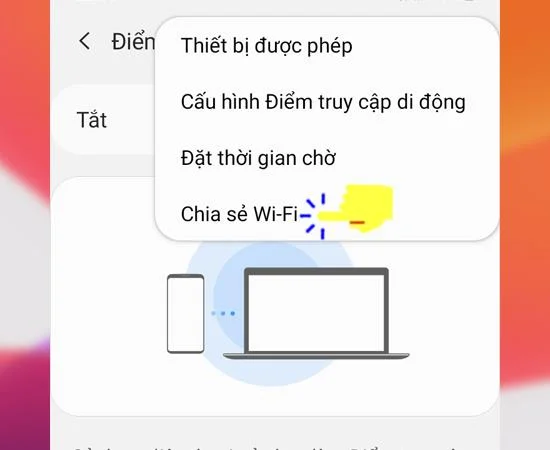
- Step 4: Then select more and choose Share WiFi.
![Share WiFi without using 3G on Samsung Galaxy S7 Edge]()
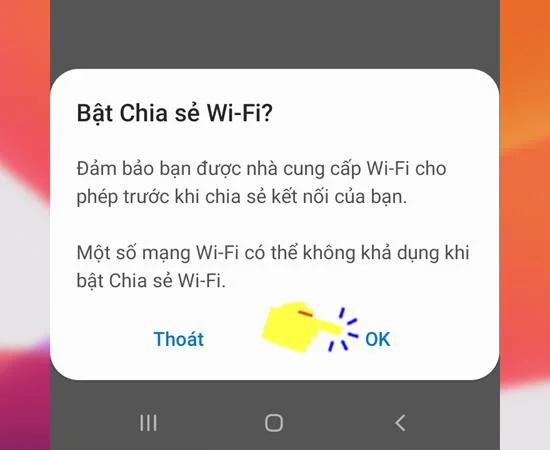
- Step 5: Finally, turn on Wi-Fi Sharing.
![Share WiFi without using 3G on Samsung Galaxy S7 Edge]()
So, after a few simple steps above, you have turned your phone into a WiFi modem, and can share the network with other machines without worrying about consuming 3G capacity . Good luck!
Maybe you are interested:
- Set avatar on Always On watch on Samsung Galaxy S7 Edge .
- Lock apps by fingerprint on Samsung Galaxy S7 Edge .
- 5 quick steps to enable virtual home button on Samsung Galaxy J3 Pro .
- 5 steps to split the screen on Samsung A5 (2017) most effectively .