Home
» Wiki
»
Latest Code for Swordplay 4.0 and how to enter code
Latest Code for Swordplay 4.0 and how to enter code
Code game Kiem Hiep 4.0 for new players to help them get acquainted with the game faster and also to prevent players from getting discouraged when they first join the game. Even for many long-time players, giftcode is still something that attracts many players. You can immediately use the Kiem Hiep 4.0 codes to redeem gifts according to the code table below.
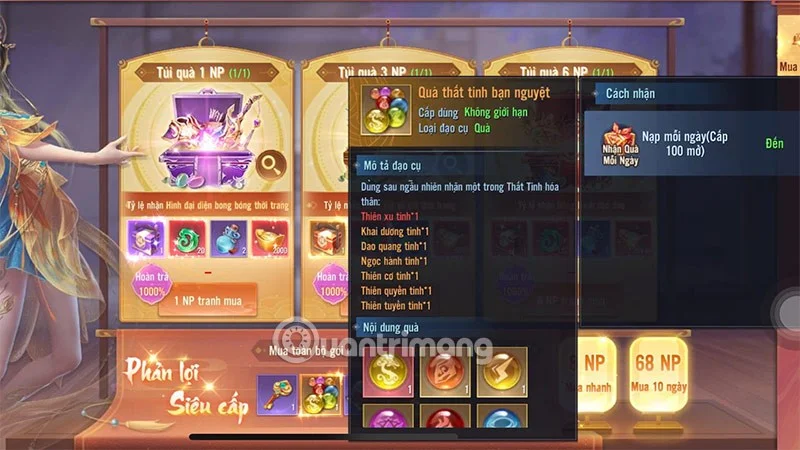
Redeem this code to receive rewards such as gold ingots, reward chests, money, costumes...
Still in use
GIANGHOPROVIP
Redeem this code to receive rewards such as gold ingots, reward chests, money, costumes...
Still in use
KIEMHIEP999
Redeem this code to receive rewards such as gold ingots, reward chests, money, costumes...
Still in use
DAIHIEP888
Redeem this code to receive rewards such as gold ingots, reward chests, money, costumes...
Still in use
DEMNGUOC3
Redeem this code to receive rewards such as gold ingots, reward chests, money, costumes...
Still in use
DEMNGUOC2
Redeem this code to receive rewards such as gold ingots, reward chests, money, costumes...
Still in use
DEMNGUOC1
Redeem this code to receive rewards such as gold ingots, reward chests, money, costumes...
Still in use
How to enter the code to get the latest Kiem Hiep 4.0 reward
Quick Guide
Step 1: Enter the code by selecting the Benefits section in the upper left corner.
Step 2: Then enter the code into the code entry box and select Receive Reward to redeem the code to receive a gift.
Detailed instructions with pictures
Step 1: First, complete the quests at the beginning of the game until you see the Benefit icon.
Step 2: Enter all the codes in the code table above into the code entry box and select Receive Reward
Step 3: If the code is still valid, you will see a notification displayed as shown below.
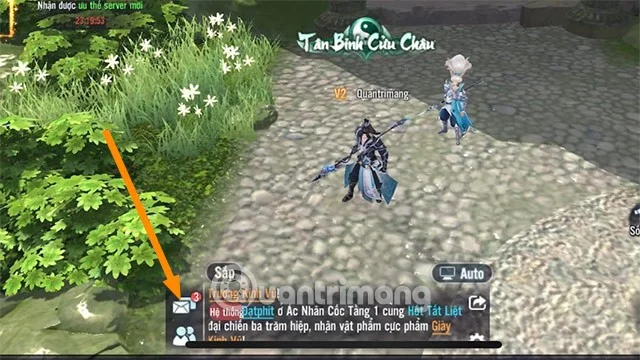
Step 4: Once you have finished exchanging the code, go to the main screen and select the Mail icon next to the chat box.
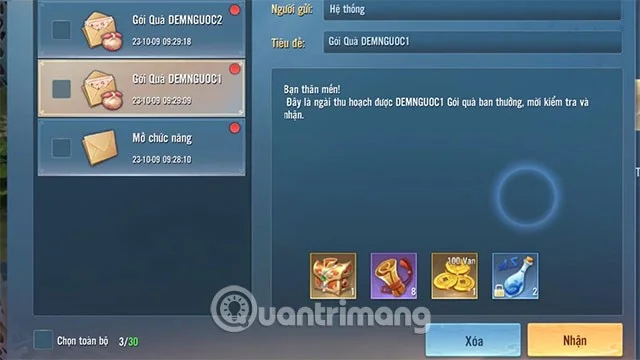
Step 5: Select Receive gift in each letter to receive the rewards exchanged from the giftcode.
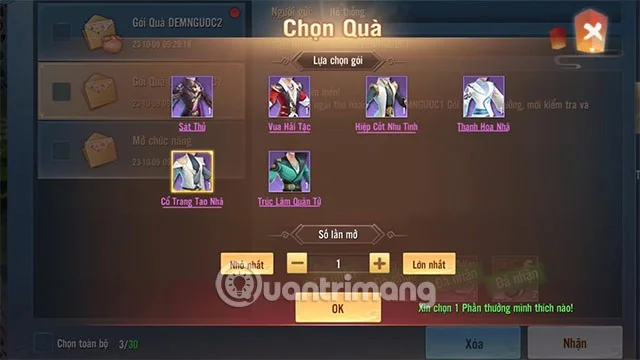
Step 6: In some code rewards, you will receive a reward chest and the system will suggest you to open the chest to use the reward.
How to get more codes for Swordplay 4.0
Social networks: Game publishers often release game codes on Facebook Fanpage , Twitter, Youtube or similar social networks. In addition, you will have the opportunity to participate in game events and receive special reward codes through social networking channels, most commonly on Facebook.
Streamer, Youtuber: Youtubers and Streamers also share the latest codes in the game. Even those are private codes that players only see them sharing with all players. So you should follow Youtubers and Streamers who regularly release the latest codes.
Player community: Some Facebook groups or player communities on forums with a large number of players. There you will find information about the latest giftcodes or events for players and also information about game updates.
Or simply save this Quantrimang.com website to your bookmarks bar if you are using Coc Coc or Google Chrome and check back every day to update new codes and redeem codes for rewards.
Can't enter code for Swordplay 4.0?
There are many reasons why you cannot enter the code to redeem the reward. But mainly it will be:
Expired Code: Some Swordplay 4.0 codes only have a certain expiration date. If the code has expired, you will not be able to enter it.
Invalid Code: Some code may be incorrect or not entered correctly. Please double check your code to make sure it is valid.
Not at the right level to redeem: While this is rare, some codes can only be redeemed once you have reached a certain level. Please double-check the code's level requirements to ensure you are eligible to enter.
Here are some ways to fix the error of not being able to enter the code for Kiem Hiep 4.0:
Check if the code has expired: By visiting the game's official website or updating information on code receiving pages or player communities, you can check if the code has expired or not.
Check if the code is valid: To check if the code is valid, copy and paste the code into the code converter.
See if the code requires a level: You can check if you have reached the required level by looking at your character information.