Kawaii Halloween Decor Without Gore or Jump Scares

Create a gentle Halloween look with pastel colors, friendly ghosts, easy no-carve accents, and practical safety tips for your home.
Riot ID? Riot Account? If you're wondering what these terms mean, don't worry. All your questions will be answered right here.
What is Riot ID?
Riot ID is the name displayed in games such as League of Legends , Teamfight Tactics , Legends of Runeterra, Valorant , and Wild Rift as well as future games from Riot Games. Unlike the username of a Riot Account, the Riot ID is displayed in-game.
A Riot ID consists of two parts: an in-game name and a hashtag of 3-5 numbers or letters. The characters after the hashtag will not be displayed in-game, but will appear in your friends list when you hover over a friend's name. Since both the first part and the hashtag do not have to be unique, as long as they combine to form a unique name, choosing an in-game display name is easier. This means that even if you convert your Hero Name to a Riot ID in League of Legends, you do not have to change your in-game name.
Players can use Riot ID to load the game as well as search and make friends with other players.
How to create new, change Riot ID
You can set a new Riot ID or change to a different one by following these steps.
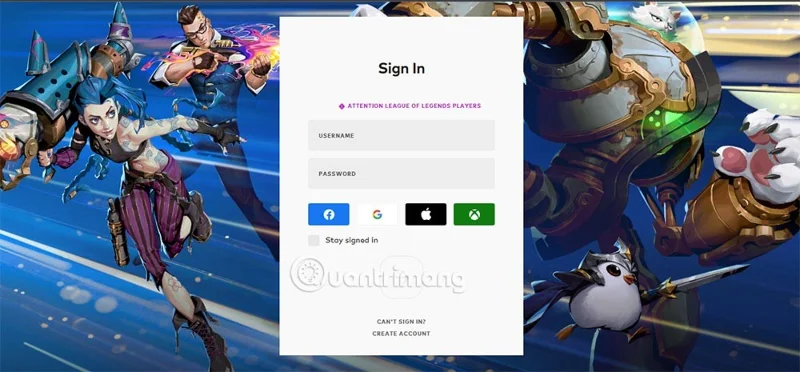
Go to your Riot Games Account Page HERE.
Proceed to log in to your Riot account.
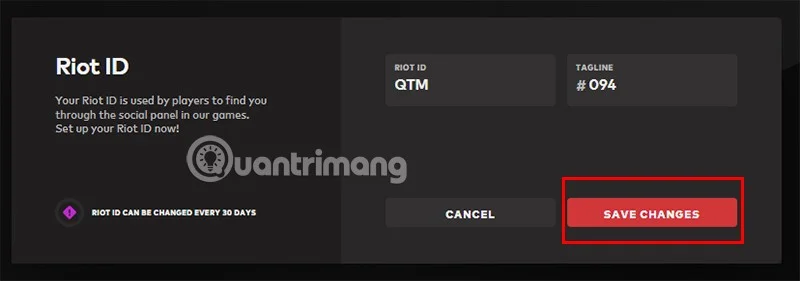
In the RIOT ID section, you will need to fill in the ID you want in the two boxes RIOT ID and TAGLINE.

Once you have selected a satisfactory ID for your account, click SAVE CHANGES to complete creating/changing the ID.
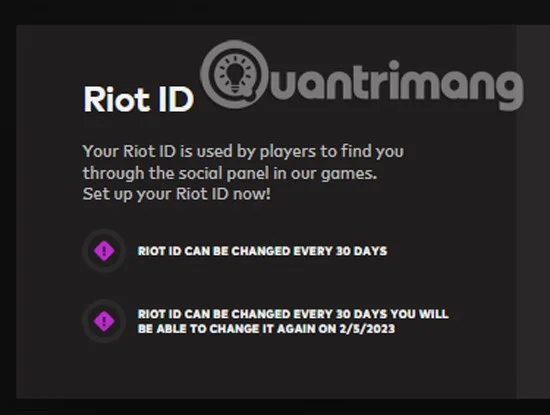
Note that you can change this ID completely free of charge every 30 days.
Is Riot ID a replacement for Hero Names in game?
Up to now, the process of converting from Hero Name in the game to Riot ID has not been applied. Because League of Legends is a game with a huge number of players, the conversion will not be easy. However, with the hashtag at the end, your name will become a unique name globally while still preserving the character name that has been with you for a long time.
That being said, when switching to the hashtag system, you can use any name you like in the game, but still have to follow the standards. Since your name and hashtag do not need to be unique, you can freely choose the name.
Create a gentle Halloween look with pastel colors, friendly ghosts, easy no-carve accents, and practical safety tips for your home.
Create a spooky office cubicle with Halloween desk decor ideas that keep your workspace usable, tidy, and mindful of workplace safety.
Plan a recognizable Halloween 2026 look with pop culture costumes inspired by Spider-Man, Supergirl, Toy Story 5, Moana, Mario, and Wednesday.
Sort leftover Halloween candy safely, share or repurpose sealed treats, and choose food use or compost for pumpkins based on their condition.
Compare workplace Halloween costume choices by respect, dress code, mobility, and safety—and learn when a subtle accessory or a policy check is the better option.
Find a couples costume that fits your style, budget, and comfort level, from Addams Family classics to original inside-joke duos.
Need a last-minute high school Halloween costume? Compare 10 easy closet-based ideas by prep time, comfort, school-day practicality, and simple safety checks.
Use a simple 2026 Halloween decorating timeline for indoor décor, outdoor displays, and fresh pumpkins, with practical adjustments for weather and events.
Mix five vivid, approachable Halloween cocktails with measured recipes, simple prep tips, and an alcohol-free option for your party guests.
Find 15 office-friendly Halloween costume ideas for 2026, with practical checks for dress codes, respectful themes, comfort, and workplace safety.








