Home
» Today
»
Ontario Highway 401 Traffic: How to Check Closures, Cameras and Road Conditions (November 9, 2026)
Ontario Highway 401 Traffic: How to Check Closures, Cameras and Road Conditions (November 9, 2026)
Information checked: November 9, 2026, 3:02 p.m. Eastern Standard Time (EST, UTC−05:00; 8:02 p.m. UTC).
Before heading onto Highway 401, check Ontario 511 for the specific stretch, direction and exit on your route. The free service from the Ontario Ministry of Transportation (MTO) brings together traffic speeds, collisions, closures, roadwork, camera images, weather and road-condition reports. Because those feeds come from different sources and do not all refresh at the same interval, use the map to plan and recheck it shortly before you leave.
Ontario 511 is useful across the 401 corridor, but one map view is not a guarantee that conditions will stay the same. A camera may show one point while a collision or lane closure affects another ramp, and a forecast is not an observation. Check the route in sections, note an alternate if a closure appears, and keep your attention on the road once you are driving.
Turn on traffic speeds, incidents, incident closures, roadwork and nearby cameras for the 401 segment you will use.
In winter, compare reported road conditions with the separate forecast layer; the forecast covers time windows up to 12 hours ahead.
Call 511 in Ontario or 1-866-929-4257 from outside the province. Set up alerts before driving; Ontario prohibits handheld-device use while driving.
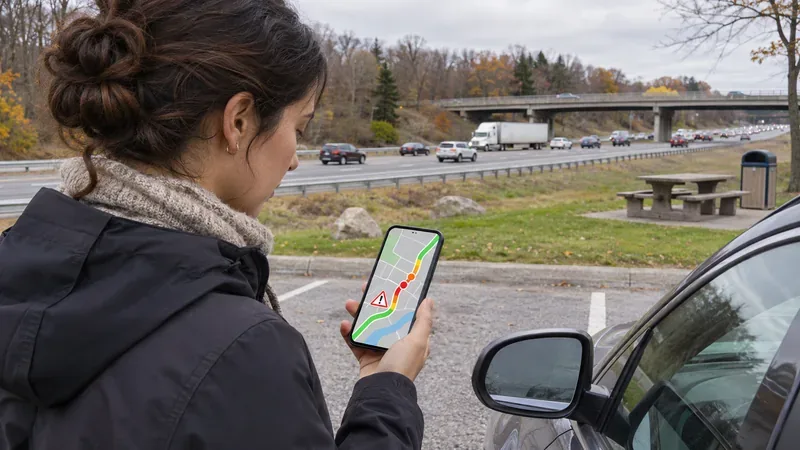
Illustrative image—not a live traffic-camera view or a specific Highway 401 location.
How do I check Highway 401 traffic on Ontario 511?
1. Choose the exact route and direction
Open the Ontario 511 map and search or zoom to your starting point, destination and the section of Highway 401 you plan to use. Confirm whether you will travel eastbound or westbound, and note the nearest interchange or exit. In the Greater Toronto Area, check the specific ramps and lanes shown on your route; an event icon may refer to one direction, ramp or short segment rather than the whole highway.
If you use the route-planning feature, review the route it selects instead of assuming it will avoid every delay in the way you expect. Ontario 511’s FAQ explains that you can click a route near a closure and move a waypoint to send the route around it. Check that the alternate still matches your destination and vehicle needs.
2. Turn on incidents, closures and traffic speeds
Use the map layers for Traffic Speeds, Incidents, Incident Closures and Roadwork. The speed legend distinguishes closed or stopped, slow and fast traffic. Open an event marker for its details, then compare it with the direction and exit you need. Ontario 511 also includes Waze-reported traffic jams and hazards as a separate, crowd-sourced layer; treat those reports as additional context, not as the same thing as an official closure notice.
For planned work, check both current and future roadwork. Ontario 511 defines current roadwork as work occurring within the next 48 hours and future roadwork as work starting more than 48 hours away. That distinction helps when you are planning a trip for later in the week rather than leaving immediately.
3. Check a camera near the segment
Select a camera icon close to the interchange or stretch you want to inspect. Ontario 511’s app offers images from more than 900 cameras across the province. Use the image to get a visual sense of traffic or weather at that point, but check the camera’s displayed time and direction if provided. MTO says the cameras come from multiple sources, so images do not refresh at the same intervals or in the same format. A still image is not a continuous view of the entire route.
What do Ontario 511 road-condition reports mean?
In the winter-driving layer, reported road conditions describe the surface as bare, partly covered or covered, with a separate visibility rating of good, fair or poor. MTO says these reports are collected by highway maintenance contractors and generated at least five times a day. They are useful for comparing sections of the 401, but they may not reflect a sudden change that happened after the latest report.
Keep reported conditions separate from Forecasted Driving Conditions. The forecast combines weather and pavement temperatures and is shown in four time blocks: 0–3, 3–6, 6–9 and 9–12 hours ahead. Ontario 511 describes this as a prediction, and actual conditions may differ. Use the forecast to plan when to travel, then check the latest reported condition, camera images and weather close to departure.
The Track My Plow layer can show the current location of winter-maintenance vehicles and, when selected on the map, their locations over the prior two hours. It helps explain where crews have been working; it does not mean every lane is clear. Leave snowplows room and do not follow closely.
Can I get Highway 401 updates by phone?
Yes. Ontario 511 is available by dialing 511 within Ontario. If you are outside the province, call 1-866-929-4257. The service is free, although standard airtime or roaming charges may apply to a mobile call. The Ontario 511 app also has a drive mode with hands-free audio alerts. Set up the app or call before you start; Ontario 511 notes that Ontario law prohibits handheld-device use while driving.
What should I check before leaving?
Confirm the direction, interchange and section of the 401—not only the city at either end of your trip.
Review incidents, closures, traffic speeds and current or future roadwork.
Open a nearby camera and check its displayed time; compare it with the event and road-condition layers.
In winter, review both the reported surface and visibility ratings and the forecast window for your departure time.
Save an alternate route if needed, then check Ontario 511 again shortly before departure. If you need to look again while traveling, pull over safely or ask a passenger.
Ontario 511 says incident and closure information is reported by the OPP and MTO, roadwork by MTO staff, reported road conditions by maintenance contractors, and traffic speeds by a third party. Knowing the source helps explain why a closure notice, speed layer and camera image may not update at the same moment. Use the combination to make a more informed plan, and adjust your driving to the conditions you actually encounter.
Frequently asked questions
Does Ontario 511 show every Highway 401 traffic camera?
It provides images from more than 900 cameras across Ontario, but camera coverage and refresh intervals vary. Check the closest available camera and its timestamp instead of assuming it covers the full route.
Can I call 511 from another province or state?
Yes. Call 1-866-929-4257 from outside Ontario. Within Ontario, dial 511.
Does a “good” forecast mean the 401 is guaranteed to be clear?
No. Forecasted conditions are predictions based on weather and pavement temperatures. Check reported conditions and current incidents as well; actual road conditions can change.