Simple steps to connect a hard drive to the TV

Currently, almost all TVs are equipped with USB ports, but among them only a few models can be connected to a portable hard drive. So how do I know if my home TV can connect to the hard drive or not and how to connect?
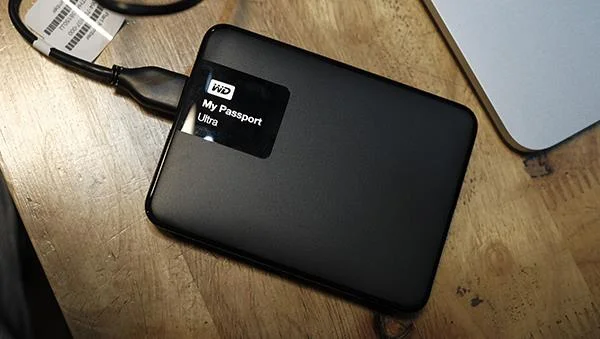
Simple steps to connect a hard drive to the TV

Previously, we only often saw portable hard drives connected to laptops, PCs, but now it also connects to Smart TVs . To find out if your TV is connected or not, do the following:

Check what your USB port is

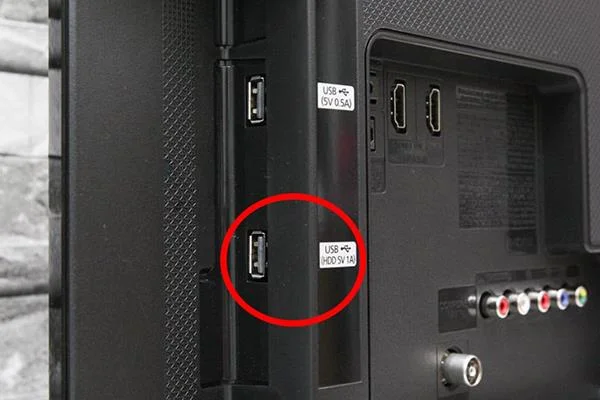
The fact that we connect the hard drive to the TV is not only through a USB port, but also check that the USB port has enough power to maintain the hard drive operation.

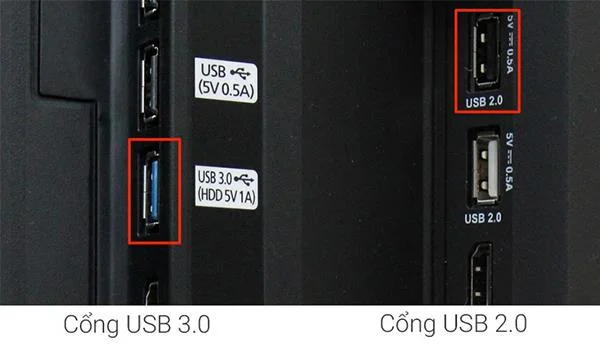
For some Smart TVs are equipped with a USB port with the HDD symbol, which means that the TV can connect a portable hard drive. These TV models with ports are the ones that connect to the best hard drives. We just need to plug the hard drive into this USB port, the TV can automatically read the contents of pictures, movies, songs, ... we store in it.

Simple steps to connect a hard drive to the TV

In case the TV does not have a USB HDD port, but only a USB 3.0 port or a blue port, it can be connected, so we just need to plug it in and use it as the HDD port.

Simple steps to connect a hard drive to the TV

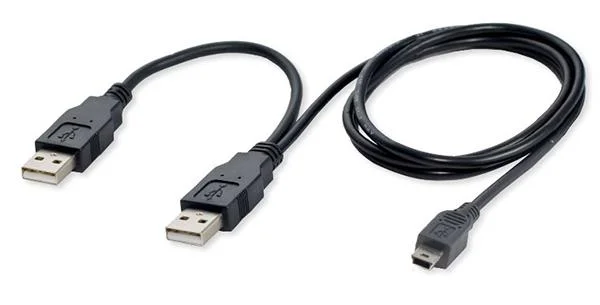
Finally, in case the TV does not have all 3 ports above but only a normal USB port, you must power the hard drive by using a Y-USB cable to receive the hard drive.

Simple steps to connect a hard drive to the TV

How much hard drive can the TV run?

Currently, most TV models can receive all levels of hard drive capacity, how much hard drive we plug into the TV can work, but it should be noted that the capacity of the hard drive. the higher the TV, the slower it will process. In case we plug in the hard drive with the capacity too large, the TV will still receive but now cannot read the data inside. According to experts, the most reasonable capacity to use is 2 TB or less.

Simple steps to connect a hard drive to the TV

How to do if the TV does not recognize the hard drive?

Sometimes in the process of using the hard drive and the TV is not connected to each other, we do the following:

If you use a poor quality hard drive, replace it with a more reputable brand in the market.

Use another hard drive with a lower capacity.

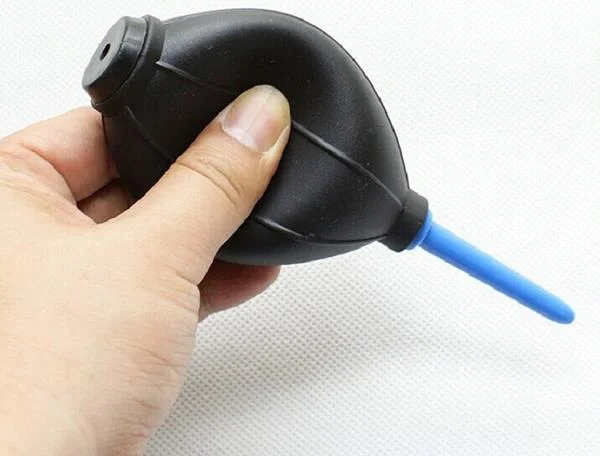
Clean the USB port again.

Simple steps to connect a hard drive to the TV

If you use the USB 2.0 port without using the cable to supply extra power to the hard drive, that is also the reason why it does not work. Now you just need to use the Y-shaped cable to connect to the TV, 1 hard drive input, 1 input power supply, it will work normally.

If the above 4 steps do not work, you should restore the original settings of the TV and then connect the hard drive again.

If you have tried all of the above but it still doesn't work then you should contact your service center for assistance.

The above are things to keep in mind when using a hard drive connected to the TV. Hope that WebTech360  has brought you a useful article.
Leave a Comment

Best washing machine brand between Hitachi, Candy, Midea, Beko, Whirlpool

Best washing machine brand between Hitachi, Candy, Midea, Beko, Whirlpool

Discover the best washing machine brands such as Hitachi, Candy, Midea, Beko, and Whirlpool with our detailed reviews. WebTech360 helps you choose the best washing machine that suits your needs.

Is Darling TV good? Which TV model is most worth buying?

Is Darling TV good? Which TV model is most worth buying?

Available in the Vietnamese market since 2001, Darling TV is gradually becoming familiar to users. Discover if Darling TV is good and durable, alongside the top 3 models worth buying.

Should buy a refrigerator Hitachi or Samsung?

Should buy a refrigerator Hitachi or Samsung?

Deciding whether to buy a Hitachi or Samsung refrigerator is challenging, as both brands are synonymous with quality and luxury.

Why is the newly bought refrigerator hot on both sides?

Why is the newly bought refrigerator hot on both sides?

When running a newly purchased refrigerator, you notice the sides heating up, raising concerns about a potential fault. This article from WebTech360 provides insights into this phenomenon.

Is buying a Panasonic refrigerator good?

Is buying a Panasonic refrigerator good?

Discover why buying a Panasonic refrigerator could be the right choice for you. Learn about its advantages, technologies, and energy efficiency.

Should a room with an area of ​​less than 25m2 should buy a 55-inch and a 65-inch TV?

Should a room with an area of ​​less than 25m2 should buy a 55-inch and a 65-inch TV?

Considering a 55 inch or 65 inch TV for a space under 25m²? Explore expert recommendations in this informative article to make the best choice for your room!

Common mistakes when using infrared cookers

Common mistakes when using infrared cookers

Infrared stove is favored by many consumers and is a substitute for traditional gas stoves. However, not everyone uses the infrared stove properly. Here are the common mistakes that you should avoid to use infrared cookers safely and effectively.

Tips for preserving banh chung - banh tet safe, not musty during Tet

Tips for preserving banh chung - banh tet safe, not musty during Tet

Discover effective methods for preserving banh chung and banh tet through proper storage to prevent mold and rancidity. Learn from WebTech360 on how to enjoy these traditional Vietnamese dishes safely!

Should you choose to buy a direct or indirect drive washing machine?

Should you choose to buy a direct or indirect drive washing machine?

Explore the differences between direct drive and indirect drive washing machines, their features, advantages, and disadvantages to make an informed decision for your home. WebTech360 provides insights to help choose the right washing machine for your family needs.

What is soft freezing technology?

What is soft freezing technology?

Discover the advantages of soft freezing technology found in modern refrigerators, enhancing food preservation and convenience. Learn how this technology ensures your family