In Kiem The Origin, there are many interesting features for you to explore and experience. In which, the Guild system will be the place for you to interact and combine with other players to complete big missions and receive corresponding rewards.
Let's find out with Quantrimang how the Guild system in Kiem The Origin works.
Table of Contents
What is the Guild System?
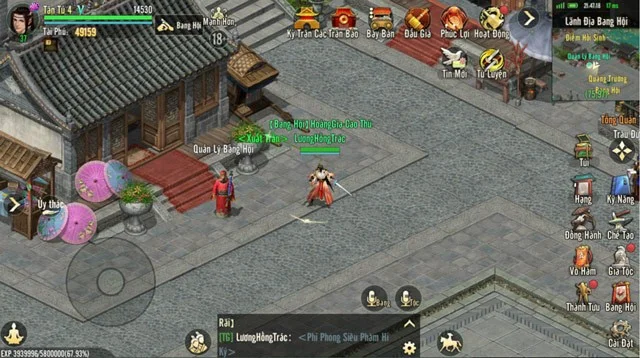
- Guild is a larger organization of Clan. A Guild can be formed by 1-2 Clans, equivalent to a maximum of 140 – 160 members.
- When a Clan joins a Guild, it will unlock many exciting features and activities that can only be participated in as a Guild member.
How to create and join a Guild?
Create Guild
- Only the Clan Chief has the right to create a Guild.
- To create a Guild, the Clan Leader needs to create a party and have 1000 Ingots available as the formation cost. The party only includes 1 or 2 Clan Leaders (in the case of creating a Guild with 2 Clans).
Join a Guild
- Only the Clan Leader has the right to apply to join a Guild.
- If a Clan does not belong to any Guild, the Clan Leader can apply to join an existing Guild, provided that the Guild only has 1 Clan.
- After successfully joining a Guild, all members of the Clan will become members of that Guild.
- Joining a Clan that already has a Guild will automatically make you a member of that Guild.
Positions in the Guild
- The management positions in a Guild include: Leader, Guild Master, Deputy Guild Master, Elder, Commander, Treasure.
- The Leader is the highest ranking person, who can appoint Leaders and Guild Masters.
- The Clan Leader appointed by the Leader will become the Clan Leader, the remaining Clan Leaders will become the Deputy Clan Leaders.
- When joining a Clan, the Deputy Clan Leader will hold the position of Elder.
- The Commander and Treasure positions when joining the Guild remain the same.
- The status of official member and registered member when joining the Guild remains the same.
Guild Activities
Guild Challenge Activity

- Participation requirements: Level 12, join a Guild.
- Time: Every day 12:30 and 19:30.
- How to participate: When the Guild Challenge opens, you can participate through the Activity interface, select Guild Challenge, you will be teleported to the Guild Territory.
Operational details
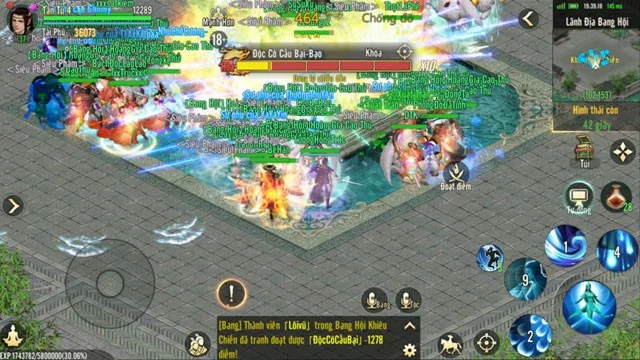
- In Guild Challenge, players and other members will challenge the BOSS Doc Co Cau Bai in the Guild Territory. Deal damage to the BOSS to gain points, the points of all Guild members are added together to form Guild points.
- While challenging the BOSS, you can select the Score button to compete with other players in the Guild. If you succeed, you will receive 10% of the opponent's points. If you fail, you will only receive 5% of the points.
- The Invincible has 3 states: Normal, Mighty and Berserk. Successfully scoring points in Mighty and Berserk states will respectively grant buffs that increase damage dealt to Bosses by x2 and x3.
- If there is a point gain in the Normal phase, the buff in the next phase will increase to x3 and x4 points.
Activity Rewards
- Based on the participating Guild's rank, the Guild Auction rewards will be summarized. The more members participate, the richer the rewards will be, such as: Martial Order, Companion, Map, and Peace Gem.
- Based on the Guild scoreboard, additional Contribution rewards will be given to participating members such as: Fame and Fortune, Family Contribution, Guild Assets.
Flag Raising Guild Activity
- Participation requirements: Level 12, join a Guild
- Time: Every day 19:42
- How to participate: When the activity is active, participate via the Activity interface.
Operational details
- During the flag planting period, players in the Guild Territory can continuously receive EXP, and can use Yuanbao to support prestige, increasing the received EXP of all Guild members by 5%. Each person can only support prestige once, with a maximum of 20 people supporting prestige.
- During the flag raising time, members can participate in answering questions. After answering 4 questions, the fortune telling will be opened.
- Each correct answer will receive 1 chance to choose a hexagram, if you choose the right hexagram you will receive a reward: Family Contribution, Property.
Bach Ho Duong Activities
- Participation requirements: Level 12, join a Clan/Guild
- Time: Every day 11:00, 13:00, 17:00, 20:00, 23:00
- Number of participations: 1 time/day.
Operational details
- When it's time to go live, join via the Live Live interface.
- The character will automatically teleport to Phuong Tuong city to meet the White Tiger Hall Guardian NPC, this NPC is also in Lam An and Tuong Duong cities, you can go there to manually register.
- At the White Tiger Hall Guardian NPC, you can choose the channel to participate in the activity.
- After selecting the Channel, move to 1 of the 4 White Tiger Disciples to choose the entrance, there are a total of 4 doors: East, West, South, North.
- Each White Tiger Hall is divided into 3 floors. The 1st floor has 4 rooms corresponding to 4 entrances, the 2nd floor has 2 rooms and the 3rd floor has 1 room.
- After a period of time, the Thunder Bandit Leader BOSS will appear, after being destroyed, the entrance to the next floor will open. Members who defeat the 3rd floor BOSS can enter the White Tiger Tang Lien Server.
- The first 3 minutes after the event opens is the Peace phase, all players are in Cultivation state. After 3 minutes, the Contest mode opens, gamers can switch to Guild/Clan PK mode.
- Note that if you are seriously injured, you will be teleported out of the White Tiger Hall, so cooperate with other members of your Guild/Clan, carefully use appropriate strategies to win.
Activity Rewards
- During the event, defeating small monsters in Bach Ho Duong will receive rewards such as Huyen Tinh, Bac,...
- Items dropped from the White Tiger Road BOSS are calculated based on damage. The team that deals the most damage will receive the BOSS drop reward. At the same time, members of the same guild as that team that are present on the current floor map will also receive the reward.
- Defeat the BOSS Bach Ho Duong Lien Server to receive Auction rewards such as: Vo Ham Order, Companion, Do Pho, Hoa Thi Bich,...
Territorial War Operations

- Participation requirements: Level 12, join a Guild
- Time: Every Wednesday and Sunday 21:00.
- How to participate: When the activity opens, you can participate through the Activity interface.
Operational details
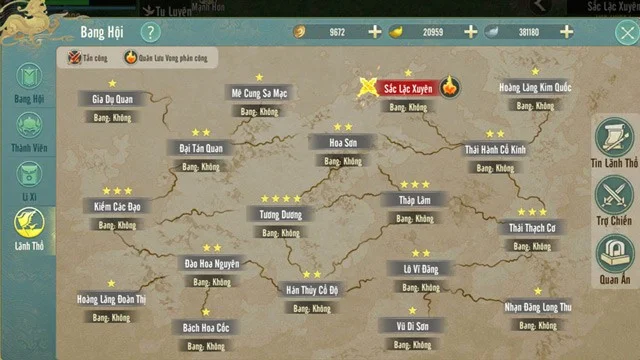
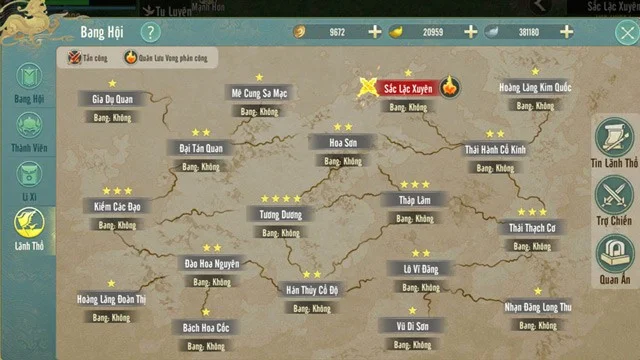
- Open the Territory interface, select a Territory to enter. You can enter the State's territory to defend or attack neighboring territories.
- If the Guild does not have a territory yet, the Guild Leader must declare war on a 1-star territory before the Territory War takes place. During the event, the Guild can only enter the declared territory.
- During the event, the Guild entering the territory must capture the Towers in the territory by dealing damage to them. After being defeated, the Towers will be revived and belong to the Guild that deals the most damage. Depending on the number of stars in the territory, the number of towers will change accordingly.
- During the time the Tower belongs to a Clan, it will continuously add dominance points to that Clan until it is captured by another faction. Try to capture and defend as many towers as possible to maximize the Clan's dominance points.
- At the end of the event, the Guild with the highest dominance score in a territory will capture that territory.
- If a Clan previously owned a 1-star territory and captures a 2-star territory, the Clan will lose the 1-star territory and cannot attack the 1-star territory in the next Territory War. A Clan can own multiple 2-star territories or more.
- In addition to the player's Guilds, 3rd faction NPCs also appear to occupy territories, territories occupied by NPCs are shown as ownerless territories.
- Personal Points: In addition to Guild Domination Points, individuals can also score points through defeating players, NPCs, Towers, and defending Guild Towers.
- At the end of the Territory War, based on the Guild territory ranking, members can purchase the corresponding rank of the Official Seal.
Activity Rewards

- Guild ranking in order: Total occupied territory stars, Total occupied territories, Number of occupied territories with the highest star level, Total Guild territory points
- Auction rewards are based on the total number of stars the Guild has captured and the number of participants in the Territory War. Rewards include: Martial Order Tokens, Companions, Map Tokens, Peace Tokens, and Horse Tokens.
- Personal Rewards: Silver, Five Elements Minerals, Clan Contribution, Guild Assets.
See also: