Kawaii Halloween Decor Without Gore or Jump Scares

Create a gentle Halloween look with pastel colors, friendly ghosts, easy no-carve accents, and practical safety tips for your home.
Since the Happy Street Hotpot Shop, the dream of opening your own restaurant is no longer too far away. Many people with no experience have been able to open a restaurant and manage their own staff without any difficulty.
You can start from a small restaurant with a few tables to a 5-star restaurant in the center of Paris. But if you want a specific route, you need to start with the tips for playing Happy Street Hotpot Shop below.
Enter code Hotpot restaurant on the road of happiness
Code Hotpot Shop on Happy Road will contain rewards to help you have a better start with your restaurant. It can be money or a number of diamonds so you can x2 other rewards. See at: Latest Code Hotpot Shop on Happy Road
Take control of your costs
The developers have done a great job in making Happy Street Hotpot as realistic as possible. Just like in real life, controlling income/expenses is the most essential part from the moment you open until you have a 5-star restaurant in hand.
So it is necessary to manage expenses properly, improve and upgrade your restaurant gradually. This will make your restaurant gradually attract customers and increase revenue.
When you're just starting out, you should focus on revenue and improve one item at a time, or two items at a time like the cash register,
Complete the suggested tasks
You will start with a small amount of in-game cash, and if you want a steady income and regular customers, you will have to spend some time upgrading your restaurant and adding new recipes.
The best way to get started is still to complete missions, which will give you bonuses and hints on what to do next for your restaurant.
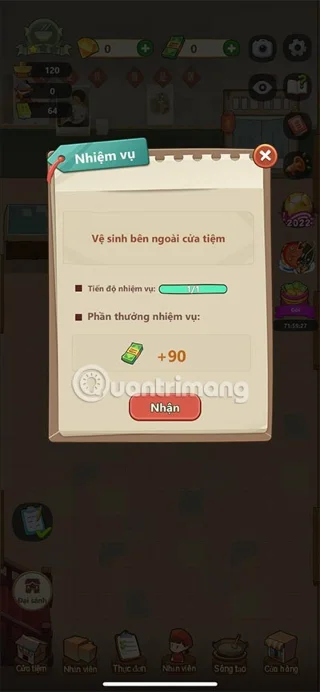
Some quests will be suggested at the beginning of the game, these quests can be initial tutorials and will have some small rewards for you when completed. After completing the tutorial, you will be guided to more difficult quests that directly affect the development of your restaurant.
Upgrade your restaurant
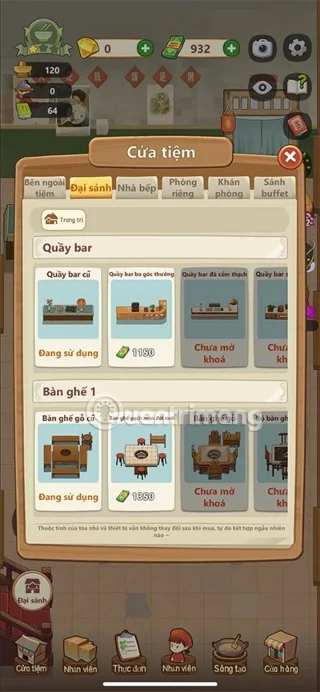
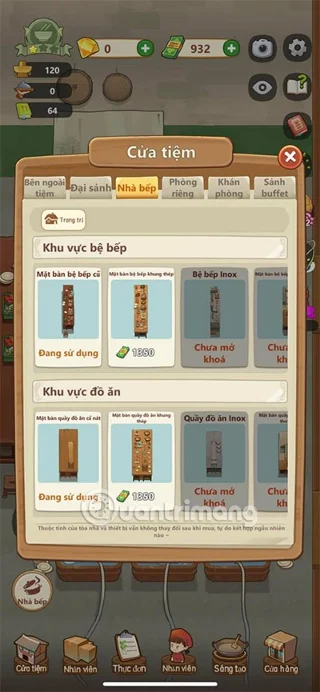
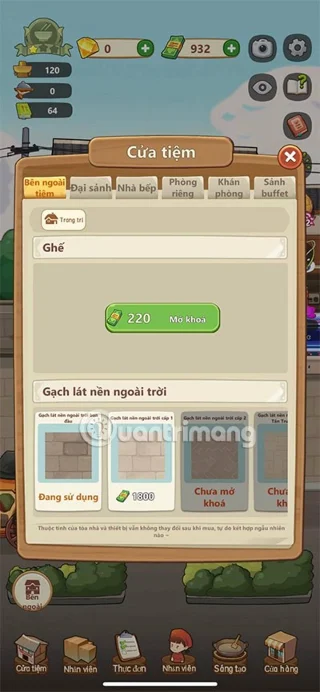
Once you have customers, you will have a source of income, and at the same time you will do tasks to earn more income. From this source of income, you must upgrade your restaurant by buying new tables and chairs, bar counters, kitchen trays, kitchen tables...
Just click on the Shop button and select the type of decoration you want. And in the list below, you can learn about the uses of each decoration.
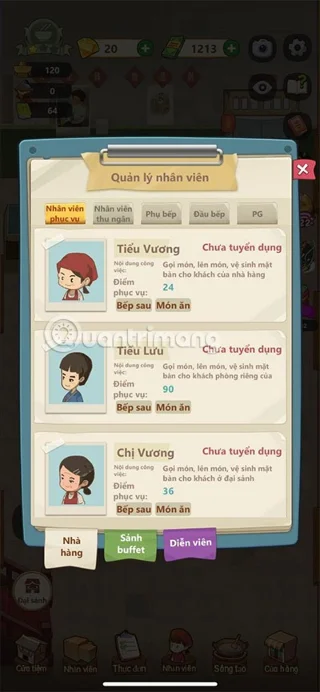
Hiring more staff
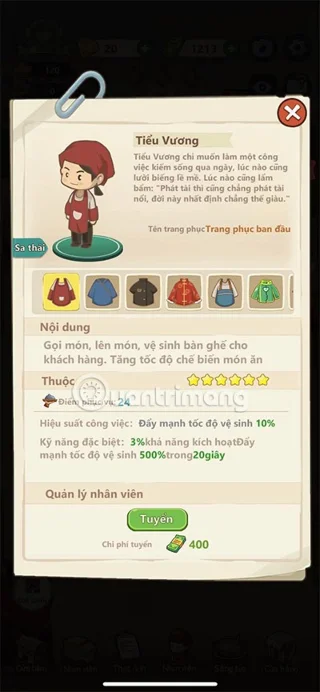
Staff is the most important part of any restaurant, and your staff at Tien Hotpot on the Road to Happiness is no exception. Each staff member will be responsible for a different task in your restaurant. Typically, you will have 5 types of staff:
You will have a good income when all your employees work hard and work together. But the most important thing for you is that your employees will work even when you are not there.
They will make you money until the dishes are put in the sink. Moreover, if your staff is enthusiastic, they will make customers happy and give better service ratings. This will attract more customers and spread the reputation of the restaurant.
Unlock and update new recipes
The central part of any restaurant is its menu and in Happy Street Hotpot Shop, you must also make your dishes more diverse and the menu richer to attract and retain customers.
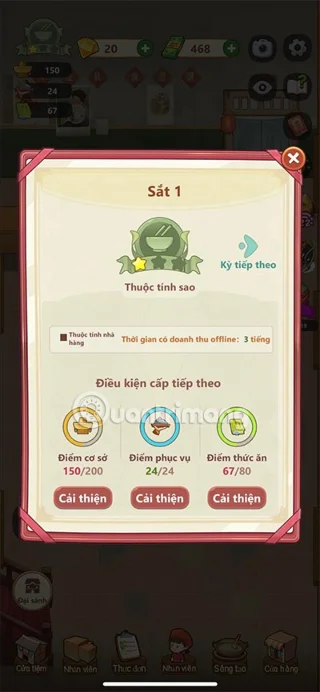
In the corner of the screen, you will see the Create button, tap it and use the elements to create new dishes or hot pots. Every time you unlock a new dish, your restaurant's rating will increase.
Also, to unlock all the dishes, you need to upgrade them. Every dish has a 5-star rating and the more stars your dish has, the more profit you make from customers.
In conclusion, developing your restaurant in Happy Street Hotpot is quite a complicated process. Just like in real life, you need to balance all the different aspects and not make mistakes. In addition, you need to log in to the game regularly to refresh your automatic income.
Create a gentle Halloween look with pastel colors, friendly ghosts, easy no-carve accents, and practical safety tips for your home.
Create a spooky office cubicle with Halloween desk decor ideas that keep your workspace usable, tidy, and mindful of workplace safety.
Plan a recognizable Halloween 2026 look with pop culture costumes inspired by Spider-Man, Supergirl, Toy Story 5, Moana, Mario, and Wednesday.
Sort leftover Halloween candy safely, share or repurpose sealed treats, and choose food use or compost for pumpkins based on their condition.
Compare workplace Halloween costume choices by respect, dress code, mobility, and safety—and learn when a subtle accessory or a policy check is the better option.
Find a couples costume that fits your style, budget, and comfort level, from Addams Family classics to original inside-joke duos.
Need a last-minute high school Halloween costume? Compare 10 easy closet-based ideas by prep time, comfort, school-day practicality, and simple safety checks.
Use a simple 2026 Halloween decorating timeline for indoor décor, outdoor displays, and fresh pumpkins, with practical adjustments for weather and events.
Mix five vivid, approachable Halloween cocktails with measured recipes, simple prep tips, and an alcohol-free option for your party guests.
Find 15 office-friendly Halloween costume ideas for 2026, with practical checks for dress codes, respectful themes, comfort, and workplace safety.








