Kawaii Halloween Decor Without Gore or Jump Scares

Create a gentle Halloween look with pastel colors, friendly ghosts, easy no-carve accents, and practical safety tips for your home.
DALL-E can paint you a picture and create realistic images, but it is not a painter or a photographer. As an AI model, DALL-E is an interesting tool that you will want to try at least once.
What is DALL-E?
Using just words, you can describe exactly what you want to see and DALL-E will generate an image for you in seconds. What may seem like magic is actually a generative AI model developed by Open AI and designed to generate images from text prompts.
Because it only requires a basic understanding of English to use, and not years of drawing or painting experience, it has gained a lot of traction. People are using it for a variety of purposes. From world-building roleplaying scenes for D&D campaigns to indie writers on Substack looking for free, jazz-style images for their posts.
DALL-E takes its name from the combination of famous artist Salvador Dalí and a robot named WALL-E from the Pixar animated film of the same name.
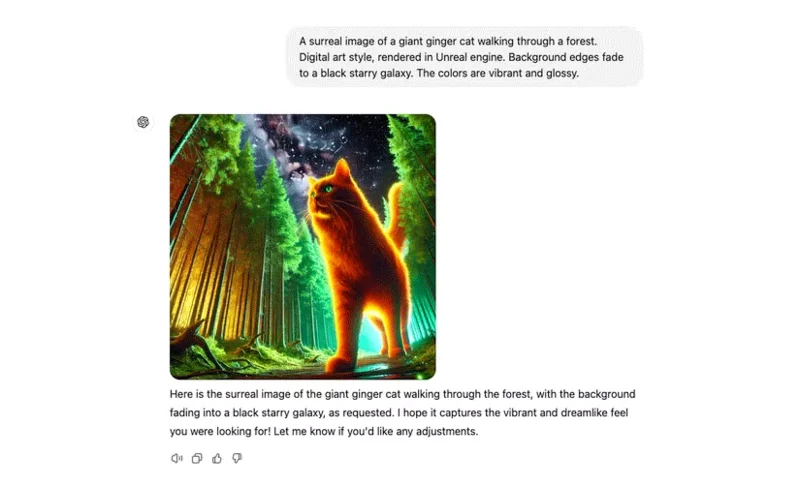
With its uncanny ability to accurately depict objects, landscapes, people, animals, AI has given rise to a whole new genre of art. It can even express those ideas in a specific art style, such as oil painting, digital art, surrealism, etc.
DALL-E is one of the first Generative AI models to popularize this technology worldwide in 2021. One of its main competitors is Midjourney, an extremely powerful AI engine.
How does DALL-E work?
To reach this level of “artistic ability,” DALL-E went through its own form of training. It was fed massive datasets containing hundreds of millions of images, along with captions describing the paintings. Technically, Open AI describes DALL-E as a transformational language model.
If interested, you can read about artificial intelligence explained in simple terms.
How to use DALL-E in ChatGPT
The latest version of DALL-E is inside ChatGPT, an AI chatbot that can do all sorts of tasks for you. If you don't have a ChatGPT account yet, that's the first thing you need to do.
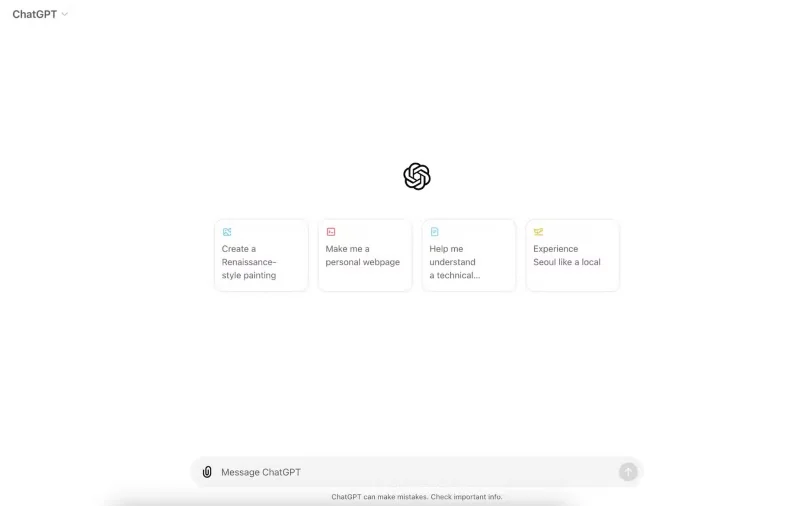
On the inside, it looks a lot like a messaging app. You can start with a little role-playing and pretend you're talking to a graphic designer. In the text box, a simple request gets things going: "Can you create a logo for my coffee shop?"
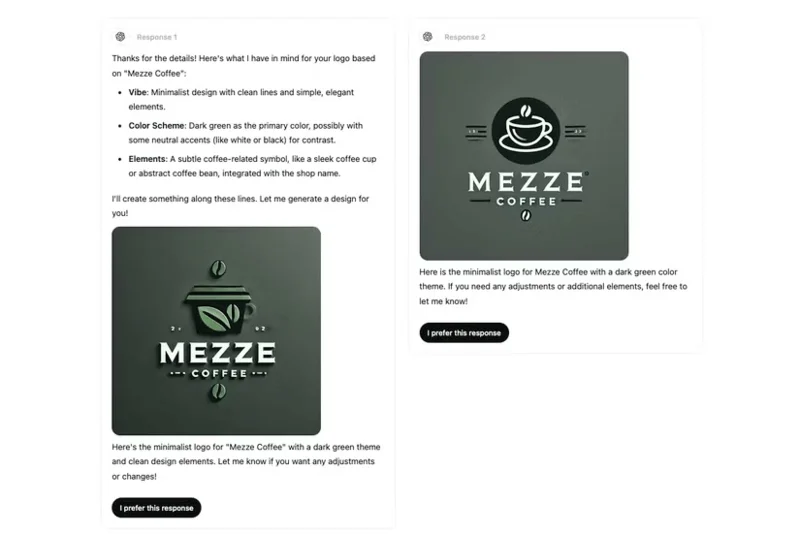
First, ChatGPT asks for a few more details. After responding with a better description, a few images are created to the given specifications. You can chat back and forth like this as much as you like, slowly narrowing down the image you want to create.
Alternatively, you can start directly describing the image you think of, describing it in as much detail as possible.
Perfecting your prompt is key to creating great images with DALL-E. If you don't like certain elements, experiment with the words you choose and play with the word order. Trial and error is definitely an integral part of this process.
What can you do with DALL-E?
Since the launch of AI image generators like DALL-E at the beginning of the AI boom, we have seen a large community of like-minded people adopt DALL-E and other AI art generators as a hobby. Part of the fun is figuring out how to create the best images, sometimes called “prompt writing”. Like any hobby, there are many ways to get better at it.
For others, DALL-E has incredibly practical applications. From graphic design to creating logos, concept art, web design, and images for your newsletter, the list goes on. Sometimes hiring a professional is out of budget, so a DIY approach, aided by an AI system, can produce some very compelling visuals.
DALL-E is a powerful AI image generator and one of the first to popularize this new technology. It's incredibly easy to use: You just type in a description of what you want to see. It's hard to call it a skill, but over time people have shown us that it can absolutely become a hobby worth investing time in if you really want to create beautiful AI art.
Create a gentle Halloween look with pastel colors, friendly ghosts, easy no-carve accents, and practical safety tips for your home.
Create a spooky office cubicle with Halloween desk decor ideas that keep your workspace usable, tidy, and mindful of workplace safety.
Plan a recognizable Halloween 2026 look with pop culture costumes inspired by Spider-Man, Supergirl, Toy Story 5, Moana, Mario, and Wednesday.
Sort leftover Halloween candy safely, share or repurpose sealed treats, and choose food use or compost for pumpkins based on their condition.
Compare workplace Halloween costume choices by respect, dress code, mobility, and safety—and learn when a subtle accessory or a policy check is the better option.
Find a couples costume that fits your style, budget, and comfort level, from Addams Family classics to original inside-joke duos.
Need a last-minute high school Halloween costume? Compare 10 easy closet-based ideas by prep time, comfort, school-day practicality, and simple safety checks.
Use a simple 2026 Halloween decorating timeline for indoor décor, outdoor displays, and fresh pumpkins, with practical adjustments for weather and events.
Mix five vivid, approachable Halloween cocktails with measured recipes, simple prep tips, and an alcohol-free option for your party guests.
Find 15 office-friendly Halloween costume ideas for 2026, with practical checks for dress codes, respectful themes, comfort, and workplace safety.








