
Kawaii Halloween Decor Without Gore or Jump Scares

Create a gentle Halloween look with pastel colors, friendly ghosts, easy no-carve accents, and practical safety tips for your home.
Mini-LED and micro-LED are, in a sense, cousins. At their core, mini-LED and micro-LED aren’t much different, but when you start to look closely, they have some significant differences.
When you put all the different types of TV technology side by side, they all seem to work the same, but there are differences in how they display images. For example, LED and LCD screens use a combination of backlights and color filters, but LED screens use light-emitting diodes, while LCD screens use fluorescent lights. What’s more confusing is that LCDs also use LEDs.
Mini-LED is a branch of the LED-LCD tree. The basic principle is the same, just smaller and with more LEDs. The LEDs in micro-LED are even smaller than mini-LEDs and don’t rely on a backlight. That key difference will become important later!
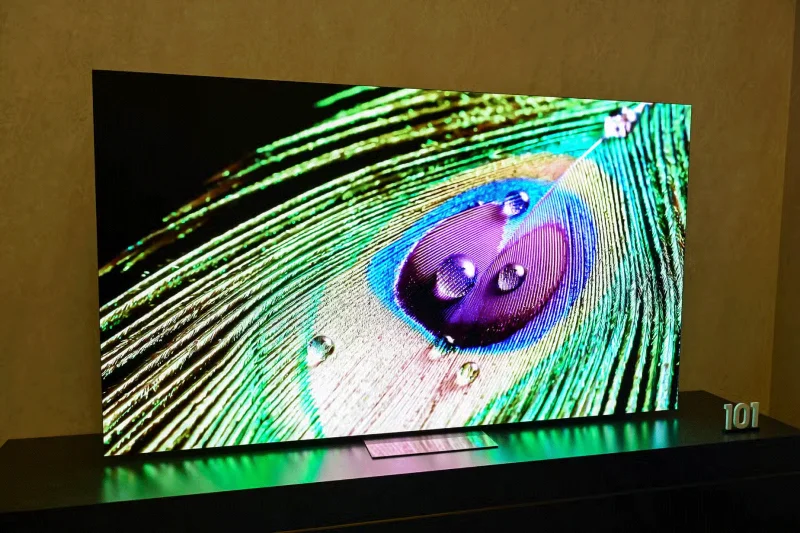
When it comes to brightness, micro-LED displays can deliver incredibly high peak brightness because each tiny LED is its own light source. Packing so many tiny LEDs into a display allows for intense brightness and vivid highlights while still maintaining fine detail. It’s the same live viewing concept you’d see on a stadium screen, but on a much smaller scale (stadium screens typically use larger, more widely spaced LEDs). Micro-LEDs give you the punch of brightness on a consumer-sized TV without sacrificing resolution or color accuracy.
That’s not to say mini-LEDs aren’t bright—quite the opposite. Mini-LED displays use many more tiny LEDs than standard LED-backlit TVs, delivering significantly higher peak brightness and better contrast than traditional LED sets. While they can’t match the pixel-level brilliance of micro-LEDs, mini-LED panels still offer a significant improvement in brightness and clarity over conventional backlit LCDs.
Again, micro-LED displays will be significantly better than mini-LED displays in terms of contrast ratio. As mentioned earlier, micro-LED displays don’t rely on a backlight; instead, each LED has its own light that can be turned off to create a truly black image. In fact, that ability is the main difference between OLED, LED, and LCD.
Mini-LED displays will still offer significantly increased contrast compared to your regular LED TV . With more LEDs, the display can have more local dimming zones, allowing for better contrast control.
Micro-LED will have superior overall color. Its clever ability to use self-illuminating pixels actually gives it an edge over mini-LED, though not as good as OLED displays.
Mini-LED displays would be a better choice, and to be honest, you probably don’t have many options to begin with. For example, a handful of Samsung micro-LED TVs cost between $110,000 and $150,000. That’s as much as a house!
Mini-LED displays are not like that. In general, mini-LED TVs will cost less than OLEDs, which makes sense because OLED TVs offer a better overall picture.
In other words, micro-LED displays are impractical for the average, everyday user. They’re incredibly expensive to scale down to even living-room-sized TVs. If you’re looking to upgrade from LED, mini-LED is the way to go, or perhaps you should also consider the pros and cons of mini-LED and OLED.
Create a gentle Halloween look with pastel colors, friendly ghosts, easy no-carve accents, and practical safety tips for your home.
Create a spooky office cubicle with Halloween desk decor ideas that keep your workspace usable, tidy, and mindful of workplace safety.
Plan a recognizable Halloween 2026 look with pop culture costumes inspired by Spider-Man, Supergirl, Toy Story 5, Moana, Mario, and Wednesday.
Sort leftover Halloween candy safely, share or repurpose sealed treats, and choose food use or compost for pumpkins based on their condition.
Compare workplace Halloween costume choices by respect, dress code, mobility, and safety—and learn when a subtle accessory or a policy check is the better option.
Find a couples costume that fits your style, budget, and comfort level, from Addams Family classics to original inside-joke duos.
Need a last-minute high school Halloween costume? Compare 10 easy closet-based ideas by prep time, comfort, school-day practicality, and simple safety checks.
Use a simple 2026 Halloween decorating timeline for indoor décor, outdoor displays, and fresh pumpkins, with practical adjustments for weather and events.
Mix five vivid, approachable Halloween cocktails with measured recipes, simple prep tips, and an alcohol-free option for your party guests.
Find 15 office-friendly Halloween costume ideas for 2026, with practical checks for dress codes, respectful themes, comfort, and workplace safety.








