
Kawaii Halloween Decor Without Gore or Jump Scares

Create a gentle Halloween look with pastel colors, friendly ghosts, easy no-carve accents, and practical safety tips for your home.
Spatial Audio is everywhere. From Apple's AirPods Pro to Sony's 360 Reality Audio, it's being touted as the next big standard in audio technology. But many people think it's an overhyped gimmick, and here's why.
What is Spatial Audio?
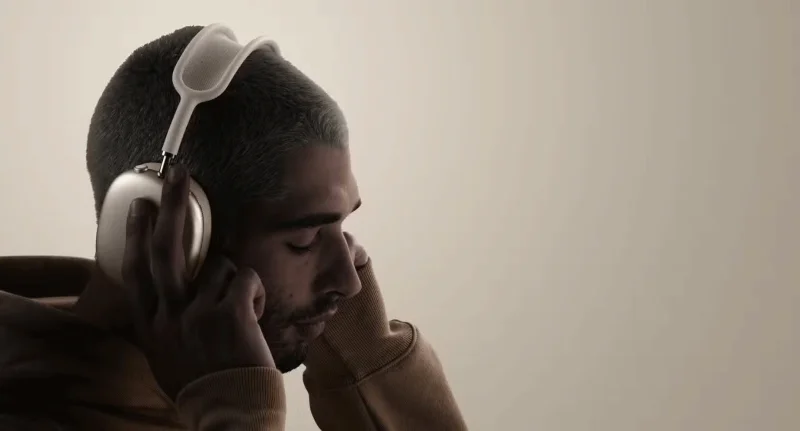
Spatial Audio is a technology used to create a three-dimensional sound experience. It uses advanced algorithms and, in some cases, head tracking features (like Apple's AirPods Max) to make it feel like sound is coming from all around you — in front, behind, above, and even below. The idea is to mimic the way we hear in real life, where sound has direction and depth.
For example, if you're watching a movie on your iPhone with Spatial Audio enabled and you turn your head, the sound will shift to make it feel like it's anchored to the screen. With music, the goal is to place instruments and vocals in virtual space around your head, rather than just splitting the sound between your left and right ears, like traditional stereo.
Sounds impressive, right? In theory, yes. But here’s the thing: Spatial Audio relies heavily on specific hardware and software to work properly. If you’re not using compatible devices or listening to content that’s been specifically mixed for Spatial Audio, the effect won’t be as expected. Even when it does work, the results are inconsistent. For example, Apple’s Spatial Audio works best with its own headphones, leaving everyone else with a poor experience.
Hype vs reality
Tech companies are good at selling users the dream. Apple calls Spatial Audio a “theater for your ears,” while Dolby touts its ability to create “immersive soundscapes.” But when you peel back the layers of marketing language, the experience doesn’t quite live up to the hype.
First, there’s the device. For example, Apple’s Spatial Audio only works with certain headphones like the AirPods Pro or AirPods Max . Even listening to Spatial Audio on a Mac requires newer Mac models and headphones, making it difficult to get. Dolby Atmos also requires specific hardware; not all devices handle it equally well.
Then there's the content. Movies, music, and games need to be mixed separately for Spatial Audio. Otherwise, you might just be hearing "spatial stereo."
Sure, Spatial Audio can be impressive in a carefully curated demo. The explosions in an action movie or the layered sound of a live concert can be overwhelming. But for your everyday playlist or podcast? Most of it is overkill. Do we really need 3D audio for a casual Taylor Swift track or episode of our favorite crime drama? Probably not.
Finally, let’s talk about cost. Spatial Audio isn’t cheap. Between high-end headphones, premium streaming services, and compatible devices, the cost adds up quickly. And for what? A slightly more “immersive” experience that most people won’t even notice or care about.
Why do people still prefer stereo?
Stereo has been the gold standard for decades, and for good reason. Stereo is simple, reliable, and universally compatible. You don't need special headphones, fancy setups, or specific content to enjoy it.
Stereo sound delivers a clear, balanced soundstage with separate left and right channels. Whether listening to music, watching movies, or playing games, stereo sound delivers a consistent and enjoyable experience across virtually any device.
Perhaps the most beloved feature about stereo is its simplicity. It doesn’t rely on head tracking, 3D algorithms, or other technological wizardry to create an immersive experience. Instead, it focuses on the basics: Clear vocals, crisp instruments, and balanced mixes. That’s it!
Some proponents of Spatial Audio argue that it may have more applications. While this sounds promising, good music in any format—including stereo—can be equally effective at promoting relaxation.
Create a gentle Halloween look with pastel colors, friendly ghosts, easy no-carve accents, and practical safety tips for your home.
Create a spooky office cubicle with Halloween desk decor ideas that keep your workspace usable, tidy, and mindful of workplace safety.
Plan a recognizable Halloween 2026 look with pop culture costumes inspired by Spider-Man, Supergirl, Toy Story 5, Moana, Mario, and Wednesday.
Sort leftover Halloween candy safely, share or repurpose sealed treats, and choose food use or compost for pumpkins based on their condition.
Compare workplace Halloween costume choices by respect, dress code, mobility, and safety—and learn when a subtle accessory or a policy check is the better option.
Find a couples costume that fits your style, budget, and comfort level, from Addams Family classics to original inside-joke duos.
Need a last-minute high school Halloween costume? Compare 10 easy closet-based ideas by prep time, comfort, school-day practicality, and simple safety checks.
Use a simple 2026 Halloween decorating timeline for indoor décor, outdoor displays, and fresh pumpkins, with practical adjustments for weather and events.
Mix five vivid, approachable Halloween cocktails with measured recipes, simple prep tips, and an alcohol-free option for your party guests.
Find 15 office-friendly Halloween costume ideas for 2026, with practical checks for dress codes, respectful themes, comfort, and workplace safety.








